What should you look for when buying?
When choosing a TV for basketball games with friends and a range of video sources, key considerations include responsive controls, suitable connections, visibility from different seats and how the TV will work in your room.
| What matters |
What to check before buying |
Who will value this? |
| Responsive controls and smooth motion |
Compare input lag using the test signal and Game Mode; check the HDMI input and the output supported by the game and source device. |
If I want to react quickly during a basketball game, I look at the delay in Game Mode rather than just the refresh rate. Around 33% of consumers put responsive controls first. |
| Playing content from different video sources |
Check the HDMI inputs and what each one supports; for USB files, check the supported formats and codecs. |
If you switch between a console, other source devices and your own videos, you’ll want to connect your sources and play files with ease. Around 25% of consumers prioritise switching between video sources. |
| Visibility from different seats |
Assess the picture and reflections from the seats at either end of your sofa, in your usual room lighting. |
When we play together on the sofa, we want the picture to remain clear from the seats at the sides, too. Around 25% of consumers put visibility from multiple seats first. |
| Suitability for your room and energy use |
Compare reflections in your room and the SDR and HDR figures on the EU energy label for the specific model variant. |
If you also use the TV to watch videos in different lighting conditions, you’ll want to consider how it performs in your room and how much energy it uses. Around 17% of consumers prioritise room suitability and ongoing energy use. |
OLED gaming TV
A good fit when: Contrast and gaming features matter, but make sure to assess the specific model from the seats at the sides, too. LG lists a native 120-Hz panel, VRR up to 144 Hz and ALLM for the OLED65C56LB.
Trade-off: LG describes a risk of image retention when static content is displayed for a long time, as well as protective features. These do not eliminate the risk.
Mini-LED LCD gaming TV
A good fit when: Daylight and switching between sources matter, compare specific models in your own room. Sony lists 120 Hz for the K-55XR5; according to the specifications, VRR is available only on HDMI 3 and 4.
Trade-off: Mini-LED alone does not guarantee good visibility from the sides or low reflectivity. CHIP criticised both points on one specific Samsung model it tested.
Gaming TVs at Joybuy
The Joybuy products below are TVs with listed gaming features and connections for additional video sources. When choosing, check which features suit your game, source devices and the file formats you need.
 No image available
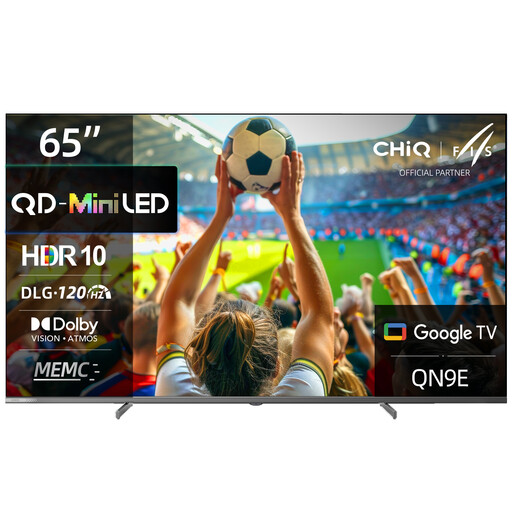
CHiQ M65QN9E 65-inch 4K Mini-LED QLED TV
For gaming, the product name lists DLG 120 Hz and MEMC; check which output your game and source device use.
The name also lists Dolby Vision, Dolby Atmos and Google TV with Android 14.
View at Joybuy
 No image available
TCL 55Q7D PRO 55-inch 4K SQD Mini-LED TV
The product description lists 144 Hz, VRR and ALLM for gaming with a compatible source.
It also lists four HDMI inputs and one USB input. Check the features of each connection and whether your files are compatible with USB playback.
View at Joybuy
 No image available
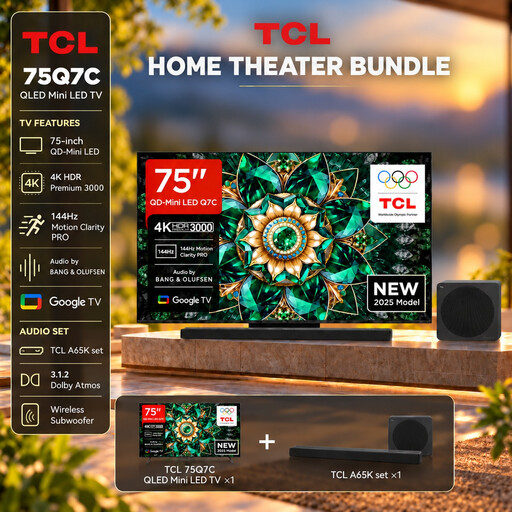
TCL 75Q7C 75-inch TV with A65K soundbar set
For gaming, the product description lists 144 Hz, VRR and ALLM; the output supported by your game and connected source remains key.
According to the product name, the set includes an A65K soundbar. The description also lists four HDMI 2.1 inputs and USB.
View at Joybuy
 No image available
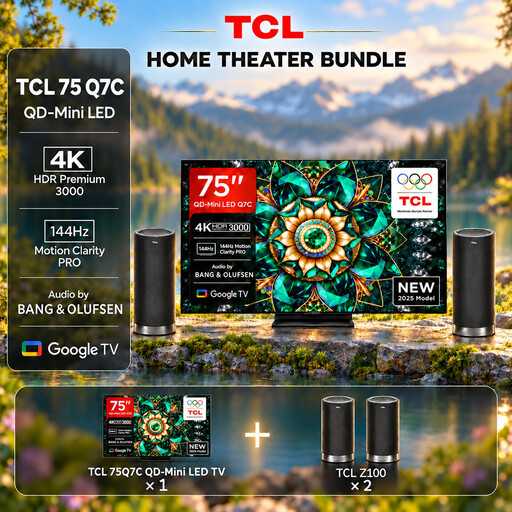
TCL 75Q7C 75-inch TV with Z100 speaker set
The product description lists 144 Hz, VRR and ALLM for gaming with a compatible source.
According to the product name, this set includes a Z100 speaker set. The description also lists four HDMI 2.1 inputs and USB.
View at Joybuy
 No image available
Hisense 55E8S 55-inch 4K QLED Mini-LED TV
For gaming, the product description lists 144 Hz, VRR and ALLM; check that these features work with your source device.
The description lists horizontal and vertical viewing angles of 178°. Also assess the specific TV from the seats in your own room.
View at Joybuy
Frequently asked questions
Is 144 Hz on the spec sheet enough for smooth basketball games?
No. The panel specification doesn’t tell you how many frames the specific game and source device output. Check their output, the HDMI input you’re using and Game Mode; VRR also requires a compatible source.
Why won’t my own basketball clip play over USB?
The TV needs to support the file extension and codec. Check the file details against the manual for your specific model; LG notes that a file may not play if its codec is unsupported.
Which setting helps with gaming without assuming the same applies to video playback?
Turn on Game Mode for your console, or ALLM on compatible devices. The HDMI Licensing Administrator explains that a low-latency mode can reduce image processing that may be desirable for other content, so check the setting when you switch sources.
What should I bear in mind if I leave a static game screen on OLED during a long break?
Avoid leaving still images on screen for longer than necessary and follow the care guidance for your specific TV. LG describes image retention with static content displayed for a long time, as well as protective features; this does not rule out image retention occurring.
How can I compare the energy use of different TVs?
For each specific model, compare the separate SDR and HDR figures on the EU energy label or in its EPREL entry. These figures relate to the relevant test conditions; for your personal costs, you’ll also need to consider how long you use the TV and your electricity tariff.


