
Lieferung heute & morgen

Qualitätsgarantie

Willkommens-Angebote freischalten: KOSTENLOSE Lieferung | Bis zu 80 % RABATT | Kostenlose 30-Tage-JoyPlus-Testphase
App herunterladen
The search for the right gaming TV can quickly become overwhelming. Manufacturers advertise with a flood of technical jargon and supposed benefits that often fail to deliver in practice. Many buyers invest in expensive devices only to find that crucial features for a smooth gaming experience are missing. This guide will help you see through the marketing hype and make an informed decision.
As a Joybuy Product Recommendation Officer, I filter the relevant information for you and highlight which technical features truly matter.
Before we dive into the important specifications, let's look at the three most common sources of error that lead to disappointment.
To avoid the pitfalls mentioned above, focus on the following three technical parameters in your selection.
The native refresh rate indicates how many frames the display can physically render per second. For current consoles like the PS5 and Xbox Series X, a 120Hz TV is the standard for displaying games smoothly in 4K resolution. A 144Hz TV offers advantages primarily for PC gamers and provides a degree of future-proofing.
Closely related is Variable Refresh Rate (VRR). This technology dynamically syncs the TV's refresh rate with the frame output of the console or PC. This effectively prevents visual artifacts like screen tearing. Look for support for standards like AMD FreeSync or NVIDIA G-Sync to ensure compatibility with your hardware.
The choice of display technology has a major impact on image quality and gaming performance.
A true 4K Gaming TV needs at least one, and preferably several, HDMI 2.1 ports that support the full 48 Gbps bandwidth. This is the only way to enable 4K gaming at 120 Hz, VRR, and ALLM simultaneously. ALLM (Auto Low Latency Mode) ensures that the TV automatically switches to the lowest latency mode as soon as a console is turned on. A dedicated "Game Optimizer" or "Game Bar" in the TV's menu is also a good sign, as this allows quick access to all game-relevant settings.
Here are some models tailored to specific user profiles that meet the criteria mentioned above.
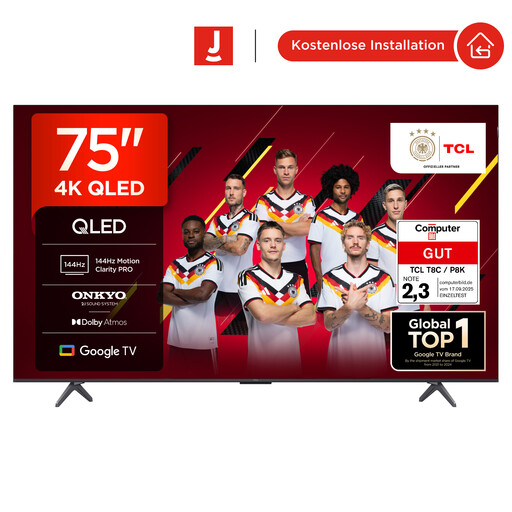
Why This Fits Their Persona: Ideal for gamers who want a large screen for immersive experiences and want to leverage the full power of their PS5 or Xbox Series X without spending the budget for a premium OLED model.
This model features a native 144Hz panel, not just software-based motion smoothing. The four HDMI 2.1 ports explicitly support VRR and ALLM, ensuring full compatibility with modern consoles.
Offers a combination of a large 75-inch screen, a high native 144Hz refresh rate, and comprehensive gaming features (FreeSync, Game Master) at a very competitive price-to-performance ratio.
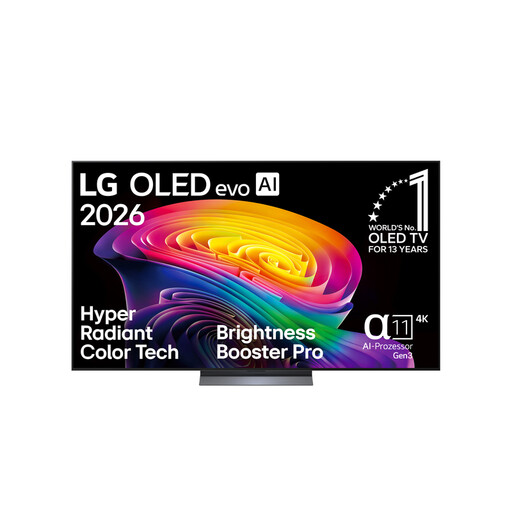
Why This Fits Their Persona: For users who refuse to compromise on image quality and want the superior contrast and response performance of OLED technology for both high-end PC gaming and cinematic movie experiences.
OLED technology, by definition, guarantees pixel-perfect lighting and thus an extremely low input lag. With VRR support up to 165 Hz and certifications for NVIDIA G-Sync and AMD FreeSync Premium, all relevant gaming standards are transparently met.
Delivers outstanding image quality with perfect blacks and brilliant colours thanks to OLED evo technology. The high variable refresh rate of up to 165 Hz makes it a first-class choice for competitive PC gaming.
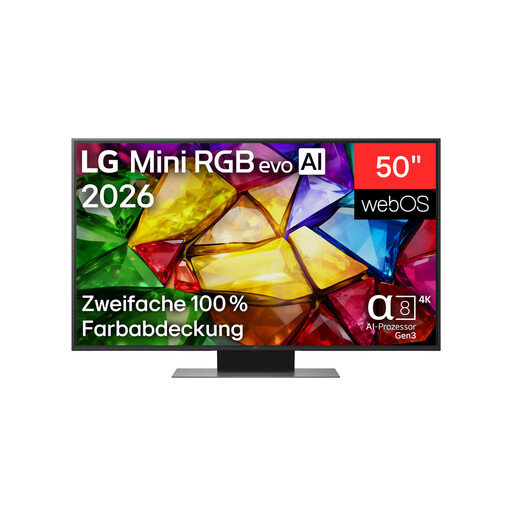
Why This Fits Their Persona: Perfect for beginners or gamers with limited space who don't want to miss out on modern gaming features like a high refresh rate but are looking for a more affordable alternative to large OLED or QLED models.
The spec sheet clearly confirms 4K @ 144 Hz and AMD FreeSync support, ensuring it's a true high-refresh-rate panel. The Game Optimizer provides transparent control over all game-related settings, avoiding hidden compromises.
Offers high-end gaming features like 144Hz and FreeSync in a more compact and accessible price range. The Mini-RGB technology is a significant upgrade over conventional LED TVs in terms of contrast and brightness.
We have compiled a complete, up-to-date list of products that fully meet these strict selection criteria and German safety regulations.
Modern OLED Gaming TVs are equipped with technologies like pixel shifting, static logo detection, and regular panel refresh cycles to minimise the risk of burn-in. With varied use that includes movies and regular TV alongside gaming, the risk is very low. However, users who play the same game with static interface elements (e.g., health bars) for many hours daily might find a QLED 120Hz or Mini-LED TV to be a safer choice.
Yes, to unlock the full potential of these consoles, a TV with HDMI 2.1 is indispensable. Only this standard allows the transmission of 4K images at 120 frames per second (fps). It is also a prerequisite for important features like VRR and ALLM, which ensure a responsive and stutter-free gaming experience. Without HDMI 2.1, you are limited to 4K at a maximum of 60 Hz.
120Hz is the current gold standard for console gaming on the PlayStation 5 and Xbox Series X. A 144Hz TV is primarily aimed at PC gamers whose graphics cards are capable of producing frame rates beyond the 120 fps mark. Although consoles are currently limited to 120Hz, a 144Hz panel offers a degree of future-proofing and is a clear indicator of a high-performance display that can handle even the most demanding requirements.