What should you look for when buying?
For local co-op cooking games, the priorities are a clear picture for everyone and the right connection to your console. Any extra display or gaming features should suit the other ways you plan to use the TV.
| Priority |
What to check when buying |
Who is this important to? |
| Clear from every seat |
Work out your viewing distance and where the TV will go; check the picture and reflections from the usual side seats in normal room lighting. |
If I want to follow the action and read on-screen prompts from the edge of the sofa, visibility for everyone matters more than an especially high refresh rate. Around 36% of consumers put visibility first. |
| Responsive controls |
Check input lag in the Game Mode you’ll use, along with the HDMI inputs you need and the signals they support. |
If I don’t want to wait for actions to appear on screen in time-sensitive games, I pay particular attention to Game Mode and the console connection. Around 29% of consumers prioritise responsive controls and suitable connections. |
| Shared costs |
Compare the specific offer and the EU energy label or product information sheet; factor in usage time and your electricity tariff when working out your own costs. |
If we’re paying for the TV together, I want to keep the purchase price and everyday energy use in mind rather than paying more for features we’ll rarely use. Around 21% of consumers put total costs first. |
| Picture quality for other uses |
Compare LCD, Mini LED and OLED models in your own room; with OLED, also consider how often you’ll watch content with long periods of static images. |
If we’ll also use the TV for films or other games, I want to choose display technology that suits those uses. Around 14% of consumers prioritise picture quality for a range of uses. |
Joybuy TVs for shared-flat living
This selection from Joybuy includes 4K TVs from TCL and Samsung in several sizes, as well as TCL T8D models with QD Mini LED. Above all, check that the screen size and connections suit your room and console.
 No image available
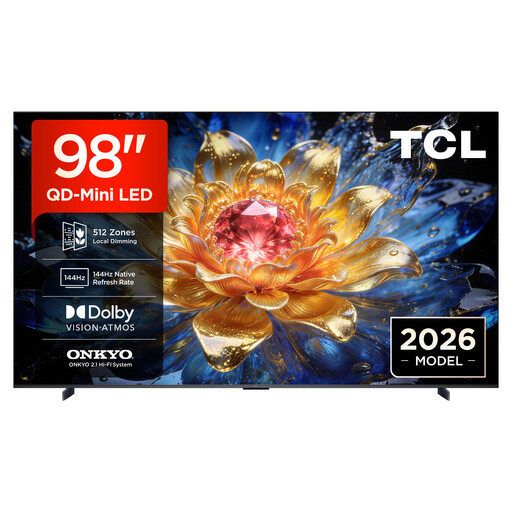
TCL 98T8D QD Mini LED 4K HDR TV, 98 inches
The 98-inch version is only worth considering if you have the space and viewing distance for it; check the view from the furthest seat, too.
- 98 inches, 4K HDR
- QD Mini LED
- 144 Hz VRR, FreeSync Premium Pro
- Google TV, Dolby Vision, HDR10+ and Atmos
View at Joybuy
 No image available
TCL 75T8D QLED TV, 75 inches, QD Mini LED
Compare the 75-inch version with your viewing distance and room layout before considering it for a room with several seats.
- 75 inches, 4K HDR
- QD Mini LED
- 144 Hz VRR, FreeSync Premium
- Google TV, Dolby Vision, HDR10+ and Atmos
View at Joybuy
 No image available
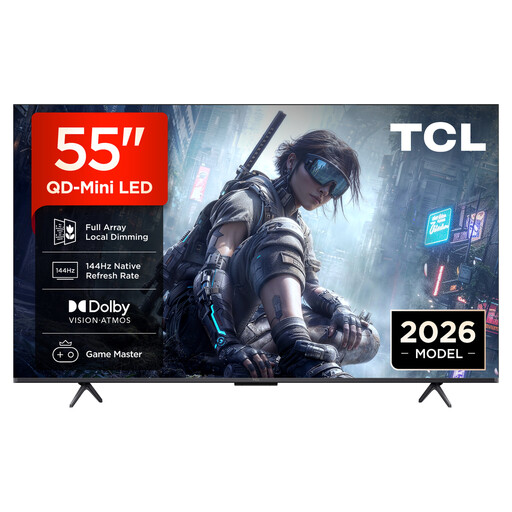
TCL 55T8D QLED TV, 55 inches, QD Mini LED
Consider the 55-inch version in relation to your actual viewing distance and seating arrangement; check the view from the seats you usually use.
- 55 inches, 4K HDR
- QD Mini LED
- 144 Hz VRR, FreeSync Premium
- Google TV, Dolby Vision, HDR10+ and Atmos
View at Joybuy
 No image available
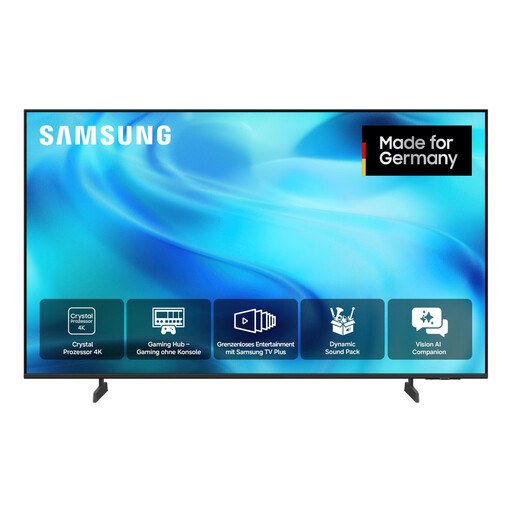
Samsung GU43U8079H Crystal UHD U8079H 4K Smart TV, 43 inches
With the 43-inch version, consider viewing distance and seating together so that everyone can see the gameplay and on-screen prompts clearly.
- 43 inches/108 cm
- UHD 4K
- Smart TV
View at Joybuy
 No image available
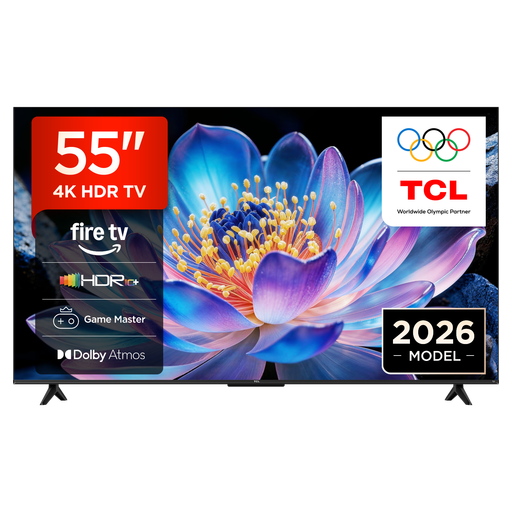
TCL 55V6D 4K UHD Smart TV, 55 inches
Check that the 55-inch version suits your viewing distance and seating arrangement before comparing its connections with your console.
- 55 inches, 4K UHD
- Fire TV
- HDR10+, Dolby Atmos and DTS:X
- Game Master, Motion Clarity, AirPlay 2
View at Joybuy
Frequently asked questions
Do we need a 120 Hz TV for Overcooked! 2?
No. Local co-op for up to four players doesn’t mean you need a 120 Hz TV. First, make sure everyone can see the screen clearly, the TV connects to your console and its Game Mode responds well; a higher refresh rate also requires a compatible output signal.
How should we set up a console for a gaming night?
Connect the console to an HDMI input that supports the signal you want, then check Game Mode. Sony says the K-55XR5 has four HDMI inputs, but VRR only works on HDMI 3 and 4; this limitation applies to this model.
What should we check for energy costs and everyday use?
Use the EU energy label and product information sheet for the specific model as a basis for comparison. To work out your own costs, you’ll also need your actual usage time and electricity tariff; the Verbraucherzentrale recommends considering stated energy consumption when buying a TV.
What rights apply when buying a new TV from a retailer?
For goods bought from a trader in the EU, the legal guarantee for faulty goods lasts for at least two years; a voluntary manufacturer’s guarantee does not replace it. For online purchases that qualify for the right to cancel, the cancellation period is generally 14 days, subject to legal requirements and exceptions. Your Europe and the Council of the European Union explain these rights; additional offers from retailers are separate.
Is an energy label optional for a new TV?
No. EU energy labelling rules cover electronic displays, including TVs; the Verbraucherzentrale says that new devices must carry the relevant label across Europe. Compare the energy consumption of the specific model rather than relying on a general promise of lower energy use.


