Who is this selection for?

Co-op gaming on the sofa

When several people are watching the screen at once, consider the size and position of the TV, as well as the picture from seats off to the side. COMPUTER BILD noted limited viewing-angle stability in some of the TV models it tested.

Console and PC gamers

If you want to use a particular video signal or VRR, check that the relevant HDMI input on the specific TV meets the requirements of your source device and game. Sony lists supported features by model and connection.

Collectors of films and videos

To play files from USB storage, the file system and video and audio codecs must be compatible with the TV's specifications. LG notes that incompatible codecs can prevent playback, while Sony lists the supported USB formats for the XR-55A80L model.

What should you look for when buying?

What matters What to look for Who it's relevant to
A picture everyone can see Choose a size and position to suit your seating; assess the specific model from the side, too. If I'm gaming with other people, I want to be able to see the on-screen information from my seat. Around 31% of consumers put being able to share the view first.
The right gaming inputs Check that the HDMI input you'll actually use supports the signal and features you want. If you're using a console or PC for a particular signal, make sure the source device, game and connection all work together. Around 31% of consumers prioritise suitable gaming connections.
Your own media files Check the file system and video and audio codecs of your key files against the specifications for the specific model. If I want to play my existing films straight from USB storage, support for my file formats matters. Around 23% of consumers put playback of their own files first.
Panel suitability for extended use Consider long periods displaying static images and off-centre seating; read the guidance for the specific model. If I often game for long stretches with static on-screen elements, I want to choose a panel that suits how I use it. Around 15% of consumers prioritise panel suitability for their usage habits.

Which buying and usage mistakes can you avoid?

  • Assuming a USB port means every video will play

    A TV may not play some files because it doesn't support their codecs. The file system can also affect whether the storage device is recognised.

    Before buying, compare representative files and their video and audio codecs with the TV model's specifications. Some files may require extra work to convert them or an external source device.

  • Assessing co-op gaming only from the front

    COMPUTER BILD criticised the viewing-angle stability of the Hisense 55UR8DS PRO and 55U7DS Pro models it tested. This applies to those specific test models and shouldn't be taken as a general finding about all TVs.

    Assess your chosen model from the seats you'll actually use when gaming together.

  • Comparing advertised refresh rates without checking HDMI

    For the Sony XR-55A80L, VRR and ALLM are listed for HDMI 3 and 4. Features may therefore be limited to specific inputs.

    Check that the signal you want to use from your console or PC is supported by the connections on the exact TV model.

  • Counting an expired cashback offer as a current benefit

    The offer listed by Hisense ran from 11 May to 26 July 2026 and has expired.

    Only factor in an offer if its terms and conditions apply when you buy.

Which brands are worth considering?

LG

OLED models may appeal if you're weighing up gaming features alongside the characteristics of OLED picture quality.

  • For the OLED55B68LA, LG lists a native refresh rate of 120 Hz, as well as VRR and ALLM.
  • LG notes that images may be retained after static content has been displayed for a long time. USB file compatibility needs to be checked separately.

Sony

You can compare BRAVIA models using their model-specific details for HDMI and USB.

  • For the XR-55A80L, Sony lists VRR and ALLM for HDMI 3 and 4, along with supported USB file systems and codecs.
  • These details apply to the model named; check the connections and formats separately for other BRAVIA TVs.

Samsung

Selected Samsung TVs are promoted with gaming features and high refresh rates.

  • Samsung lists refresh rates of up to 240 Hz for selected gaming TVs.
  • A feature listed for selected ranges doesn't confirm that every model has it. Check the specific connection and USB details.

Hisense

For the tested LCD models 55UR8DS PRO and 55U7DS Pro, it's worth considering brightness and seating position together.

  • COMPUTER BILD rated both of these test models as very bright and high-contrast.
  • COMPUTER BILD criticised the viewing-angle stability of both models. This isn't a general finding about all Hisense TVs.

TCL

The tested 55C8L and 55C7L models offer points to consider when weighing up picture quality, features and placement.

  • COMPUTER BILD highlighted the bright pictures produced by both tested models.
  • For the 55C8L, COMPUTER BILD noted that setup was awkward. The 55C7L was said to have fewer dimming zones than top models, among other points. Check HDMI and USB suitability for the specific model, too.

Joybuy products for gaming and sharing

This selection includes 65-, 75- and 98-inch TCL TVs with gaming features listed in their product names. Check that the size, HDMI inputs and USB file formats suit your room, source device and media collection.

TCL 75T8D QLED TV, 75-inch

TCL 75T8D QLED TV, 75-inch

The 75-inch screen is one size option for gaming together; check that it suits your room and viewing distance.

QD Mini LED, 4K, HDR, 144 Hz VRR and FreeSync Premium are listed in the product name.

View at Joybuy
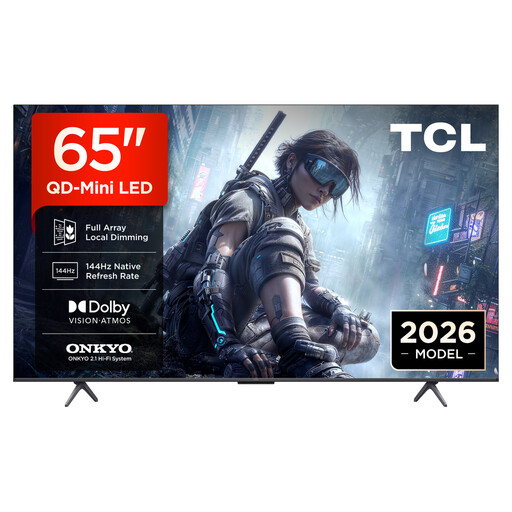
TCL 65T8D QLED TV, 65-inch

TCL 65T8D QLED TV, 65-inch

The 65-inch screen is one size option for sharing; compare it with your room and viewing distance.

QD Mini LED, 4K, HDR, 144 Hz VRR and FreeSync Premium are listed in the product name.

View at Joybuy
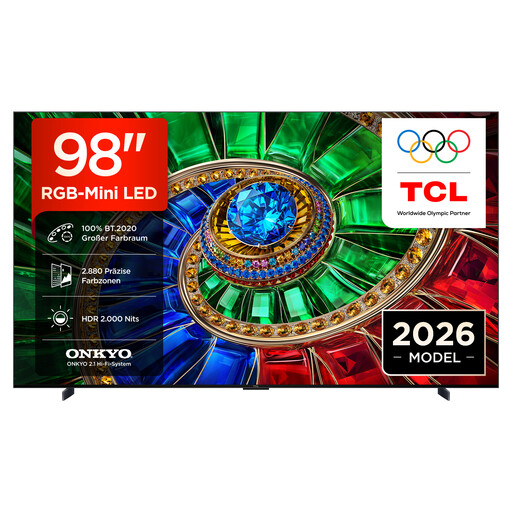
TCL 98RM7L RGB Mini LED TV, 98-inch

TCL 98RM7L RGB Mini LED TV, 98-inch

The 98-inch screen is a key factor when deciding where to place the TV; check that it will fit your chosen room before you buy.

4K, HDR10+, Dolby Vision IQ, Dolby Atmos, 144 Hz VRR and Apple AirPlay 2 are listed in the product name.

View at Joybuy
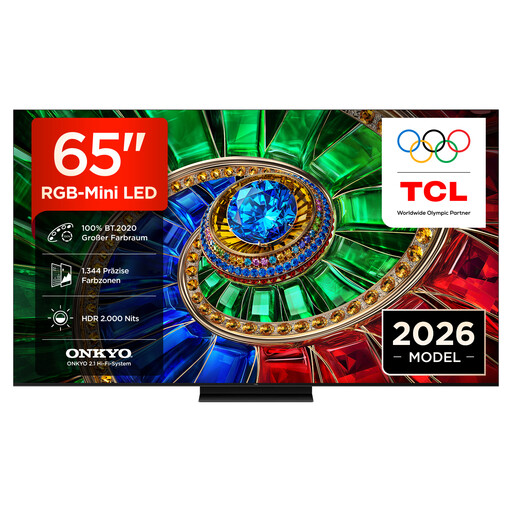
TCL 65RM7L RGB Mini LED TV, 65-inch

TCL 65RM7L RGB Mini LED TV, 65-inch

The 65-inch screen is one size option for a co-op gaming session; consider it alongside your room and seating.

4K, HDR10+, Dolby Vision IQ, Dolby Atmos, 144 Hz VRR and Apple AirPlay 2 are listed in the product name.

View at Joybuy
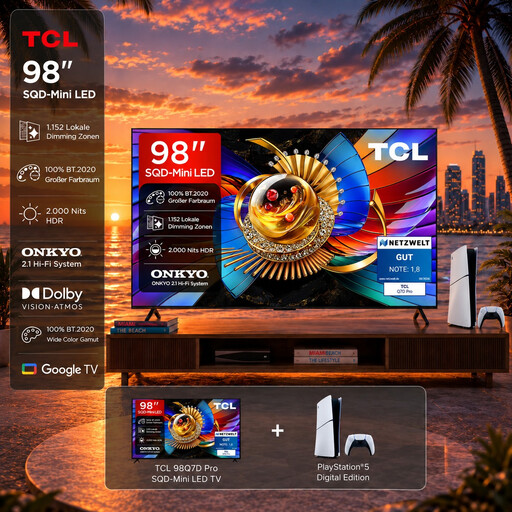
TCL 98T8D gaming bundle with PlayStation 5 Slim Digital Edition

TCL 98T8D gaming bundle with PlayStation 5 Slim Digital Edition

The product name lists a 98-inch TV alongside a PlayStation 5 Slim Digital Edition with 825 GB; check that the size and configuration suit your setup.

4K, QD Mini LED, 144 Hz VRR and Google TV are listed in the product name.

View at Joybuy

Frequently asked questions

Is “HDMI 2.1” enough for my console or PC?

No. Check which input on the specific TV supports the signal you want and, where relevant, VRR. Sony assigns these features to particular HDMI sockets depending on the model; your source device and game must also provide the signal you want.

How can I check whether my USB videos will play on the TV?

Check the video and audio codecs and file system against the specifications for the specific model. If a file won't play, the codec may be the issue; if the storage device isn't recognised, check the file system and power supply, too. Back up your files before formatting a storage device.

Are a manufacturer's guarantee and statutory rights the same thing?

No. In Germany, statutory rights are a legal claim against the seller, while a guarantee is a voluntary offer with its own terms and conditions. If a product is faulty, repair or replacement may be available first as a remedy.

How do I dispose of an old TV in Germany?

A TV must not go in household rubbish. The German Environment Agency lists local collection points and the option to return a large old appliance when buying a similar new one, including online purchases with delivery.

Where can I find a TV's energy consumption information?

For products that require an energy label, it must also be clearly visible in the online shop. Compare the details for the specific model; the European Commission provides information on models requiring labels in the EPREL product database.