First, choose a screen size that lets everyone read orders and subtitles from their usual seats, then check the picture in Game Mode too. OLED, Mini-LED LCD and other LCD TVs each involve different trade-offs; the specific model and your seating arrangement are what matter. A high refresh rate is only relevant if your console and game actually support it.
What should different gaming groups look for?
Players who want text to be easy to read
If you want to read orders, menus or subtitles from your usual viewing distance, check the text size in the specific game. Team17 says that Overcooked! All You Can Eat has a scalable user interface; you can’t assume this applies to other editions.
Groups with seats to the side
If you’re sitting across a wide sofa or on several chairs, check the picture and text from the seats at either end too. The screen size and viewing angle should suit your actual seating arrangement.
Players who have long gaming sessions
For long sessions with bright, unchanging on-screen elements, weigh up panel risk, energy consumption and picture quality together.
What matters when choosing?
OLED
A good fit if: Contrast and text against a dark background matter to you. In that case, OLED could be worth considering. Check the viewing angle of the specific model from your seats.
Trade-off: RTINGS.com notes that a residual risk of burn-in remains with very long, repeated use of fixed gaming displays.
Mini-LED LCD
A good fit if: You’re looking for an LCD with zone-controlled backlighting. Check the exact model in Game Mode with bright text on a dark background.
Trade-off: RTINGS.com describes possible halos around bright text; the number of dimming zones alone doesn’t tell you how well a model displays text.
Other LCD TVs
A good fit if: Size and purchase price are your priorities. Compare LCD models based on your seating arrangement and the specific game.
Trade-off: RTINGS.com highlights differences in viewing angles and contrast between panel types, so check the seats at either end with the actual TV too.
Start by measuring your viewing distance and trying out the text in-game. The Verbraucherzentrale and EU energy label can help you compare screen size and model-specific energy consumption; readability also depends on how the screen looks from your seats.
| Priority |
What to check when buying |
Who this matters most to |
| Text and subtitles |
Check your viewing distance and the text in the specific game; only assume scaling is available for the supported edition. |
If you want to read orders and subtitles without straining, test the version of the game you’ll actually play. Around 36% of consumers put readability first. |
| Visibility from different seats |
Check the picture and text from the seats at either end, and in the room’s usual lighting. |
If you’re sitting in different places, make sure people at the ends of the sofa can see the game clearly too. Around 29% of consumers prioritise side viewing. |
| Responsiveness and connections |
Compare input lag in Game Mode, HDMI inputs and supported signals for your console and game. |
If you want responsive controls and the right connections for your console, check the signal format you’ll be using. Around 21% of consumers put this first. |
| Running costs and long-term use |
Compare the EU energy label for the specific model and consider long sessions with fixed on-screen elements when choosing a panel. |
If you’re weighing up energy use and frequently displayed, fixed gaming elements, compare the model specifications with your usage habits. Around 14% of consumers prioritise these long-term considerations. |
Common assumptions to avoid when buying a gaming TV
-
Buying based on a high Hz figure alone
The maximum refresh rate advertised isn’t necessarily the refresh rate you’ll get in a game. For Overcooked! All You Can Eat on the newer consoles it refers to, Team17 specifies 4K at 60 fps.
First, check your console’s output and the requirements of your game version. Then compare input lag and connections for the signal format you’ll actually use.
-
Assuming more Mini-LED dimming zones mean clearer text
With less effective zone control, bright text can appear surrounded by halos. What matters is how the specific model performs in Game Mode.
If possible, look at independent reviews and a dark gaming scene with bright text on the exact model you’re considering.
-
Only checking the middle seat on the sofa
Picture quality can vary at the sides, depending on the panel and model.
Check the text and picture from the seats at either end, and choose a screen size based on your actual viewing distances.
-
Considering only the purchase price
According to the Verbraucherzentrale, screen size and features usually affect energy consumption too. For a meaningful comparison, check the energy label for the specific model.
Compare the stated figures for SDR and HDR, and check what’s included for delivery or installation before you buy.
Brands and model ranges to consider
Samsung
The German-market S99H and S95H OLED models are worth considering if you want to compare screen size, reflections and gaming features on the specific model.
- For the German 65-inch S99H GQ65S99HATXZG, Samsung lists Glare Free and gaming features up to 165 Hz.
- These specifications don’t prove that subtitles will be easier to read in your game. A high refresh rate offers no corresponding frame-rate benefit in a game running at 60 fps.
Panasonic
The Z95B OLED series is an option if you also want to consider its integrated sound system for gaming together.
- For the TV-55Z95BEG, Panasonic lists a 4K OLED panel with a refresh rate of up to 144 Hz.
- According to Panasonic, VRR and 4K HFR only work on HDMI 1 and 2; HDMI 2 also handles eARC. Check the port layout if you use several source devices or an external audio system.
LG
The OLED evo G6 is an OLED option if you want to compare different seating positions and gaming features in the right screen size.
- For the OLED65G66LS, LG lists a 65-inch screen, a stand and gaming support up to 4K at 165 Hz.
- These manufacturer specifications say nothing about text size in a game, and don’t mean that a cooking game will use 165 Hz.
TCL
The German-market 55C7K offers Mini-LED LCD as an alternative panel option to the OLED models mentioned above.
- For the 55C7K, TCL lists QD-Mini-LED and a native refresh rate of 144 Hz.
- Manufacturer claims about halo suppression are no substitute for seeing how bright text looks in Game Mode or checking the viewing angle on this model.
Joybuy models for gaming together
The following models are Mini-LED LCD TVs for gaming together. Before choosing, check that the screen size, viewing distance and features suit your room and the version of the game you’ll actually play.
 No image available
TCL 55Q7D PRO, 55-inch
The 55-inch screen may suit a set-up for gaming together; still, check that the text is readable from your actual viewing distance.
Listed in the product title: 4K SQD Mini-LED, 144 Hz, Anti-Reflection and 480 Local Dimming Zones.
View at Joybuy
 No image available
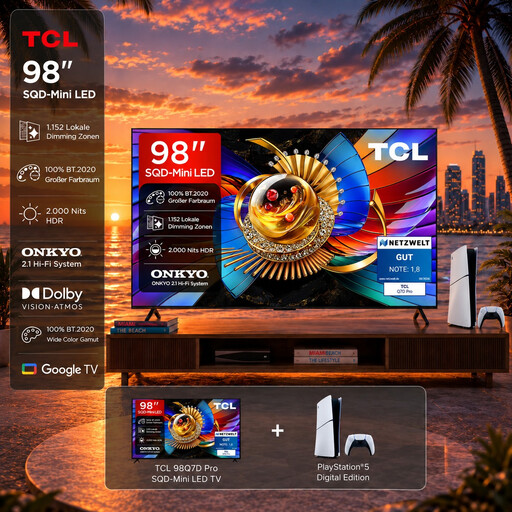
TCL 98T8D Gaming Bundle with PlayStation 5 Slim Digital Edition
The bundle includes a PlayStation 5 Slim Digital Edition; before choosing, check that the 98-inch screen is right for your room and viewing distance.
Listed in the product title: 98-inch, 4K QD-Mini-LED, 144 Hz and VRR; the console is specified as 825 GB.
View at Joybuy
 No image available
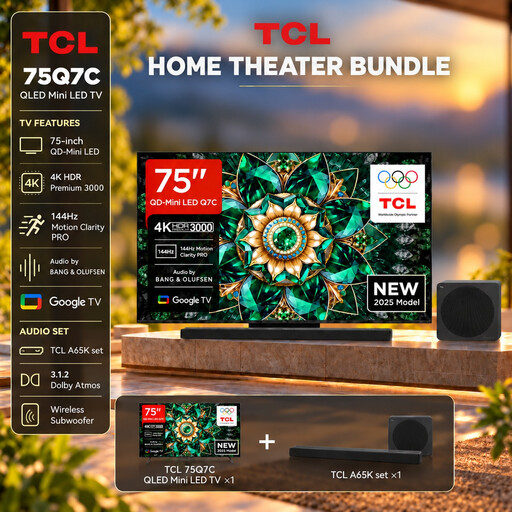
TCL 75Q7C with A65K soundbar set
This set pairs the TV with an A65K soundbar. Check that the 75-inch screen suits your room and seating arrangement.
Listed in the product title: QLED Mini-LED, 4K, 144 Hz VRR, HDMI 2.1 and AMD FreeSync Premium Pro.
View at Joybuy
 No image available
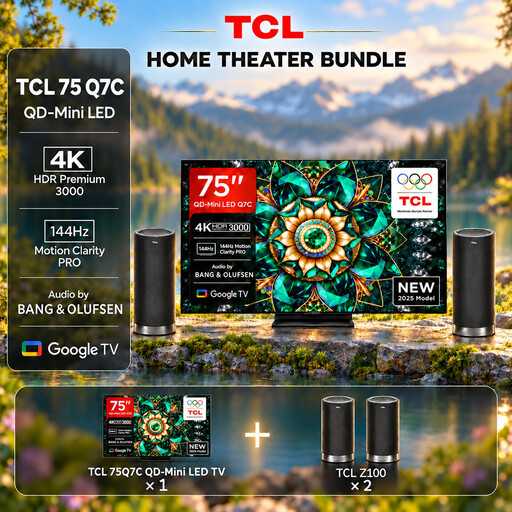
TCL 75Q7C with Z100 speaker set
This set pairs the TV with a Z100 speaker set. Compare it with your planned set-up and check that the text is readable from your seats.
Listed in the product title: QLED Mini-LED, 75-inch, 4K, 144 Hz VRR, HDMI 2.1 and AMD FreeSync Premium Pro.
View at Joybuy
 No image available
Hisense 55E8S, 55-inch
Use your viewing distance to work out whether the 55-inch screen is right for you. Test the text in-game and check the picture from the side seats too.
Listed in the product title: 4K UHD, QLED Mini-LED and 144 Hz.
View at Joybuy
Frequently asked questions
Does a 120 or 165 Hz TV make text easier to read in every cooking game?
No. A higher maximum refresh rate doesn’t mean larger in-game text. For Overcooked! All You Can Eat on the newer consoles it refers to, Team17 specifies 4K at 60 fps and a scalable user interface for that edition. Check your edition, its settings and your console’s actual output.
How should I set up a TV for a group of players?
Measure the distance from the intended seats and check small in-game elements from the centre and the seats at either end. Use the appropriate Game Mode while playing. On LCD models with Local Dimming, check whether bright text on a dark background shows distracting halos.
What are your rights in Germany if the TV develops a fault or isn’t suitable after buying online?
If a product is faulty, the seller is generally responsible under the statutory guarantee; the Verbraucherzentrale states that this lasts for two years from delivery. Online purchases usually come with a 14-day right to cancel, starting when you receive the goods. Guarantee terms and specific return arrangements are separate from these rights.
Do TVs sold in Germany have an energy label?
Yes. For TVs covered by the rules, the EU energy label includes an efficiency class and details such as SDR and HDR energy consumption, screen size and resolution. The European Commission explains this labelling; compare the details for the specific model.


