What should you look for when buying?
OLED
When to consider it: If side-on seating and film nights matter to you, compare OLED models in the place where you’ll actually set up your TV.
Things to weigh up: LG states that the OLED65C6ELB supports up to 4K/165 Hz. That doesn’t mean every console game will output at that refresh rate. You’ll also need to check support for your own files for the specific model.
Mini-LED
When to consider it: If you have a bright living room and are looking for an LCD alternative, compare Mini-LED models in your usual room lighting.
Things to weigh up: Side-on picture quality and gaming connections vary by model. A manufacturer’s stated refresh rate, such as 144 Hz, doesn’t tell you the viewing angle or the frame rate of a specific game.
First, measure your viewing distance and available space. Then check your console against the HDMI connections, and finally compare your own files with the format list for the specific model.
| What matters to you |
What to look for when buying |
Who is it most relevant to? |
| A picture that works for everyone on the sofa |
Measure your viewing distance and the TV’s width; assess the model you’re interested in from the outer seats and in your usual room lighting. |
If we’re playing from different seats on the sofa, the picture should still be clear from the sides. Around 31% of consumers put viewing from multiple seats first. |
| Your own video files |
Check the file system and the video and audio codecs used by your typical files; check for free HDMI inputs in case you need an external player. |
If I play my own films, the picture, sound and, where relevant, subtitles all need to be supported. Around 31% of consumers prioritise playing their own files. |
| Responsiveness and gaming connections |
Check the gaming mode, the HDMI inputs you need and supported signals against your console and games. |
For precise jumps, I want to know which features my console and games actually use. Around 23% of consumers put gaming input first. |
| Overall cost and power consumption |
Compare similarly sized TVs using their energy label ratings; factor any extra devices and installation into your plans. |
If I want to plan for screen size, possible extra devices and power consumption together, there’s more to consider than the screen technology alone. Around 15% of consumers prioritise overall cost. |
Joybuy products for gaming and media
The following Joybuy picks include OLED and Mini-LED TVs with stated gaming features. If you want to play your own files, check that the specific model supports them.
 No image available
Hisense 75E8S, 75-inch MiniLED 4K Smart TV
This Mini-LED model is worth considering for shared gaming if 75 inches suits your viewing distance and available space.
Listed in the product name: 75 inches, MiniLED and 4K.
View at Joybuy
 No image available
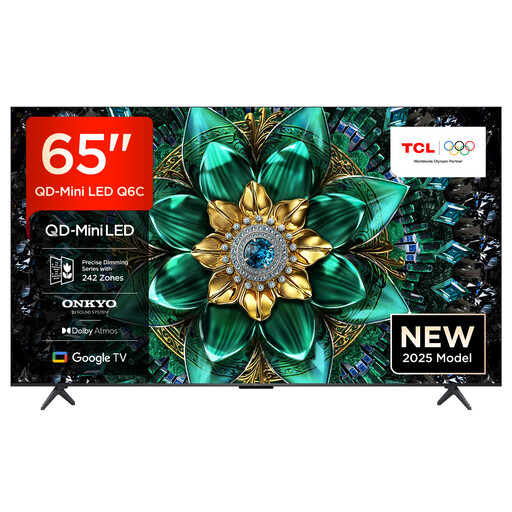
TCL 65Q6C, 65-inch QLED Mini LED, 4K
The 65-inch screen gives you a specific size to compare with your viewing distance and available living room space.
Listed in the product name: 65 inches, QLED Mini LED and 4K.
View at Joybuy
 No image available
LG OLED55C67LA, OLED evo C6, 55-inch 4K Smart TV
This OLED variant is worth considering if you’re comparing a 55-inch screen with your viewing distance and need gaming features on the specific model.
Listed in the product name: OLED evo C6, 55 inches and 4K.
View at Joybuy
 No image available
TCL 75Q7C, 75-inch QLED Mini LED, 4K
As a large Mini-LED option, this model is best compared with your available space and usual viewing distance.
Listed in the product name: 75 inches, QLED Mini LED and 4K.
View at Joybuy
 No image available
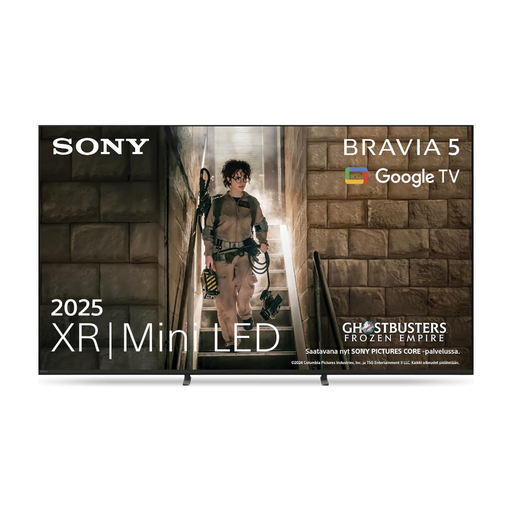
Sony BRAVIA 5 XR, 75 inches, model K75XR55
This Mini-LED variant is worth considering as a gaming TV if a 75-inch screen suits your room. Check support for your own files on this exact model.
Listed in the product name: BRAVIA 5 XR, 75 inches and K75XR55.
View at Joybuy
Frequently asked questions
Is 60 Hz enough for co-op platform games?
It depends on your console, game and preferred output. Nintendo limits 4K output on the Switch 2 to a maximum of 60 fps; a higher refresh rate on the TV won’t increase that output. For other signals, check what the game, console and TV input support.
Why does my TV play a file from a USB stick without sound, or not play it at all?
The TV recognising a USB stick doesn’t mean it supports every file format you use. Check the file system, video and audio codecs and, where relevant, subtitles for the exact model. Sony publishes these details for the K-55XR5; LG directs users to the relevant manual for supported video specifications.
What should I do before unplugging a USB hard drive?
Use the TV’s eject function if it has one. LG recommends doing this in its USB guide; menu options may vary by model.
How do I compare the power consumption of TVs?
Compare the figures on the EU energy labels in kWh per 1,000 hours, and make sure you’re comparing TVs of a similar size. To estimate your own costs, you’ll also need to know how many hours you use the TV and your electricity tariff.
What rights and disposal options apply when buying in Germany?
The Verbraucherzentrale explains that retailers are liable for defects for two years; this is separate from any voluntary manufacturer’s warranty. According to the Umweltbundesamt, when buying a new equivalent appliance, you can also return an old one free of charge, including when you buy online with delivery. Check how returns are handled in practice before placing your order.


