Co-op session on a wide sofa
Several players and spectators may be sitting off to the sides. RTINGS.com highlights wide viewing angles as important for seating arrangements where the picture needs to remain clear from different positions.


For a couch co-op session with several people watching, the viewing angle of the specific TV matters more than its maximum refresh rate. RTINGS.com recommends a screen that remains clear from different positions for wide seating arrangements. OLED and LCD/Mini LED models may both be suitable, depending on where you sit, the room lighting and how long you use the TV. LG also notes that OLED screens can be at risk of image retention when static images are displayed for long periods. Check the viewing distance and reflections too, as well as the game mode, input lag, frame rate and HDMI compatibility with your specific gaming device and game.
Several players and spectators may be sitting off to the sides. RTINGS.com highlights wide viewing angles as important for seating arrangements where the picture needs to remain clear from different positions.
If responsive controls matter to you, make sure the game mode and picture output suit your console or PC. RTINGS.com explains that lower input lag can go hand in hand with less image processing.
If the lighting and how you use the room change, reflections and power consumption matter alongside screen size. The Verbraucherzentrale lists lighting conditions and viewing angles as factors to consider when choosing a suitable TV.
With a wide sofa layout, it’s worth checking the picture from the furthest seat first, then comparing the game mode, device compatibility and room dimensions.
A good fit if: you’ve checked how the specific OLED model looks from the side across your wide seating arrangement.
Things to consider: LG notes that static images displayed for long periods can cause image retention. Follow the care instructions for your model.
A good fit if: the specific LCD model remains clear from the seats at either end of the sofa.
Things to consider: According to RTINGS.com, IPS LCDs typically have wider viewing angles than VA LCDs, but usually offer lower native contrast.
A good fit if: most seats are fairly central and the model suits your room lighting and preferred screen size.
Things to consider: RTINGS.com notes that VA panels typically offer higher native contrast, but picture accuracy tends to drop when viewed off-centre. Mini LED doesn’t remove the need to check viewing angles.
| Priority | What to check when buying | Who it matters to |
|---|---|---|
| Picture from the side | Check the horizontal viewing angle and picture quality from the furthest seat. For LCD, take the panel type into account too. | When several of us sit along the sofa, I want to see colours and details from the seats at either end. Around 36% of consumers prioritise picture quality from side seats. |
| Controls and frame rate | Compare input lag in game mode at the resolution and frame rate you plan to use. The game, device and HDMI input must all support the output you want. Nintendo Deutschland limits the Switch 2’s 4K output to a maximum of 60 fps. | For a platform game, I look for responsive controls and want to make sure the console and game can actually deliver the output I’m after. Around 29% of consumers put input response first. |
| Room lighting and long sessions | Check reflections where the TV will be set up and, for OLED, read the care instructions for the specific model. | For long gaming sessions and changing daylight, I want to assess reflections and the care requirements of the specific TV. Around 21% of consumers prioritise room lighting and extended use. |
| Size and running costs | Measure the viewing distance and the space available; for TVs of a similar size, compare the EU energy label figures for SDR and HDR. | If the TV will also be used in the living room, its screen size needs to suit the viewing distance and available space, and its power consumption should be comparable. Around 14% of consumers prioritise size and running costs. |
A TV may support a high refresh rate, but the game and connected device must also deliver the output you want. Nintendo Deutschland gives the Switch 2 a maximum 4K output of 60 fps.
Check the game, output mode, device and HDMI input together. For 4K/120 Hz on PS5, Sony Deutschland lists compatible TV, console and game settings, as well as HDMI support, as requirements.
For side seats, what matters is how the specific model looks. RTINGS.com describes a trade-off between viewing angle and contrast for IPS and VA LCDs. The Mini LED label alone doesn’t tell you how good the picture will look from the side.
Compare reviews of the exact model and, if possible, check the picture from the furthest seat you plan to use.
The right screen size also depends on viewing distance, available space and lighting. The Verbraucherzentrale points out that power consumption can vary considerably, even between TVs of the same size.
Measure the viewing distance and the space available, then compare the EU energy label figures for TVs of a similar size.
LG offers OLED TVs with dedicated gaming features. Always check the specifications for the exact model.
The TCL 75C7K is a QD Mini LED TV with an HVA panel.
The Philips 65OLED910/12 combines OLED with four-sided Ambilight.
For Samsung, check each model number and screen size against your planned seating arrangement and room lighting.
Sony’s BRAVIA 5 is a Mini LED range, and the brand provides guides to setting up gaming signals.
The Joybuy models featured here include OLED and Mini LED TVs in a range of screen sizes. Before buying, check the picture from the furthest seat and compare the output of your specific gaming device with the model’s specifications.
 No image available
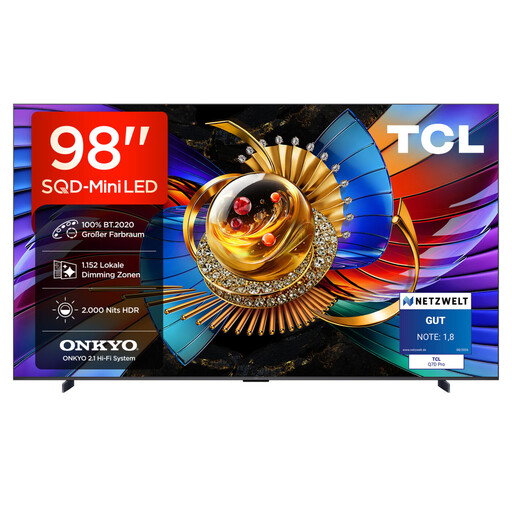
For a big group gaming session, provided you have enough space, suitable mounting and help with lifting.
98 inches; 4K; SQD Mini LED; 144 Hz; 1,152 local dimming zones; 2,000 nits HDR. Rated energy class D for SDR and G for HDR.
Set-up and installation require a stable surface or a suitable wall mount, with several people on hand to lift the TV.
 No image available
A good option for gaming together if a 75-inch screen suits your viewing distance and available space.
75 inches; QLED with QD Mini LED dimming; 4K HDR; 144 Hz VRR; FreeSync Premium; Google TV.
 No image available
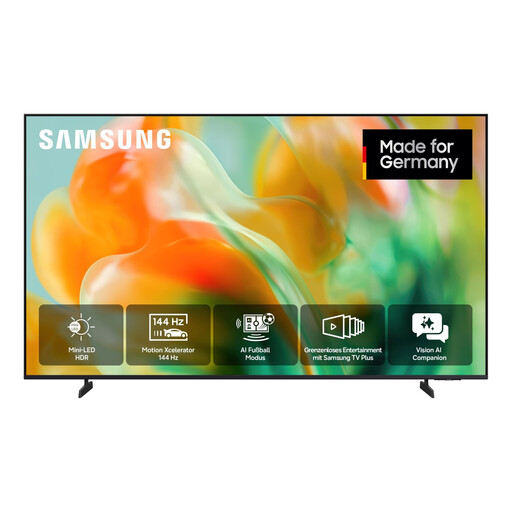
For your living room, if a 55-inch screen suits your viewing distance.
55 inches (138 cm); Mini LED; UHD 4K; Smart TV.
 No image available
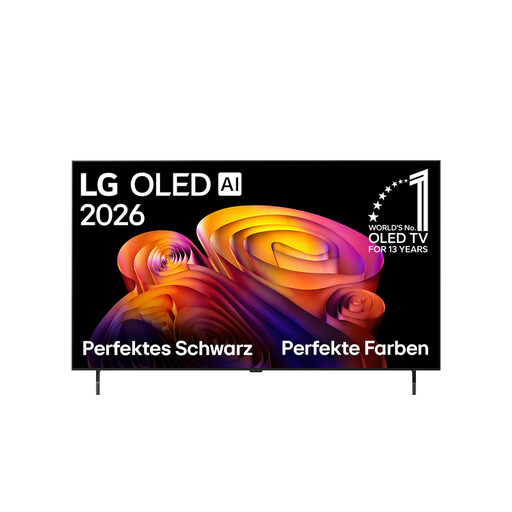
For a gaming session where a 55-inch OLED suits your room and seating arrangement.
55 inches; 4K OLED; 144 Hz; G-SYNC; FreeSync Premium; webOS.
The product description recommends leaving the TV in standby so that automatic pixel care can run.
 No image available
For a gaming session where a 48-inch TV suits your available space and viewing distance.
48 inches; 4K OLED; 144 Hz VRR; HDMI 2.1; G-SYNC; FreeSync; ALLM; webOS 26.
Not necessarily. What matters is the picture output supported by the specific game and device: Nintendo Deutschland gives the Switch 2 a maximum 4K output of 60 fps. For 4K/120 Hz on PS5, Sony Deutschland also lists compatible TV, HDMI and game settings as requirements.
Switch on game mode. If you want a high frame rate, check the settings for the HDMI input you’re using and for your console. Compare input lag figures only for the picture mode you actually plan to use; RTINGS.com explains that game mode can reduce image processing.
Follow the care guide for your specific model and let any automatic care routines run to completion. LG describes screen shift and pixel refresh as measures to reduce the risk of image retention, not to eliminate it.
Compare the EU energy label figures for power consumption, including HDR. According to Your Europe, when you buy from a trader in the EU, you have a legal guarantee of at least two years from the date you receive the goods. This is separate from any additional manufacturer’s warranty.
Compare the TV’s EU energy label and check the separate figures for SDR and HDR. The European Commission describes the scale from A to G; EU energy labelling rules require the label to be visible in online listings too.