For couch co-op on a wide sofa, the viewing angle of the specific TV and a Game Mode that suits the console you actually use matter more than the highest refresh rate advertised. If you switch between a console and video sources, also check the HDMI connections, how lower-resolution content is displayed, and how easy it is to switch between Game and Video modes. OLED and Mini LED are different options, and their suitability depends on the model – neither is automatically the right choice for every room.
Which setup is right for you?
Couch co-op on a wide sofa
If several people play together in front of the screen, on-screen details should be easy to see from the outer seats too. Check the viewing angle of the specific model and choose a screen size that suits your viewing distance. Team17 describes Overcooked as a couch co-op game for one to four players.
A household with a console and video sources
If you switch between games and external or built-in video, consider the available inputs, how the TV displays content at different source resolutions, and how easy it is to switch between Game and Video modes. RTINGS explains that lower-resolution content is scaled to the TV’s native resolution.
Gaming with changing room light
If you play in daylight or have long gaming sessions with fixed on-screen elements, your room and how you use the TV should be part of your decision. RTINGS notes that OLED screens may develop permanent image retention after very long periods displaying static, bright areas. These long-term tests are not a prediction of the lifespan of a specific model.
What should you look for when buying?
Check the viewing angle and seating distance for your group before choosing a screen size. RTINGS highlights the importance of viewing angles when seating is spread out; the HDMI Licensing Administrator notes that ALLM can limit certain TV picture processing to reduce latency.
| Buying priority |
What should you check? |
Who is this particularly important for? |
| Visibility from the sofa |
Check the picture from the usual left, centre and right seats; assess screen size based on your actual viewing distance. |
When we play together, I want to be able to see on-screen details from the outer seats too. Around 31% of consumers put visibility from every seat on the sofa first. |
| Switching between sources |
Count the devices you need to connect and the free HDMI inputs; check typical 1080p and 4K content, as well as switching between picture modes. |
When switching between the console and videos, I don’t want to keep searching for connections or reassessing the picture. Around 25% of consumers prioritise switching between sources and planning connections. |
| Responsive gaming |
Check input-lag measurements in Game Mode for the signal you’ll actually use; consider the game version and console output separately from the TV’s refresh rate. |
For time-sensitive moves, I care about how quickly the TV responds to my input, not just a high Hz figure. Around 25% of consumers put controller responsiveness first. |
| Room light and fixed on-screen elements |
Assess the picture in your usual room lighting and consider how long the same bright game elements will stay on screen. |
If we often play in daylight or see the same fixed display for a long time, I want to take our usage habits into account when choosing a display. Around 19% of consumers give the most weight to room lighting or game interfaces that stay on screen for a long time. |
Gaming TV buying pitfalls
-
Assuming a 144 Hz TV means a cooking game runs at 144 frames per second
The TV’s supported refresh rate and a game’s output are two different things. Team17 specifies up to 60 frames per second for Overcooked! All You Can Eat and 30 for the original Switch version. These figures apply to those versions of the game, not automatically to every cooking game.
First check the specific game version and device you’re using. Then compare Game Mode and input lag for the signal you’ll actually use.
-
Assuming all four HDMI inputs offer the same gaming features
Sony lists four HDMI inputs for the Sony K-55XR5, but says VRR is limited to HDMI 3 and 4.
Match each device you plan to connect to the right input and the features it needs.
If the inputs aren’t allocated wisely, you may need to keep swapping cables.
-
Judging the picture only from the centre seat or with 4K content
The picture can look different from seats to the side. Lower-resolution videos are also scaled to the TV’s native resolution.
Check the picture from your usual seats and compare typical 1080p and 4K content.
-
Assuming OLED image retention is either impossible or inevitable
RTINGS distinguishes between varied use of OLED TVs and very long periods displaying fixed, bright areas. Long-term tests of other OLED generations don’t predict the lifespan of a specific model.
Consider how long the same fixed game elements stay on screen in your home, and compare models based on how you’ll actually use them.
Relevant brands and model ranges
LG
The LG OLED48C57LA is a 48-inch OLED model, offering one option for households that want to enjoy gaming and video on the same screen.
- LG lists 4K, gaming at up to 4K at 144 Hz and Dolby Vision for this model.
- These are manufacturer specifications, not independent measurements of viewing angle or input lag. If you have very long sessions with bright, fixed on-screen elements, consider how OLED suits your usage.
TCL
The TCL 55C7K is a 55-inch QD Mini LED/LCD model worth considering if you’re comparing larger screens for group viewing.
- TCL Germany lists a native refresh rate of 144 Hz for the 55C7K.
- This manufacturer specification doesn’t describe the frame rate of a cooking game or tell you how this model looks from the side.
Hisense
The Hisense 55U7Q is a 55-inch Mini LED model with VIDAA, worth comparing for room lighting, sources and Game Mode.
- Hisense Germany lists 4K and Game Mode PRO with 144 Hz and VRR for the 55U7Q.
- The manufacturer’s specifications don’t tell you the measured input lag or whether the TV offers a good viewing angle from every seat.
Sony
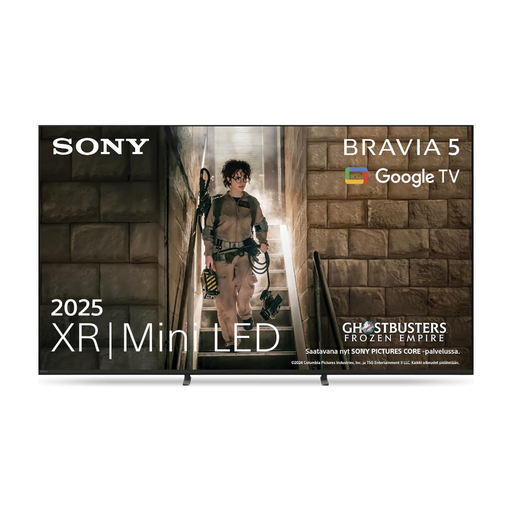
The Sony K-55XR5, also known as BRAVIA 5, is a 55-inch Mini LED model where the exact input configuration and USB playback may be relevant.
- Sony lists four HDMI inputs, 120 Hz, and supported USB file systems and media formats.
- Sony specifies VRR only for HDMI 3 and 4. So the total number of HDMI inputs doesn’t tell you how many devices can use your preferred gaming feature at the same time.
Joybuy products for gaming and video sources
The Sony TVs below combine different screen sizes with listed gaming or connection features for gaming and video sources. Choose a size to suit your viewing distance, then check that the specific connections offer the features you need.
 No image available
Sony BRAVIA 5 K75XR55, 75-inch, Mini LED
Could suit a gaming and video setup if 75 inches works for your viewing distance and you need the listed connection features.
Described as a 4K Mini LED model with 120 Hz, VRR and ALLM; four HDMI and two USB ports, as well as USB media playback, are listed.
View at Joybuy
 No image available
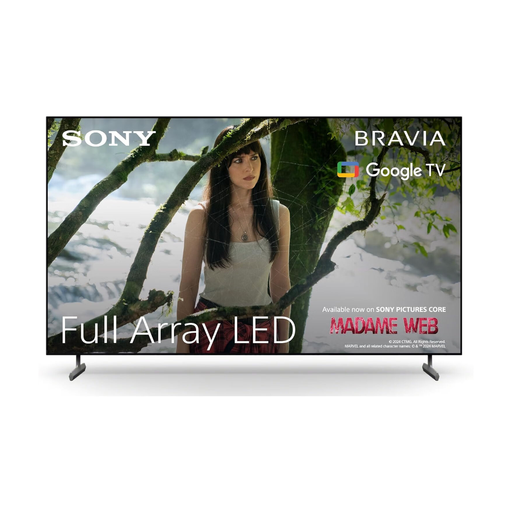
Sony BRAVIA X85L, 65-inch, Full Array LED
Could suit a setup with external gaming and video sources if 65 inches is right for your viewing distance and you want to use the listed gaming features.
Described as a 4K model with 120 fps, VRR and ALLM; HDMI 2.1 and upscaling for older content are listed.
View at Joybuy
 No image available
Sony BRAVIA 3, 85-inch, LED
The large screen could be appealing for group gaming, as long as your viewing distance and available space are suitable.
4K, ALLM, and several HDMI and USB ports are listed. The refresh rate is 50 Hz, so compare it with the output of the specific game version you play. At 85 inches and 42,2 kg, it needs a sufficiently sturdy surface or suitable reinforced wall mounting.
View at Joybuy
Frequently asked questions
Do we really need a 120 or 144 Hz TV for a cooking co-op game?
No, not just because of the TV’s advertised refresh rate. Team17 lists up to 60 frames per second for Overcooked! All You Can Eat and 30 for the original Switch version; these figures apply to the game versions named. Focus on Game Mode and input lag for your console’s signal.
How do we connect a Nintendo Switch for playing together?
For TV Mode, Nintendo describes using a Nintendo Switch dock, an HDMI cable and the right TV input. According to Nintendo, the Switch Lite doesn’t support TV Mode; this restriction applies to the console, not your choice of TV.
Can the TV play our own videos from a USB storage device?
That depends on the TV, file system and media format. Sony lists supported file systems and codecs for the K-55XR5 individually; this doesn’t establish compatibility with other models or every specific video file. Check the specifications for your files.
Is OLED or Mini LED better for different seating positions and long cooking game sessions?
It depends on the specific model, where you sit and how you use the TV. Check the viewing angle from the outer seats. If you choose OLED, take very long sessions with the same bright, fixed on-screen elements into account. RTINGS describes a risk of permanent image retention with intensive static use, but a test of other OLED generations doesn’t predict the lifespan of a specific model.


