What should you look for when buying?
Start by checking your viewing distance and the seats to the sides, then consider how clearly you can see the screen in your usual lighting. Extra gaming features matter most if you’ll use them with your other games and devices.
| What matters |
What to check when buying |
Who is it important to? |
| Readability from a distance |
Take viewing distance and available space into account; check the smallest important text in the game from the furthest seat. |
If I need to read quiz questions from the furthest seat, the text in the actual game is my first priority. Around 33% of consumers put readability from a distance first. |
| Viewing from the sides |
Check questions, subtitles and light and dark quiz screens from the seat furthest to the side. |
When we’re playing on the sofa and in armchairs, I want to be able to see everything from the side, too. Around 27% of consumers prioritise viewing from the sides. |
| Visibility in daylight |
Consider windows, lamps and the position of the screen in the room; check the quiz screen in your usual lighting. |
If we play during the day, I want to avoid distracting reflections and text that’s hard to make out. Around 20% of consumers put visibility in room lighting first. |
| Responsiveness for other games |
Check that game mode and supported refresh rates work with your console or PC on the HDMI input you’ll use. |
If I also use the TV for games that rely on quick reactions, responsive controls matter to me as well as the quiz picture. Around 13% of consumers prioritise quick reactions in other games. |
| Running and buying costs |
Compare the EU energy labels of similar models and check delivery and installation services before ordering. |
If I want to take electricity use and extra services into account, I compare energy labels and check for delivery or installation costs. Around 7% of consumers put running and additional costs first. |
The European Commission provides for an energy label for electronic displays, with a scale from A to G. Compare the figures for the specific model, including its SDR and HDR ratings.
Joybuy models for family quizzes
These models use LCD screens with Mini LED backlighting. Choose a screen size to suit your viewing distance, and treat gaming features as an extra consideration, not a substitute for checking readability.
 No image available
TCL 75Q7C QLED Mini LED TV
The 75-inch screen is an option if it suits your viewing distance and available space; still, check the quiz text in an actual game.
The product specifications include 4K, Dolby Vision IQ, Dolby Atmos, Google TV, 144 Hz VRR and HDMI 2.1. The TV is heavy and needs a sturdy surface or secure mounting.
View at Joybuy
 No image available
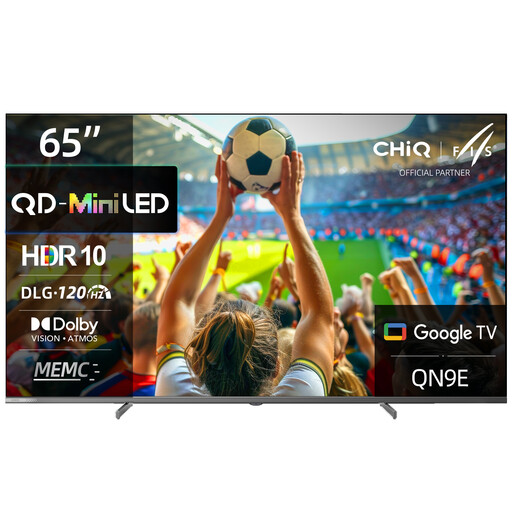
CHiQ M65QN9E, 65-inch
Consider the 65-inch screen size in relation to your viewing distance; check that everyone can read the smallest important quiz text from their seat.
The product specifications list 4K UHD, Mini LED, QLED, DLG 120 Hz, MEMC and Google TV with Android 14.
View at Joybuy
 No image available
Hisense 55E8S, 55-inch
The 55-inch screen may be a good fit if it suits your family’s viewing distance. The product description lists a horizontal viewing angle of 178°; still, check the text from the seats at either side.
Listed features include 4K UHD, QLED, Mini LED, 144 Hz, VRR, ALLM and HomeOS U9. Make sure the TV is securely mounted, whether on a stand or on the wall.
View at Joybuy
 No image available
LG 43QNED86B6B, 43-inch
The 43-inch screen is an option if it suits your viewing distance; try reading the smaller text on the quiz screen before deciding on a size.
The product specifications list Mini LED, 4K, a native refresh rate of 120 Hz, VRR up to 144 Hz and AMD FreeSync. The product description says you’ll need a suitable bracket for wall mounting.
View at Joybuy
 No image available
TCL 55Q7D PRO, 55-inch
If a 55-inch screen suits your viewing distance, this model is worth including when comparing sizes. The product title lists anti-reflection features; still, check for reflections where you plan to set it up.
The product specifications list 4K, SQD Mini LED, 144 Hz, Dolby Vision IQ and Dolby Atmos; the description also mentions VRR and Game Mode.
View at Joybuy
Frequently asked questions
Is 60 Hz enough for a family quiz?
For reading quiz questions, text size, viewing distance and viewing angle matter more than a high refresh rate. So 60 Hz can be enough for a quiz, as long as the text is easy to read in the actual game. A higher refresh rate is an extra consideration if you have other games and a device that can use it.
Where should I position the TV for a quiz night?
Measure the distance from each seat and check the TV in the room’s usual lighting. Pay particular attention to the questions and subtitles from the furthest seat and the seat furthest to the side.
What should I bear in mind if a static image stays on an OLED screen during a long quiz break?
LG warns that image retention may occur if static images are displayed for extended periods. Follow the care instructions for your specific model; pixel care is no guarantee against image retention.
How do I compare electricity use and potential extra costs?
Compare the EU energy labels for specific models, including the figures for SDR and HDR. Before ordering, ask the retailer whether delivery or installation will cost extra.
Is an OLED TV worth it for family quizzes?
A suitable OLED model could work well for a group spread across the room if viewing angle and high-contrast text matter to you. Readability still depends on screen size, viewing distance and how the game is displayed. If quiz screens stay unchanged for a long time, also bear in mind LG’s care guidance and its warning about possible image retention.


