Flatshares with several seating positions
If you play or watch together, check the screen size, reflections and picture quality from the seats you’ll actually use. Screen size alone won’t tell you whether the action is clear from the side, too.


First, measure the available space and the distance between seats. Check that the picture is clear from the seats at the sides, too – for gaming together, this matters more than having the biggest screen possible. Xbox Support lists a compatible console, game, TV input and cable as requirements for 4K gaming at 120 Hz. OLED may suit a mix of content, but RTINGS warns that displaying the same static images for a very long time can leave permanent image retention.
If you play or watch together, check the screen size, reflections and picture quality from the seats you’ll actually use. Screen size alone won’t tell you whether the action is clear from the side, too.
If a responsive gaming experience matters to you, make sure the game mode, TV input, cable, console and game settings all work together. Check the features on the specific input you plan to use.
If the TV needs to fit on existing furniture and will be used beyond gaming nights, compare the dimensions and energy label of each model.
A good fit if: you watch a range of content and contrast matters to you. Check the picture on the specific model from the seats at the sides, too.
The trade-off: If the same static images are displayed for a very long time, the possibility of permanent image retention should factor into your decision.
A good fit if: the room is bright or you often see the same fixed images. Check reflections and picture quality from the sides on the specific model.
The trade-off: Mini LED describes a type of backlighting; on its own, it tells you nothing about viewing angles or input lag.
| What matters | What to check before buying | Who will find this most important? |
|---|---|---|
| Picture from different seats | Check the viewing distances, available space and picture quality from the seats at the sides on the specific TV. | If several of us play together and not everyone sits directly in front, we want everyone to be able to see the action. Around 33% of consumers put visibility from multiple seats first. |
| Game mode and signal | Check for ALLM or a game mode, and which signals the HDMI input you’ll use supports. The console, game and cable must be compatible, too. | If responsive controls matter to me, I make sure the console and game can deliver the picture output I want. Around 27% of consumers prioritise suitable game modes and picture signals. |
| Room lighting and usage | Assess reflections in similar lighting to your room and picture quality where you plan to put the TV. Don’t treat manufacturer claims as independent test results. | In a bright shared room, I want to see the game even when daylight is coming in, while also considering how often the same static images will be on screen. Around 20% of consumers prioritise clear viewing in daylight. |
| Placement and energy use | Compare the stand and TV dimensions, planned mounting position and energy label for the specific model. | If space is limited and we share the ongoing costs, the dimensions and stated energy consumption need to suit our flatshare. Around 20% of consumers prioritise space requirements and running costs. |
A TV specification alone doesn’t prove that a particular game will output the signal you want. Xbox Support lists an Xbox Series X, a suitable Ultra High Speed HDMI cable and a compatible TV among the requirements for 4K gaming at 120 Hz.
Check the features of the HDMI input you plan to use, along with your console and game requirements.
When you’re gaming together, available space, reflections and the view from seats at the edges may matter more than a few extra inches.
Measure your furniture and seating distances before buying, and, if possible, check the picture from the seats at the sides.
If the TV doesn’t fit the space, you may need to move it or use a suitable wall mount.
RTINGS describes permanent image retention after prolonged exposure to static images. The conditions of this kind of stress test don’t predict what will happen during ordinary football nights.
Consider how often and for how long the same fixed images will be on screen, and compare LCD options under those conditions, too.
LG Deutschland limits the additional panel warranty described there to G2 and Z2 series models, and to the panel replacement part.
Read the warranty terms for the exact model number, and distinguish a voluntary manufacturer’s warranty from your statutory consumer rights.
LG lists the OLED55C5ELB as a 55-inch OLED TV. According to LG, this model supports gaming up to 4K at 144 Hz, as well as G-Sync and FreeSync.
The TCL 55C7K is a 55-inch Mini LED TV. TCL states that this model has a native refresh rate of 144 Hz.
Sony Deutschland lists 4K120, VRR and ALLM on HDMI 3 and 4 for the KD-55X85L.
Samsung Deutschland lists the GQ55S90FAEXZG as a 55-inch OLED TV.
The Joybuy models below include OLED, Mini LED and LCD options in a range of screen sizes. Compare each model’s features with your available space, seating and console.
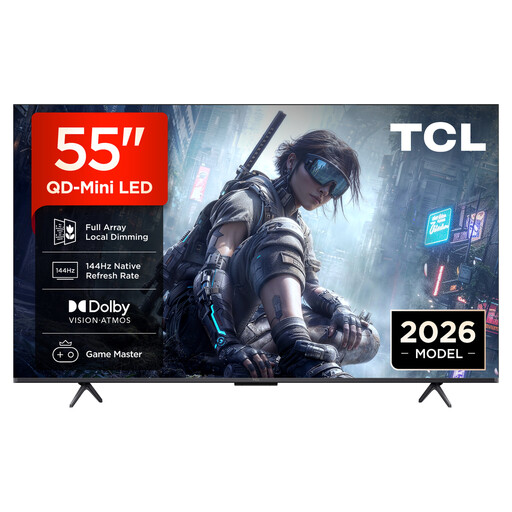 No image available
A 55-inch option whose stated gaming features you can compare with your console’s requirements.
QLED with QD Mini LED, 4K HDR, 144 Hz, VRR and FreeSync Premium; Dolby Vision, HDR10+ and Dolby Atmos are also listed in the product name.
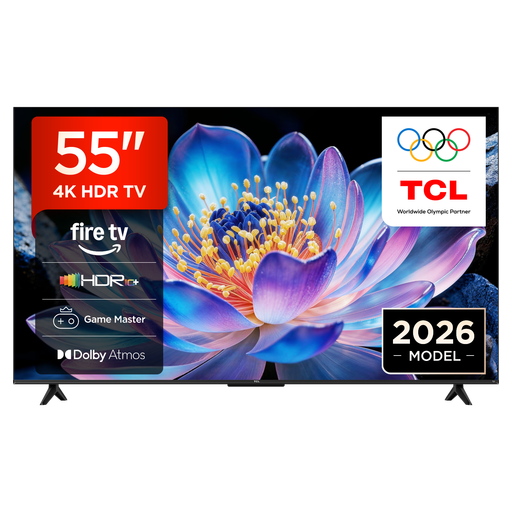 No image available
At 55 inches, this model is worth considering if you have limited space. Compare its TV and stand dimensions with the space available before buying.
4K UHD, Fire TV, HDR10+, Game Master, Motion Clarity and energy efficiency class E are listed in the product name.
 No image available
A 55-inch OLED option to compare if you watch a range of content and its stated gaming features suit your console.
4K OLED, 144 Hz, G-SYNC, FreeSync Premium and webOS are listed in the product name. If the same static game elements remain on screen for a very long time, consider the risk of permanent OLED image retention.
 No image available
At 48 inches, this OLED model has a smaller screen than the other options shown. Still, compare its actual dimensions with the space available.
4K OLED, 144 Hz, VRR, Dolby Vision and Dolby Atmos are listed in the product name. If the same static game elements remain on screen for a very long time, consider the risk of permanent OLED image retention.
 No image available
A 43-inch screen may be worth considering if space is limited. Check that the size suits your seating distances.
Mini LED, 144 Hz VRR and AMD FreeSync are listed in the product name.
No, not for every game. Xbox Support lists an Xbox Series X, a suitable Ultra High Speed HDMI cable and a compatible TV as requirements for 4K gaming at 120 Hz. Check that the specific game and your settings can output the relevant signal, too. A 120 Hz TV won’t make a game with a lower frame rate run at 120 fps.
First, check the HDMI input you’re using, the cable and your console’s video settings. Xbox Support explains how to select 4K UHD and 120 Hz; Sony Deutschland lists VRR and ALLM on HDMI 3 and 4 for the Sony KD-55X85L. Inputs and requirements can vary between models.
There’s no one-size-fits-all answer. LG Deutschland recommends checking the type of wall and choosing a suitable mount, with the installation carried out by a professional. Before drilling, also check whether you need to agree this with anyone for your specific home; this doesn’t amount to general permission or a requirement under tenancy law.
Compare the EU energy labels for the specific models. The European Commission describes the A to G scale and information including screen size and HDR use. To work out the cost in euros for your flatshare, you’ll also need to consider how long you use the TV and your electricity tariff.
For a qualifying distance purchase, you generally have a 14-day cancellation period starting from delivery. According to Your Europe, you may have to pay the return costs under the conditions set out there. Separately, if goods are faulty, you have a statutory right to a remedy from the business seller for at least two years; a voluntary manufacturer’s warranty doesn’t replace this right.