Co-op players short on space
If your TV needs to fit into a tight corner, consider its actual width and your viewing distance alongside the screen size.


For local co-op in a small space, start by measuring the TV’s width and your viewing distance. Then check whether both split-screen views are easy to read from the seats you’ll be using. A larger screen can make each view easier to see, but it takes up more room. If you’ll be sitting off to the side, viewing angle matters too. For fast-paced games, input lag and the frame rates the TV actually supports are more important than the refresh rate alone.
If your TV needs to fit into a tight corner, consider its actual width and your viewing distance alongside the screen size.
When two game views share one screen, you’ll want to make sure text and on-screen displays are easy to read from both seats.
If one person will be sitting at a noticeably wider angle to the TV, check the picture quality from that seat too.
First, measure the available space and viewing distance. Then check how easy split-screen views are to read, before considering viewing angles and gaming features.
| What to consider | What to check | Who it matters most to |
|---|---|---|
| Fit in a small space | Measure the available width, the TV’s dimensions including its stand, and the viewing distance. | If you need to fit the TV into a tight corner, you’ll want to be sure the set and viewing distance work together; around 31% of consumers put fit at the top of their list. |
| Split-screen readability | Check the game you plan to play, including text and on-screen displays, from both seats. | When you’re playing as a pair, each person’s view should remain easy to make out despite the split screen; around 25% of consumers prioritise readability. |
| Viewing angle | Try both seats or check viewing-angle measurements for the exact model. | If one person is sitting off to the side, the picture should still look good from there; around 19% of consumers say the view from a side seat is their top buying concern. |
| Responsiveness and connections | Check input lag in Game Mode, along with the supported frame rate and features of the HDMI inputs you need. | If you play a reaction-based game on a compatible console or PC, supported output and low input lag matter; around 13% of consumers put gaming responsiveness first. |
| Long sessions and static on-screen elements | Consider how you use the TV, the warranty terms and the energy label for the exact model. | If you often play for long sessions with game elements displayed continuously, weigh up the display technology and energy use using the model’s specifications; around 12% of consumers prioritise this kind of extended use. |
A larger screen gives you more picture area, but it won’t necessarily fit your furniture or suit the viewing distance in your room.
Measure the available space and viewing distance before you choose. Check the overall dimensions too, including the stand.
Side-on picture quality depends on the specific screen and its panel technology, not just the type of backlighting.
Check measurements for the exact model or assess the picture from the seats you plan to use.
The frame rate alone won’t tell you whether both split-screen views are easy to read or how much input lag there is.
Start by checking the screen size, seating positions and the game you’ll be playing. Then compare the gaming features with what your source device can support.
Accelerated tests involving persistent on-screen elements don’t directly reflect every typical gaming session.
Consider how you use your TV and check the specific warranty terms separately, rather than applying test results to mixed use.
The A90K range includes compact 42- and 48-inch OLED options worth considering when checking what will fit in a small space.
The OLED55C57LA combines a 55-inch screen with gaming features that may suit a compatible console or PC.
The 55OLED910/12 is a 55-inch OLED TV with Ambilight and gaming specifications from the manufacturer.
The GQ65S95FATXZG is a 65-inch OLED option if you have enough space for a larger TV and the viewing distance to match.
The C7K range offers a Mini-LED/LCD alternative, but its specifications should be checked for each screen size.
This selection includes three 55-inch TVs and one 32-inch model. Compare their width and your viewing distance with how clearly you want to see the split-screen views.
 No image available
A 55-inch screen is worth considering for two game views, provided it fits your room and viewing distance.
Listed specifications include 4K, 144 Hz, VRR and ALLM; the stated width is 122.6 cm.
 No image available
This 55-inch model may suit you if you want more room for split-screen views and have enough space for its width.
Listed specifications include 4K, 144 Hz and VRR; the stated width is 122.6 cm.
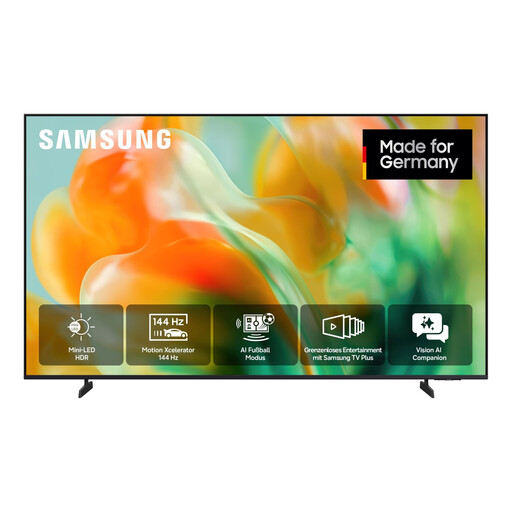 No image available
This 55-inch screen is an option for split-screen gaming, as long as the TV’s dimensions and viewing distance suit your room.
Listed specifications include 4K and 144 Hz, as well as automatic optimisation of the TV settings for gaming.
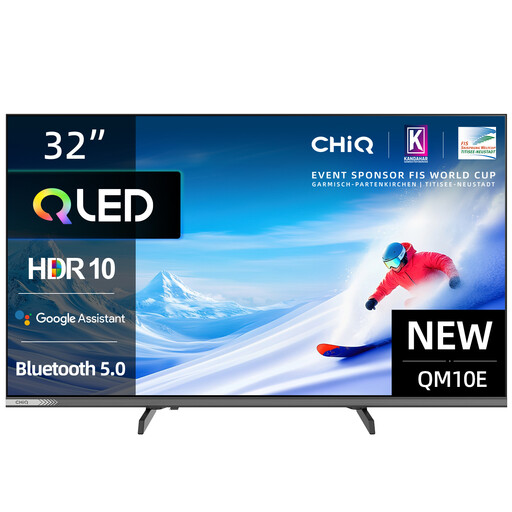 No image available
This compact 32-inch model is worth considering if space is especially tight. In split-screen mode, each game view will have less room than on a larger TV.
This model is listed with Full HD and 60 Hz.
It depends on whether you can read the text and on-screen displays in the game from both seats. A smaller screen saves space, but at the same viewing distance it also makes each game view smaller.
First, measure the available width and viewing distance, then check the picture from both seats. A good view from the centre doesn’t tell you much about how the picture will look from a seat off to the side.
No, a higher frame rate isn’t essential for every game. Whether you’ll benefit depends on the output from your console or PC and the game you’re playing. For responsiveness, input lag in the appropriate Game Mode matters too.
For TVs, compare the EU energy label for the exact model and check the separate SDR and HDR figures. The Verbraucherzentrale points out that your statutory rights against the seller are not the same as a voluntary warranty. In Germany, consumers generally have a 14-day right to cancel an online purchase; terms and exceptions apply.