Who this TV is for

Arena sessions with spread-out seating

When players and spectators are watching the screen from several positions, colours, contrast and small gameplay elements need to remain clear even away from the centre. RTINGS.com explains why viewing angle matters when seating is spread out.

Players who value quick reactions

If you play fast-paced fighting games, check how quickly your inputs appear on screen in Game Mode. RTINGS.com treats input lag as a separate test result and notes that Game Mode can change how the picture is processed.

Gaming groups in changing room conditions

Daylight, long gaming sessions and on-screen displays that stay in place all affect the balance between reflections, panel type and power consumption. LG warns that OLED TVs may experience image retention when images remain on screen for long periods.

What to consider when buying

OLED

A good fit if: several people will be sitting well off to the side and picture quality from those seats matters.

Things to weigh up: LG warns that static images displayed for long periods may cause image retention. Check the care guidance and warranty terms for the specific model.

Mini-LED LCD

A good fit if: the room is often bright or you play for long periods with the same on-screen elements.

Things to weigh up: Mini-LED refers to the backlight and doesn’t, on its own, prove that a TV has a wide viewing angle. TCL lists an HVA panel for the 55C7K, but that doesn’t mean it has been tested as suitable from every off-centre seat.

LCD with a tested viewing angle

A good fit if: the outer seats are important and a specific model looks good enough from those positions.

Things to weigh up: RTINGS.com describes IPS LCDs as generally offering wider viewing angles but lower contrast than VA LCDs. The specific TV model is what matters.

What to consider What to look for when buying Who it matters most to
Arena visibility Compare room dimensions and seating distances with the smallest important gameplay elements. Check any split-screen mode separately. I want to be able to make out characters and displays from the furthest seat, so I compare the seating distance with the actual game output. Around 26% of consumers prioritise being able to see the arena clearly from every seat.
Picture from the side Check the viewing-angle measurements for the exact model, or view the picture from the furthest seat you plan to use. When we’re sitting spread out to the sides, the picture should remain clear away from the centre. Around 26% of consumers focus particularly on picture quality from the outer seats.
Responsive controls Compare input-lag measurements at the relevant resolution and frame rate. Factor in Game Mode, the input and the output from your console or PC. For fast-paced battles, I want to see my inputs without distracting delays, so I check the measurements for my signal. Around 21% of consumers put low input lag first.
Visibility in ambient light Assess reflections on the specific model in typical daylight, from both the central and side seats. If we often play in daylight, I want to assess reflections from the seats we’ll actually use. Around 16% of consumers prioritise bright rooms and reflections.
Long gaming sessions and power consumption For OLED, check the guidance on static displays. Consider the energy figures on the specific EU energy label, in kWh/1,000 h, alongside how long you use the TV and your electricity tariff. The European Commission specifies this unit for energy labels for displays. For long sessions with fixed displays, I want to take care guidance and running costs into account. Around 11% of consumers focus on extended use and ongoing costs.

Common buying mistakes

  • Choosing based on screen size alone

    A large picture can still lose visible detail when viewed from the side.

    Plan your seating and available space together, then check the viewing angle of the specific model from the outer seats.

  • Assuming a high refresh rate means low input lag

    The refresh rate on the spec sheet doesn’t tell you how quickly your inputs will appear with your signal. Input-lag results also depend on resolution, frame rate and Game Mode.

    Compare measurements taken under relevant signal conditions and check the input you’ll actually use, including Game Mode.

  • Assuming Mini-LED means wide viewing angles

    The backlight alone doesn’t tell you how an LCD picture will look from the side.

    Check the exact model from the furthest seat rather than choosing on the Mini-LED label alone.

  • Overlooking fixed gameplay elements and power use during long sessions

    LG warns that OLED TVs may experience image retention if static images are displayed for long periods. The power consumption of the specific TV also matters for running costs.

    Read the care guidance and warranty terms for the model, and compare the figures on the relevant EU energy labels.

Key brands at a glance

LG

The OLED range includes models whose gaming features and OLED picture quality can be assessed together for your seating arrangement.

  • For the OLED55G57LW, LG lists gaming support up to 4K at 165 Hz. This is a manufacturer’s specification, not a measurement for a particular game.
  • LG warns that static images displayed for long periods may cause image retention.

Samsung

The OLED S95F and Mini-LED LCD QN90F offer different approaches to consider, depending on your room and seating positions.

  • For the German QN90F, Samsung lists its “Glare Free” anti-reflection feature.
  • The model’s specifications don’t replace checking reflections and viewing angles from the seat you plan to use, and they don’t automatically apply to the S95F.

TCL

The 55C7K is a Mini-LED LCD option. Check its specific panel and gaming specifications against how you plan to use it.

  • For the 55C7K, TCL lists QD-Mini-LED, an HVA panel and a native refresh rate of 144 Hz.
  • These manufacturer’s specifications don’t prove that the TV has a wide viewing angle or show how it performs in the specific multiplayer mode you use.

Philips

The OLED-910 range combines OLED with Ambilight. Check the size and features of the specific model.

  • For the 77OLED910/12, Philips lists four-sided Ambilight and VRR at 144 Hz.
  • These model specifications don’t prove an independently measured benefit from every seat and don’t automatically apply to a 65-inch model.

Joybuy products for local gaming sessions

The Joybuy products below are Mini-LED LCD TVs. Compare their screen size with your viewing distance and available space, and check the picture from the side seats on the specific TV.
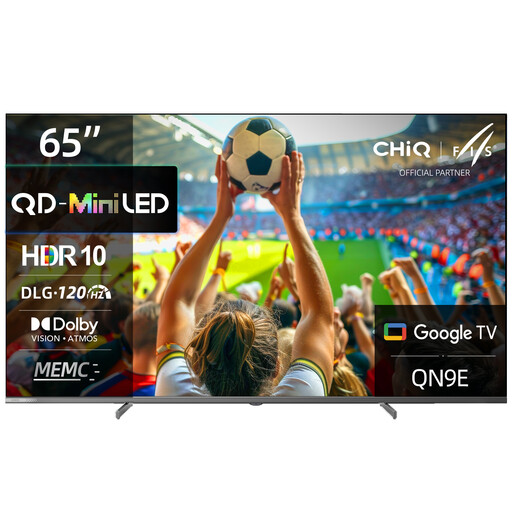
CHiQ M65QN9E, 65-inch 4K UHD Mini-LED QLED TV

CHiQ M65QN9E, 65-inch

Could suit gaming sessions with friends if a 65-inch screen fits your viewing distance and available space. Check the picture from the side on the specific TV.

4K UHD, QLED and Mini-LED backlight.

Joybuy

TCL 55Q7D PRO, 55-inch 4K SQD Mini-LED TV

TCL 55Q7D PRO, 55-inch

The 55-inch size gives you a clear starting point for comparing available space and viewing distance. Check reflections and picture quality from the side in your own room.

4K, SQD Mini-LED, 480 local dimming zones, 2,000 nits HDR and anti-reflection. The product specifications also list 144 Hz, VRR and AMD FreeSync Premium Pro.

Joybuy
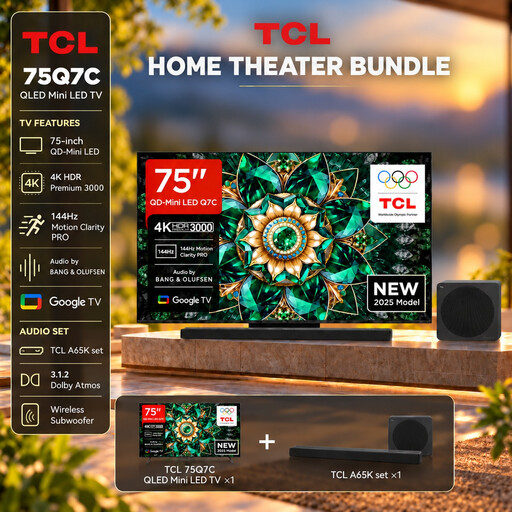
TCL 75Q7C with A65K soundbar set

TCL 75Q7C with A65K soundbar set

Before buying, check that the 75-inch screen suits your room, available space and viewing distance. A large screen doesn’t remove the need to check the viewing angle.

4K, QLED Mini LED, 144 Hz and VRR. The offer includes an A65K soundbar set, and the product specifications also list HDMI 2.1.

Joybuy
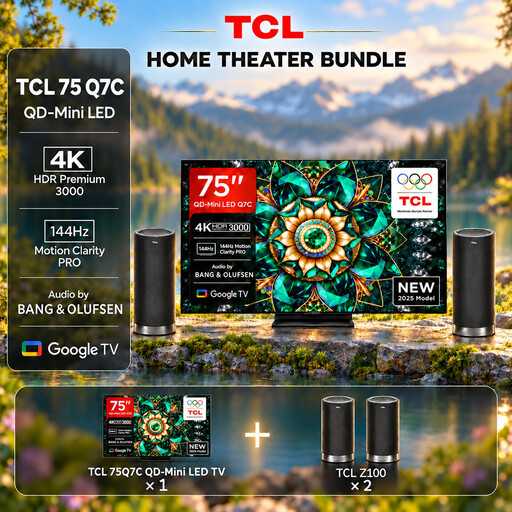
TCL 75Q7C with Z100 speaker set

TCL 75Q7C with Z100 speaker set

For gaming sessions with friends, the 75-inch size is only suitable if you have enough space and the viewing distance is right. Also check the picture from the outer seats.

4K, QLED Mini LED, 144 Hz and VRR. The offer includes a Z100 speaker set, and the product specifications also list HDMI 2.1.

Joybuy

Hisense 55E8S, 55-inch 4K UHD QLED Mini-LED TV

Hisense 55E8S, 55-inch

Compare the 55-inch screen size with your viewing distance and available space. Assess how it looks from the side seats during your gaming sessions.

4K UHD, QLED and Mini-LED backlight. The product specifications also list 144 Hz, VRR and ALLM.

Joybuy

Frequently asked questions

Is 144 Hz on the spec sheet enough for smooth local battles?

No. The TV’s refresh rate doesn’t prove what frame rate a specific game will run at. Check the output from your console or PC, the signal and Game Mode. You can only use VRR with a compatible output.

How should I position the TV for multiple seats?

Take the furthest seat into account and assess the picture from there, as horizontal viewing angle matters when seats are spread out. Also compare the dimensions of your chosen screen size with the space available on your stand or wall.

What should I consider if fixed game displays often appear on an OLED screen?

LG warns that static images displayed for long periods may cause image retention, and describes the protection features on its OLED TVs. Follow the care guidance and warranty terms for the specific model you buy; this doesn’t amount to a blanket guarantee against image retention.

How do I compare electricity costs, and what are my rights if the TV develops a fault?

Compare the energy figures on the relevant EU label in kWh/1,000 h. To work out the cost in euros, you’ll also need to know how long you use the TV and your electricity tariff. If a product is faulty, distinguish your statutory rights against the seller from a voluntary guarantee. § 438 BGB generally sets a two-year period from delivery for standard claims relating to defects.

Can I put my old TV in the household rubbish?

No. TVs must be disposed of separately as waste electrical equipment; the German Environment Agency also lists local authority collection points. When you buy a new device of the same type, you may also be able to return a large old appliance such as a TV free of charge as part of an online delivery, under the return rules described.