Shared houses with several viewing positions
If you play together in front of the TV, including from the side of the sofa, consider screen size, viewing distance, viewing angle and lighting conditions together.


For local arena sessions in a shared house, your TV should first suit the seating, viewing distance and room lighting. The biggest screen isn’t automatically the right choice. Next, consider the gaming features that your console, game and chosen HDMI input actually support. If you play for long sessions, factor OLED care and energy consumption into the decision you make together.
If you play together in front of the TV, including from the side of the sofa, consider screen size, viewing distance, viewing angle and lighting conditions together.
If you connect a console or PC and want smooth visuals in games that support them, the capabilities of the specific HDMI input and the game’s output both matter.
If the TV is often on outside match sessions too, factor in energy consumption, care and who’s responsible for what when you make a joint purchase.
Start by working out the seating positions, viewing distance and available space. Then check which gaming features your devices can use, and factor room lighting and ongoing costs into the decision you make together.
| What matters | What to check before buying | Who is it important to? |
|---|---|---|
| A clear view for everyone | Measure the viewing distance and available space; check the view from the side seats. | If we want everyone to see important information in split-screen games from wherever they’re sitting, a clear view for all is our top priority. It comes first for around 33 % of consumers. |
| Smooth, responsive matches | Check the panel refresh rate, VRR and the features of the HDMI input you’ll actually use. | If responsiveness and a suitable frame rate matter in fast-paced matches, we compare the features supported by the TV, console and game. Around 27 % of consumers put this first. |
| Room lighting and panel care | Assess the picture and reflections where the TV will go; if you’re choosing OLED, read the care guidance for long periods with on-screen game displays. | If the room is bright during the day or game displays stay unchanged for long periods, we weigh up the room conditions and panel care. This is the most important consideration for around 20 % of consumers. |
| Overall costs shared between you | Compare energy label figures for similar screen sizes; agree in advance how you’ll pay and where the TV will go. | If we’re sharing the cost of buying and using the TV, we want to agree on energy use and responsibilities before we buy. For around 20 % of consumers, these overall costs come first. |
The panel, HDMI input, console and game all need to work together. Xbox describes 4K gaming at 120 Hz on the Series X when paired with a suitable HDMI 2.1 TV.
Check the panel’s native refresh rate separately from the capabilities of the HDMI input you plan to use. What matters is whether your console and the games you actually play support the output you want.
Viewing distance, angle and room lighting vary between seats. The wrong screen size or position might mean you need a different setup.
Before buying, take all the seating positions and available space into account.
LG notes that burn-in cannot be ruled out entirely, even with proper use of an OLED TV.
Read the care guidance for the specific model and think about how long game displays stay unchanged when you play.
Energy use and where the TV goes will affect your shared house long after you’ve bought it.
Compare the energy label figures and agree in advance who’s responsible for payment, positioning and returns or complaints.
The OLED55C56LB is an OLED option to compare with a suitable console or PC setup.
The 55C7K is a QD-Mini-LED option worth considering if you’re interested in this panel technology and a high native refresh rate.
The GQ55QN90FATXZG is a 55-inch Neo QLED option with Mini LED.
According to Philips, the 65OLED910/12 combines OLED with four-sided Ambilight and built-in Bowers-&-Wilkins sound.
This Joybuy selection includes 55- to 75-inch Mini LED and OLED TVs, with the gaming features listed in their product names. Match the screen size to your viewing distance and available space, and check which features your console and games can use.
 No image available
The 75-inch screen needs plenty of space and a suitable viewing distance.
Features listed in the product name: QLED, 4K, 144 Hz, VIDAA OS, VRR and ALLM. Using high refresh rates and VRR depends on compatible game output and connected devices.
 No image available
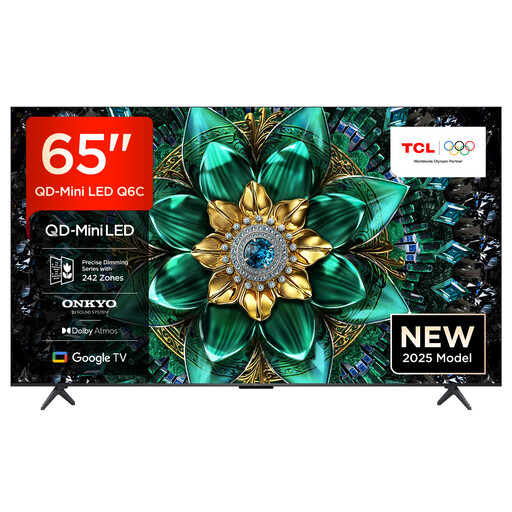
The 65-inch screen could work well for gaming together, provided your viewing distance and available space are suitable.
Features listed in the product name: 4K HDR, Google TV, 144 Hz Motion Clarity Pro, HDMI 2.1 and AMD FreeSync Premium Pro. Using high refresh rates and VRR depends on compatible game output and connected devices.
 No image available
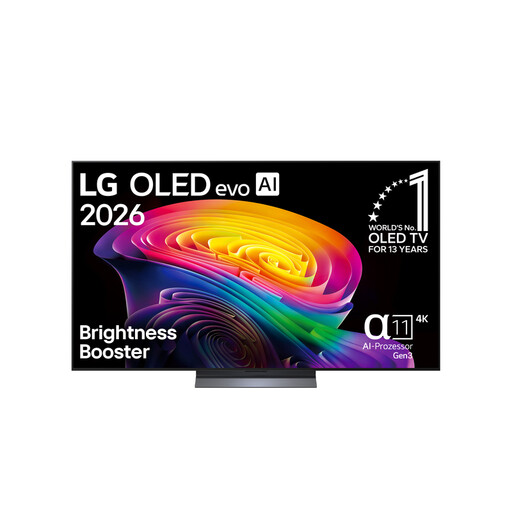
Make sure the 65-inch screen suits your viewing distance and the seating positions in your shared house.
Features listed in the product name: OLED evo, 4K, 120 Hz, Dolby Vision and Dolby Atmos. Check the capabilities of the specific HDMI input for your connected device.
 No image available
The 75-inch screen needs plenty of space and should be viewed from the seats you plan to use.
Features listed in the product name: 4K HDR, Google TV, 144 Hz VRR, HDMI 2.1 and AMD FreeSync Premium Pro. Using high refresh rates and VRR depends on compatible game output and connected devices.
 No image available
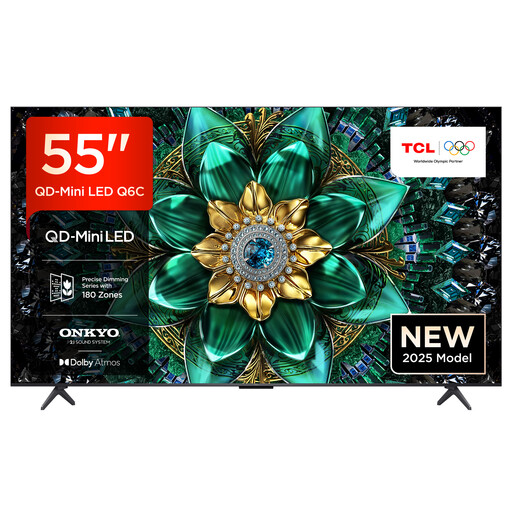
The 55-inch screen could be a good fit if it’s easy to see from all your shared seating positions.
Features listed in the product name: 4K HDR, Google TV, 144 Hz Motion Clarity Pro, HDMI 2.1 and AMD FreeSync Premium Pro. Using high refresh rates and VRR depends on compatible game output and connected devices.
No, not necessarily: what matters is the output supported by the game and connected device. Xbox describes 4K gaming at 120 Hz on the Series X with a suitable HDMI 2.1 TV. Also check the HDMI input you actually plan to use.
For TV mode, Nintendo lists a Switch dock, a TV, an HDMI cable and a power adaptor. Nintendo Switch Lite does not support this mode. Whether you can play locally, and how many people can join in, depends on the game.
According to the European Commission, the EU energy label shows display energy consumption in kWh per 1,000 hours. Compare models with a suitable screen size; to estimate your costs, you’ll also need to know how long you’ll use the TV together and your current electricity tariff.
Your statutory rights for faulty goods are against the seller and generally last for two years. These are separate from the 14-day right to cancel that usually applies to online purchases. The Verbraucherzentrale explains both rights; the terms of your specific purchase are what matter.
No. The German Environment Agency says that electrical waste must be collected separately. For example, you can take an old TV to a recycling centre or, when buying a similar new device, return it free of charge under the stated conditions.