Hosts with their own media collection
If you want to share photos, music or videos from local storage between mini-games, check the connections and supported file formats for the exact TV model.


Choose your TV based first on the devices and files you’ll use. A console or laptop needs a suitable HDMI input; to play files from USB storage, the file system and codecs must be compatible with the specific model. Sony Germany lists this information for the K-55XR5, while LG points out that supported file extensions and codecs can vary by model. For a group with people sitting off to the side, you’ll also want to consider how the picture looks from those seats and choose a screen size that suits the room. High refresh rates matter most when the game and connected device can actually output them.
If you want to share photos, music or videos from local storage between mini-games, check the connections and supported file formats for the exact TV model.
If guests will be sitting to the sides of the screen, check how the picture looks from those seats too. The screen size should suit the seating layout and the room.
If a game responds to quick inputs, look for a suitable HDMI input and Game Mode. The refresh rate and VRR also depend on what the game and connected device can output.
First, work out which device will run the mini-games. Then check the HDMI connections you need and, if you plan to play media directly on the TV, make sure your files are compatible.
| What matters | What to check before buying | Who is it important to? |
|---|---|---|
| Local files and connections | HDMI inputs for a console or laptop; the file system and codecs needed for your specific USB files. | If I want to show my own photos, music or videos directly on the TV, I don’t want to discover on game night that the format isn’t compatible. That’s why around 29% of consumers put file compatibility and connections first. |
| A shared view of the game | Space for the TV, viewing distances and how the picture looks from the outer seats. | If guests are sitting in different places, I want them to be able to follow the game from the side seats too. That’s why around 29% of consumers prioritise a good view for everyone. |
| Responsiveness and picture output | Game Mode and a suitable HDMI input; VRR and refresh rate to match the game and connected device. | If I’m playing fast-paced mini-games, I want the settings to match the signal from my console or laptop. Around 21% of consumers put responsiveness when gaming first. |
| Room lighting and energy consumption | Picture quality in your usual room lighting; the EU energy label for TVs of a comparable size, including SDR and HDR figures. | If we play during the day or the TV is on frequently, I want to consider the room lighting and stated energy consumption together. Around 21% of consumers give these factors priority. |
A TV recognising USB storage doesn’t automatically mean it can play every video or audio file. The file system, container and codecs are separate compatibility considerations.
Check some of your actual files against the manual for the full model code.
If the TV doesn’t support the files you need, you may need a separate compatible media player.
The advertised refresh rate alone doesn’t tell you what signal the game and connected device will output. Extra gaming features aren’t essential for every party game.
Check Game Mode and the HDMI input you’ll use. Choose a TV based on the features your game and connected device can actually use.
During a gaming session, guests often watch the screen from different angles. Panel technology and room lighting each have their own considerations, and a larger screen alone won’t solve every seating issue.
Check how the picture looks from the outer seats you plan to use, and consider the room’s usual lighting before choosing between OLED and Mini-LED.
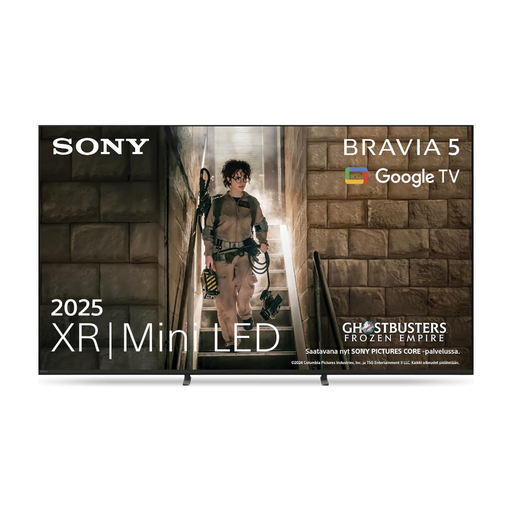
The BRAVIA 5 K-55XR5 is an option if you want to use a console and USB media on the same device.
The OLED55C58LA is worth considering if you’re weighing up OLED and gaming features for a group with people sitting to the sides.
The GQ55QN90FATXZG Mini-LED TV is an option if a bright room and gaming inputs are your priorities.
The 55C7K adds a 55-inch QD-Mini-LED TV with a gaming focus to the range of options.
The 55PUS9000/12 is a 55-inch option if you’re weighing up Ambilight and gaming features together.
These Mini-LED TVs offer larger screen options for gaming together over HDMI. For playing local files, the file system and codecs supported by each model remain key.
 No image available
The 85-inch screen is a large option for a gaming session. Make sure you have enough space and a stable place to set it up.
4K, 144 Hz, VRR and ALLM; the product description lists HDMI connections and USB.
No image available
The 75-inch screen is a large option for playing with a group. Consider the space available or a suitable VESA wall mount.
144 Hz, VRR and ALLM; the product description lists four HDMI 2.1 connections, as well as USB and a media player.
 No image available
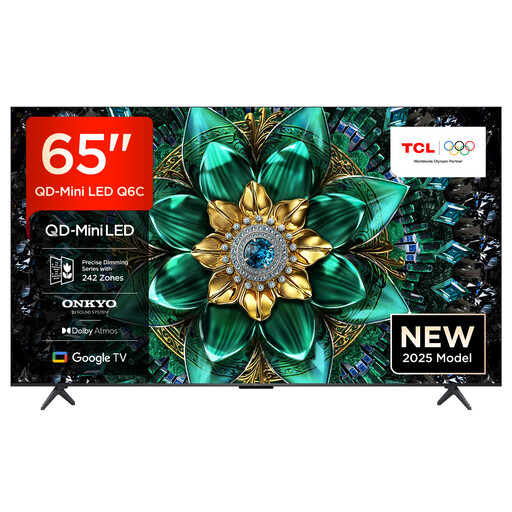
The 65-inch version is a larger screen option for gaming together. Check that it suits your room and setup before buying.
4K, 144 Hz, HDMI 2.1, VRR and ALLM are listed in the product description.
 No image available
The 75-inch screen and wide viewing angle listed in the product description are useful features for a group sitting in different places. Make sure you have enough space for it or a suitable wall mount.
144 Hz, VRR, FreeSync and HDMI 2.1 are listed in the product description.
 No image available
The 75-inch screen is a large option for a gaming session. The product description states that the TV weighs 36,2 kg with its stand, so factor this in when setting it up or mounting it.
120 Hz, VRR and ALLM; four HDMI connections and a USB media player are listed.
Not simply because it has a USB port. If a console or laptop runs the game, its picture is usually sent to the TV over HDMI. To play photos, music and videos directly from a USB stick, the file system and media codecs must also be compatible with the specific TV model.
The TV recognising the storage device doesn’t confirm that it supports the file’s video or audio codec. Check the format and codec against the manual for the exact model. LG notes that supported file extensions and codecs can vary by model.
In Germany, online purchases generally come with a 14-day right to cancel. The consumer advice centre says the period starts when the contract is concluded or when you receive the goods you ordered. Your statutory rights regarding faulty goods are separate and are not the same as a voluntary guarantee.
EU energy labelling rules apply to electronic displays. According to the European Commission, the label must also be visible when products are sold online. It includes energy information for SDR and HDR, which you can use to compare similar devices.
In general, the broadcasting fee is charged per household, not per TV or person playing. The contribution service lists exceptions and different rules for certain living arrangements.