Hosts with a wide seating arrangement
If you’re setting up seats for guests off to the side, check whether colours and in-game prompts are still easy to make out from those positions.


For party mini-games with several people watching, start by making sure the TV suits your seating arrangement. Check how the picture looks from seats off to the side, and whether small in-game prompts are easy to read at your chosen screen size. Then compare input lag in Game Mode, reflections and the frame rate your console and game can actually output.
If you’re setting up seats for guests off to the side, check whether colours and in-game prompts are still easy to make out from those positions.
If you’re following symbols, text or scores together, choose a screen size that suits the actual distance between the TV and your seats.
When quick reactions matter, compare input lag in the relevant Game Mode rather than relying on the advertised refresh rate alone.
First, work out how far away the furthest seats are. Then weigh up screen size, responsiveness and the room’s lighting according to what matters most for your group.
| What matters | What to check before buying | Who it matters to |
|---|---|---|
| Picture quality from the side | Check independent viewing-angle tests for the specific model and consider where people will sit in the room. | If guests will be sitting off to the side, I want to know what the game will look like from the seats furthest away. Around 31% of consumers put viewing angle first. |
| Readability and screen size | Consider viewing distances, dimensions and how easy your games are to read; compare energy information for TVs of a similar size. | From further back, I want to be able to make out small symbols and text, and choose a screen size that suits the viewing distance. Around 25% of consumers prioritise readability and screen size. |
| Responsiveness in timing-based games | Check input lag at the resolution and frame rate you’ll use, as well as Game Mode and the relevant TV inputs. | For fast-paced mini-games, I want inputs to appear on screen quickly; the advertised refresh rate alone doesn’t tell me that. Around 19% of consumers put responsiveness first. |
| Visibility in a lit room | Consider the windows and lamps in the room, as well as reflection tests for the exact model. | If windows or lamps are reflected on the screen, I want to be able to see in-game prompts despite possible glare. Around 13% of consumers prioritise visibility in a lit room. |
| Upfront and running costs | Compare the EU energy label and product information sheet for the exact model, as well as its dimensions and placement options. | If running costs matter to me, I want to take energy consumption and placement into account when deciding. Around 12% of consumers focus on these costs. |
New TVs sold in Germany must meet EU energy labelling requirements; the European Commission also states that these apply to online sales. Compare the information for the specific model, including its SDR and HDR figures.
The frame rate a TV actually receives also depends on the console, game and output mode. Nintendo Germany states that the Switch 2 has a maximum frame rate of 60 fps at 4K.
First decide which gaming source you’ll use and which output mode you want. Then check that the TV and the relevant inputs support those signals.
Screen size and horizontal viewing angle are different things. With a wide seating arrangement, the picture may look noticeably different to people sitting off to the side.
Compare viewing-angle tests for the specific model with the seats furthest away in your planned arrangement.
RTINGS.com describes permanent image retention in a test involving extremely long periods of static content at high brightness. This shouldn’t be taken as a general statement about lifespan during occasional games with changing content.
If you often leave unchanged displays on for hours, factor that into your decision and check the warranty terms.
Energy consumption and SDR and HDR figures may be worth comparing; the TV’s dimensions and placement options should also suit how you plan to use it.
Compare the energy information for the specific model and check that the TV will fit in the space you have in mind.
The C6 OLED range in Germany is one option to compare if gaming and seats off to the side matter to you. The details below relate to the OLED65C6ELB model.
The OLED S95H is one option to compare if reflection handling and gaming features are important to you.
The 65C7K is a Mini LED/LCD model you can compare with other display technologies and gaming features.
According to Panasonic, the OLED TV-65Z95BEG combines the Z95B range with gaming features and built-in audio.
The OLED 65OLED810/12 is worth considering if you want Ambilight as well as gaming features and a TV suited to your seating arrangement.
The Joybuy options below include LCD and Mini LED models, as well as an OLED TV. Compare screen size and listed gaming features with your seating arrangement and the output options supported by your console.
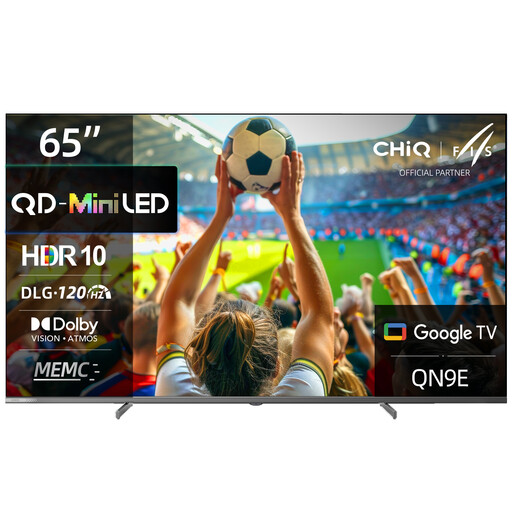 No image available
Could be worth considering for group gaming with people sitting further away; check that in-game prompts are readable from the seats furthest away.
Features listed: 65 inches, 4K, DLG 120 Hz, MEMC, Dolby Vision and Dolby Atmos. The operating system is listed as Google TV (Android 14).
 No image available
Could be an interesting choice for gaming with a variable refresh rate; also check that the screen size suits your viewing distances.
Features listed: 4K, 480 local dimming zones, 2,000 nits HDR, anti-reflection, 144 Hz, Dolby Vision IQ and Dolby Atmos. Google TV is listed as the operating system.
 No image available
Could be worth considering for groups with seats off to the side; check how the picture looks from the seats you’ll actually use.
Features listed: 55 inches, 4K, QLED, Mini LED, 144 Hz, VRR and ALLM. HomeOS U9 is listed as the operating system.
 No image available
Could be an option for games with changing content; if you often have static displays on screen for long periods, factor this into your decision.
Features listed: 55 inches, 4K, 144 Hz, VRR, ALLM, Dolby Vision and four HDMI 2.1 ports. G-SYNC and FreeSync are also listed.
 No image available
Could be an option if space is limited; make sure the 43-inch screen suits your viewing distances and that small in-game prompts are easy to read.
Features listed: 4K, native refresh rate of 120 Hz, VRR up to 144 Hz and AMD FreeSync. Game Optimizer and HGiG are also listed.
No, not for 4K output at 120 fps: Nintendo Germany states that the Switch 2 has a maximum frame rate of 60 fps at 4K. Whether a game supports higher frame rates in another output mode depends on the game and the compatible display.
No, the Nintendo Switch Lite doesn’t support TV mode. Nintendo Germany says that TV mode for the standard Switch works via the dock.
First, check that small prompts in your games are readable from all the seats you plan to use. For fast-paced games, it’s a good idea to switch on Game Mode and compare input lag at the resolution and frame rate you’ll actually use. Before mounting the TV, also make sure its dimensions suit the space you have in mind.
Compare the EU energy label and product information sheet for the specific models, including their SDR and HDR figures, and consider how you plan to use them. The European Commission lists energy labelling for electronic displays and showing the label when selling online as EU requirements.