What should you look for?
OLED
Worth considering: If players often sit to the side and quick responses are important, a specific OLED model could be worth comparing. RTINGS.com reports that the B5 has wide viewing angles and low input lag, but the model tested does not automatically confirm the same features for the German model code.
Trade-off: Burn-in remains a consideration if bright game HUDs stay on screen for very long periods. The RTINGS.com long-term test cited is not a prediction of the B5’s lifespan.
Mini-LED/LCD
Worth considering: If there’s lots of daylight or you’re concerned about static images staying on screen, you could compare specific Mini-LED/LCD models.
Trade-off: The technology name and manufacturers’ brightness claims don’t confirm viewing angles or how well the screen handles reflections from your seat.
Group consumers by their main concern; they may have other priorities, too.
| Priority |
What to check before buying |
Who cares about it? |
| Picture quality from every seat |
Check the viewing angles from the seats furthest away on the specific model, and make sure its dimensions suit the room. |
If we sit to the side, I still want to see the playing field clearly, so I check the viewing angle and dimensions. Around 33% of consumers have this as their main priority. |
| Responsiveness during fast-paced play |
Compare input lag in game mode at the resolution and frame rate you use; check that the HDMI input supports the features you need. |
If quick inputs are crucial in a game, I want to know how long it takes for the picture to appear from my console. Around 27% of consumers prioritise input responsiveness above all else. |
| Visibility in daylight |
Consider windows and lamps where you plan to put the TV; check for reflections from the seats furthest away. |
In a bright communal room, I want to assess distracting reflections from where I’ll be sitting. Daylight is the main priority for around 20% of consumers. |
| Shared costs and long-term use |
Compare the energy label for the specific model and, for OLED, follow the manufacturer’s guidance on screen care. |
If we’re sharing the purchase and running costs, I want to consider energy consumption and how long we plan to use it. Around 20% of consumers put this first. |
Related products from Joybuy
The Joybuy models below include 55- and 65-inch TVs with gaming features, including Mini-LED/LCD and OLED options. Check that the stated frame rates and features are compatible with your console, game and intended HDMI input.
 No image available
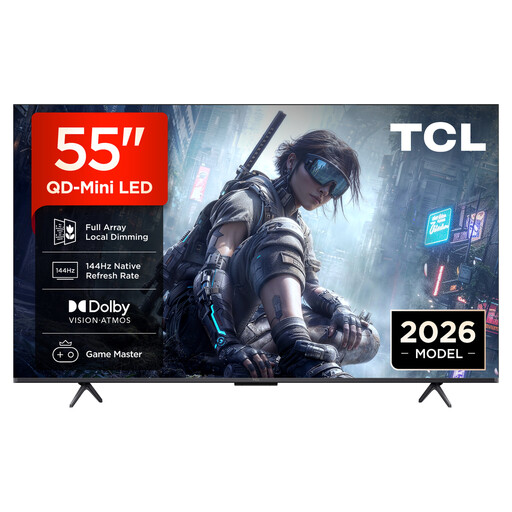
TCL 55Q7D PRO, 55-inch TV
A 55-inch TV to compare with other gaming models; check whether your console and game support the stated modes on the input you plan to use.
- 4K
- SQD-Mini-LED
- 144 Hz
- Anti-reflection
View at Joybuy
 No image available
TCL 55T8D, 55-inch QLED TV
You can compare the 55-inch size with your viewing distance and the space available in your shared room; take your console and games’ actual output into account.
- QD Mini LED Dimming
- 4K
- 144 Hz VRR
- FreeSync Premium
- Game Master
View at Joybuy
 No image available
LG OLED55B68LA, 55-inch OLED gaming TV
A 55-inch OLED TV with gaming features; check the manufacturer’s specifications for the exact model code and compare its frame rate before choosing.
Burn-in remains a consideration during very long sessions with bright, static game HUDs on screen.
View at Joybuy
 No image available
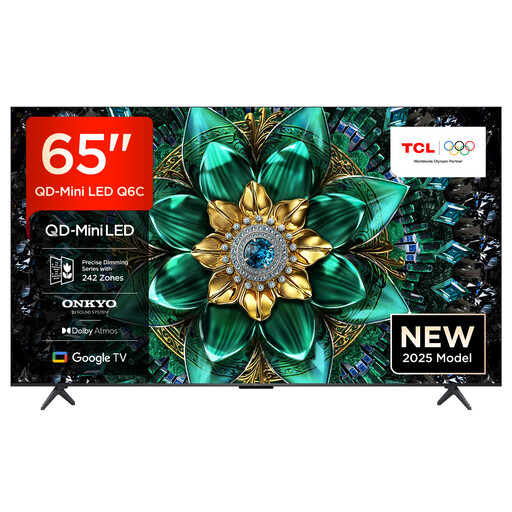
TCL 65Q6C, 65-inch QLED Mini-LED TV
The 65-inch size could work if the space and viewing distance in your communal room allow for it; check the gaming features against your console and game.
- 4K
- QLED Mini LED
- 144 Hz VRR
- HDMI 2.1
- AMD FreeSync Premium Pro
View at Joybuy
 No image available
LG OLED55C67LA OLED Evo C6, 55-inch TV
A 55-inch OLED model with gaming features; check which of the stated frame rates your console and chosen games actually support.
- 4K
- OLED
- Up to 165 Hz
- G-SYNC and FreeSync
Burn-in remains a consideration during very long sessions with bright, static game HUDs on screen.
View at Joybuy
Frequently asked questions
Do you need a 120 Hz TV for arcade sports games?
No. What matters is the frame rate supported by the specific game and your console. For 4K gaming at 120 Hz on an Xbox Series X, Xbox Support recommends a compatible TV with HDMI 2.1. Independently, compare input lag in the game mode you use.
How should you plan the TV’s position in a shared room?
Decide where the seats furthest away and the TV will go before you buy, then check the TV’s dimensions against the space available. For wall mounting, check the bracket, fixings and instructions for the specific model. Sony warns in its BRAVIA mounting guidance that incorrect installation may cause injury.
What should you know about looking after an OLED TV?
If you use the same bright, static game HUD for a very long time, permanent image retention is a consideration, but it isn’t certain to happen with normal mixed use. LG says that pixel cleaning on its OLED TVs can run while the screen is off and shouldn’t be interrupted by unplugging the TV.
What running costs and warranty rights should you consider?
Check the specific model’s stated energy consumption on its energy label or in EPREL, the European Commission’s product register, rather than estimating electricity costs without knowing how long you’ll use it or your tariff. Your Europe explains that consumers buying from a trader generally have at least a two-year legal guarantee from the date they receive the product. This is separate from a voluntary manufacturer’s warranty.
Can you cancel an online TV purchase?
Consumers buying at a distance generally have 14 days to cancel without giving a reason, although exceptions and the terms of the specific contract apply. The Council of the European Union describes this consumer right, not a voluntary returns offer from a particular retailer.


