Players sitting towards the sides
You regularly sit off to the side during local games and want to know whether the colours and brightness stay consistent from there.


For local football games with players sitting off to the sides, start by checking how well the picture holds up from the outer seats. OLED is an obvious option to consider; RTINGS generally describes IPS panels as having wider viewing angles than VA, but you should check the exact model. Then match the Game Mode, supported refresh rate and screen reflections to your console, game and room. If you often have static images on screen for long periods, OLED care should also factor into your decision.
You regularly sit off to the side during local games and want to know whether the colours and brightness stay consistent from there.
You want your inputs to register straight away, so you check the Game Mode and the refresh rate supported by the game, console and TV together.
You need to consider side seating and distracting daylight together, rather than relying on a brightness figure in the product description.
A good fit if: several people sit far apart and the outer seats are particularly important.
Trade-off: LG warns that long periods displaying static images may cause image retention. You should also check for reflections and look at the Game Mode.
A good fit if: you want wide viewing angles and are considering an LCD rather than an OLED TV.
Trade-off: RTINGS generally describes IPS panels as having wider viewing angles than VA, but lower contrast. Check the panel type and gaming features of the exact model.
A good fit if: daylight, LCD contrast or long periods displaying static images on an OLED TV are important factors in your decision.
Trade-off: Mini LED refers to the backlighting and does not, on its own, guarantee wide viewing angles. Assess the exact model from a side seat.
For local football games with seats positioned off to the sides, your priorities will depend mainly on viewing angle, control responsiveness, room lighting and how long you use the TV.
| Consideration | What to check when buying | Who is it important to? |
|---|---|---|
| Picture from a side seat | View the exact model with game content from both outermost seats; the panel type alone is not enough. | When we sit spread out, I want to assess the colours and brightness from the furthest seat too. Around 33% of consumers prioritise picture quality when viewed from the side. |
| Controls and refresh rate | Check input lag in Game Mode, along with the video output supported by the game and connected device. RTINGS explains that a low-latency Game Mode typically uses less image processing. | If responsive controls matter to me in a football game, I check that the Game Mode and console work well together. Around 27% of consumers put control responsiveness first. |
| Viewing in daylight | Consider the windows, room lighting and outer seats together; a manufacturer’s claims about anti-reflection are not an independent measurement. | When I play in a bright room, I want to assess reflections and the view from a side seat together. Around 20% of consumers prioritise visibility in daylight. |
| Long-term use and running costs | Take static images and the exact model’s care guidance into account. To compare energy consumption, check the EU energy label and the European Commission’s EPREL model information. | For long gaming sessions, I want to think about static images and ongoing running costs. Around 20% of consumers put usage time and running costs first. |
Mini LED describes the backlighting; it does not automatically tell you about the LCD panel’s viewing angles. With VA, the picture may lose accuracy when viewed from the side.
Assess the exact model with game content from the outermost seat before letting brightness or dimming technology sway your decision.
The TV, connected device and game must all support the mode you want to use. A high advertised refresh rate does not tell you how many frames a particular football game will output.
Check the ports and video output, and assess input lag in Game Mode separately from the advertised refresh rate.
LG warns that long periods displaying static images may cause image retention. A voluntary guarantee is also not the same as your statutory consumer rights.
Consider how you use static images and check the manual and guarantee terms for the exact model.
The German product page for the OLED55C59LB lists OLED gaming at up to 4K 144 Hz.
The GQ65S95FATXZG is an OLED option where reflections may also be a factor.
The German product page for the 55OLED810/12 lists OLED gaming features and Ambilight.
The 55C7K is a QD Mini LED LCD option to compare with OLED.
The TV-55Z95BEG is a documented OLED option with gaming features.
The Joybuy products below include OLED, Mini LED and LED TVs with gaming-related features. For each specific model, check how it looks from a side seat and whether it is compatible with your console.
 Image unavailable
If you’re considering this Mini LED TV for gaming in a bright room, check how the picture looks from an outer seat.
The product name lists 4K, 2,000 nits HDR, Anti-Reflection and 144 Hz.
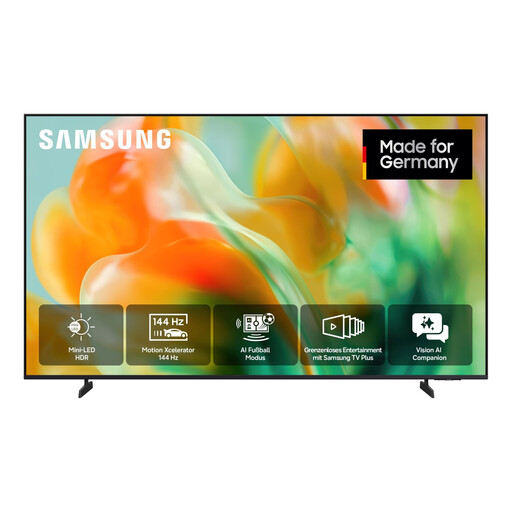 Image unavailable
If you’re considering a Mini LED TV for football gaming, check how it looks from a side seat and whether its Game Mode suits your console.
The product name lists Mini LED, UHD 4K, Smart TV and 55 inches (138 cm).
 Image unavailable
If you’re considering this for gaming with seats positioned off to the sides, assess how the picture looks from the outermost seat.
The product name lists 4K UHD, QLED Mini LED, 144 Hz and HomeOS U9.
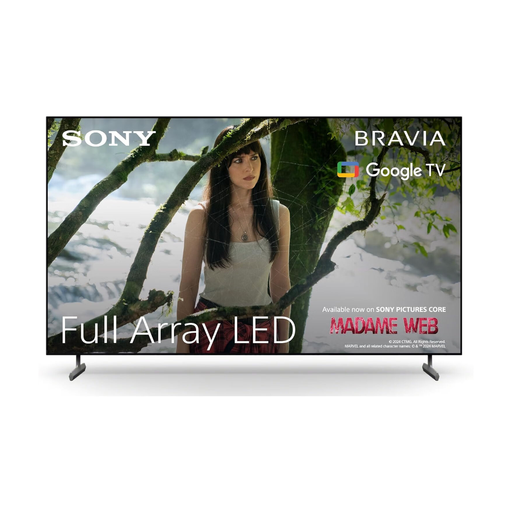 Image unavailable
If responsive gaming matters to you, check the Game Mode and video output alongside the connected device you use.
The product name lists 4K HDR, 120 Hz, HDMI 2.1, ALLM and VRR.
 Image unavailable
If you’re considering this OLED for a group spread across a wide seating area, take the view from the outer seats and care during long gaming sessions into account.
The product name lists 4K, 144 Hz, G-SYNC, FreeSync Premium and webOS. LG warns that long periods displaying static images may cause image retention.
No. The output also depends on the game and the connected device. PlayStation specifically describes 120 Hz output for TVs and games that support it. If you have a PS5, check the current signal in the video output settings.
First, check the Game Mode and video output. RTINGS measures input lag at different resolutions and refresh rates, and explains that a low-latency Game Mode typically reduces image processing.
Following LG’s guidance, avoid leaving static images on screen for unnecessarily long periods and use the care features available on your specific model. LG describes features including screen shift, logo brightness adjustment and pixel refresh; check the manual for your model to see which features it includes.
Compare the EU energy label with the model information in EPREL. If a product is faulty, statutory consumer rights against the seller are separate from a voluntary guarantee. According to the Verbraucherzentrale, the first step is for the seller to remedy the fault by repairing or replacing the product.