Which gaming TV is right for you?

Gaming with side seats

If you play together in front of one screen and some important seats are off to the side, the picture should remain clear from those angles too. RTINGS notes that VA LCDs typically have narrower viewing angles, although the picture you get will still depend on the specific model and where you sit.

Fast-paced arena gamers

If responsive controls and smooth motion are your priorities, consider the game, source device, TV and HDMI input you’re using together. The HDMI Licensing Administrator lists VRR and ALLM as gaming features; what matters is whether the devices and content involved support them.

Gaming in a bright living room

In a brightly lit room, or during long gaming sessions with fixed on-screen displays, you’ll need to weigh up side viewing, reflections and screen use together. LG notes that image retention can occur when static images are displayed for long periods.

What should you look for when buying?

OLED

A good fit if: Side seats and high-contrast game scenes matter, and the picture and reflections work well in the room you have in mind.

The trade-off: The risk of image retention is worth bearing in mind if you spend a long time with static game displays on screen.

IPS LCD

A good fit if: You need to accommodate a wide spread of seats and the specific model gives a good picture when viewed from the side.

The trade-off: RTINGS notes that IPS LCDs typically have wider viewing angles than VA LCDs, but lower contrast.

VA LCD and VA Mini LED

A good fit if: Most players sit more or less straight in front of the screen, and other picture qualities matter more than the furthest side seat.

The trade-off: Mini LED alone doesn’t eliminate the typical viewing-angle limitation of VA, so check the specific TV from the seats you plan to use.

What matters What to check before buying Who it matters most to
Picture from a side seat View the specific model with a comparable game scene from the seats you plan to use; assess the panel type and reflections together. If I sit to the side, I want to be able to make out the action, colours and contrast clearly. That’s why around 36 % of consumers put the side-on picture first.
Control response and motion Check Game Mode and the model’s input lag specifications; make sure the picture output you want is supported by the game, source device and HDMI input you’re using. The HDMI Licensing Administrator describes VRR as a gaming feature. If responsive controls and smooth motion are priorities in fast-paced fights, check which features the entire connection supports. Around 29 % of consumers place the greatest importance on responsiveness.
Room lighting and game displays Assess reflections in the lighting conditions you expect to use; with OLED, consider long periods with static displays and check the care guidance for the specific model. If my room is bright or game displays stay in the same place for a long time, I want to factor that into my panel choice. Around 21 % of consumers focus mainly on room lighting or static displays.
Size and placement Decide where people will sit and how much space you have; compare the dimensions and EU energy label of the specific model. If you want to choose a TV that suits your available space and seating layout, consider its size and ongoing energy use too. Around 14 % of consumers make this their main priority.

Common misconceptions

  • Judging the picture only from the centre seat

    A VA LCD can look high-contrast straight on and look different from the side. So the picture from the centre seat isn’t a reliable guide to how well players at the edges will be able to see the game.

    Assess the specific TV with a comparable game scene from the actual side seats.

  • Assuming a high Hz rating guarantees a high frame rate in games

    A TV’s refresh rate and the number of frames actually output by a game aren’t the same thing. The game, source device and TV all need to support the signal for a particular output.

    Check the native refresh rate, the features of the HDMI input you’re using and the game’s output separately.

  • Assuming Mini LED always has stable viewing angles, or that OLED can’t suffer from retention

    The backlight alone doesn’t determine viewing angles. With OLED, a display that stays on screen for a long time can also raise different usage considerations than it would with LCD.

    For LCD, check the panel type and side-on picture; for OLED, factor in long periods with static game displays and follow the model’s care guidance.

Key brands at a glance

LG

The OLED C series is one possible OLED option for gaming with side seats. For the OLED55C67LA, LG Germany specifies a native 120 Hz refresh rate and VRR up to 165 Hz.

  • These refresh rate figures apply to the model named; VRR up to 165 Hz requires a suitable signal.
  • LG notes that image retention can occur with static displays shown for long periods; protective features don’t guarantee that this risk is eliminated.

Philips

The 65OLED910/12 combines OLED, four-sided Ambilight and VRR up to 144 Hz. Philips Germany describes the picture as looking good from every angle.

  • The features listed apply to this model.
  • Philips’ assessment of the viewing angle doesn’t replace checking the picture from your own seat; Ambilight alone doesn’t indicate how the picture looks from the side.

Sony

The BRAVIA 8 II K-65XR8M2 is an OLED option with documented gaming connections.

  • Sony lists VRR on HDMI 3 and 4, and ALLM on HDMI 1 to 4 for this model.
  • If you use several source devices, make sure the HDMI inputs are allocated to suit the gaming features you want.

TCL

The Q6C is a QD Mini LED LCD option; TCL Germany lists an HVA panel and a native 144 Hz refresh rate for the 50Q6C model.

  • The panel and native refresh rate specifications apply to the 50Q6C model.
  • RTINGS notes that VA panels typically have narrower viewing angles. So check the picture from the side on the specific TV you’re considering.

Samsung

The S90F OLED range is another line of gaming OLED TVs. Samsung Germany lists up to 144 Hz in 4K for the GQ55S90FAEXZG model.

  • The refresh rate specification applies to the model named.
  • It doesn’t provide independent input lag measurements or indicate the viewing angles of other S90F sizes.

Joybuy products for gaming from a side seat

The Joybuy models listed are LG OLED C6 TVs in 42, 48 and 55 inches, covering the OLED option for gaming from a side seat. For each model, check the viewing angle, reflections in your room and how you use the TV during long periods with static game displays.

LG OLED42C67LA OLED evo AI C6 42-inch 4K Smart TV

LG OLED42C67LA OLED evo AI C6, 42-inch

An OLED option for gaming when you want to take side seats into account too; check the picture and reflections from the seat you plan to use.

4K Smart TV with 165 Hz VRR, according to the product name. Dolby Vision and Dolby Atmos are also listed in the name.

For longer gaming sessions with static displays, bear in mind the risk of image retention.

View at Joybuy

LG OLED55C67LA OLED evo C6 55-inch 4K Smart TV

LG OLED55C67LA OLED evo C6, 55-inch

An OLED option for gaming sessions with side seats; assess the picture from the seat you’ll use and in the lighting conditions you expect.

LG Germany specifies a native 120 Hz refresh rate and VRR up to 165 Hz for this model; the maximum VRR figure requires a suitable signal.

For longer gaming sessions with static displays, bear in mind the risk of image retention.

View at Joybuy
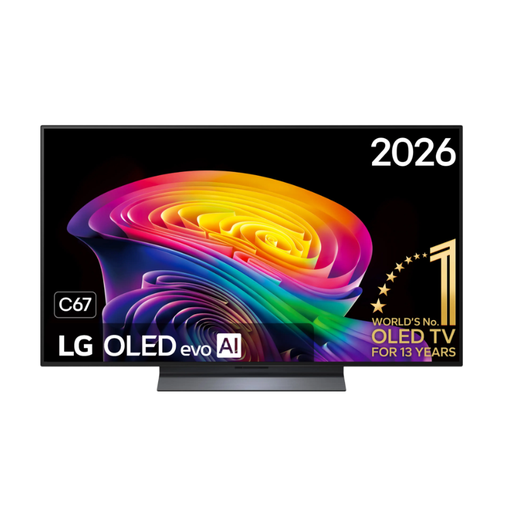
LG OLED48C67LA OLED evo AI C6 48-inch 4K Smart TV

LG OLED48C67LA OLED evo AI C6, 48-inch

An OLED option for gaming when side seats matter; check how the picture looks from the viewing angle you’ll actually use.

4K Smart TV with 144 Hz, according to the product name.

For longer gaming sessions with static displays, bear in mind the risk of image retention.

View at Joybuy

Frequently asked questions

Do I need 144 or 165 Hz for local arena games?

No. A higher refresh rate figure on the TV doesn’t automatically create extra frames in a game. To play in 4K at 120 frames per second, the game, source device and TV all need to support that output, among other things. For the LG OLED55C67LA, LG lists a native 120 Hz refresh rate and VRR up to 165 Hz as separate specifications.

Why aren’t VRR or 4K/120 Hz working, even though I have a compatible console?

First check which HDMI input you’re using and its settings, then check the output from your source device and game. Sony specifically lists VRR on HDMI 3 and 4 for the K-65XR8M2.

How should I care for the screen after a gaming session?

LG recommends switching off the TV, unplugging it and gently wiping the screen with a dry microfibre cloth. With OLED and displays that stay on screen for a long time, you should also follow the care guidance for the specific model.

What running costs and consumer rights should I check when buying in Germany?

Compare the EU energy label for the specific TV. Your statutory consumer rights against the retailer are separate from any voluntary manufacturer’s warranty. According to Verbraucherzentrale, online purchases generally come with a 14-day right to cancel; check the terms for your specific purchase.

Can I put an old TV in household waste in Germany?

No. The German Environment Agency lists recycling centres as one way to dispose of it. When buying a new, similar appliance, large old appliances such as TVs can also be returned free of charge with online purchases when the new item is delivered.