Co-op sessions with side seats
When several people are playing in the same room, orders and characters should remain clear from the seats at either end. Team17 describes Overcooked! 2 as a couch co-op game for up to four players.


When several people are sitting at an angle to the screen during a co-op cooking game, the viewing-angle stability of the specific TV should be a key consideration. OLED is an obvious starting point, IPS LCD may be an alternative, and VA LCD – including Mini LED models – should be checked from the actual side seats. Then consider room reflections, screen size and viewing distance, as well as the refresh rate supported by the TV, console and game together. With OLED, you should also weigh up how you use the TV with static game displays that remain on screen for long periods.
When several people are playing in the same room, orders and characters should remain clear from the seats at either end. Team17 describes Overcooked! 2 as a couch co-op game for up to four players.
In daylight or with the lights on, both viewing angles and potential reflections, as well as where the TV is positioned, matter. The Verbraucherzentrale (German consumer advice centre) lists lighting conditions and viewing angles at the setup location as factors that affect picture quality.
If you also use your TV for other games, check that the refresh rates supported by the TV, console and game work together. RTINGS.com also highlights input lag as an important gaming consideration.
A good fit if: several seats are at an angle to the screen and you want a consistent picture from different positions.
What to consider: Static game elements displayed for long periods can be associated with image retention; screen-care features cannot rule this out entirely.
A good fit if: several seats are at an angle to the screen and OLED is not your first choice because you expect to use the TV with static displays for long periods.
What to consider: IPS LCD typically offers wider viewing angles than standard VA LCD, but may have lower contrast in a dark room.
A good fit if: the main players tend to sit centrally and the specific TV performs well in the intended location.
What to consider: VA LCD typically has narrower viewing angles than IPS LCD; Mini LED alone says nothing about the off-centre view.
First, check the viewing angle on the specific TV from the seats you plan to use. Then consider the room lighting, screen size, use with static displays and any other console requirements.
| Buying priority | What to check | Who it matters most to |
|---|---|---|
| Visibility from the side | View the same game screen from every seat you plan to use; look for loss of colour and contrast. | When I play with several people, orders and characters need to remain clear from the seats at either end. Around 39% of consumers would make off-centre viewing their top buying priority. |
| Reflections in room lighting | Consider windows and lamps from the side seats; also look at model-specific tests of direct reflections. | If I play during the day or with the lights on, I want to avoid distracting reflections and details being obscured. Around 23% of consumers would put reflections first when making a buying decision. |
| Responsiveness and connections | Check Game Mode, input lag and the right HDMI port; compare the supported output with your console and game. | If I play games other than cooking games, I make sure the TV, console and game are compatible. Around 23% of consumers would prioritise responsiveness and connectivity. |
| Long-term use and running costs | Consider how often you have long gaming sessions with fixed displays; compare the energy label and product information for the specific TV. | If static game displays stay on screen for a long time or the TV is used frequently, I want to take image retention and electricity use into account. Around 15% of consumers would make these their top buying priorities. |
Mini LED refers to the backlight; it does not automatically mean wide viewing angles. According to TCL, the TCL 55C7K uses an HVA panel. RTINGS.com says VA LCD typically has narrower viewing angles than IPS LCD.
Check the specific model from your seat at the side rather than assuming that brightness or refresh rate tells you how it will look off-centre.
Static image elements displayed for long periods can be associated with image retention on OLED TVs. LG highlights this possibility, but that does not mean it will happen during any particular gaming session.
Consider how often menus or other fixed displays stay on screen for a long time, and follow the care guidance for the specific model. If static displays are a regular part of how you use your TV, you could also compare LCD models and check their viewing angles.
Screen size, viewing distance, lighting conditions and viewing angles at the setup location all affect how easy it is to see details from the seats at either end. According to the Verbraucherzentrale, larger TVs generally use more electricity.
Compare screen sizes that suit the seats you plan to use, and check the EU energy label for the specific TV.
The 55-inch OLED55C57LA model sold in Germany is an OLED option to consider if you have several seating positions and also use a console.
The GQ55S95HFTXZG OLED model sold in Germany is an option if reflections matter as well as side seating.
The 55C7K Mini LED LCD model sold in Germany is an alternative for buyers who want to compare LCD TVs.
The 48OLED810/12 model sold in Germany has a smaller OLED screen, if that suits your space and viewing distance.
The BRAVIA 8 II, in the German 55-inch K55XR8M25BP.CEI version, adds another OLED option to the range.
The Joybuy products below mention Mini LED technology in their product names, and screen sizes and features vary. If you plan to sit at an angle to the screen, check the viewing angle of each model separately.
 No image available
If you play other games, the 144 Hz refresh rate mentioned in the product name may be a factor in your choice; also check the viewing angle from the seats you plan to use.
Listed in the product name: 55 inches, 4K, 144 Hz, Dolby Vision IQ, Dolby Atmos and Google TV.
 No image available
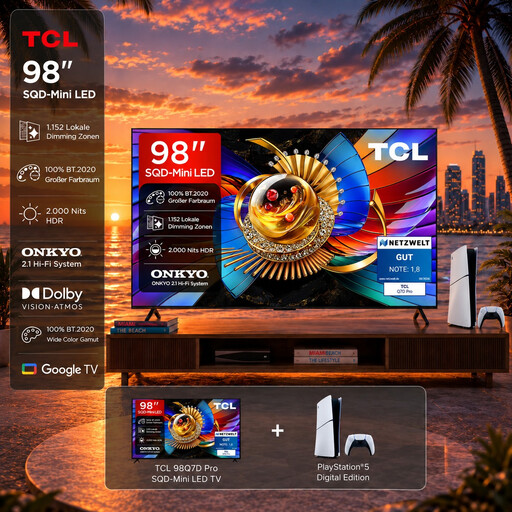
This bundle may suit you if you want the console named in the product title as well as the TV; consider how the 98-inch screen will work with your room and viewing distance.
Listed in the product name: 98 inches, 4K, 144 Hz and VRR; includes a PlayStation 5 Slim Digital Edition 825GB.
 No image available
Compare the 55-inch screen with the distance to the centre and side seats; check off-centre viewing on the specific model.
Listed in the product name: 4K UHD, QLED, Mini LED, 144 Hz and HomeOS U9.
 No image available
Compare the 43-inch screen with your viewing distance and the seats you plan to use; check viewing angles on the specific TV.
Listed in the product name: Mini LED, 144 Hz VRR and AMD FreeSync. For wall mounting, make sure the bracket is suitable for the TV's weight; the product description recommends professional installation.
 No image available
Compare the 75-inch screen with your room and viewing distance, and check the off-centre view from the side seats.
Listed in the product name: 4K, 144 Hz VRR, AMD FreeSync Premium Pro and HDMI 2.1. Whether you place the TV on furniture or mount it on the wall, make sure it is stable and securely fitted.
No, not just because of the game genre. Check which output the specific game supports on your console. According to PlayStation, the PS5 supports 4K at 120 Hz when the screen and other requirements are compatible; this does not automatically apply to every game. For co-op sessions with side seats, the TV's viewing angle still matters.
Measure the distance to the seats you plan to use and check whether important displays are visible from the furthest seat. Alongside screen size, the Verbraucherzentrale lists resolution, lighting conditions and viewing angles at the setup location as factors that affect picture quality.
Avoid leaving fixed game menus or other static elements on screen for longer than necessary, and follow the care guidance for the specific model. LG notes that image retention can occur when static images are displayed for long periods; screen-care features do not guarantee that it will be prevented.
Not necessarily. The screen finish alone is not a reliable guide to how a specific model handles all reflections and black levels in a bright room. Consider windows, lamps and seating position, and look for model-specific tests of direct reflections.
No. Mini LED refers to the backlight and, by itself, does not prove that the TV offers a wide off-centre view. Check the specific model from the seats you plan to use; according to RTINGS.com, VA LCD typically has narrower viewing angles than IPS LCD.