Which gaming TV may suit you

A co-op duo with limited space

If you sit side by side and want to read puzzle clues together, the screen width, viewing distance and readability all need to work for you. The Verbraucherzentrale recommends measuring your usual viewing distance before buying.

A group with people sitting to the side

If at least one person will be sitting well to the side, it’s worth checking how the picture looks from that seat. RTINGS.com notes that viewing angle is particularly important when you’re sitting off-centre.

Casual players settling in for long puzzle sessions

If you play slower-paced games for extended periods, persistent on-screen displays and energy use may be worth factoring into your decision. LG discusses image retention as a potential consideration with OLED; the European Commission uses energy labels to rate electronic displays.

What to look for when buying

Compact OLED TV

May suit you if: People will be sitting to the side and dark puzzle scenes matter to you. A compact OLED could be an option; check its dimensions against the space available and your viewing distance.

Things to weigh up: If menus or icons stay on screen for long periods, check the manufacturer’s advice on image retention. Gaming features vary by model.

Compact LCD TV

May suit you if: You’ll be sitting mainly in front of the screen, or are considering LCD for long gaming sessions with persistent on-screen displays. Check the viewing angle of the specific model.

Things to weigh up: With LCD, viewing angles and contrast when viewed straight on can vary by panel type. The LCD label alone won’t tell you how the picture will look from every seat.

What matters to you What to check Who it matters most to
Screen size and space available Measure the TV’s width, including its stand, and compare the screen’s diagonal measurement with your viewing distance. Check that small clues are still readable and that you can take in the whole picture comfortably. If I need the TV to fit on a narrow stand and want puzzle text to be readable from where we’ll be sitting, I’ll measure the width and viewing distance first. Around 33% of consumers put finding the right screen size for a small space first.
Viewing from the side Check the horizontal viewing angle of the specific model and assess the picture from the seat furthest to the side. RTINGS.com explains that viewing angles are especially relevant for people sitting off-centre. If people will be sitting to the side, I want them to be able to make out the same clues clearly. Around 27% of consumers whose main concern is sharing the view from seats to the side prioritise this.
Dark scenes and long gaming sessions Assess contrast and viewing angles for the types of puzzle scenes you play. If menus or icons stay on screen for long periods, also read the manufacturer’s guidance on looking after the screen and image retention. If dark puzzle scenes and long sessions with potentially unchanged displays go hand in hand, I want to weigh up both before choosing. Around 20% of consumers give this consideration priority.
Connections and running costs Check that the gaming features you need work with your gaming device and the HDMI input you plan to use. Also compare the specific model’s EU energy label; the European Commission rates electronic displays on a scale from A to G. For the console I already own, I only want to consider features I can actually use, and I’ll compare energy use too. Around 20% of consumers prioritise connections and running costs.

Common buying mistakes

  • Choosing the biggest screen without checking your viewing distance

    If you sit close to the screen, it may be harder to take in the whole picture, even if the display is larger. The Verbraucherzentrale recommends measuring your usual distance from the TV.

    Measure the available width and the distance from every seat. Check together that the clues are readable without having to keep turning your head.

  • Assuming LCD or OLED tells you everything about how the picture looks from every seat

    With LCD, panel type, viewing angle and contrast when viewed straight on can all vary. This means the picture may look different to people sitting off-centre.

    Check the viewing angle of the specific model and assess the picture from the furthest seat to the side.

  • Assuming a high refresh rate means 4K120 on every input

    Gaming features depend on the model and the input you use, and need to be compatible with your gaming device.

    Check the details for the exact model and the HDMI input you plan to use, and make sure they work with your console or PC.

  • Considering only the purchase price, not running costs or installation

    Energy use and any delivery or installation costs may be relevant when planning your purchase. The European Commission provides the EU energy label to help you compare models.

    Check the energy label for the specific TV and confirm delivery and installation arrangements before ordering.

    Factor in ongoing energy use and any delivery or installation costs when working out the total cost.

Brands and model ranges to consider

LG

For comparing screen sizes for co-op puzzles, the 42-inch OLED OLED42C57LA and the 43-inch LCD 43QNED72B6B are specific documented models.

  • LG lists gaming at up to 4K and 144 Hz for the OLED42C57LA.
  • For the 43QNED72B6B, LG lists gaming at up to 4K and 60 Hz. These specifications apply to the respective models and are not a performance assessment of all LG TVs.
  • If static elements remain on screen for long periods, check LG’s guidance on possible image retention with OLED.

Philips

The Philips 42OLED810/12 is a documented 42-inch OLED model with Ambilight and stated VRR support up to 144 Hz.

  • Philips describes the picture as looking good from different viewing angles. This is a manufacturer claim, not an independent measurement in this article.
  • Whether Ambilight works well with limited space between the TV and the wall or furniture depends on your particular set-up.

Sony

The BRAVIA-3-S30 series is a documented LCD option in the 43-inch class.

  • Sony lists ALLM for the BRAVIA-3-S30 series.
  • Sony does not list 4K120 or VRR for this series. This applies to the S30 series, not other BRAVIA models.

Joybuy product selection

This selection includes TVs with 32- or 43-inch screens to help you compare sizes when space is limited. Check the dimensions against the space available and your viewing distance.
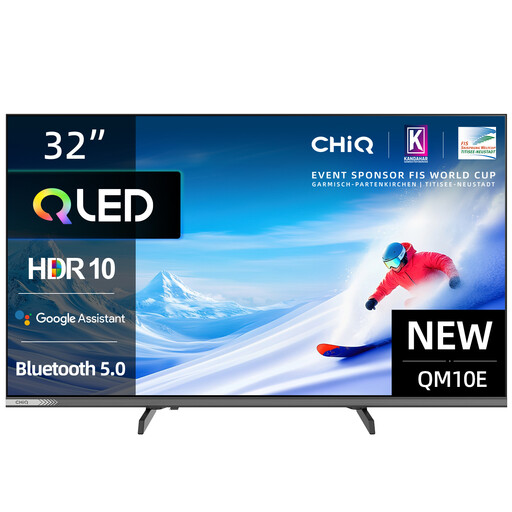
CHiQ L32QM10E 32-inch QLED smart TV

CHiQ L32QM10E, 32-inch QLED smart TV with Google TV

The stated 32-inch screen size gives you a specific starting point when comparing a smaller TV with the space you have available.

32 inches; QLED; Smart Google TV.

Before choosing, measure the TV’s actual width and the distance between seats.

View at Joybuy
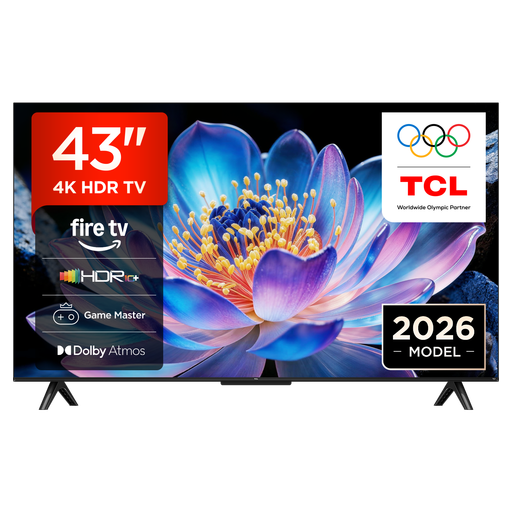
TCL 43V6D 43-inch TV with 4K UHD

TCL 43V6D, 43-inch 4K UHD TV

If a 43-inch TV fits your space, you can compare this model with smaller sets and your usual viewing distance.

43 inches; 4K UHD; energy class F according to the product name.

Check the EU energy label for the specific model and make sure its gaming features meet the needs of your gaming device.

View at Joybuy
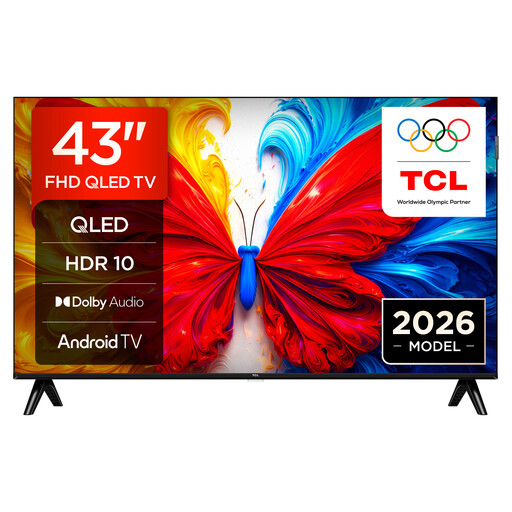
43S5L 43-inch QLED TV with Full HD resolution

43S5L, 43-inch QLED TV with Full HD

The 43-inch screen can be a useful comparison point if this size suits your room. Also check that the picture is easy to read from the furthest seat.

43 inches; QLED; Full HD; 60 Hz; Android TV.

Compare screen size and viewing distance before settling on a screen size.

View at Joybuy

Frequently asked questions

How do I find the right screen size for a small space?

Measure the available width, including space for the stand, as well as the distance from each seat. Check together that small clues are readable and you can take in the whole picture comfortably; screen diagonal alone won’t tell you that.

Do I need 120 or 144 Hz for co-op puzzles?

No, not just because of the game genre. Choose a refresh rate that suits your gaming device and check that the input you plan to use supports the features you want. Sony does not list 4K120 or VRR for the BRAVIA-3-S30 series.

What should I consider when positioning the TV off-centre and choosing OLED?

Position the screen so it faces the seats you’ll be sharing, and check the picture from the furthest seat to the side. LG notes that static elements displayed for long periods can cause image retention on OLED. Following the manufacturer’s screen-care advice is not a guarantee that this issue won’t occur.

What should I consider about running costs and warranties?

Compare energy use on the EU energy label and check for any delivery or installation costs before ordering. Your statutory rights against the seller are separate from a voluntary manufacturer’s warranty. For purchases made from 31 July 2026, the Verbraucherzentrale explains that, under certain conditions, the statutory warranty period may be extended from two to three years if you choose a repair rather than a replacement when a fault occurs within the first two years.

Can I put an old TV in household rubbish in Germany?

No. The Umweltbundesamt explains that old electrical appliances must be collected separately. You can take an old TV to a recycling centre, for example. When you buy a new appliance of the same type, the agency also says you can return the old one free of charge to a retailer, including for relevant online purchases with delivery.