What should you look for when buying?
Mini LED LCD
A good fit if: you often play during the day and the specific model has suitable anti-reflection treatment for where you plan to place it.
Also consider: Viewing from side seats and the refresh rate the game can actually achieve need to be checked separately.
OLED
A good fit if: side-on seating and contrast are particularly important to you.
Also consider: OLED won’t eliminate reflections from poorly positioned windows. If your games have static on-screen elements, you should also follow the manufacturer’s care guidance.
RTINGS distinguishes between brightness and reflection handling; viewing angle also matters for wider seating arrangements. The figures below refer to consumers’ main priority in this particular use case.
| Concern |
What to check when buying |
Who it matters most to |
| Window reflections |
Consider the position of your windows and how the specific model handles reflections in comparable daylight conditions. |
If I play during the day with the curtains open, I want to be able to see the track and on-screen displays despite possible reflections. Around 36% of consumers prioritise reflections and daylight performance. |
| Visibility of split-screen views |
Consider viewing distance, available space and visibility from the outer seats. |
If several people are playing from different seats, everyone should be able to see their part of the screen clearly. Around 29% of consumers prioritise a good shared view. |
| Responsiveness of the controls |
Check input lag in the gaming mode you use, as well as the output supported by your console and game. |
If responsive controls matter to me in racing games, I want to know what my game and console can actually output. Around 21% of consumers make responsiveness their main priority. |
| Total cost |
Compare the energy label and consumption of the exact model, along with any specific additional services on offer. |
If I’m considering running costs as well as the purchase price, I compare energy consumption on a like-for-like basis. Around 14% of consumers prioritise upfront and ongoing costs. |
Joybuy products for big split-screen views
This selection includes large Mini LED and OLED TVs for enjoying racing games together. Check reflections, seating positions and compatibility with your console and game separately for each model.
 No image available
TCL 98Q7D PRO 98-inch 4K SQD Mini LED TV
The large stated screen size could make this a good option for shared split-screen gaming. Check your viewing distance and available space.
- 98 inches and 4K
- 144 Hz and VRR according to the product specifications
- The product title mentions Anti-Reflection; still check for reflections in the position you have planned.
- With stated dimensions of 2,18 × 1,29 × 0,42 m and a weight of 54,5 kg, it needs a suitable surface or secure mounting.
View at Joybuy
 No image available
Hisense 75E8S 75-inch Mini LED 4K Smart TV
The 75-inch screen could work well for split-screen gaming with friends; make sure it suits your viewing distance and room size.
- 75 inches, Mini LED and 4K
- 144 Hz, VRR and ALLM according to the product specifications
- The product specifications list four HDMI 2.1 ports and VIDAA OS.
View at Joybuy
 No image available
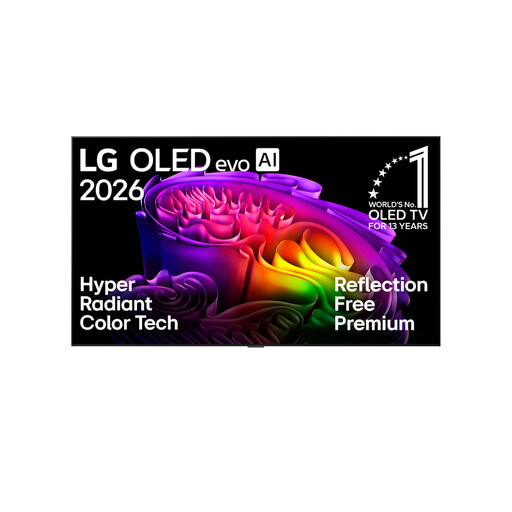
LG OLED83G67LW 83-inch 4K OLED evo Smart TV
This OLED model could be worth considering if a large screen and OLED technology suit your planned seating arrangement.
- 83 inches and 4K
- Up to 165 Hz, plus G-Sync and FreeSync according to the product specifications
- The product description recommends professional installation for wall mounting.
View at Joybuy
 No image available
TCL 75Q7C 75-inch QLED Mini LED TV
The 75-inch screen gives you plenty of space for shared viewing; check that it’s easy to see from the seats you plan to use.
- 4K and 144 Hz
- VRR and FreeSync Premium Pro according to the product specifications
- The product specifications list HDMI 2.1 and Google TV.
View at Joybuy
 No image available
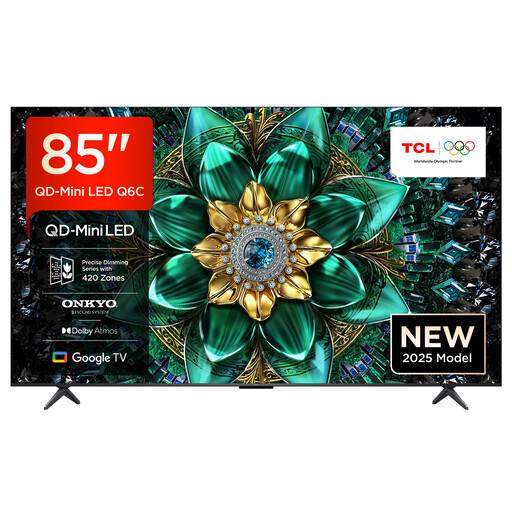
TCL 85Q6C 85-inch QLED Mini LED TV
The 85-inch screen could be a good choice for shared split-screen gaming; make sure you have the space and viewing distance it needs.
- 4K and 144 Hz
- VRR and Game Master Mode according to the product specifications
- The product specifications list a matt HVA panel and wide viewing angle; still check the picture from the seats you plan to use.
View at Joybuy
Frequently asked questions
Do I need a 120 Hz TV for split-screen racing?
Not necessarily. The first thing to check is the frame rate the specific racing game outputs in local multiplayer mode. A TV with a refresh rate of 120 Hz or more can only display the frames it receives; you should check input lag separately in the gaming mode you plan to use.
Can every racing game support four players on one TV?
No. Nintendo says Mario Kart World supports up to four players on the same Nintendo Switch 2 console. That applies to this title and doesn’t confirm local multiplayer support for other games or consoles; check the details for your game.
How can I compare the energy consumption of different TVs?
The EU energy label shows consumption in kWh per 1.000 hours. Compare the figures for the exact models on the same basis. To work out the cost, you’ll also need to estimate how long you’ll use the TV and know your electricity price.
What statutory rights apply when buying from a business seller?
According to Your Europe’s consumer information, you have a statutory guarantee of at least two years from the date you receive the goods. This is separate from any additional manufacturer’s warranty; if there’s a fault, your claim is generally against the seller.
Is the EU energy label for TVs voluntary?
No. EU energy labelling rules cover electronic displays, including TVs, and set requirements for labels and product information. Use the details for the specific model when comparing.


