What should you look for when buying?
Split-screen in a racing game
Right for you if: everyone is playing the same game on the same console. First, check that the game supports local split-screen; Nintendo confirms that Mario Kart 8 Deluxe does.
Consider: A larger screen needs more space. Also check that you can see each screen section and its on-screen information clearly from the seats you’ll be using.
Gaming alongside an app or mobile device
Right for you if: you want to see other content while you play. Samsung demonstrates Multi View on the QN95B; LG describes source combinations that vary by model and software.
Consider: A second view reduces the space available for your game. Check the manual for the exact model, including any restrictions on signal formats.
Two external video sources
Right for you if: you need to see two separate devices at the same time. Choose this setup only if the manual or a demonstration on the exact model explicitly confirms that both inputs can be displayed together.
Consider: Several HDMI inputs or a multi-view feature name don’t prove that two external HDMI signals can be displayed at the same time.
First decide whether the game itself splits the screen or whether you want the TV to combine multiple sources. That will determine which feature you need to check.
| What you’re looking for |
What to check before buying |
Who is it important to? |
| Multiple video sources at once |
Check the source combinations and signal formats supported in the manual for the exact model. |
I want to know whether my console and a second source can be shown together. Around 36% of consumers put support for the right combination first. |
| Clear views of the race |
Check how easy it is to see each screen section and its on-screen information from your intended viewing distance and the seats to the side. |
If several people are playing, they should be able to make out track details and on-screen information from their seats. Around 29% of consumers prioritise clear views of both screen sections. |
| Gaming features on the input |
Check the refresh rate, VRR and ALLM on the HDMI input you’ll use, as well as compatibility with your device. |
I want my console and TV to support the gaming features I need together. Around 21% of consumers prioritise responsive gaming and a suitable refresh rate. |
| Energy use and additional services |
Compare the energy label for the exact variant and check which delivery or connection services are available. |
If the TV will be on regularly, I want to understand its energy use and any additional services. Around 14% of consumers pay particular attention to keeping ongoing costs manageable. |
Joybuy TVs for in-game split-screen
This Joybuy selection includes TVs for racing games with in-game split-screen on one console. To display two external video sources at the same time, check that the manual for the specific model confirms the source combination you need.
 No image available
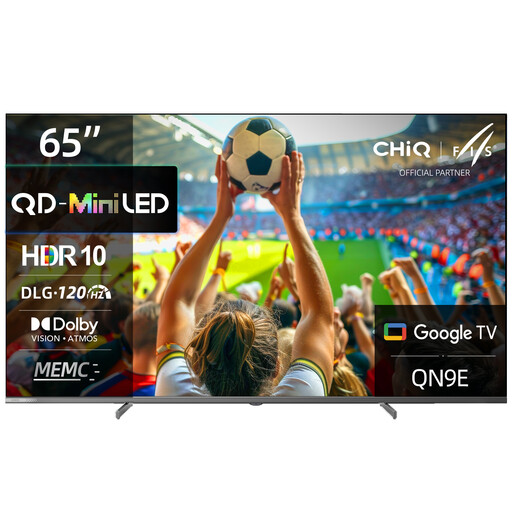
CHiQ M65QN9E 65-inch 4K UHD Mini LED QLED TV
For one console with in-game split-screen. The stated 65-inch screen size can help you plan your viewing distance and available space.
Listed in the product title: 4K UHD, DLG 120 Hz.
The product details also list VRR and ALLM. Check which features are available with your device and on the input you’ll be using.
View at Joybuy
 No image available
TCL 55Q7D PRO 55-inch 4K SQD-Mini LED TV
For one console with in-game split-screen. Consider how clearly you can see the racing views from your seats and at your viewing distance.
Listed in the product title: 55 inches, 4K, 144 Hz.
The product details list VRR and AMD FreeSync Premium Pro. Check compatibility with your device and the input you plan to use.
View at Joybuy
 No image available
Hisense 55E8S 55-inch 4K UHD QLED Mini-LED Smart TV
For one console with in-game split-screen. The 55-inch screen size helps you check that it suits your intended viewing distance.
Listed in the product title: 4K UHD, 144 Hz.
The product details list VRR and ALLM. Check that your console supports the features you need on the input you plan to use.
View at Joybuy
 No image available
LG OLED55B68LA 55-inch OLED Gaming TV
For one console with in-game split-screen. Check that small on-screen details are easy to see from the seats you’ll be using.
Listed in the product title: 55 inches, OLED, 144 Hz.
The product details list G-SYNC, FreeSync, VRR and ALLM. Check support for your device and the input you’ll be using.
View at Joybuy
 No image available
LG OLED83G67LW 83-inch 4K OLED evo AI Smart TV
For one console with in-game split-screen. Check that the 83-inch screen size fits your available space and viewing distance.
Listed in the product title: 4K, OLED evo, 165 Hz.
The product details list VRR and ALLM. Check compatibility with the device and input you plan to use.
View at Joybuy
Frequently asked questions
Do I need a TV with Multi View for Mario Kart 8 Deluxe?
No, not for in-game split-screen. Nintendo confirms that up to four players can use split-screen multiplayer in TV or Tabletop mode. The TV simply displays the picture from the console.
Can I assume that four HDMI sockets mean I can show two HDMI pictures at once?
No. The number of sockets doesn’t tell you which multi-view combinations are supported. For the webOS22 feature described, LG lists specific combinations and signal exclusions. The manual for the exact model is the one to check.
How do I set up a game alongside other content?
First choose a source combination that the manual for your model says is supported, then check the game mode on the input you’re using. LG describes “Side by Side” and “Picture-in-Picture” views for webOS22; menus and options may vary on other models.
What should I look for in energy use and additional services?
Compare the stated energy use for the exact model variant. Also check in advance which delivery, installation or connection services are available.
What are my legal rights if a TV is faulty in Germany?
For a faulty TV bought in Germany, you generally have a two-year statutory warranty against the seller, starting from the date of delivery. The Verbraucherzentrale distinguishes this from a voluntary manufacturer’s or retailer’s guarantee.


