What should you look for when buying?
Start by measuring the available space and deciding where you’ll sit. Then check which picture output your game actually supports, before comparing viewing angles, lighting conditions and the energy label details for the models you’re considering.
| What matters |
What to check before buying |
Who is this important to? |
| Readability and space |
Measure the TV and the seating positions; check the game’s on-screen displays from both seats. The German Environment Agency points out that larger screens can generally use more electricity. |
If I want to see both split-screen views while making sure the TV fits, I’ll measure the available space and check the display from both seats. For around 36% of consumers, readability in a limited space comes first. |
| Control response and frame rate |
Check Game Mode and input lag with the relevant signal; if needed, check the output supported by your console or PC, as well as 120 Hz and VRR. |
If precise steering and braking matter to me, I’ll look for Game Mode and check which output I can actually use. Around 29% of consumers prioritise fast response and a compatible high frame rate. |
| Seating angle and lighting |
Consider both seating positions and the light sources in the room; don’t treat claims about screen coatings as an independent measurement of reduced reflections. |
If we’re sitting off-centre or light falls on the screen, I’ll want to judge the picture from both seats and avoid distracting reflections. For around 21% of consumers, visibility from different seating angles or in a bright room is the priority. |
| Power use and purchase terms |
Compare the SDR and HDR figures on the energy label for the specific model; distinguish warranty terms from your statutory rights. |
If I want to keep an eye on running costs and my rights after purchase, I’ll compare the energy label figures and read the warranty terms. Around 14% of consumers put these points first. |
Gaming TVs at Joybuy
This selection includes TVs that may be worth considering for gaming and planning the layout of a small living room. Before choosing, check that the screen size will fit your space and that the TV supports your game’s output.
 No image available
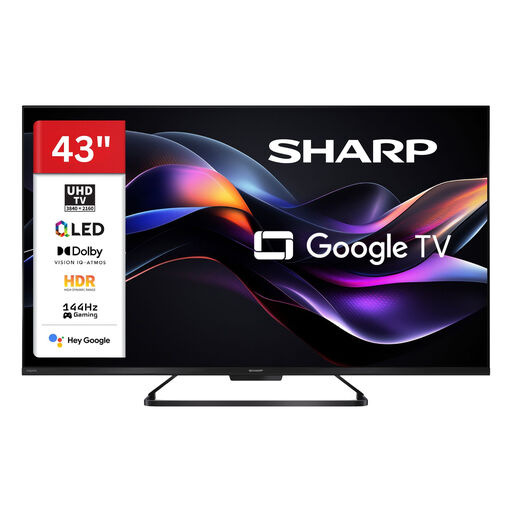
SHARP 43HR7765E QLED TV, 43-inch
The 43-inch screen may suit a small living room. Check the TV’s actual dimensions and whether both split-screen views are easy to read from your seats.
The product name lists 4K UHD, 144 Hz, HDR, Dolby Vision and Google Smart TV. Whether you can use that frame rate in your chosen game also depends on your console or PC and Game Mode.
View at Joybuy
 No image available
LG 43QNED86B6B, 43-inch
The 43-inch size may work where space is limited. Measure the space and check the picture from both seating positions.
The product specifications list Mini LED, a native 120 Hz refresh rate, VRR up to 144 Hz and AMD FreeSync. These features are only relevant if your connected device and game support them.
View at Joybuy
 No image available
LG OLED42C67LA OLED evo AI C6, 42-inch
At 42 inches, this model may suit a compact space. Check that both racing views are easy to read from your seats.
The product specifications list 4K, a native 120 Hz refresh rate, VRR up to 165 Hz, G-SYNC and FreeSync. LG recommends avoiding unnecessarily long periods with unchanged images on screen and following the OLED TV’s care instructions.
View at Joybuy
 No image available
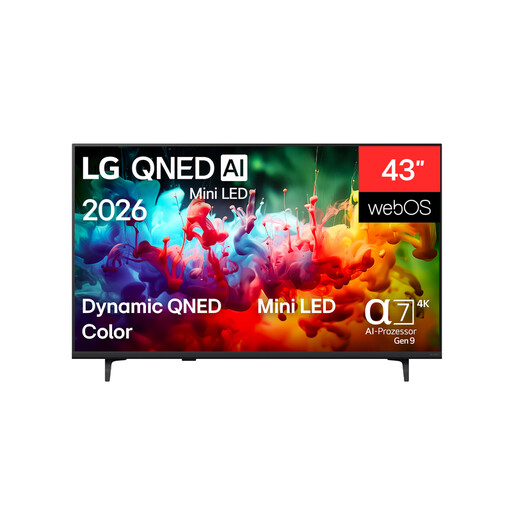
LG 43QNED72B6B, 43-inch
The 43-inch screen may suit a compact space. Check the dimensions against your room.
The product specifications list 4K and 60 Hz VRR. Check that this configuration suits the games and output signals you’ll use, up to this frame rate.
View at Joybuy
 No image available
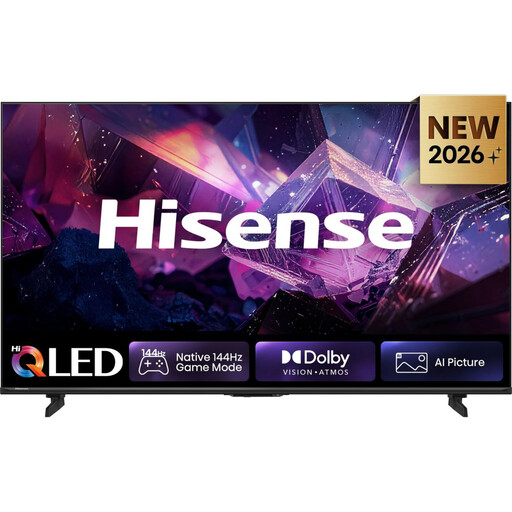
Hisense 75E7S PRO QLED, 75-inch
At 75 inches, this TV takes up considerably more space than 42- or 43-inch models. Measure your space carefully before considering it for a small living room.
The product name lists 4K and a 144 Hz gaming mode; the product specifications also include VRR. Whether you can use these features depends on your connected device and game.
View at Joybuy
Frequently asked questions
Will a 165 Hz TV make every split-screen racing game run more smoothly?
No. What matters is the output supported by your console or PC and the game mode in question. On a PS5, you can check the information for the connected HDMI device and the output settings. The TV’s maximum frame rate alone doesn’t confirm that a game will run at the same rate.
How should I position the seats for two players?
Check how easy it is to see the game’s smaller on-screen displays from both seats. Viewing angles matter more if you’re sitting off-centre. Also check whether windows or lamps cause distracting reflections.
What should I bear in mind with an OLED TV and on-screen game displays that stay visible for a long time?
Avoid leaving unchanged images on screen for unnecessarily long periods, and read the care and warranty information for the specific TV. LG describes burn-in as a possible issue with OLED monitors; a monitor warranty mentioned there doesn’t confirm the warranty cover for an OLED TV.
How can I compare the TVs’ power consumption?
Compare the stated SDR and HDR power consumption figures on the energy labels for the specific models. To estimate your own costs, you’ll also need to know how long you use the TV and your actual electricity tariff.
Is split-screen in Gran Turismo 7 the same as playing with two VR headsets?
No. PlayStation explains that Gran Turismo 7’s two-player split-screen mode isn’t supported in VR mode. Check the local multiplayer mode for the specific game you want to play.


