Night-time racing
If you mostly play with the lights off, look for a TV that makes it easy to distinguish dark tracks, displays and bright objects in the game.


If dark areas of the picture matter most when you’re gaming in a dimly lit room, an OLED TV is one option to consider. For very long sessions with fixed HUD elements, you should also look at Mini-LED LCD TVs. RTINGS.com highlights the risk of image retention with intensive use of static displays. Also check your viewing distance, viewing angles, game mode, HDMI input and the signal from your console and game. A high advertised refresh rate alone doesn’t tell you what the split-screen mode actually outputs.
If you mostly play with the lights off, look for a TV that makes it easy to distinguish dark tracks, displays and bright objects in the game.
If several people are watching the split-screen views at the same time, you’ll want split-screen images that are large enough and easy to see from the outer seats, too.
If responsive controls matter to you, make sure your TV, HDMI input, console and the game signal actually being output all work together.
A good fit if: you mostly play in the dark and dark areas of the picture matter to you.
The trade-off: With very long sessions featuring the same fixed HUD elements, image retention remains a risk to consider. RTINGS.com highlights this type of use as a relevant factor.
A good fit if: you play for long periods with fixed game displays or are considering an LCD TV with local dimming.
The trade-off: Assess dark scenes and side seats on the specific model, rather than relying on the number of dimming zones or the refresh rate alone.
| What matters | What to check before buying | Who is it most important to? |
|---|---|---|
| Dark tracks and contrast | View dark scenes on the specific model. On LCD TVs, look for visible brightening around bright objects. | If we’re racing in the dark, dark tracks and displays need to remain easy to distinguish. Around 25% of consumers put dark areas of the picture first. |
| Split-screen image size and side viewing | Consider screen size, viewing distance and available space together; view the picture from the outer seats, too. | If several people are playing from different seats, we want all the split-screen views to be easy to see. For around 25% of consumers, being able to see the picture together is the priority. |
| Responsive controls | Check that the right game mode is available; where possible, look for measurements for the specific model and signal. | If quick reactions matter in a race, I want my inputs to register without unnecessary delay. Around 20% of consumers put responsiveness first when gaming. |
| Console and game signal | Check the output of your specific game and console against the HDMI input you plan to use. Only count on VRR and ALLM if they’re supported by your setup. | If I want to avoid choosing a TV for a feature my game doesn’t use, I check the signal it actually outputs first. Around 15% of consumers prioritise connection compatibility. |
| Long gaming sessions and energy use | Consider how you use fixed HUD elements and compare the energy figures for the specific model in SDR and HDR. | If we play for a long time or energy use matters in everyday life, we want to understand panel use and energy figures in advance. Around 15% of consumers put these long-session considerations first. |
A figure quoted for the TV doesn’t guarantee that a particular game and console will output the same signal. Nintendo Germany states that the Switch 2 supports up to 60 fps at 4K output. This doesn’t tell you the frame rate of any particular split-screen mode.
Start by checking which game and console you use. Then compare their output with the resolutions and refresh rates supported by the TV.
In a dimly lit room, what matters is the picture on the specific model and where you sit. With OLED, very long sessions playing the same game with fixed HUD elements are a factor to consider. RTINGS.com describes the risk associated with static displays.
Assess dark racing scenes and the picture from the seats you’ll actually use. Also consider how long you play with the same fixed displays.
Game mode can affect input lag; RTINGS.com describes a possible trade-off with additional image processing. Some features may also be limited to specific ports: Sony explicitly lists VRR on HDMI 3 and 4 for the K-55XR8M2. The European Commission’s EU energy label also shows HDR energy consumption.
Check the settings and port layout for the specific model. Compare the energy figures for SDR and HDR if you want to understand how much power it uses.
The LG OLED55C56LB is a documented 55-inch OLED model with gaming features.
The TCL 55C7K is a documented Mini-LED LCD option with a stated native refresh rate of 144 Hz.
The Samsung GQ55S90FAEXZG is another documented 55-inch OLED option.
The Sony K-55XR8M2, also known as BRAVIA 8 II, adds another OLED option and provides specific details about its port layout.
The following Joybuy models are OLED or Mini-LED LCD TVs. Their stated screen sizes range from 65 to 98 inches and can help you weigh up split-screen image size, viewing distance and the space available.
 Image unavailable
The stated screen size may be relevant for viewing multiple split-screen images. Check that you have enough space and that the viewing distance suits your room.
Product specifications: 98 inches, 4K, SQD Mini-LED, 1.152 Local Dimming Zones, 2.000 Nits HDR and 144 Hz. Dolby Vision IQ and Dolby Atmos are also listed.
 Image unavailable
The 75-inch screen size gives you a specific figure to help weigh up the space available for split-screen images and the room you have.
Product specifications: 75 inches, MiniLED, 4K, 144 Hz, QLED, Dolby Vision, VIDAA OS, VRR and ALLM.
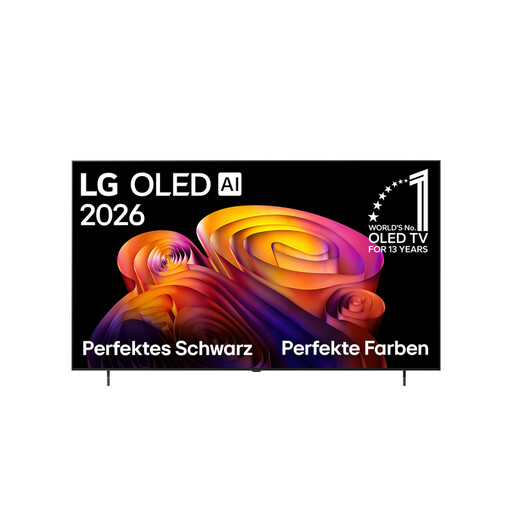 Image unavailable
As an OLED model, it may be worth considering if dark areas of the picture matter to you. For very long sessions with fixed HUD elements, bear in mind the risk of image retention.
Product specifications: 77 inches, 4K, 144 Hz VRR, Dolby Vision and Dolby Atmos. NVIDIA G-SYNC is also listed.
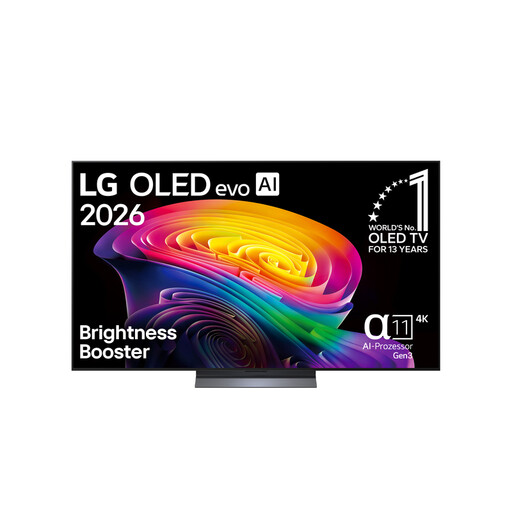 Image unavailable
You can compare the 65-inch screen size with your viewing distance and the split-screen image size you’d like.
Product specifications: 65 inches, OLED evo, 4K, 120 Hz, Dolby Vision and Dolby Atmos.
 Image unavailable
The stated screen size may work well for multiple split-screen views. Consider it alongside your viewing distance and available space.
Product specifications: 75 inches, QLED Mini-LED, 4K HDR Premium, 144 Hz VRR, Dolby Vision IQ and Dolby Atmos.
No. What matters is the signal your console outputs for the specific game. Nintendo Germany states that the Switch 2 supports up to 60 fps at 4K output; this doesn’t tell you the frame rate of every split-screen mode.
Colour and brightness can change when you view the screen from the side. Check the TV from the seats you’ll actually use, as the panel type alone doesn’t tell you how the picture will look from those positions.
Select the right HDMI input and switch on the appropriate game mode. Only use VRR or ALLM on an input supported by both the TV and your console; for the Sony K-55XR8M2, Sony lists VRR on HDMI 3 and 4.
Image retention remains a consideration if you use the TV for very long periods with fixed displays. LG recommends leaving its OLED TVs plugged in when switched off so they can run automatic pixel cleaning; check the instructions for your specific model.
Compare the SDR and HDR figures on the EU energy label for the specific model. The European Commission notes that the label also shows HDR energy consumption. Relate the figures to how you use your TV rather than assuming all models use the same amount of energy.