If several people are sitting off to the side of the TV for split-screen racing, first check the picture from the furthest seat and whether both game views are easy to read. A high refresh rate alone won’t answer those questions. OLED or an LCD with proven viewing-angle stability are options to consider; with VA and HVA models, it’s especially important to test the specific set. Also compare input lag in the game mode you’ll use, and check that the HDMI ports on your console or PC support the features you need.
Who should consider these options
Racing with friends on a wide sofa
If the seats at either end of your sofa are off to the side of the TV, check the picture carefully from those spots. The panel type alone won’t tell you how good the picture looks from there; RTINGS.com explains why viewing angles matter with a wide seating arrangement.
Split-screen players with room for a large screen
If you want to read both game views clearly from your usual seats, plan for screen size and floor space together. The Gran Turismo 7 manual describes split-screen races; the view shown depends on the game mode.
Racers who prioritise responsive controls
If responsive controls matter to you, compare input lag in game mode and check that your source device has the right connections. RTINGS.com notes that a low-input-lag mode may use less picture processing.
What to look for when buying
OLED TV
A good fit if: you have several seats off to the side and can compare OLED models for their actual viewing angles, reflections and gaming connections.
Bear in mind: LG warns that static on-screen elements displayed for long periods can cause image retention. Protective features don’t prove that the risk has been eliminated.
IPS LCD TV
A good fit if: stable picture quality from the side matters more to you than deep blacks, and you can find a specific model with a suitable game mode and a confirmed IPS panel.
Bear in mind: RTINGS.com describes IPS panels as typically having wider viewing angles but lower contrast than VA. That doesn’t confirm that a particular TV is suitable for gaming.
VA or HVA Mini-LED TV
A good fit if: you prefer a large LCD picture and the gaming features of a particular model, and can check your planned side seats before buying.
Bear in mind: A large screen or high refresh rate doesn’t tell you how well the picture holds up from the side; RTINGS.com describes VA panels as typically having narrower viewing angles than IPS.
First, check the view from the furthest seat and make sure both split-screen views are easy to read. Then compare responsiveness, compatible connections and the effect of the room’s lighting.
| Buying criterion |
What to check before buying |
Who it matters most to |
| Picture from the side |
Check the exact model from the furthest seat and compare independent measurements of its horizontal viewing angle. RTINGS.com describes IPS panels as typically having wider viewing angles than VA. |
When I’m sitting at the end of the sofa, I want to see colours and track details clearly; this matters to around 36% of consumers who prioritise picture quality from the side. |
| How easy the split-screen views are to read |
Test the specific game from your intended viewing distance, and check the screen size, external dimensions and stand against the space you have available. |
When we follow the race on separate screens, I want to make out the displays and corners from where we’re sitting; this matters to around 29% of consumers with this as their main priority. |
| Response when steering |
Compare input-lag measurements for the signal you’ll use, and check game mode, refresh rate, VRR and ALLM on the HDMI port you’ll actually be using. |
When responsive steering matters to me during a race, I want to assess the game mode and the signal it supports; this matters to around 21% of consumers who put responsiveness first. |
| Room lighting and reflections |
Consider windows and lamps in your planned seating arrangement, and check reflections and the screen finish on the specific model. |
If light sources might be distracting on screen, I want to assess the view from the seats we’ll use; this matters to around 14% of consumers who prioritise room lighting or reflections. |
Common buying misconceptions
-
Every HDMI port offers the same gaming features
For the Sony K-55XR8M2, the German-language specifications list VRR specifically for HDMI 3 and 4 only. If you’re connecting several devices or using eARC, make sure you match the features you need to the right ports.
Before buying, check the connection details for each device and allow for the eARC port if needed.
-
A large or bright VA/HVA picture is automatically suitable for side seats
RTINGS.com describes VA panels as typically having narrower viewing angles than IPS. Screen size and brightness figures don’t tell you how the picture changes from the furthest seat.
Check a viewing-angle test for the exact model and try it from your intended seat before deciding.
-
The maximum refresh rate is the frame rate for every split-screen race
A TV’s refresh-rate specification doesn’t describe the frame rate of every game in every mode. The game, source device and signal mode all need to be compatible.
Check support in the specific game and on your source device separately from the TV specifications. Also compare input lag in the relevant game mode.
-
OLED protective features rule out image retention
LG warns that static on-screen elements displayed for long periods can cause image retention; these elements can also appear in games.
Consider how you use your TV, follow the care instructions for the specific model and read the relevant warranty terms.
TV brands worth considering
LG
The German-market OLED55C57LA from the C5 range is an OLED option to consider for wide seating arrangements and gaming.
- LG lists support for up to 4K at 144 Hz, as well as G-SYNC and FreeSync, for this model.
- The manufacturer’s specifications don’t confirm the frame rate in split-screen mode. LG warns of the risk of image retention when static elements are displayed for long periods.
Samsung
The German-market GQ55S95HFTXZG from the OLED S95H range is an option to consider if reflections and gaming features matter alongside the view from the side.
- Samsung promotes Glare Free and a gaming package; HIFI.DE highlights its anti-reflective screen in a German gaming TV comparison.
- HIFI.DE also notes limitations with the controls and headphone connection. The screen finish alone doesn’t confirm that every side seat will have a good view.
Sony
According to Sony, the German-market K-55XR8M2 from the OLED BRAVIA 8 II range combines a 120 Hz panel with 4K/120 support.
- Sony lists ALLM on all four HDMI ports.
- According to the German-language specifications, VRR is limited to HDMI 3 and 4. Bear this in mind if you have several devices or need to use the eARC port; Sony doesn’t list a numerical viewing angle.
TCL
The C8K range is a large QD Mini-LED/HVA option to consider; the manufacturer’s page cited here refers specifically to the 98C8K variant.
- TCL lists a native refresh rate of 144 Hz for this variant.
- The range specifications and manufacturer’s claims aren’t a substitute for an independent test of the view from the side or the specifications for the size you choose.
Panasonic
The German-market OLED Z95B range is an option to consider for gaming and home cinema, with up to 144 Hz and built-in Fire TV, according to Panasonic.
- The range’s page lists its advertised gaming features.
- HIFI.DE notes that only two HDMI 2.1 ports offer the full feature set. This specification for the Z95B range doesn’t necessarily apply to other or future ranges.
Joybuy models for large split-screen views
These Joybuy models offer large screens for split-screen racing. Check the viewing distance, available space and picture from the side on the specific set.
 No image available
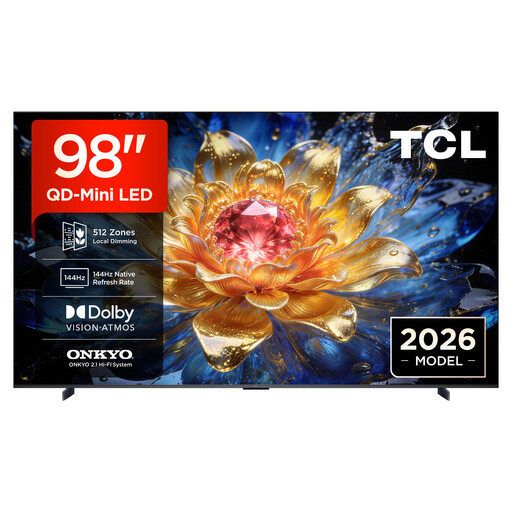
TCL 98T8D 98-inch QD Mini-LED TV
The 98-inch screen gives you plenty of room for separate views; check that the space and viewing distance work in your room.
98 inches; 4K; 144 Hz VRR; FreeSync Premium Pro.
View at Joybuy
 No image available
TCL 98Q7D PRO 98-inch SQD Mini-LED TV
The 98-inch screen is well suited to large split-screen views; make sure the space you have and the viewing distance work for your setup.
98 inches; 4K; 144 Hz; the product name specifies an anti-reflection screen.
View at Joybuy
 No image available
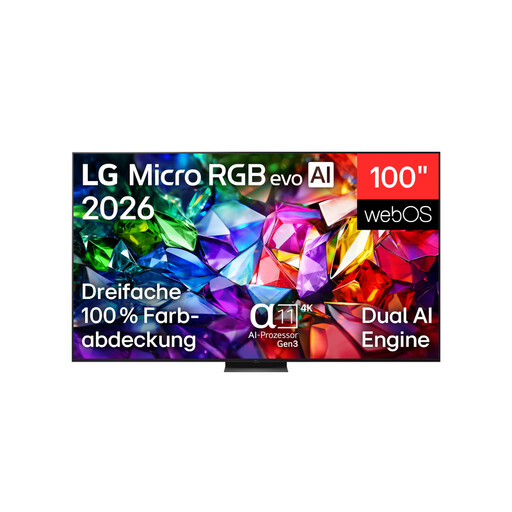
LG 100MRGB96B9.AEU 100-inch Micro RGB evo AI TV
The 100-inch screen could work well for separate game views; check that the screen size and installation location suit your room.
100 inches; 4K; Micro RGB; 144 Hz.
View at Joybuy
 No image available
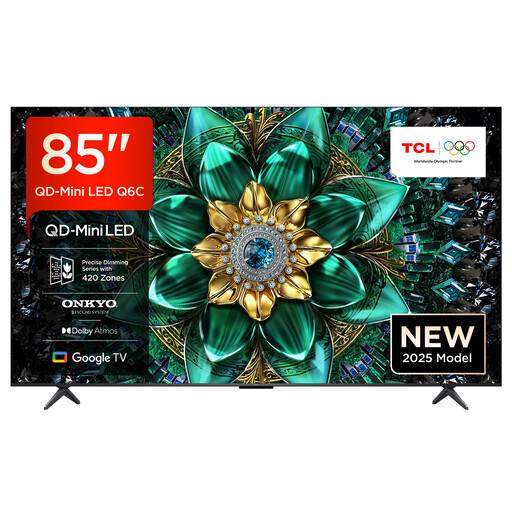
TCL 85Q6C 85-inch QLED Mini-LED TV
The 85-inch screen gives you generous space for split-screen views; remember to factor in the room it needs and your viewing distance.
85 inches; 4K HDR; 144 Hz Motion Clarity Pro; VRR; HDMI 2.1.
View at Joybuy
 No image available
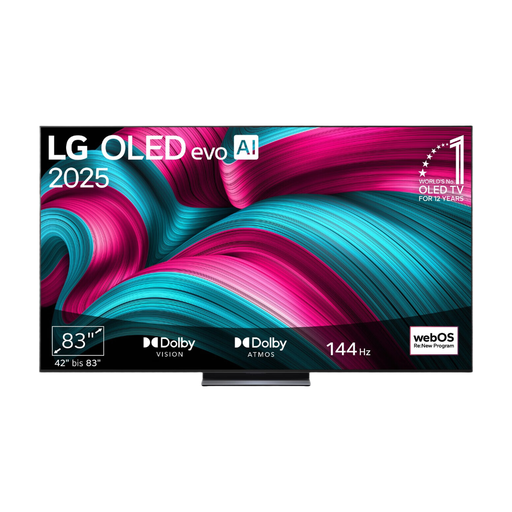
LG OLED evo AI 83C57LA 83-inch (2025 model)
As an OLED model, this set is worth considering for a wide seating arrangement; check the picture at the edge of the screen on the specific set.
83 inches; 4K; 120 Hz; VRR up to 144 Hz.
View at Joybuy
Frequently asked questions
Does a gaming TV create the split-screen itself?
No. Split-screen mode needs to be available in the game you’re playing and on your platform. The official Gran Turismo 7 manual describes split-screen races and requires each player to have their own controller; the number of players supported varies by platform.
Is 144 Hz enough for smooth split-screen racing?
No. The refresh-rate figure describes what the TV can do, not the frame rate of every racing game in every mode. Check your source device’s output, the HDMI port you’re using and, where possible, input-lag measurements for the relevant signal mode.
What should I consider when connecting several gaming devices?
Check which features each HDMI port supports rather than simply comparing the number of ports. According to Sony, VRR is limited to HDMI 3 and 4 on the German-market Sony K-55XR8M2; also plan which port you’ll use for eARC.
What should I bear in mind during long gaming sessions on an OLED TV?
Follow the care instructions for the specific model and avoid leaving static images on screen for unnecessarily long periods. LG describes the risk of image retention with static images displayed for long periods and lists protective features; this manufacturer information doesn’t guarantee that image retention is impossible.


