What should you look for when buying?
Start by choosing the game, console, number of players and seating arrangement. Then compare screen sizes and focus only on the gaming features your setup can actually use.
The percentages refer to consumers choosing a TV for a big split-screen racing session; each figure represents their most important purchasing priority.
| Buying criterion |
What to look for |
Who should pay particular attention? |
| Making out each game view |
Consider the number of players, game, console, viewing distance and available space alongside the split-screen layout. There’s no universal minimum screen size without taking the seating arrangement into account. |
If I want to make out lots of game views at once, even from further back, screen size is a key consideration. Around 33% of consumers put visibility of the game views first. |
| Seats at the sides |
Check how clear the picture is and whether there are reflections on the specific model, from the seats you plan to use and in your usual room lighting. |
If several players are sitting to the sides, I want the picture to be clear from those seats too. Around 27% of consumers prioritise visibility from the sides. |
| Gaming mode and signal |
Make sure the game, console, cable and HDMI input work with features such as ALLM, 4K/120 or VRR. A panel’s refresh rate alone doesn’t prove that a game will run at a higher frame rate. |
If I use a gaming device that supports a low-latency mode or specific signal features, I want to be able to use them through the input I’ve chosen. Around 20% of consumers prioritise responsive gameplay and the signal path. |
| Cost and long-term use |
Compare the energy labels of similarly sized models separately for SDR and HDR. With OLED, also check the manufacturer’s guidance on static images displayed for long periods. |
If the purchase price, running costs and long gaming sessions matter to me, I compare the specific models and their usage guidance. Around 20% of consumers prioritise cost and usage. |
Joybuy TVs for big split-screen sessions
This selection features large 4K TVs with listed gaming features. Before buying, check that the size, connections and setup are right for your room and console.
 No image available
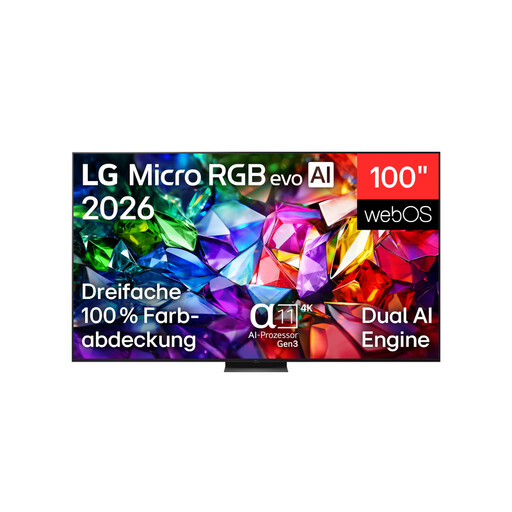
LG 100MRGB96B9.AEU 100-inch 4K Micro RGB evo AI TV
The 100-inch screen could be a great fit for a big split-screen session, if your room and viewing distance are suitable.
4K; 144 Hz according to the product name; the description lists VRR up to 120 Hz and four HDMI 2.1 ports.
The TV weighs 67.3 kg according to the description. At least two people are needed to move and set it up. Wall mounting should be carried out by professionals using a suitable bracket.
View at Joybuy
 No image available
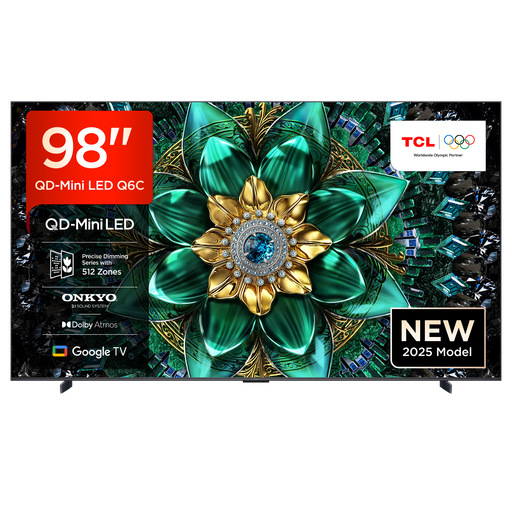
TCL 98Q6C 98-inch 4K QD-Mini-LED TV
The 98-inch screen is an option for displaying lots of game views at once, provided you have the space and a suitable place to set it up.
4K; 144 Hz VRR; ALLM; four HDMI 2.1 ports.
Make sure you have enough space and a sturdy surface, or a suitable VESA mount. Professional installation is recommended for wall mounting.
View at Joybuy
 No image available
TCL 75Q7D PRO 75-inch 4K SQD Mini LED TV
At 75 inches, this model has a smaller screen than the 98- and 100-inch TVs in this selection.
4K; 144 Hz; 760 local dimming zones; 2,000 nits HDR; anti-reflection.
Secure the TV to prevent it tipping over, or place it on a stable unit.
View at Joybuy
 No image available
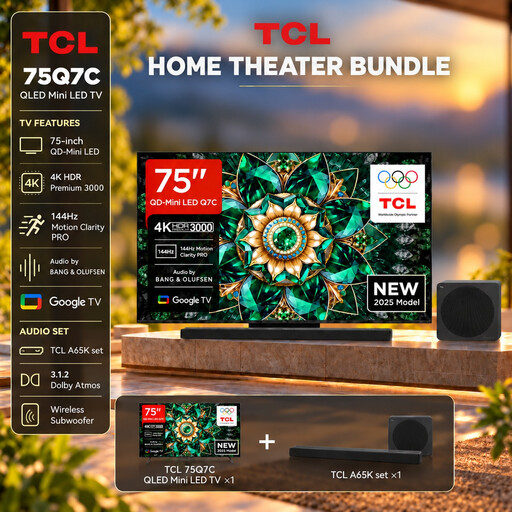
TCL 75Q7C 75-inch 4K QLED Mini LED TV with A65K soundbar bundle
This 75-inch model comes with a soundbar bundle, making it worth comparing if you’re looking at screen size and the bundle together.
4K; 144 Hz VRR; AMD FreeSync Premium Pro; HDMI 2.1.
View at Joybuy
 No image available
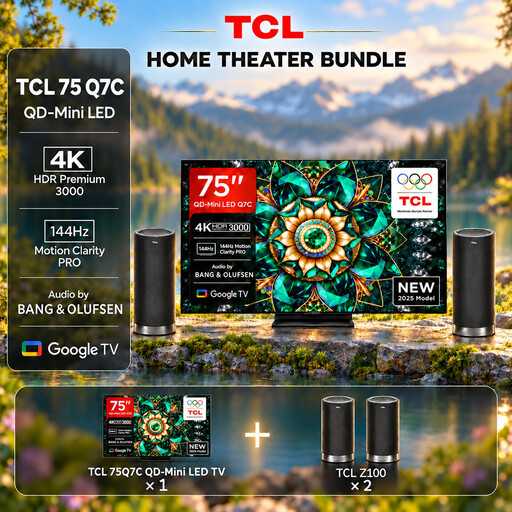
TCL 75Q7C 75-inch 4K QLED Mini LED TV with Z100 speaker set
This 75-inch model comes with a Z100 speaker set. When comparing bundles, note the difference from the A65K option.
4K; 144 Hz; VRR; HDMI 2.1.
View at Joybuy
Frequently asked questions
Can eight people play Mario Kart 8 Deluxe on one TV at the same time?
Yes. Under the conditions specified by Nintendo, Mario Kart 8 Deluxe has supported up to eight players in split-screen on one Nintendo Switch 2 since the update on 2 September 2026. You’ll need the software update and one compatible controller per person. This doesn’t automatically apply to other games or consoles.
How do I set up 4K/120 or VRR?
Check which HDMI input to use on your specific TV and, if necessary, its signal format settings. Sony also says you’ll need a compatible device and a suitable cable; the feature isn’t necessarily available on every HDMI input.
What should I consider when wall-mounting a large TV?
Check that the bracket, screws and installation instructions match the exact model. Sony warns of the risk of injury if the listed BRAVIA models are installed incorrectly and recommends using authorised professionals. For other brands, follow the guidance for the specific TV.
How do I compare the energy consumption of different TVs?
Compare the energy labels for the specific models. According to the European Commission, these show consumption for SDR and HDR, as well as screen size. You can only work out the cost once you know your usage time, operating mode and electricity tariff.
Are a manufacturer’s guarantee and statutory consumer rights the same thing?
No. For purchases from a trader in the EU, the European Commission describes a statutory guarantee of at least two years from the date you receive the goods, with the seller responsible. A commercial guarantee is separate from this.


