Players at the end of the sofa
If you regularly play from the side, check that the court and on-screen indicators remain easy to see from your seat. RTINGS.com explains why a wide viewing angle can matter when you have a broad seating arrangement.


If you regularly play from a seat off to the side, first check how stable the picture looks from that exact spot, then compare refresh rates and gaming features. OLED can be a good starting point thanks to its off-axis picture quality and fast pixel response. If your room gets plenty of light, a suitable LCD TV may also be worth considering. A high refresh rate alone tells you nothing about viewing angles or input lag.
If you regularly play from the side, check that the court and on-screen indicators remain easy to see from your seat. RTINGS.com explains why a wide viewing angle can matter when you have a broad seating arrangement.
If responsive controls and clear motion are important to you, compare input lag and motion handling separately. RTINGS.com treats these as distinct areas of measurement.
In daylight, off-axis picture stability, brightness and reflections can all matter. RTINGS.com notes that display technologies cannot be reduced to a single solution for every situation.
For basketball games from a seat off to the side, assess the actual viewing angle and the room’s lighting alongside the TV’s gaming features.
| What matters | What to check when buying | Who should pay particular attention? |
|---|---|---|
| Picture from a seat off to the side | Compare independent measurements of the horizontal viewing angle and, if possible, check the picture from your actual seat. For LCD TVs, also consider the panel type. | When I play from the end of the sofa, I want to see the court and on-screen indicators without sitting directly in front of the screen. Around 31% of consumers put viewing angle first. |
| Control response and motion | Compare input lag in Game Mode and pixel response time separately, using the signal you’ll actually play with. Check that the required features are available on the input you use. | For fast plays, responsive controls and clear motion matter to me. Around 25% of consumers prioritise control response and fast-paced gameplay. |
| Visibility in a brightly lit room | Assess reflections and the brightness of the specific model in similar lighting conditions, rather than basing your decision on the display type alone. | When I play in daylight, I want to avoid reflections and picture details that are hard to make out. Around 19% of consumers put visibility in room lighting first. |
| Screen size and setup | Measure the available space, stand and seating positions. Check the HDMI inputs you need and the features supported by each one. | For a gaming session with several seats, the TV needs to fit the room and its connections need to work with my devices. Around 13% of consumers prioritise setup and screen size. |
| Long-term use | With OLED, factor in frequently displayed static images and compare the energy labels for the specific variants. | If I often play for long stretches with the same on-screen elements, I want to take usage and energy consumption into account. Around 12% of consumers put long-term use first. |
The backlighting and screen size don’t tell you what the picture looks like from the seat furthest to the side.
Compare horizontal viewing-angle measurements and, if possible, check the picture from your actual seating position.
Refresh rate, motion handling and the time it takes for a response to appear on screen describe different things. RTINGS.com notes that lower input lag on TVs can come with less picture processing.
Compare measurements in Game Mode using the signal you’ll actually play with, and check the features supported by the relevant HDMI input.
With OLED, images that stay on screen for long periods can pose a risk of permanent image retention. However, an accelerated endurance test does not prove that an individual TV will fail. The EU energy label helps you compare specific models.
Factor in how you play and compare the energy labels of the models you’re considering.
LG Germany lists OLED and gaming up to 4K at 144 Hz for the OLED55C57LA.
Samsung Germany lists a Glare Free screen and gaming features for the OLED S95H GQ55S95HFTXZG.
Sony lists an OLED panel with a 120 Hz refresh rate, plus 4K/120, VRR and ALLM, for the German K-55XR8M2.
TCL Germany lists the 65Q8C as a 65-inch QD Mini-LED TV with a native 144 Hz refresh rate.
Panasonic lists support for FreeSync Premium and G-SYNC compatible technology across the OLED Z95B range.
This selection includes LCD TVs with Mini-LED backlighting and OLED models for gaming. Check the viewing angle, room lighting and connection features for each model.
 No image available
If you’re considering an LCD TV with Mini-LED backlighting, assess the picture from the side in the room where you plan to use it. The refresh rate alone doesn’t confirm a particular viewing angle.
Listed in the product name: 480 Local Dimming Zones, 2.000 Nits HDR, Anti-Reflection, 144 Hz, Dolby Vision IQ, Dolby Atmos and Google TV.
 No image available
If you’re considering a 55-inch LCD TV with Mini-LED, check the picture from your seat off to the side and in your room’s lighting conditions.
Listed in the product name: 144 Hz and HomeOS U9.
 No image available
If you’re considering an OLED model for gaming, compare its off-axis picture quality and bear in mind the potential risk of permanent image retention if the same game elements are often on screen.
Listed in the product name: 120 Hz, webOS, energy class D and 2026 model year.
RTINGS.com describes static images as a risk factor for OLED; this does not predict the risk of failure for an individual TV.
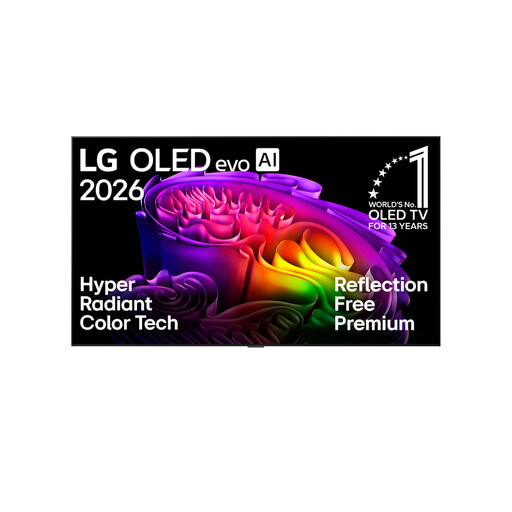 No image available
With an 83-inch model, check that the screen and viewing distances suit your room, and see how the picture looks from the seats furthest to the side.
Listed in the product name: α11 Gen3 Processor, 165 Hz, Dolby Vision and Dolby Atmos.
For long sessions with the same images on screen, the OLED image-retention risk described by RTINGS.com is worth considering. It is not a statement about the lifespan of this specific TV.
 No image available
If you’re considering a 55-inch OLED for gaming, check the picture from your seat off to the side and think about how often you play with static game elements on screen.
Listed in the product name: α11 Gen3 AI Processor, 165 Hz, Dolby Vision, Dolby Atmos and webOS 26.
RTINGS.com describes static images as a risk factor for OLED; this does not predict whether image retention will occur on an individual TV.
No. Check off-axis picture stability, input lag in Game Mode and motion handling separately. The refresh rate you actually get also depends on the input signal and the connections supported by the TV.
Use Game Mode and check the specifications to see which HDMI input supports the features you want. For the Sony K-55XR8M2, Sony Germany specifically lists VRR for HDMI 3 and 4 only; this connection layout does not automatically apply to other TVs.
LG Germany recommends gently wiping the screen in one direction with a dry microfibre cloth. Also follow the care instructions for your specific model.
The seller is generally responsible for defects in the goods; statutory consumer rights are separate from a voluntary guarantee. The Verbraucherzentrale also points out that online purchases generally come with a 14-day right to cancel. The details and exceptions depend on the contract.
TVs are covered by EU rules on energy labelling for electronic displays. The label for the specific variant helps you compare models and, according to the European Commission, must also be clearly visible in online shops.