Joybuy products for viewing from afar
The following Joybuy products are large 4K TVs suited to longer viewing distances. They include LCD and Mini-LED models, as well as one OLED model.
 No image available
Hisense 85E8S, 85-inch
With its 85-inch screen, this is an option if you want a large picture when viewing from further away.
Features listed include 4K Ultra HD, a 144 Hz game mode, VRR and ALLM.
The product description lists a horizontal and vertical viewing angle of 178°. Even so, check the picture from the seats you’ll actually use.
View at Joybuy
 No image available
LG OLED77G67LW, 77-inch
This 77-inch OLED is an option if you want a large screen and the listed gaming features.
4K; VRR and ALLM; up to 165 Hz.
The version described is designed for wall mounting; a stand is not included. If the same bright, fixed game elements remain on screen repeatedly for very long periods, image retention is an OLED risk to bear in mind.
View at Joybuy
 No image available
TCL 75Q7C, 75-inch
With its 75-inch screen, this is an option for gaming together from further away.
Features listed include 4K, 144 Hz, VRR and FreeSync.
The listed width with the stand is 166,6 cm. Check that it will fit on your furniture or available space.
View at Joybuy
 No image available
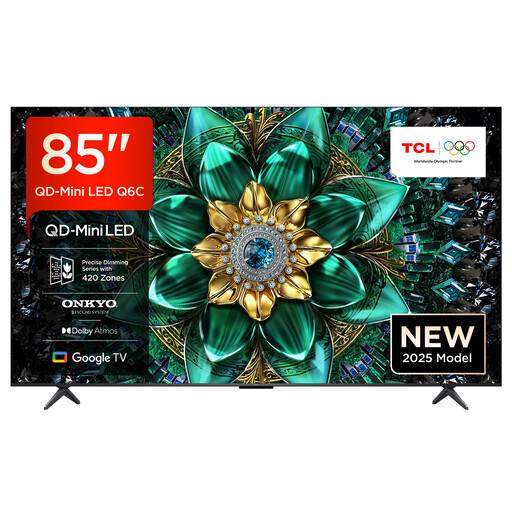
TCL 85Q6C, 85-inch
With its 85-inch screen, this is an option if you want a large picture for viewing from further away.
Features listed include 4K, 144 Hz, VRR and HDMI 2.1.
The listed width with the stand is 189 cm. Check the available space and the position of the stand.
View at Joybuy
 No image available
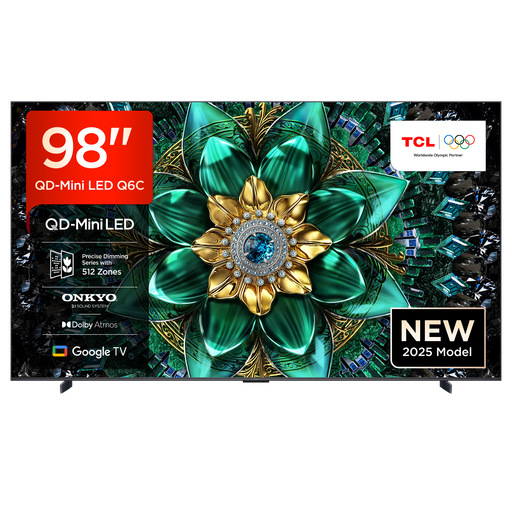
TCL 98Q6C, 98-inch
At 98 inches, this model is an option if you want a particularly large screen for viewing from a long distance.
Features listed include 4K, 144 Hz, VRR and Game Master Mode.
The listed width with the stand is 217,9 cm. Check the available space and plan the installation carefully.
View at Joybuy
Frequently asked questions
Is 60 Hz enough for playing cooking games together?
First, check what picture signal your specific game and device can output. 120 Hz or higher is an extra reason to choose a particular TV mainly if you also play games that support it. Input lag in game mode remains relevant regardless.
What can I do if on-screen game displays are hard to read from the sofa?
Check the viewing distance, screen size and the view from each seat. PlayStation also lists a scalable user interface for Overcooked! All You Can Eat. This game setting isn’t a feature of every cooking game or TV.
What should I check before positioning or mounting a large TV?
Compare the TV’s width, stand and weight with your furniture or intended wall mount. Sony’s specifications for the K-75XR70 show that different stand positions require different widths. For other TVs, use the dimensions for the specific model.
How should I use an OLED TV during long gaming sessions?
Vary what’s on screen and avoid leaving bright, fixed displays unchanged for longer than necessary. RTINGS observed image retention under accelerated use with many static elements; this doesn’t establish a fixed risk of failure during ordinary gaming sessions.
Which energy figures should I compare when buying a TV?
Compare the EU energy labels for the specific models, including the separate consumption figures for SDR and HDR. The European Commission lists these figures for electronic displays. You shouldn’t estimate energy use based on screen size alone.


