Gaming with people sitting to the side
You need a picture that lets players and spectators at the edges see the score and the action clearly, too.


When several people are sitting to the side of the screen, picture quality from the furthest seats should be a key consideration. RTINGS.com describes OLED as one possible choice for wider seating arrangements, while viewing angles vary between LCD models depending on the panel type. In a bright room, or if game elements often remain on screen for long periods, a suitable LCD/Mini LED TV may also be worth considering. Then check the specific model’s Game Mode, refresh rate and the input you need.
You need a picture that lets players and spectators at the edges see the score and the action clearly, too.
You want responsive controls and smooth motion. Check the Game Mode and the features supported by the input you’ll actually use.
You often play in daylight and need to weigh reflections against picture quality from seats to the side.
For a group arcade sports session, assess seating positions, room lighting and the gaming technology you’ll use separately.
| Buying priority | What to check | Who is it important to? |
|---|---|---|
| Picture quality from multiple seats | View the specific model from the furthest seat you expect to use, if possible; also consider the setup and screen size. | If I want to see the score and the action from a seat to the side, picture quality from that position matters especially. Around 36% of consumers put side viewing first. |
| Responsiveness and motion | Check input lag and the conditions it was measured under, Game Mode and the refresh rate supported by the input you need. | For quick changes of direction, I want the controls and picture to suit the game and the device I’m using. Around 29% of consumers prioritise responsiveness in games. |
| Visibility in a bright room | Assess reflections at the times you usually play, along with picture quality from the side on the TV you’re considering. | If I play during the day, I want to assess distracting reflections and visibility from the edge seats together. Around 21% of consumers see daylight performance as their main priority. |
| Long gaming sessions and running costs | With OLED, consider long periods with unchanged on-screen displays; check the specific model’s energy label and warranty terms. | If I play for long periods or game displays often stay fixed on screen, I want to factor in usage and ongoing energy consumption when choosing. Around 14% of consumers focus on these usage-related considerations. |
The term describes the backlighting, not how the picture looks from seats at the edges. Viewing angles on LCD TVs can vary depending on the panel type and model.
Check the specific TV from the side, and don’t assume panel or test results apply to other sizes.
Refresh rate, input lag and the frame rate output by the game are different factors.
Check the conditions under which input lag was measured and compare the features supported by the input you’ll actually use with your gaming device.
Comparing only OLED or Mini LED can mean overlooking requirements such as side viewing, long periods with fixed displays or the specific model’s energy consumption.
Check picture quality from the seats you plan to use, how you use fixed displays and the energy labels of the TVs you’re considering.
The C5 OLED range may appeal if you’re weighing up gaming features and viewing from multiple seats.
The GQ65S95FATXZG is a possible OLED option if reflections matter as well as gaming.
The C7K range offers an LCD/Mini LED option. The documented 55C7K variant can be assessed based on its own specifications.
According to the manufacturer, the OLED+ 65OLED910/12 combines OLED with Ambilight and gaming features.
This selection includes OLED and LED TVs with gaming features mentioned in the product name. Assess picture quality from the side and how well each specific model suits your gaming group.
 No image available
If you’re setting up to play in 4K with a variable refresh rate, the gaming features listed in the product name may be worth considering. Check picture quality from seats to the side.
OLED; 55 Zoll; 4K; 144 Hz; G-SYNC and FreeSync Premium; Smart TV with webOS.
 No image available
If variable refresh rate and gaming features matter to you, compare the listed features with your game and gaming device. Also check whether 42 Zoll suits the viewing distances in your group.
OLED; 42 Zoll; 4K; VRR up to 165 Hz; G-SYNC; Dolby Vision and Dolby Atmos; webOS 26.
 No image available
The 65 Zoll version may suit a larger gaming group if it fits your setup. Check picture quality from the furthest seats on the specific model.
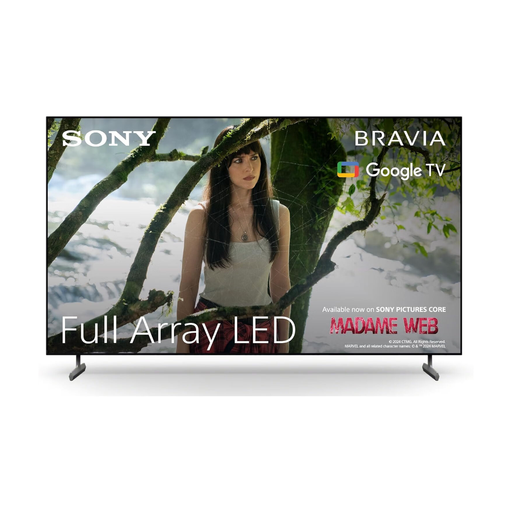
4K HDR; 120 Hz; HDMI 2.1; ALLM and VRR; Google TV.
No, the figure alone isn’t enough. Check the frame rate the game and gaming device actually output, whether the input you need supports it, and how the TV performs in Game Mode. The manufacturer’s specification isn’t a measurement of overall gaming latency.
First, plan for the furthest seats and assess the picture from there before settling on a position. If you’re wall-mounting the TV or using a stand, also check the dimensions and installation requirements of the model you’ve chosen. Screen size alone doesn’t tell you how wide the viewing angle is.
If scores or menus remain unchanged on screen for a long time, factor the risk of permanent image retention into your choice of OLED TV. How relevant this is depends on how you use the TV; check the warranty terms for the exact model separately.
Compare the energy labels of the specific models. Consumers generally have a right to cancel a distance purchase; Section 312g of the German Civil Code (BGB) lists exceptions. Section 355 BGB provides for a standard 14-day period. Check the legal requirements and when the cancellation period starts for your specific purchase.