If several people sit at an angle to the TV, picture quality from those seats should matter more than having the highest possible refresh rate. If space is limited, choosing the right screen size is key; OLED and Mini-LED LCD are both worth considering, depending on your seating arrangement and how you use the TV. Also check that its gaming features and connections suit the game you play and the console you use.
Who this guide is for
Co-op games with people sitting off to the sides
If you’re playing together on one screen and not everyone is sitting directly in front of it, check whether colours, contrast and puzzle clues remain clear from the outer seats. RTINGS.com highlights viewing angle as an important factor for wider seating arrangements.
Flatshares with a small living room
If you need to balance screen size, viewing distance and available space, measure the room and your usual viewing distance rather than choosing based solely on the largest screen. The Verbraucherzentrale recommends taking viewing distance into account.
Flatshares with a shared console
If you’re connecting a console, the game, desired picture output and available connections all need to be compatible. Sony Deutschland explains the requirements for 4K at 120 frames per second on PS5.
What to consider when buying
OLED TVs
A good fit if: Picture quality from several seats off to the sides is especially important.
The trade-off: The risk of permanent image retention remains a consideration if the screen displays mostly static content for very long periods.
Mini-LED LCD TVs
A good fit if: Most people sit near the centre, or if you’re choosing a TV for a bright room or for long periods of static content.
The trade-off: Panel technology alone doesn’t tell you how well a specific model looks from the side.
| Consideration |
What to check when buying |
Who it matters most to |
| Picture quality from every seat |
Recreate your actual seating arrangement and check the viewing angle of the specific model. |
If I’m playing from the side, I want to be able to see clues and picture details too. Around 28% of consumers say picture quality from side seats is their top concern. |
| Readability and placement |
Measure viewing distances and the available width and height, including the stand. |
If space is limited, I want to find a suitable spot for the screen and be able to read puzzle text from the furthest seat. For around 22% of consumers, room size and readability are the top priorities. |
| Console and responsiveness |
Check input lag in Game Mode and the signals supported by the HDMI input you’ll use. |
If I’m gaming on a console, the game, console, cable and TV input all need to support the picture output I want. Around 17% of consumers prioritise console responsiveness and connectivity. |
| Power consumption and usage |
Compare energy information for models of a similar size and check whether you’ll need delivery or installation. |
If several people in my flatshare use the TV regularly, I want to take its energy consumption into account when choosing. For around 22% of consumers, running costs and buying together are especially important. |
| Long periods of static content |
Consider whether menus or other images are often left unchanged for a long time, and read the model’s care and warranty terms. |
If the same screens are often displayed for hours at a time in my home, I want to factor that usage into my choice of panel. Around 11% of consumers are most concerned about long periods of static display. |
Avoid common buying mistakes
-
Choosing a screen size without checking the outer seats
A picture that looks great from the centre may look different from the side.
Start by working out where people will sit and measuring the room, then assess the viewing angle of the specific model.
-
Assuming 144 Hz means every console game will run at that rate
A TV’s advertised refresh rate doesn’t guarantee that a game will output the corresponding frame rate.
Check the game, console, settings, cable and HDMI input together. Sony Deutschland notes that many PS5 games output at 60 frames per second or less.
-
Comparing energy ratings without checking consumption figures
The energy rating alone isn’t a substitute for comparing the consumption figures of TVs of a similar size.
Compare the EU energy label and product information, and check whether you’ll need delivery or installation.
-
Mistaking a similarly named variant or bundle for the same standalone TV
The model number, screen size and what’s included can all differ.
Check the full model number and confirm which devices and accessories are included.
Key brands at a glance
LG
The OLED48C57LA and OLED55C5ELB offer specific size options for flatshares considering OLED for a shared seating area.
- LG Deutschland lists 4K and gaming up to 144 Hz for both models.
- These are manufacturer specifications, not independently measured gaming performance. If the screen displays mostly static content for very long periods, consider whether OLED suits your usage.
TCL
The 55C7K is a Mini-LED LCD option to compare with OLED for a shared room.
- TCL Deutschland lists a native refresh rate of 144 Hz for the 55C7K.
- Manufacturer claims about brightness and dimming don’t show how clearly people playing from the side will see the screen.
Samsung
The OLED GQ55S90HAEXZG, listed in Germany, is a 55-inch option to consider if you’re also thinking about reflections in a shared room.
- Samsung advertises the model as featuring ‘Glare Free’ technology and gaming features.
- This doesn’t tell you how well it will perform in the lighting conditions of your flatshare. Usage is a consideration with this OLED model too.
Sony
The BRAVIA 5 range is a Mini-LED alternative if you plan to connect a PlayStation.
- Sony describes the range’s gaming features; the 85-inch K-85XR5 model is listed as supporting 4K/120, VRR and ALLM.
- Sony says VRR on the K-85XR5 is limited to HDMI 3 and 4. Don’t assume this connection detail applies to other sizes or models without checking.
TVs at Joybuy
This selection includes OLED and Mini-LED TVs in different sizes for gaming together. Viewing distance, visibility from the side and a suitable connection to your console are still key.
 No image available
Hisense 55E8S, 55-inch, 4K UHD QLED Mini-LED, 144 Hz
A 55-inch option for a shared seating area; check whether puzzle text is readable from the furthest seat.
Features listed in the product name: 4K UHD, QLED, Mini-LED and 144 Hz.
View at Joybuy
 No image available
LG OLED55B68LA, 55-inch, 4K OLED, 144 Hz
A 55-inch OLED option for gaming together; before choosing, compare visibility from your actual seating positions.
Features listed in the product name: 4K, 144 Hz, G-SYNC and FreeSync. If the screen displays mostly static content for very long periods, bear in mind the risk of permanent image retention with OLED. RTINGS.com describes this as a consideration for static content, not a prediction for normal use with changing images.
View at Joybuy
 No image available
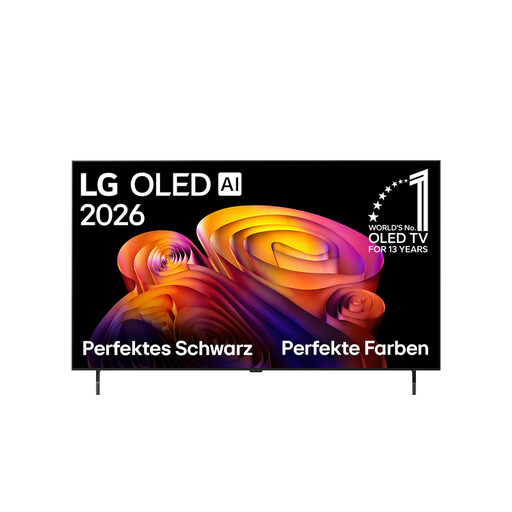
LG OLED48B68LA, 48-inch, 4K OLED, 144 Hz
The 48-inch size is worth considering if space is limited; also check that the screen is readable from the furthest seat.
Features listed in the product name: 4K, OLED and 144 Hz. If the screen displays mostly static content for very long periods, factor the risk of permanent image retention with OLED into your decision.
View at Joybuy
 No image available
LG 43QNED86B6B, 43-inch, Mini-LED gaming TV
A more compact option for a flatshare with limited space; viewing distance also affects how easy it is to read clues.
Features listed in the product name: 43 inches and Mini-LED. Check the actual dimensions and the space needed for the stand before choosing a size.
View at Joybuy
 No image available
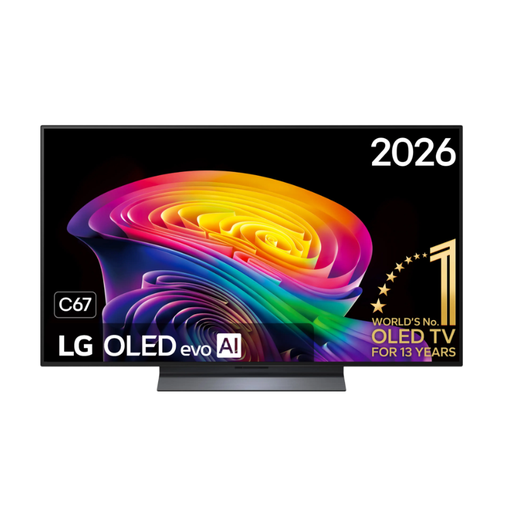
LG OLED48C67LA OLED evo AI C6, 48-inch, 4K, 144 Hz
This 48-inch OLED is a size to consider if space is limited; check that the screen size works with your viewing distance and the readability of on-screen text.
Features listed in the product name: 4K, 144 Hz and webOS. If the screen displays mostly static content for very long periods, bear in mind the risk of permanent image retention with OLED.
View at Joybuy
Frequently asked questions
Do we need a 120 Hz TV for co-op puzzle games?
No, not just because of the genre. Whether you get 4K at 120 frames per second also depends on the console, settings, connection and game. Sony Deutschland notes that many PS5 games run at 60 frames per second or less.
What should we check after connecting the console?
Check which HDMI input you’re using and that Game Mode is enabled. For 4K/120, the TV, console settings, cable and game all need to support the signal. The manufacturer says VRR on the Sony K-85XR5 is limited to HDMI 3 and 4.
How do we compare TV power consumption?
Compare the information for each model on the EU energy label and in the product data sheet. The Verbraucherzentrale also recommends taking operating and standby consumption into account, as well as delivery and connection services where relevant.
Does a new TV in Germany need an energy label?
EU energy-labelling rules apply to covered new electronic displays, such as TVs. The European Union also explains the labelling requirements for online sales; check the model details if the label isn’t visible in an advert.


