Who is a gaming TV for in a dark room?

Cooking teams on the sofa

If you’re playing together on one screen, check that dark areas and bright in-game prompts remain clear from where you’re sitting. The Verbraucherzentrale lists factors such as lighting conditions and viewing angle when assessing picture quality.

Teams sitting to the side

If players aren’t sitting directly in front of the TV, seating distance and viewing angle matter just as much as screen size. So check the picture from the seats you’ll actually use when playing together.

Frequent players with fixed game displays

If you leave the same game running with unchanged displays for long periods, bear in mind the potential long-term trade-off with OLED. RTINGS highlights the risk of permanent image retention after very prolonged use with fixed on-screen elements.

What should you look for when buying?

OLED TV

A good fit if: dark game scenes and visibility from several seats are your priorities.

The trade-off: If the same bright elements are displayed for very long periods, consider the potential risk of permanent image retention. Accelerated tests can’t predict the risk for your individual usage.

Mini-LED LCD TV

A good fit if: you often use the TV in daylight or display fixed game elements for long periods.

The trade-off: With local dimming zones, bright elements on a dark background may be surrounded by visible halos, depending on the model.

More basic LCD TV

A good fit if: price or finding the right screen size matters more than dark-room performance from an OLED or Mini-LED model.

The trade-off: Check the picture and gaming mode on the specific set, rather than relying on “4K” or a gaming label alone.

Criterion What to look for when buying Who should pay particular attention?
Contrast in a dark room View dark game scenes with bright menus or icons in the game mode you’ll actually use. If you’re considering a Mini-LED model, also check how bright elements look against a dark background. If I want to distinguish game prompts clearly from a dark background, light control is crucial. Around 28% of consumers cite contrast as their main concern.
Visibility for all players Measure the seating distance and available space, and check the picture and text from the furthest seat you’d normally use. If several of us sit to the side of the screen, I want to be able to see the prompts from every seat. Seating positions and viewing angles are top priorities for around 22% of consumers with this concern.
Responsiveness and connections Check the gaming mode and the features supported by the input you’ll use for your console or PC. If I need to react quickly during gameplay, I want the TV and game source to work well together. Around 17% of consumers say gaming responsiveness is their main concern.
Purchase and running costs For similarly sized TVs, compare the EU energy label figures for SDR and HDR, and check whether delivery or installation costs extra. I want the purchase, running costs and any installation to stay within my budget. Together, these are key considerations for around 17% of consumers whose main concern is cost.
Displaying fixed elements for long periods Consider how long you’ll leave the same game with fixed displays on screen, and check the specific model’s screen-care features and warranty terms. If I display the same game interface for long periods, this usage trade-off matters more to me than the highest possible contrast in a dark room. Around 16% of consumers cite this as their main concern.

Which buying decisions can be misleading?

  • Making the highest refresh rate your top priority

    Team17 describes Overcooked! All You Can Eat as running at 60 FPS. A higher TV refresh rate doesn’t mean the game outputs more frames.

    Start by checking the gaming mode, seating positions and picture in a dark room. Then consider higher frame rates in light of the other games or PC applications you use.

  • Judging the TV only from the middle seat

    When you’re playing together, seating distance and seats to the side can also affect how clearly you see the game prompts.

    Check the screen size and picture from the furthest seat where you regularly play.

  • Assuming OLED burn-in is either certain or impossible

    RTINGS highlights a risk of permanent image retention when fixed elements are displayed for very long periods. However, stress tests can’t provide a blanket prediction for how one household will use its TV day to day.

    Think about how you use your TV, and read the care guidance and warranty terms for the model you choose.

  • Comparing only the energy rating and screen size

    The EU energy label provides figures for SDR and HDR. Delivery or installation may also affect the setup.

    Compare the stated energy consumption of similarly sized TVs, and check which services you’ll need before placing your order.

Which TV brands are worth considering?

LG

OLED models such as the OLED55G69LS and OLED55C56LB offer options where dark-room performance and gaming features can be considered together.

  • LG Germany lists the OLED55C56LB as having a native refresh rate of 120 Hz, VRR up to 144 Hz, ALLM and Dolby Vision Gaming at 4K/120 Hz.
  • LG marks the specific OLED55C56LB offer as no longer available. This doesn’t say anything about other C5 variants or retailers; the trade-off of using OLED with fixed displays for long periods still needs separate consideration.

Samsung

The S99H and S95H series mentioned here are OLED models, while the QN90F series offers a Mini-LED alternative.

  • Samsung promotes Glare Free and gaming features on the 65-inch S99H, and lists Mini-LED backlighting for the 75-inch QN90F.
  • These details apply to the specific models and don’t confirm that other series have the same features. Reduced reflections aren’t automatically the deciding factor in a room that’s always dark.

Panasonic

The Z95B OLED series combines its stated gaming features with film and audio features.

  • For its Z95B series in Germany, Panasonic lists OLED, 144 Hz, Fire TV and an array speaker system.
  • A 144 Hz specification alone doesn’t mean a game described as running at 60 FPS will deliver a corresponding increase in frame rate.

Philips

The 77OLED760/12 combines OLED with Ambilight lighting behind the screen.

  • Philips lists a 120 Hz refresh rate for this model, along with Ambilight LEDs that respond to the picture.
  • The manufacturer’s specifications don’t prove that input lag is lower than on other brands, or that everyone will enjoy the lighting effect in a dark room.

TCL

The C7K QD-Mini-LED series is an LCD alternative if you’re more concerned about using the TV in daylight or displaying fixed elements.

  • For the 75C7K in Germany, TCL lists a native refresh rate of 144 Hz and local dimming.
  • The manufacturer’s claim that it eliminates halos isn’t an independent test. Check how bright elements look against a dark background on the specific model.

OLED TVs for cooking games in a dark room

The following Joybuy products are OLED TVs for dark game scenes. If you’re considering a large screen, take particular care to check the seating distance, available space and where the TV will go.

LG OLED77G67LW OLED evo AI G6, 77-inch, 4K

LG OLED77G67LW OLED evo AI G6, 77-inch, 4K

OLED pixel control is relevant for dark game scenes. Make sure the large screen suits your seating distance.

77 inches; 4K; VRR, ALLM, G-SYNC and FreeSync are listed as gaming features. It’s designed for wall mounting with the supplied bracket; a stand isn’t included.

Joybuy

LG OLED83C67LA, 83-inch, OLED evo 4K Smart TV

LG OLED83C67LA, 83-inch, OLED evo 4K Smart TV

OLED picture quality is relevant for dark game scenes. Check that an 83-inch screen suits your room and seating distance.

83 inches; 4K; VRR up to 165 Hz. Wide viewing angles are listed, but it’s still worth checking the picture from your own seat.

Joybuy

LG OLED55B68LA, 55-inch, OLED gaming TV

LG OLED55B68LA, 55-inch, OLED gaming TV

A 55-inch screen may suit a more compact space. Check how clearly you can read text and game prompts from your usual seating distance.

55 inches; 4K; HDMI 2.1, VRR and ALLM are listed as features. The product name states 144 Hz.

Joybuy
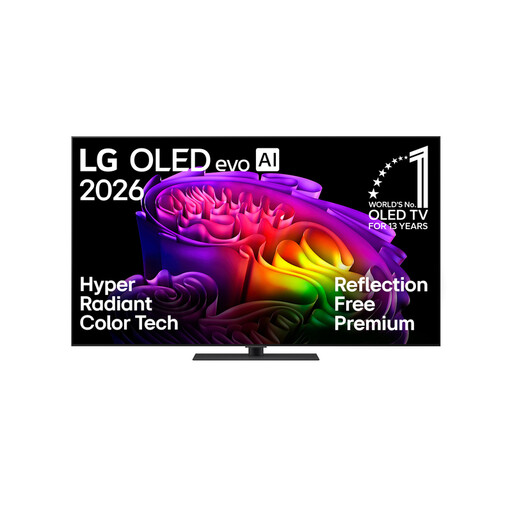
LG OLED65G66LS OLED evo AI G6, 65-inch, 4K

LG OLED65G66LS OLED evo AI G6, 65-inch, 4K

OLED is an option for dark game scenes. Check that the 65-inch screen suits your seating distance and group layout.

65 inches; 4K; VRR, ALLM and four HDMI 2.1 inputs are listed. The product name states up to 165 Hz.

Joybuy
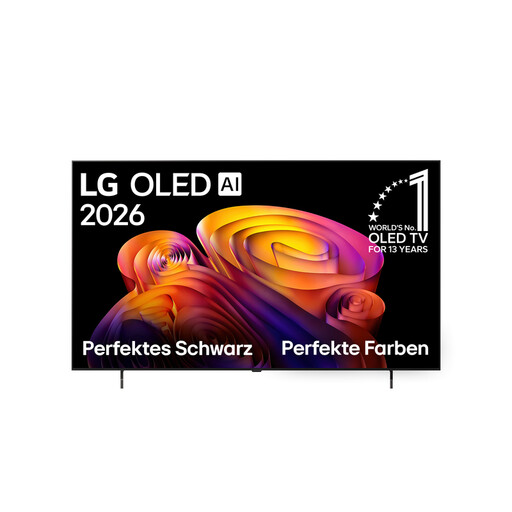
LG OLED65B68LA, 65-inch, 4K OLED Smart TV

LG OLED65B68LA, 65-inch, 4K OLED Smart TV

OLED technology is relevant for dark areas of the picture. Check that the 65-inch screen works for everyone in your usual seating positions.

65 inches; 4K; 120 Hz and Dolby Vision are listed.

Joybuy

Frequently asked questions

Do you need 144 or 165 Hz for Overcooked! All You Can Eat?

Not for this game’s output alone: Team17 describes it as running at 60 FPS. First check that the gaming mode and game source work together. A higher TV refresh rate may be useful for other games or PC use.

How do I find the right TV size for several people on the sofa?

Measure the seating distance and check the picture from the furthest seat you regularly use. The Verbraucherzentrale lists distance, resolution, lighting conditions and viewing angle as factors. Without details about your room, it’s not possible to recommend a specific screen size.

How should I set up the TV for a gaming night with friends?

Connect your game source to an input that supports the features you need, then check the gaming mode. Team17 lists options for a scalable user interface and an assist mode in Overcooked! All You Can Eat. These in-game settings are no substitute for a screen size that’s easy to read.

What do the EU energy label and product information sheet tell me about running costs?

The EU label for electronic displays includes efficiency information and separate figures for HDR, among other details. You can access further model information via the QR code in EPREL. Your personal costs also depend on how long you use the TV and your electricity tariff.

Are the manufacturer’s warranty and statutory rights the same thing?

No. The Verbraucherzentrale distinguishes between your statutory rights when goods are faulty and a voluntary guarantee that applies under its own terms. In the event of a fault, it says the first step may be repair or replacement.