For fighting game tournaments with several spectators, first check that the TV’s gaming mode and connections work with your console or PC. Then consider seating, screen size and reflections in the room. OLED may be an option if people will be sitting to the sides. In a bright room, or if tournament menus are often displayed for long periods, Mini-LED/LCD is also worth considering. The specific model and its setup are what matter.
Which gaming TV is right for you?
Tournament sessions with side seating
If several guests will be sitting to the sides, viewing angles and screen size matter. The choose.tv gaming TV test methodology treats viewing angle as a criterion in its own right; Sony also specifies the dimensions of individual models for setup purposes.
Competitive players
If responsive controls matter to you in fighting games, check that the gaming mode and HDMI connection are compatible with your gaming device. Sony describes gaming mode as a way to reduce input lag.
Hosts of bright, long gaming sessions
In a bright room, reflections and guidance on static OLED images are worth considering, particularly if tournament menus are often displayed for long periods. LG describes the OLED65C6ELB’s display as low-reflection and explains how to manage static content on OLED TVs.
What should you look for when buying?
| Consideration |
What to check when buying |
Who is it important to? |
| Responsiveness and connection |
Check that the gaming mode, ALLM, supported signals and HDMI connection work with your console or PC. |
If I’m playing, I want my inputs to register straight away and to connect the right source. Around 29% of consumers put responsiveness and connection first. |
| Viewing from the side |
Check the furthest planned seating positions and how the specific model looks in the room where it will be used. |
When I’m hosting a gaming session with guests sitting to the sides, I want them to be able to follow the score and action from the outer seats too. Around 29% of consumers prioritise side viewing. |
| Room lighting and on-screen displays shown for long periods |
Check for reflections where the TV will be set up. For OLED, also check the manufacturer’s guidance on static images and protection features. |
If tournament menus or displays stay on screen for a long time, I want to take the room lighting and guidance for my display into account too. Around 24% of consumers focus mainly on room lighting and content displayed for long periods. |
| Screen size and setup |
Check the TV’s dimensions against the space available for its stand or mount and the planned seating positions. |
If several people will be watching, the TV needs to suit the seating layout and the space available. Around 18% of consumers focus on size and setup. |
Common buying misconceptions
-
A high refresh rate automatically means responsive controls
The refresh rate alone doesn’t tell you everything about gaming performance. Gaming mode, the input signal and the HDMI connection you use can all affect the experience.
Check the gaming mode and HDMI features separately for the exact model. Input lag should be tested under suitable conditions.
-
The seat in the middle is enough to help you choose
Other spectators may sit further to the sides than the players. A great picture from the middle seat doesn’t tell you how easy it will be to follow the action and score from the outer seats.
Take the furthest planned seats and the room lighting into account when choosing.
-
Static tournament displays and OLED warranties aren’t worth worrying about
LG notes that static content displayed for long periods can cause image retention on OLED TVs. Protection features and voluntary warranty cover are separate matters.
Read the usage guidance and warranty terms for the exact model variant. If tournament displays will often stay unchanged for long periods, you could also consider Mini-LED/LCD models.
Using brands to guide you to specific models
LG
OLED models may be worth considering for seating spread around the room and PC gaming. For the specific TV, viewing angles, reflections and the use of static displays still matter.
- According to LG, the OLED65C6ELB has a low-reflection OLED display and supports up to 4K at 165 Hz.
- LG warns that static content displayed for long periods may cause image retention. Specifications for one model don’t automatically apply to other variants.
TCL
The 65C7K is a documented QD-Mini-LED model to consider when comparing larger screens and different room lighting conditions.
- TCL specifies a native refresh rate of 144 Hz for the 65C7K.
- The panel type and refresh rate alone don’t prove low input lag or good visibility from side seats.
Sony
The BRAVIA 5 K-55XR5 may suit buyers comparing the connections and setup dimensions of a specific TV variant.
- Sony specifies 120 Hz and VRR on HDMI 3/4 for the K-55XR5; the spec sheet also lists stand and VESA dimensions.
- Check the intended HDMI port and seating positions for this exact model. The spec sheet doesn’t state a viewing angle.
Samsung
Samsung offers several OLED ranges and screen sizes to consider when comparing specific models.
- The available ranges give you a starting point for comparing different screen sizes.
- Check the viewing angle and input lag for the exact model. Specifications for a range don’t confirm these features on every TV.
Joybuy products for gaming and tournament sessions
The following Joybuy options include OLED TVs in several sizes and a 65-inch Full Array LED TV. The same display technology doesn’t automatically mean the same side-viewing performance, so check that the seating positions and connections suit each individual model.
 No image available
LG OLED42C67LA OLED evo AI C6, 42-inch 4K Smart TV
This 42-inch OLED model is worth considering if you’re planning a more compact gaming setup and can check its features against your source device.
4K; native 120 Hz; VRR up to 165 Hz; ALLM. If tournament content is often left unchanged on screen for long periods, take LG’s guidance on static images into account.
View at Joybuy
 No image available
LG OLED55C67LA OLED evo C6, 55-inch 4K Smart TV
The 55-inch version may suit a larger planned group of spectators. Check visibility from the furthest seats in the room where it will be used.
4K; native 120 Hz; up to 165 Hz according to the product specifications; VRR and ALLM. LG’s guidance on static images is relevant if tournament displays are often left unchanged for long periods.
View at Joybuy
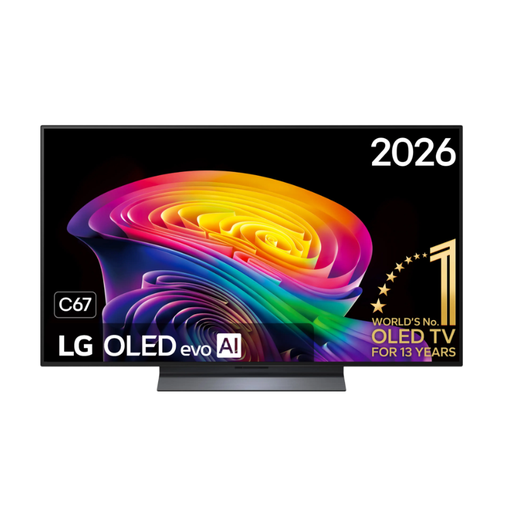 No image available
LG OLED48C67LA OLED evo AI C6, 48-inch 4K Smart TV
The 48-inch size is an option if you’re planning an OLED gaming setup for a particular room.
4K; the product specifications list a maximum refresh rate of 144 Hz. If tournament displays are often left static for long periods, take LG’s OLED guidance into account.
View at Joybuy
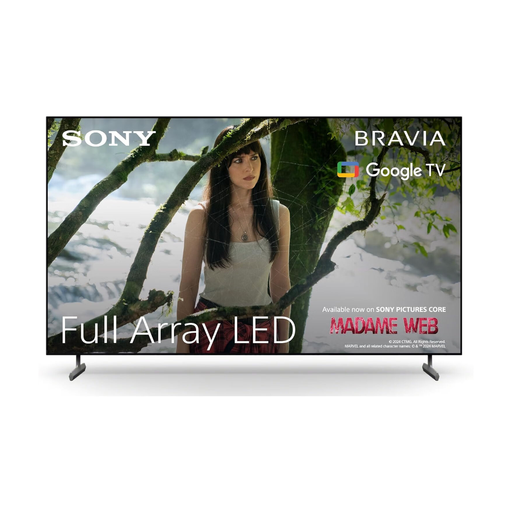 No image available
Sony BRAVIA X85L Full Array LED TV, 65-inch 4K HDR
This 65-inch LED model may suit you if you’re considering a larger screen and can check its dimensions and viewing distances against your room.
4K HDR; 120 Hz; HDMI 2.1; ALLM and VRR according to the product specifications. Check that the connections and signal options are compatible with your gaming source.
View at Joybuy
Frequently asked questions
Do all fighting games need 144 or 165 Hz?
No. The TV’s stated refresh rate alone doesn’t settle the question. Check the actual output from your game and device, as well as the gaming mode and HDMI connection. Higher refresh rates are mainly of interest to PC players.
What should I check if VRR or gaming mode isn’t available?
Check the HDMI port, signal format and output settings against your source device. For the Sony K-55XR5, Sony specifies VRR on HDMI 3/4 only. Sony’s setup guide also explains how to select the right signal format.
How should I use an OLED TV if tournament menus are often displayed?
Check the guidance and protection features for the specific TV. LG describes a risk of image retention when static images are displayed for long periods and lists pixel shifting as a feature that can reduce the risk; it doesn’t eliminate it entirely.
What should I know about my rights and costs if something goes wrong?
Your statutory rights against the seller are separate from a voluntary manufacturer’s warranty. The Verbraucherzentrale explains that TVs are among the types of appliances covered by the repair rules in force since 31 July 2026. Check the specific warranty terms and any potential repair costs separately.


