Which TV is right for you?

Reading subtitles from the sofa

If you want to read in-game text from your actual viewing distance, check it in the game you play and look out for possible halos around bright subtitles on a dark picture. Electronic Arts describes customisable subtitles for the US English version of EA SPORTS FC 26; RTINGS covers halos caused by local dimming.

Playing with several people and seats at the sides

When a group gathers around one screen, it matters whether the picture remains clear from the seats at either side. Assess the specific TV from the viewing angles you expect to use; RTINGS highlights viewing angle as an important factor when choosing a TV.

Playing in a bright living room

If you often play with the room lights on, check for reflections where you plan to put the TV and weigh this against viewing angles and gaming features. A manufacturer’s claim about an anti-reflective screen does not guarantee the same results with every window or lamp position.

What should you look for when buying?

OLED TVs

A good fit if: several people will be sitting at the sides and you want to compare OLED with your viewing distance and gaming mode.

Things to weigh up: Check for reflections in your own room. If you use the TV for unusually long periods with the same HUDs on screen, the risk of permanent image retention is another factor to consider. RTINGS highlights this particular long-term risk.

Mini LED/LCD TVs

A good fit if: you play with the room lights on or keep the same game displays on screen for a long time, and want to compare suitable LCD models.

Things to weigh up: Viewing angles vary by model. With local dimming, bright subtitles against a dark picture may be surrounded by halos. RTINGS explains this effect, so it’s worth comparing the picture on the TV itself.

What matters What to look for when buying Who is this important for?
Reading subtitles and on-screen displays Allow for viewing distance and available space; check text from the furthest seat and bright subtitles against a dark picture. I want to be able to read subtitles and on-screen displays from the furthest seat; around 33% of consumers put readability first.
Picture quality from different seats Try out the seating positions you plan to use and assess the picture from the seat furthest to the side. When we play as a group, the picture should still be clear from the side; around 27% of consumers prioritise a good view from different seats.
Responsiveness and connections Compare input lag in game mode under the signal conditions you use; for 120 Hz, check the game, source, input and settings. My gaming source needs a responsive picture and the right connections; around 20% of consumers put these gaming requirements first.
Room lighting and long sessions Check for reflections in your usual room lighting. With OLED, also consider whether the same HUDs will remain on screen for unusually long periods. I want a clear picture with the room lights on or play for especially long periods with the same displays on screen; around 20% of consumers prioritise these usage conditions.

Avoid common buying mistakes

  • Choosing based on screen size alone

    A large screen diagonal does not guarantee that subtitles are readable from the furthest seat or that the picture remains clear from the side.

    Work out your viewing distance and where people will sit at the sides, then check the text and picture in the gaming set-up you plan to use.

  • Assuming the Hz rating is the same as the game’s frame rate

    The output you want also depends on whether the game and source support it, and whether you are using the right input and settings.

    Check the video output of your gaming source and compare input lag measurements under the signal conditions you actually use.

  • Assuming Mini LED is always better for subtitles

    With local dimming, bright subtitles on a dark picture may show visible halos. The technology name alone does not tell you how a particular model handles them.

    Compare a dark gaming scene with text on screen on the TV you’re considering.

  • Confusing a guarantee with your statutory rights

    Your statutory rights against the seller and a guarantee are different things. A guarantee is an extra voluntary benefit with its own terms and conditions.

    Keep your proof of purchase and details of any promised features, and check the guarantee terms separately. Verbraucherzentrale explains the difference between statutory rights and a guarantee.

Notable brands and ranges

LG

The OLED G6 range is a useful point of comparison for OLED and gaming features. For the German OLED55G69LS model, LG specifies up to 4K at 165 Hz.

  • LG promotes an anti-reflective screen and gaming features for this model.
  • The manufacturer’s claim does not guarantee the same results in every room or with every window position. The OLED risk is still worth weighing up if you display the same HUDs for unusually long periods.

Samsung

The S95H OLED range is worth comparing for group gaming. The German 65-inch model is designated GQ65S95HFTXZG.

  • Samsung describes this model’s screen as “Glare Free”.
  • This does not guarantee a reflection-free picture from every window position; the model and screen size need to suit your set-up.

Panasonic

The Z95B OLED range is worth comparing if built-in features matter as well as gaming. Panasonic specifies a 144 Hz display and Fire TV for the TV-55Z95BEG.

  • HIFI.DE reports good picture and sound quality for the model it tested.
  • HIFI.DE notes that it has two full-featured HDMI 2.1 ports; check whether that’s enough for the gaming sources you connect.

TCL

The C7K QD Mini LED range is an LCD option to compare if a large screen or playing with the room lights on matters to you.

  • TCL specifies a native refresh rate of 144 Hz for the 75C7K.
  • The panel specification does not confirm a football game’s frame rate or guarantee that subtitles are readable from every angle. Check how the specific model’s local dimming handles subtitles.

Hisense

The 75U7Q PRO is a Mini LED option to compare if you’re looking for a large screen and gaming features.

  • Hisense specifies a 75-inch screen, 4K and a 165 Hz gaming mode for this model.
  • The manufacturer’s specifications are no substitute for checking the picture from the seats at the sides or looking for possible halos around subtitles.

Joybuy OLED models for gaming get-togethers

The Joybuy models listed are OLED TVs. Compare their screen sizes and gaming specifications with your viewing distance, seating arrangement and gaming source.

LG OLED77G67LW OLED evo AI G6, 77 inches

LG OLED77G67LW OLED evo AI G6, 77 inches, 4K, up to 165 Hz

The 77-inch version is worth considering if it suits your viewing distance and available space.

Specifications include 4K, up to 165 Hz, VRR, ALLM and four HDMI 2.1 inputs. The listed mounting configuration is for wall mounting; a stand for table-top placement is not included.

If you use it for unusually long periods with the same HUDs on screen, the general OLED risk of permanent image retention is still worth weighing up.

View at Joybuy

LG OLED55B68LA OLED gaming TV, 55 inches

LG OLED55B68LA, 55 inches, 4K OLED gaming TV, 144 Hz

Compare the 55-inch version with your planned viewing distance and check that text is readable from the seats you intend to use.

The product title lists 4K, 144 Hz and G-SYNC and FreeSync Premium support; you’ll need a compatible gaming source and the right settings to use these features.

If you use it for unusually long periods with the same HUDs on screen, the general OLED risk of permanent image retention is still worth weighing up.

View at Joybuy
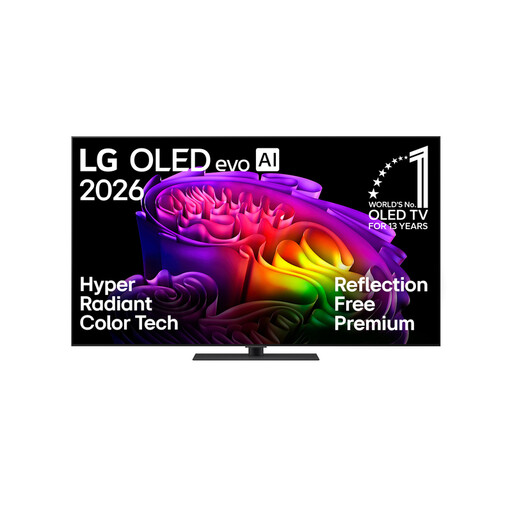
LG OLED65G66LS OLED evo AI G6, 65 inches

LG OLED65G66LS OLED evo AI G6, 65 inches, 4K, up to 165 Hz

Assess the 65-inch version against your viewing distance and how clear the picture is from the seats at the sides.

Specifications include 4K, up to 165 Hz, VRR, ALLM, four HDMI 2.1 inputs and a stand.

If you use it for unusually long periods with the same HUDs on screen, the general OLED risk of permanent image retention is still worth weighing up.

View at Joybuy
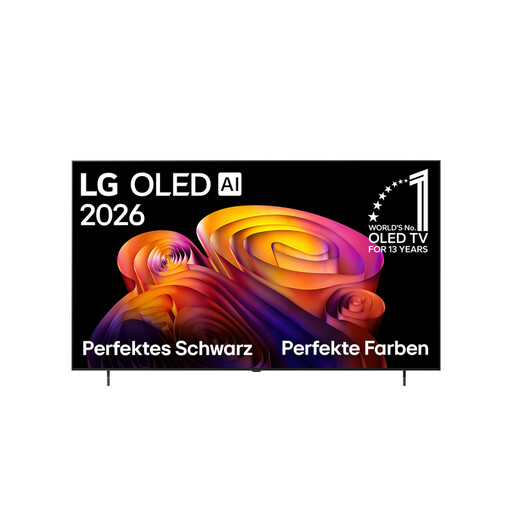
LG OLED77B68LA OLED evo AI B6, 77 inches

LG OLED77B68LA OLED evo AI B6, 77 inches, 4K

The 77-inch version should suit your viewing distance and available space.

Specifications include a 120 Hz panel, VRR up to 144 Hz, ALLM and four HDMI 2.1 inputs. A table-top stand is listed as an accessory.

If you use it for unusually long periods with the same HUDs on screen, the general OLED risk of permanent image retention is still worth weighing up.

View at Joybuy

LG OLED42C67LA OLED evo AI C6, 42 inches

LG OLED42C67LA OLED evo AI C6, 42 inches, 4K

Compare the 42-inch version with your planned set-up and the distance between players.

The product title lists 165 Hz VRR and G-SYNC; 120 Hz is listed for 4K gaming over HDMI. Check that your gaming source supports the output you need.

If you use it for unusually long periods with the same HUDs on screen, the general OLED risk of permanent image retention is still worth weighing up.

View at Joybuy

Frequently asked questions

Can the TV itself make subtitles in a football game larger?

Not in every case: whether and how you can adjust subtitles also depends on the game, version and region. Electronic Arts describes customisable subtitles for the US English version of EA SPORTS FC 26. Check the settings in the version of the game you actually use, then make sure the text is readable on your TV.

Why doesn’t my console show 120 Hz, even though my TV supports it?

The game, console and TV input you’re using must all support the output you want, and be set up accordingly. PlayStation lists a compatible game and TV as requirements. For 4K at 120 Hz on Xbox Series X, Xbox also specifies a suitable HDMI cable and an HDMI 2.1-compatible TV.

What should I set up first after installing the TV?

First, check the game mode and make sure text is readable from all the seats you plan to use. TVs often achieve lower input lag by doing less picture processing, so check that you’re happy with how games look in game mode too. RTINGS explains this relationship in its coverage of input lag.

How do I compare the TVs’ energy consumption?

Compare the energy labels and product data sheets for the specific models. EU rules apply to energy labelling for TVs, as Your Europe explains. To compare running costs, you’ll also need to know how long you use your TV and how much you pay for electricity.

What are my rights if a product is faulty or I buy online in Germany?

Your statutory rights against the seller and a voluntary guarantee are different. For a distance purchase, you generally have a 14-day right to cancel; you need to notify the seller that you’re cancelling. Verbraucherzentrale.de explains these rights and notes that exceptions and special circumstances should be checked on a case-by-case basis.