Choose your TV based on your gaming device, seating arrangement and the formats of your own files. Gaming features such as refresh rate and VRR are only useful if your game, source device and the right HDMI input all support them. Check local file playback separately for the specific model you’re considering. OLED and Mini LED involve different trade-offs when it comes to static gaming elements, viewing angles and reflections.
Which gaming TV is right for you?
Sports game fans with a console or PC
If you play fast-paced games, start by checking the Game Mode, the right connections and the refresh rate. The output you can actually get also depends on your gaming device. CHIP’s coverage and manufacturers’ specifications for specific models show what to check when comparing them.
Gamers with their own media collections
If you want to play games and files from a USB storage device on the same TV, the file system and video and audio codecs must be compatible with the specific model. LG notes that an unsupported codec can prevent playback, while Sony publishes a model-specific format list for the BRAVIA 5 K-55XR5.
Groups gaming on the sofa
If you’ll be watching from several seats, viewing angles and reflections matter on the specific TV. CHIP describes these limitations for the Samsung MRE65R85H it tested; its findings shouldn’t be applied across the board to all TVs or models using the same technology.
What should you look for when buying?
OLED gaming TV
A good fit if: you want to weigh up OLED and gaming features on the basis of the specific model. LG lists a native 120 Hz refresh rate and VRR up to 144 Hz for the OLED65C56LB. Your game and source device must also support the output you want.
Trade-off: If gaming elements are often displayed unchanged for long periods, take the manufacturer’s screen care advice and your usage habits into account.
Mini LED or LCD gaming TV
A good fit if: a specific model suits your room lighting, seating arrangement and feature requirements. TCL lists a native 144 Hz refresh rate for the German 55C7K, while Hisense specifies a 144 Hz Game Mode for the 55U7Q. These are manufacturer specifications for these models, not comparative test results.
Trade-off: Viewing angles and reflections vary from model to model. CHIP reports limited viewing angles and strong reflections on the Samsung MRE65R85H it tested.
| What matters |
What to check before buying |
Who is it important to? |
| Smooth gameplay |
Check Game Mode and VRR, and match the refresh rate and HDMI input to your game and source device. |
If I play fast-paced sports games, I want to know whether my gaming device supports the output I’m after. Around 36% of consumers prioritise smooth, responsive gameplay. |
| Local files |
Compare the file system and the video and audio codecs of a typical file with the manual for the exact model. |
When I play my own files, I don’t want to find out only after connecting the device that the picture or sound isn’t supported. Around 29% of consumers prioritise compatibility with their local files. |
| Viewing from several seats |
If possible, assess the specific TV from the outer seats you plan to use and in suitable room lighting. |
When gaming together on the sofa, I want everyone, including those sitting at the sides, to see the picture clearly. Around 21% of consumers prioritise viewing from several seats. |
| Running costs and care |
Compare the energy label for the size you’re considering and follow the manufacturer’s screen care advice for OLED TVs. |
If the TV is often on for long periods, I want to consider its energy use and long-term care. Around 14% of consumers give particular weight to running costs and care. |
Common buying misconceptions
-
Having a USB port doesn’t mean every file will work
Even with the storage device connected, unsupported video or audio codecs can prevent playback. LG lists incompatible codecs as one possible cause.
Compare a typical file with the format list in the manual for the exact model.
If a file isn’t compatible, converting it or using an additional source device could mean extra effort.
-
The highest refresh rate doesn’t guarantee the same frame rate in games
Your game, source device and TV input must all support the output you want. A higher advertised refresh rate alone doesn’t tell you what frame rate your game will actually deliver.
Check the features available on the HDMI input you plan to use and make sure they suit your console or PC.
-
Screen technology alone doesn’t tell you about viewing angles or reflections
These characteristics vary between individual models. CHIP describes limitations on the Samsung MRE65R85H it tested; that doesn’t justify a blanket judgement about all OLED, Mini LED or LCD TVs.
Assess the TV you’re considering from the outer seats and in the kind of room lighting you expect to have at home.
-
The purchase price doesn’t show the full energy cost
The EU energy label also includes information about efficiency with HDR content. Make sure you compare TVs of the same screen size and in the same operating mode.
Compare the energy labels for the sizes and operating modes you’re actually considering.
Energy use is part of owning a TV, and comparing like-for-like sizes and operating modes makes for a more meaningful comparison.
Key TV brands at a glance
LG
An OLED option where gaming features and USB playback should be checked separately for the specific model.
- LG lists a native 120 Hz refresh rate and VRR up to 144 Hz for the OLED65C56LB. The manufacturer’s support information also explains that unsupported codecs can prevent USB file playback.
- Specifications for a particular model or USB support advice don’t automatically apply to every file or TV. Follow the screen care advice if you often have static gaming elements on screen.
Samsung
OLED and Mini LED models are different options to consider; what matters is the performance of the specific TV.
- Samsung describes features on its OLED TVs designed to protect against images remaining on screen for long periods.
- CHIP’s comments on viewing angles and reflections apply to the MRE65R85H it tested. Samsung’s OLED screen protection information isn’t a guarantee for every usage scenario or model.
Sony
The BRAVIA 5 K-55XR5 is an option if you want to compare a specific list of USB file systems and codecs with your files.
- For this model, Sony lists 120 Hz, VRR on HDMI 3/4, and supported USB formats and playback codecs.
- A format list doesn’t guarantee that every file with a compatible extension will play, including its audio track. Check the properties of your files individually.
TCL
The C7K range is a gaming option whose refresh rate should be assessed for the specific model and in combination with your source device.
- TCL lists a native 144 Hz refresh rate for the German 55C7K.
- The manufacturer’s specification doesn’t mean every game or source device can output this frame rate. It also tells you nothing about playback of your local files.
Hisense
The U7Q range is another gaming option to assess based on the specific model and the connections you need.
- Hisense lists a native 144 Hz VRR Game Mode for the 55U7Q.
- This is a manufacturer’s specification, not a comparative input lag measurement. For local files, you’ll still need to check compatibility with the specific model.
Joybuy models for gaming and media
The Joybuy models below are gaming TVs from the OLED and Mini LED or LCD categories. Gaming specifications don’t replace the need to check your local files against the exact model.
 No image available
TCL 55Q7D PRO 55 Inch 4K SQD-Mini LED TV
For fast-paced gaming: the product specifications list 144 Hz, VRR and Game Mode. Your game and source device must also support the output you want.
Other listed features include HDMI 2.1, ALLM and AMD FreeSync Premium Pro.
For local media files, compare the file system and video and audio codecs with the manual for the exact model.
View at Joybuy
 No image available
Hisense 55E8S 55-Inch 4K UHD QLED Mini-LED Smart TV, 144Hz, HomeOS U9, Black
For fast-paced gaming: the product specifications list 144 Hz, VRR and ALLM. The output you can get also depends on the game and source device.
This model is described as a 55-inch TV; the product specifications also list horizontal and vertical viewing angles of 178°.
For local media files, compare the file system and video and audio codecs with the manual for the exact model.
View at Joybuy
 No image available
LG OLED55B68LA 55-inch OLED gaming TV
For gaming with a compatible source device: the product specifications list 144 Hz, VRR and ALLM.
Other listed features include G-SYNC and FreeSync.
If you often have static gaming elements on screen, follow the manufacturer’s screen care advice. For local media files, check the file system and video and audio codecs against the exact model.
View at Joybuy
 No image available
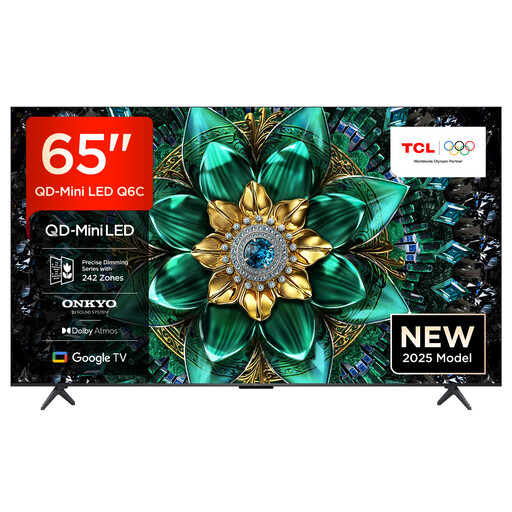
TCL 65Q6C 65-Inch 4K QLED Mini LED TV
For high frame rate gaming: the product specifications list 144 Hz, VRR and Game Master Mode. The actual output also depends on the game and source device.
Other listed features include ALLM, HDMI 2.1 and AMD FreeSync Premium Pro.
For local media files, compare the file system and video and audio codecs with the manual for the exact model.
View at Joybuy
 No image available
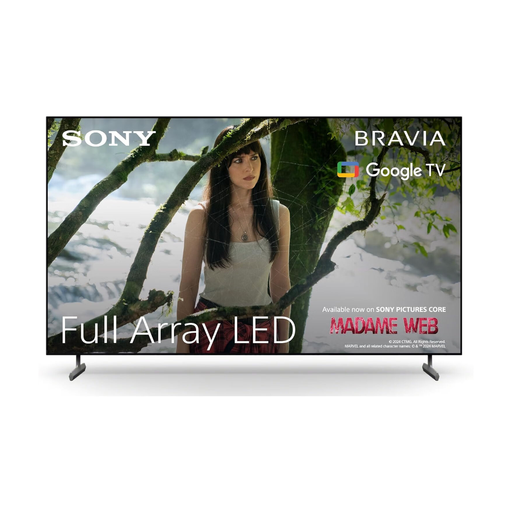
Sony BRAVIA X85L 65 Inch 4K HDR LED TV
For gaming with a compatible source device: the product specifications list 4K/120 fps, ALLM and VRR.
HDMI 2.1 and a gaming menu are also listed.
For local media files, compare the file system and video and audio codecs with the manual for the exact model.
View at Joybuy
Frequently asked questions
Do I definitely need more than 120 Hz for sports games?
Not necessarily. CHIP considers 120 Hz sufficient for console gaming and sees higher rates as mainly relevant to PC gamers. What matters is the output your game and source device can actually support.
Why does my TV play a file from a USB stick without picture or sound?
The file extension and video and audio codecs must meet your TV’s requirements. Check the file’s properties against the manual for the exact model; LG lists unsupported codecs as one possible cause.
How can I compare TVs’ energy use?
Compare the EU energy label for the model size and operating mode you’ve chosen. The European Commission notes that the label also includes information about efficiency with HDR content.
What are my rights in Germany if there’s a fault, and what should I do with my old TV?
As the Verbraucherzentrale explains, your statutory rights against the retailer are separate from a voluntary manufacturer’s warranty. Old TVs must not go in household waste: according to the German Environment Agency, when you buy a new equivalent device, you can return your old one free of charge, including when the new device is delivered online.


