For a large group playing football together, the first thing to consider is whether everyone can see the game clearly, even from the furthest seats, and whether the TV and stand will fit in the room. If your seating is spread out, an OLED model with a wide viewing angle verified for the row you have in mind could be a good option; if most people will be sitting directly in front of the screen, a large Mini LED TV is another possibility. 4K at 120 Hz and VRR are most relevant when the game, console, cable and selected HDMI input all support the feature in question.
What matters most for different groups
A group with seats spread far apart
If players or spectators will be sitting to the side of the screen, they should still be able to make out the pitch clearly. RTINGS.com recommends taking the viewing angle of the specific TV into account when seating is spread out.
A console group with several devices
If you switch between consoles or other HDMI devices, check which input supports the gaming features you need. Xbox Support and Sony list requirements and model-specific differences between connections that are worth considering when planning your set-up.
A large group with limited space
A larger screen can make it easier to follow the action from further away, but it still needs to fit in the room. The German Environment Agency notes that power consumption also becomes more significant as screen size increases.
What to look for when buying
OLED TVs
A better fit if: your group will be sitting across a wide area and a clear view from the outer seats is especially important. RTINGS.com reports a wide viewing angle for the C5 it tested; this result does not automatically apply to every model variant.
Keep in mind: Check how the picture looks in your room and, if you’ll be displaying static game screens for long periods, follow the manufacturer’s guidance on possible image retention.
Mini LED/LCD TVs
A better fit if: most of your group will be sitting directly in front of the screen and a large display or the gaming features listed by the manufacturer are important to you. TCL gives the 65C7K a native refresh rate of 144 Hz.
Keep in mind: The panel type alone does not guarantee a wide viewing angle. Check the specific TV from the outer seats and confirm which HDMI inputs support the features you want.
| Priority |
What to check when buying |
Who it matters most to |
| Viewing from the side |
Check the specific model from the furthest seats; don’t assume models in the same range are identical without checking. |
If some players will be sitting to the side, I want to be able to see the pitch from the outer seats too. That’s why around 33% of consumers put side viewing first. |
| Screen size and set-up |
Measure the viewing distance, TV width and space available, including the stand; compare energy labels. |
From seats further away, I want to see the pitch and on-screen graphics clearly without the TV overwhelming the available space. Around 27% of consumers prioritise a suitable screen size and set-up. |
| Gaming response and connections |
Check the console, game, cable and intended HDMI input individually for 4K/120 Hz, VRR and Game Mode. |
If I connect a console or several devices, I want to use the features I need through the right input. Around 27% of consumers focus above all on gaming response and a compatible set-up. |
| Power consumption and long-term use |
Compare the energy label for the specific model and, for OLED, check the guidance on static images. |
For regular gaming nights, I want to take running costs and long-term usage guidance into account. Around 13% of consumers put these considerations first. |
Common buying mistakes
-
Focusing only on screen size
A bigger screen won’t fix a narrow viewing angle for people sitting to the side of it.
Plan your seating first, then check the picture from the furthest seat you expect to use.
-
Assuming 144 Hz is the same as the football game’s frame rate
An advertised refresh rate doesn’t prove that a particular game outputs at that frame rate. 4K at 120 Hz also requires a compatible connection and source.
Check the game, console, cable and capabilities of the intended HDMI input separately.
-
Assuming every HDMI input has the same features
According to Sony, VRR is available only on HDMI 3 and 4 on the Sony K-65XR5, even though the TV has four HDMI inputs.
Before buying, note which input you plan to use for each console and check the connection specifications for the exact model.
-
Relying on an earlier cashback offer
The eligibility period stated by Hisense for the cashback offer in question ran from 11.05.2026 to 26.07.2026.
Only factor in an offer if its terms explicitly apply to your chosen model and retailer at the time of purchase.
Key brands to consider
LG
An OLED option for gaming groups with people seated to the side; check the specifications of the individual model.
- LG lists gaming at up to 4K at 144 Hz for the OLED65C57LA. The output you can actually achieve also depends on the console, game and connection.
- RTINGS.com reports a wide viewing angle for the C5 it tested, but this is not an independent test of every C5 variant. LG warns that long periods displaying static images may cause image retention.
Samsung
An OLED option with a German product page for the GQ65S90FATXZG model.
- Samsung advertises Motion Xcelerator 144 Hz on the 65-inch S90F.
- The manufacturer’s claim alone does not confirm a particular frame rate for the football game or the viewing angle of this model. Check both for your intended use.
TCL
A Mini LED option with a large screen and gaming features, including the 65C7K model.
- TCL lists QD-Mini LED and a native refresh rate of 144 Hz for the 65C7K.
- Advertised brightness and dimming figures are manufacturer claims. Check the view from the outer seats on the specific TV.
Sony
A Mini LED option with model-specific connection details for the BRAVIA 5 K-65XR5.
- Sony lists 120 Hz, 4K/120 and ALLM for this model.
- According to Sony, VRR is available only on HDMI 3 and 4. The number of HDMI inputs therefore doesn’t mean they all offer the same gaming features.
Joybuy products for local football get-togethers
Here you’ll find Joybuy TVs for playing football together in the same room, including 65- and 77-inch models with gaming features.
 No image available
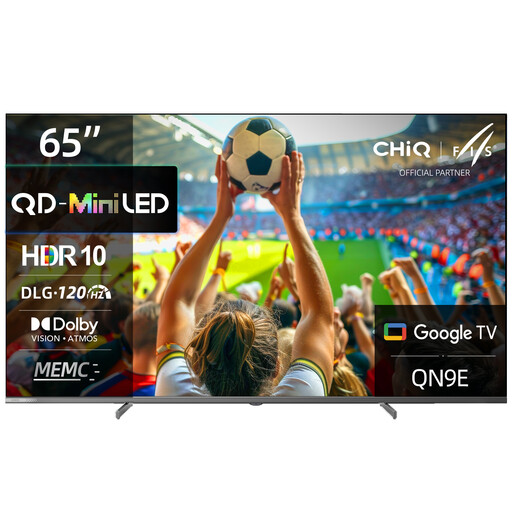
CHiQ M65QN9E, 65-inch, 4K UHD, Mini LED and QLED
The 65-inch 4K model offers a large screen for playing together; check the view from the outer seats on the specific TV.
The product title lists DLG 120 Hz and MEMC. This doesn’t tell you what frame rate a particular football game outputs.
Also listed: Dolby Vision, Google TV (Android 14) and Google Assistant.
View at Joybuy
 No image available
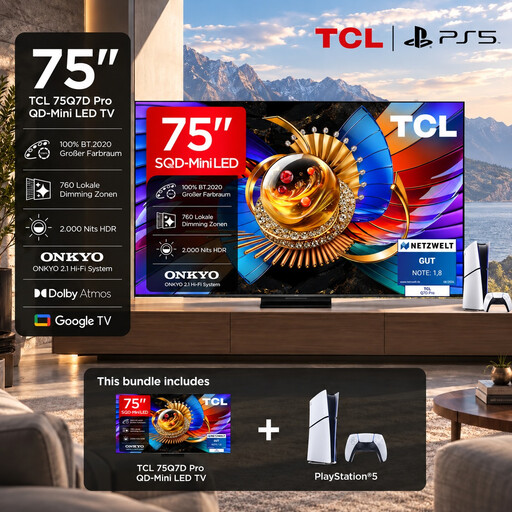
TCL 75Q7D PRO Gaming Bundle, 65-inch
The bundle includes a 65-inch 4K TV and a PlayStation 5 Slim Digital Edition with 825 GB.
The product title lists SQD-Mini LED, HDMI 2.1 and 144 Hz. Check that the game, console, cable and input support the output you want.
Also listed: Dolby Vision and Google TV.
View at Joybuy
 No image available
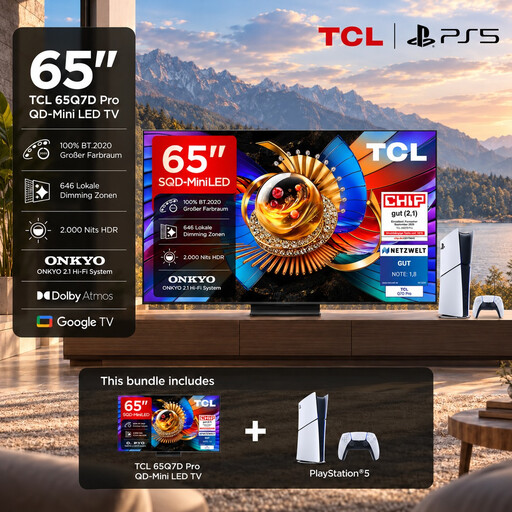
TCL 65Q7D PRO Gaming Bundle, 65-inch
The bundle includes a 65-inch 4K TV and a PlayStation 5 Slim Digital Edition with 825 GB.
The product title lists SQD-Mini LED, HDMI 2.1 and 144 Hz. Check that the game, console, cable and input support the output you want.
Also listed: Dolby Vision and Google TV.
View at Joybuy
 No image available
LG OLED77C67LA, 77-inch, OLED, 4K Smart TV
The 77-inch model is designed to give you a large screen. Before choosing, check that the TV and stand will fit in your room and that the picture looks good from the seats you plan to use.
The product title lists 120 Hz, webOS and energy class D.
With an OLED TV, you should also follow LG’s guidance on displaying static images for long periods.
View at Joybuy
 No image available
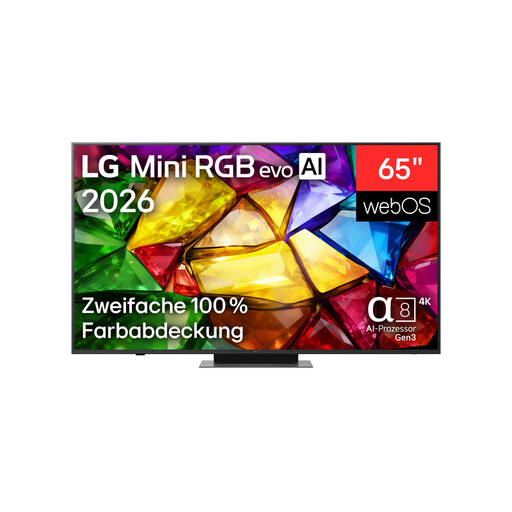
LG 65MRGB86B9A, 65-inch, Mini RGB Evo, 4K Smart TV
This 65-inch 4K model gives you a large screen for playing together in the same room; measure the space available for it first.
The product title lists 165 Hz, AMD FreeSync, HGiG and Game Optimizer. Check that they’re compatible with your console and game.
Also listed: Dolby Vision, Dolby Atmos and webOS 26.
View at Joybuy
Frequently asked questions
Do I really need 120 Hz for local football gaming?
No, not just because you’re playing in a group. Xbox Support lists a compatible console, a suitable Ultra High Speed HDMI cable and a compatible TV as requirements for 4K at 120 Hz on Xbox Series X. Also check the game’s actual output; for your group, being able to see the screen from the outer seats may matter more.
Can I use VRR on any HDMI input?
Not on every input on every model. Sony lists VRR on HDMI 3 and 4 for the K-65XR5. Check the connection details for the specific TV before connecting your devices.
Does the TV determine how many people can play locally?
No, the number of players depends on the game mode, platform and connected controllers. EA Help describes local play in EA SPORTS FC on Switch using a second pair of Joy-Con controllers or a Pro Controller in Kick Off mode. You can’t use this to infer a general player limit for other platforms or modes.
How should I clean the screen after a gaming night?
Sony recommends using a clean, dry microfibre cloth for routine cleaning and advises against spraying liquid directly onto the screen. Always follow the care instructions for the model you’ve bought.
Where can I check power consumption and consumer rights in Germany?
Compare the EU energy label for the specific TV; the German Environment Agency explains the A-to-G rating for TVs and monitors. If a product is faulty, the Verbraucherzentrale explains that the seller is generally responsible for ensuring it is free from defects for two years. This statutory consumer right is separate from any additional manufacturer’s guarantee.


