Which TV is right for you?

Games with people seated to the side

If several people are sitting in different places, check whether colours and on-screen game prompts are still clear when viewed from the side. RTINGS.com highlights wide viewing angles as an important consideration for broad seating arrangements.

Games that need quick inputs

If you want a quick response in mini-games, check the Game Mode and the picture output that your game and console actually support. Samsung Germany explains Game Mode for its Smart TVs.

Daytime gaming

In bright rooms, reflections and positioning matter just as much as the side-on picture. Samsung lists an anti-reflection coating for the S99H; how well it works should be assessed in your room.

What should you look for when buying?

OLED TVs

A good fit if: People regularly sit to the side and high picture contrast is also important to you.

What to consider: Image retention is worth bearing in mind if static game screens stay on display for long periods. Protective features don’t guarantee that the risk is eliminated.

IPS LCD TVs

A good fit if: A specific LCD model offers a sufficiently good side-on picture for your seating arrangement.

What to consider: IPS typically offers wider viewing angles than VA LCD, but lower contrast. Check both aspects on the specific model.

VA LCD or LCD with viewing-angle technology

A good fit if: Seats are closer to the centre of the screen, or you’ve confirmed that the chosen model looks good from the side.

What to consider: Standard VA LCD can lose picture accuracy more quickly when viewed from the side. Additional viewing-angle technology can also affect contrast.

Consideration What to check before buying Who it matters most to
Picture from the side Arrange your seats and check the specific model’s horizontal viewing angle. RTINGS.com describes wide viewing angles as important for broad seating arrangements. If several people are sitting to the side, I want to be able to make out colours and game prompts. Around 36% of consumers put side-on viewing first.
Input response and refresh rate Check Game Mode and the output supported by your console and game. On Nintendo Switch 2, 4K output is limited to a maximum of 60 fps. For fast-paced mini-games, I want to see my inputs without unnecessary delay. Around 29% of consumers prioritise input response and suitable picture output.
Visibility in daylight Consider windows and lamps in relation to the screen and the seats at the edges. Check the anti-reflection coating on the specific model. If we’re gaming in a bright room, I want to spot reflections and position the TV accordingly. Around 21% of consumers pay particular attention to daylight visibility.
Long-term use Compare EU energy label details for similarly sized models. For OLED, check the image protection features and the warranty terms for the model range. When weighing up energy use, usage and service, I also want to take long gaming sessions into account. Around 14% of consumers prioritise long-term use and running costs.

Common misconceptions

  • Relying on an overall ranking when choosing a TV for side seating

    A general TV rating won’t necessarily tell you how colours and brightness look from seats to the side.

    Check the exact model’s horizontal viewing angle for your seating arrangement before consulting a ranking.

  • Assuming a high refresh rate means every game runs at that rate

    The refresh rate you can use also depends on the console, game and output mode. Samsung Germany explains Game Mode for its TVs, while Nintendo Germany lists a maximum of 60 fps for Switch 2 when outputting in 4K.

    Compare the TV’s features with the devices and games you’ll be using, and check Game Mode first.

  • Overlooking the energy label and static game displays

    The EU energy label takes different operating conditions into account. With OLED, static content displayed for long periods can leave marks. LG notes that the risk of burn-in cannot be ruled out, even with proper use.

    Compare the label details for the specific models. For OLED, check the image protection features and warranty terms for the relevant model range.

Brands to consider

LG

LG offers OLED TVs such as the C5 and G6. For the C5, LG lists gaming at up to 4K at 144 Hz.

  • The C5’s gaming specification gives you a useful starting point, provided the picture output is compatible with your game and console.
  • The refresh rate specification isn’t an independent latency test. LG notes that burn-in cannot be ruled out, even with proper use, so check the warranty coverage for the specific model.

Samsung

Samsung lists an anti-reflection coating for the S99H and explains how to activate Game Mode.

  • These details help you check reflections and gaming features on the specific model.
  • They don’t confirm a particular viewing angle or mean that every Samsung TV is suitable for side seating.

Panasonic

Panasonic lists a 55-inch OLED display, Fire TV, 144 Hz and Game Mode Extreme for the TV-55Z95BEG.

  • You can compare these listed features with the requirements of your console and gaming group.
  • These are manufacturer specifications. Assess the side-on picture and reflections on the specific model.

Sony

Sony offers both OLED models such as the BRAVIA 8 II and LCD models such as the BRAVIA 9 II.

  • The different screen types make it worth comparing specific models for your seating arrangement.
  • The brand name alone doesn’t tell you what viewing angle to expect. Check the side-on picture, especially on LCD models.

Joybuy products for gaming and group play

This selection includes TVs with gaming specifications and screen sizes suited to different viewing distances. Check the side-on picture, room lighting and the console output you need on each specific model.
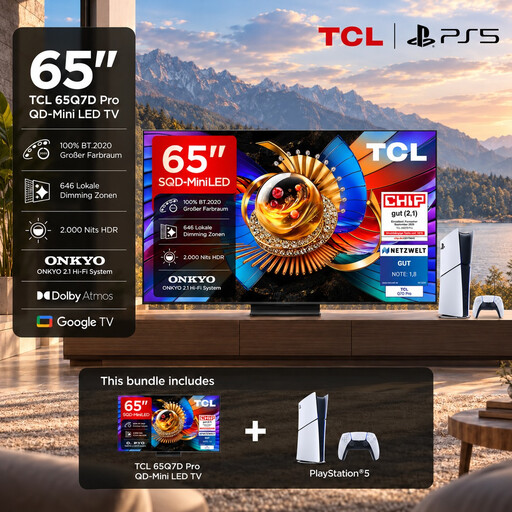
TCL 65Q7D PRO gaming bundle with PlayStation 5 Slim Digital Edition

TCL 65Q7D PRO gaming bundle, 65-inch, 4K SQD Mini LED, 144 Hz, including PlayStation 5 Slim Digital Edition 825GB

The product details list a wide viewing angle, and the bundle includes a PlayStation 5 Slim Digital Edition 825GB, according to the product name.

The product name lists a 65-inch screen, 4K, SQD Mini LED and 144 Hz.

View at Joybuy
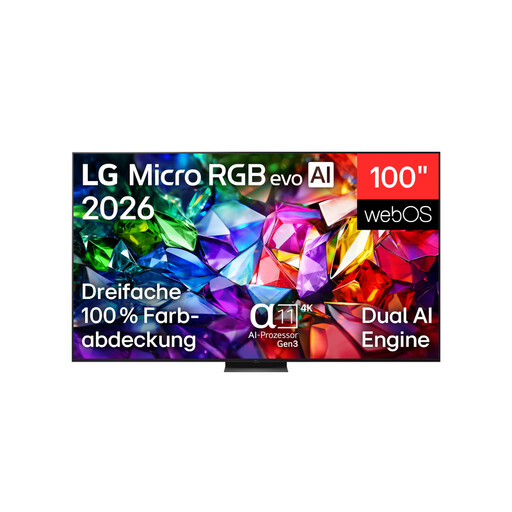
LG 100MRGB96B9.AEU, 100-inch, 4K Micro RGB TV

LG 100MRGB96B9.AEU, 100-inch, 4K Micro RGB evo AI TV, 144 Hz

The 100-inch screen could suit you if you’re looking for a particularly large display for gaming. Check the available space and viewing distances first.

The product name lists a 100-inch screen, 4K, Micro RGB evo AI TV and 144 Hz. For wall mounting, the product description recommends a suitable bracket and professional installation; it lists the TV’s weight as 67,3 kg.

View at Joybuy

LG OLED55C67LA OLED evo C6, 55-inch, 4K Smart TV

LG OLED55C67LA OLED evo C6, 55-inch, 4K Smart TV, 165 Hz gaming

The product description lists wide viewing angles, but still check how the specific model looks from seats to the side in your room.

The product name lists a 55-inch screen, 4K, OLED evo and 165 Hz gaming.

View at Joybuy

TCL 75Q7C, 75-inch, 4K QLED Mini LED TV

TCL 75Q7C, 75-inch, 4K QLED Mini LED TV, 144 Hz VRR

The 75-inch screen could be a good option for a larger group. Before buying, check that the viewing distances and side-on picture will work in your room.

The product name lists a 75-inch screen, 4K, QLED Mini LED and 144 Hz VRR.

View at Joybuy
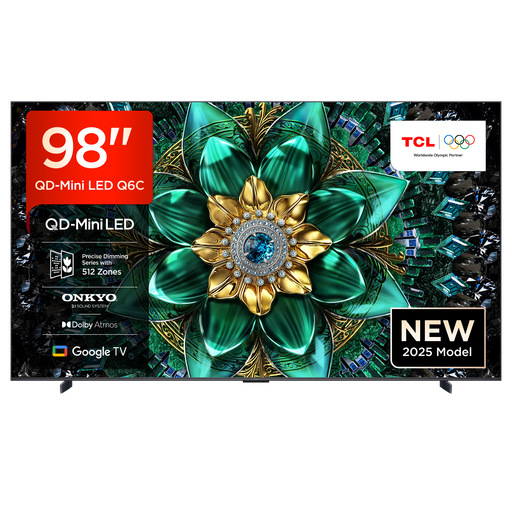
TCL 98Q6C, 98-inch, 4K QD Mini LED TV

TCL 98Q6C, 98-inch, 4K QD Mini LED TV, 144 Hz

This 98-inch model is an option if you’re looking for an especially large screen. Consider the space it needs and your viewing distances.

The product name lists a 98-inch screen, 4K, QD Mini LED and 144 Hz.

View at Joybuy

Frequently asked questions

Do I really need more than 120 Hz for party mini-games?

No, not just because of that number. The refresh rate you can use depends on the game, console and output mode. For example, Nintendo Germany limits Switch 2’s 4K output to a maximum of 60 fps.

How do I set up a console for a gaming night?

Connect the console via HDMI and check Game Mode. Samsung Germany explains how its Smart TVs can detect connected consoles automatically, as well as how to switch to Game Mode manually. Menus may differ on other models.

What should I bear in mind during long OLED gaming sessions?

Check the image protection features and warranty terms for the specific model. LG explains that protective measures can’t guarantee that the risk of burn-in is eliminated.

Which energy details should I compare when choosing a TV?

For similarly sized models, compare the EU energy label details, including the efficiency rating from A to G and the HDR figures. The European Commission explains the energy labelling for electronic displays; the listed consumption figures aren’t a personalised estimate of your electricity costs.

What are my rights when buying online in Germany?

When you buy online as a consumer, you generally have a 14-day right to cancel. Exceptions and when the cancellation period starts should be checked for each case. The Verbraucherzentrale also distinguishes between your statutory rights and a voluntary manufacturer’s warranty.