For mini-games with your housemates, what matters most is a clear picture from seats off to the side and a responsive Game Mode – not simply a high refresh rate. Also check the resolution and frame rate your console can actually output: Nintendo says Switch 2 supports up to 4K at 60 fps in TV mode, and 120 fps at 1080p or 1440p. The right screen size and picture quality depend on your room and seating arrangement.
Which TV is right for you?
Shared house with seats spread around the room
If you play from the sofa, the dining table or seats off to the side, the picture should remain clear beyond the centre of the screen. RTINGS explains why wide viewing angles matter when seating is spread out.
Shared house with fast-paced gaming sessions
If you play reaction-based mini-games, check the input lag in the relevant Game Mode. The frame rate that matters in practice also depends on the connected console and the game; RTINGS describes input lag as the delay between a signal and it appearing on screen.
Shared house with a small or bright communal room
If floor space, daylight and shared running costs are important, make sure the screen size, position and picture quality all suit the room you have.
What should you look for when buying?
OLED TV
Best for: When several players sit in different parts of the room and tests confirm that a particular model is easy to see from the side seats too.
Consider: Burn-in remains a consideration with exceptionally long use involving mostly static content. RTINGS’ accelerated stress tests are not a prediction of what will happen during an ordinary gaming night with your housemates.
Mini-LED or LCD TV
Best for: If a bright communal room or a larger picture is important, compare specific models for reflections, seating positions and gaming connections.
Consider: Mini-LED describes the backlighting and, by itself, does not guarantee a wide viewing angle.
Basic TV with HDMI and Game Mode
Best for: If you’re mainly connecting an existing Nintendo Switch for occasional local mini-games, start by checking HDMI, visibility and responsiveness.
Consider: This rule of thumb does not confirm that any particular model is fast enough or has stable viewing angles; Nintendo Switch Lite does not support TV mode.
For a gaming session together, seats off to the side, responsiveness, daylight and available space are separate things to consider when buying. RTINGS explains the importance of viewing angles and input lag; Nintendo’s specifications help you take the console and its actual picture output into account.
| Buying priority |
What to check |
Who is this especially important for? |
| Picture from the side |
Seating arrangement and viewing-angle tests for the specific model; check whether in-game displays are clear from the furthest seat. |
When we sit on the sofa and in seats off to the side, I want everyone to be able to read small in-game displays. That’s why around 33% of consumers put side-on visibility first. |
| Responsiveness and console output |
Input lag in Game Mode at the resolution and frame rate you use; the capabilities of your console and game. |
For fast-paced sessions, I want to see inputs without distracting delays and only consider frame rates that the console and game can actually output. Around 25% of consumers prioritise responsiveness in Game Mode. |
| Visibility in daylight |
Compare reflection and brightness tests for the exact model with the positions of windows and lamps in the room. |
If sunlight or lights fall on the screen, I want to be able to see what’s happening in games in the communal room. Around 25% of consumers put daylight visibility first. |
| Space and running costs |
Dimensions, including the stand, and where you plan to put it; the energy label for the specific model, your electricity tariff and how you intend to use it. |
With limited space, I want to know whether the TV will fit on the furniture we have and be able to estimate the ongoing costs. Around 17% of consumers prioritise space and running costs. |
Common buying mistakes
-
Treating the highest refresh rate as the main reason to buy
A higher advertised refresh rate does not prove that a TV has low input lag or that your console and game can output that frame rate. Nintendo says Switch 2 supports up to 4K at 60 fps in TV mode; 120 fps is available at 1080p or 1440p.
Compare input lag measurements in the relevant Game Mode and check the output of your console and game.
-
Judging picture quality only from directly in front
When seats are spread out, players sitting to the side may see a different picture from those in the middle.
Consider the furthest seats you plan to use and check viewing-angle tests for the specific model.
-
Making blanket assumptions about OLED burn-in or Mini-LED viewing angles
RTINGS observed burn-in after extreme use of static content on OLED TVs; that does not provide a general prediction for every TV in a shared house. The Mini-LED panel description alone also tells you nothing about the viewing angle of a specific model.
Distinguish between varied gaming sessions and long periods displaying static content, and check tests of the exact model.
-
Assuming similarly named model variants are identical
TV model identifiers can differ. Sony lists the BRAVIA 5 K-55XR5; the exact model number matters when comparing specifications or connections.
Before buying, check the full model number and the connections you need for your devices.
Key brands at a glance
LG
If you’re looking for a more compact OLED TV, one model to consider is the OLED42C58LA.
- For the specific C5 model, LG advertises 4K gaming at up to 144 Hz.
- Burn-in remains a consideration with exceptionally long use involving mostly static content. RTINGS’ stress tests do not predict how long a TV will last in everyday shared-house use.
TCL
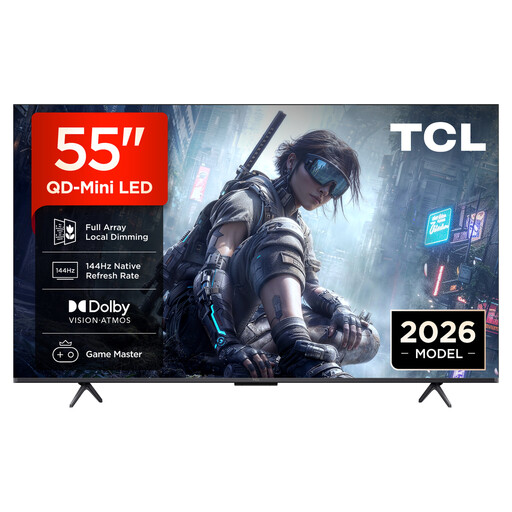
The 55C7K model listed for Europe is a 55-inch QD Mini-LED TV.
- TCL lists a native refresh rate of 144 Hz for this model.
- The panel technology alone does not confirm the viewing angle or input lag of the specific TV.
Sony
The German BRAVIA 5 K-55XR5 is a 55-inch Mini-LED TV with a 120 Hz panel.
- Sony lists support for 4K at 120 Hz.
- Sony lists VRR for HDMI 3 and 4, but ALLM for all four HDMI inputs; check which ports you’ll need if you have several devices.
Samsung
The German model GQ55QN90FATXZG is a 55-inch Neo QLED, or Mini-LED, TV.
- Samsung advertises this model with a Glare-Free screen.
- The manufacturer’s description is not a measurement for your planned shared-house set-up or for every seat.
Philips
According to Philips, the 65OLED910/12 combines a 65-inch OLED screen with four-sided Ambilight and Bowers-&-Wilkins sound.
- Philips advertises VRR up to 144 Hz.
- Ambilight and built-in sound do not guarantee that a TV is particularly suited to mini-games; make sure the 65-inch size is right for your room.
Joybuy products for gaming and housemate get-togethers
This selection includes gaming TVs with Mini-LED or OLED technology and screen sizes to suit different shared-house set-ups.
 No image available
TCL 55Q7D PRO, 55 inches
An option for a shared house looking to fit a 55-inch model into its set-up; check how it looks from the side seats in your room.
Listed in the product name: 4K, SQD Mini-LED, Anti-Reflection and 144 Hz.
View on Joybuy
 No image available
TCL 55T8D, 55 inches
Worth considering if a 55-inch TV will fit in your communal room; check that the listed gaming features work with your console and game.
Listed in the product name: QLED, QD Mini LED Dimming, 4K, 144 Hz VRR, FreeSync Premium, Dolby Vision, HDR10+ and Dolby Atmos.
View on Joybuy
 No image available
Hisense 55E8S, 55 inches
An option for a shared house looking to compare a 55-inch model with a stated refresh rate; check visibility from the seats you’ll actually use.
Listed in the product name: 4K UHD, QLED, Mini-LED, 144 Hz and HomeOS U9.
View on Joybuy
 No image available
LG 43QNED86B6B, 43 inches
Worth considering if you have less space; assess the picture from the seats you use during gaming sessions.
Listed in the product name: 144 Hz VRR, AMD FreeSync, Mini-LED and Dolby Atmos.
View on Joybuy
 No image available
LG OLED42C67LA OLED evo AI C6, 42 inches
The 42-inch size is worth considering for a more compact set-up; with OLED, you should also think about how long you’ll display mostly static content.
Listed in the product name: 4K, OLED and Smart TV; 2026 model.
View on Joybuy
Frequently asked questions
Does our shared house need a 120 or 144 Hz TV for party mini-games?
Not necessarily. First check the picture output of your console and game, as well as the TV’s input lag in the mode you use. Nintendo says Switch 2 supports up to 4K at 60 fps in TV mode; 120 fps is supported at 1080p or 1440p.
How do I connect a Nintendo Switch to my TV?
Nintendo explains how to connect the dock to your TV using HDMI, connect the dock to power and select the correct HDMI input. Nintendo Switch Lite cannot be used in TV mode.
How can I estimate a TV’s ongoing electricity costs?
Compare the energy label for the specific model and factor in your electricity tariff and planned use to estimate the cost. The European Commission provides energy efficiency labels for electronic displays such as TVs.
Will buying a new TV mean our shared house has to pay an extra TV licence fee?
Not simply because you buy another device. According to ARD ZDF Deutschlandradio Beitragsservice, the general rule is one fee per home or shared house, regardless of how many receiving devices it has; exemptions depend on meeting the relevant criteria.


