
Lieferung heute & morgen

Qualitätsgarantie

Willkommens-Angebote freischalten: KOSTENLOSE Lieferung | Bis zu 80 % RABATT | Kostenlose 30-Tage-JoyPlus-Testphase
App herunterladen
A gaming monitor should offer more than an impressive refresh rate on the spec sheet. What matters is whether the resolution, graphics card, connections and panel technology suit your actual use case. A 240 Hz monitor can be a smart choice for fast-paced FPS games, while a QHD gaming monitor or 4K gaming monitor delivers more image detail for single-player titles, streaming and content creation.
As a Joybuy Product Recommendation Officer, I filter the relevant specifications and assess them according to practical usage scenarios. This helps you avoid common purchasing mistakes.
A 240 Hz gaming monitor can refresh the image particularly frequently. However, the additional frame rate only provides a practical benefit if your PC can render a corresponding number of frames per second. For many games, a 144 Hz gaming monitor or 180 Hz gaming monitor therefore offers a balanced combination of smoothness, hardware requirements and price.
For consoles, the maximum output is also important. PlayStation 5 and Xbox Series X support up to 120 Hz in compatible games. A 240 Hz model will not automatically run at 240 Hz when connected to these devices.
The specification monitor with a 1 ms response time can refer to different measurement methods, such as GtG or MPRT. MPRT is often quoted with motion blur reduction enabled and is not directly comparable with GtG. You should therefore check:
A single millisecond figure is therefore not a complete assessment of quality.
HDR gaming monitor and VESA DisplayHDR 400 do not automatically mean image quality comparable to higher-rated HDR displays. Brightness, contrast, local dimming and the game’s actual HDR support are also important factors. A VA panel often offers higher static contrast than IPS, while IPS models typically provide wide viewing angles and consistent colour reproduction.
The higher the resolution, the greater the load on the graphics card. At 27 inches, QHD generally looks sharper than Full HD, while 4K offers a high pixel density at the same screen size.
An IPS gaming monitor typically offers wide viewing angles and consistent colour reproduction. A VA gaming monitor can be particularly appealing in dark scenes thanks to its higher contrast. An OLED gaming monitor uses self-emissive pixels and can deliver extremely fast response times alongside deep blacks. You should, however, review the guidance on static image elements, pixel refresh functions and the recommended panel-care procedures.
A monitor with Adaptive Sync, FreeSync monitor or G-SYNC-compatible monitor can dynamically adjust its refresh rate to match the graphics card’s frame output. Before buying, check that the feature works with your GPU and the connection you intend to use.
The connections are crucial for high resolutions and refresh rates:
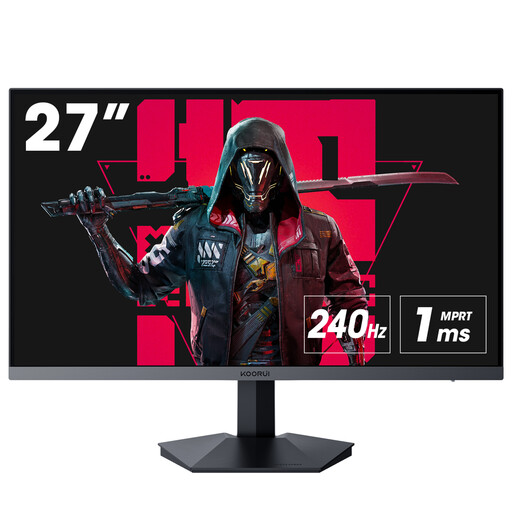
Why is this model a good fit? The Full HD VA panel with a 240 Hz refresh rate is designed for players who prioritise high frame rates in fast-paced PC games without moving straight to 4K.
DisplayPort 1.4 is included; according to the product specifications, this connection is recommended for 240 Hz operation. Adaptive Sync is also listed.
27 inches, 1,920 × 1,080 pixels, 240 Hz, 1 ms according to the product specifications, two HDMI 2.0 ports and VESA compatibility.
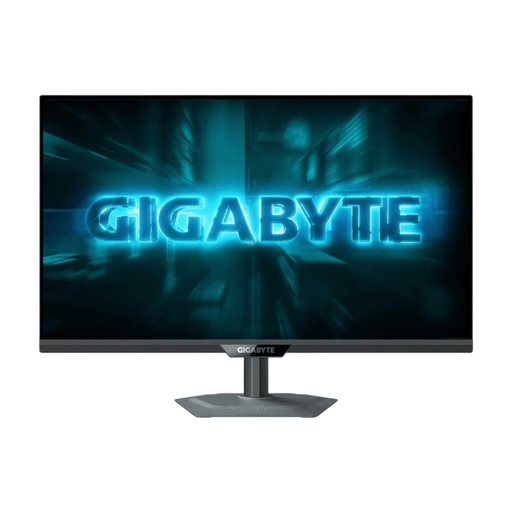
Why is this model a good fit? Its dual-mode design combines 4K at 160 Hz with Full HD at 320 Hz, allowing you to switch between detailed visuals and high frame rates.
HDMI 2.1 is specified for 4K/120 Hz console signals. Nevertheless, you should check your GPU, game and cable standard before buying.
Fast IPS panel, 3,840 × 2,160 pixels, 160 Hz in 4K, 320 Hz in Full HD, DisplayHDR 400, FreeSync and G-SYNC compatibility.
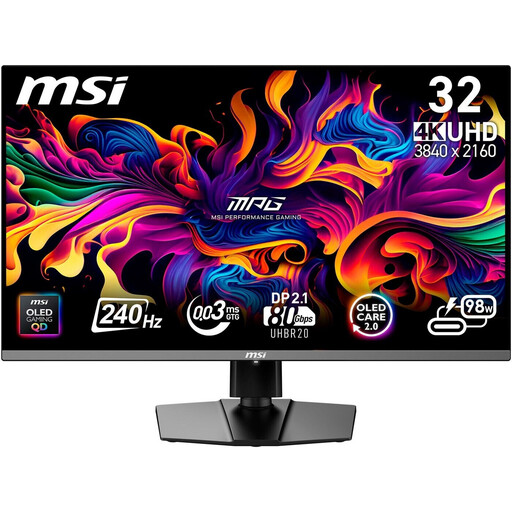
Why is this model a good fit? For users who want to combine 4K, 240 Hz, OLED technology and modern connections for gaming, streaming or photo editing.
The model lists OLED Care and pixel refresh functions. Even so, static content should not be displayed unchanged for unnecessarily long periods.
3,840 × 2,160 pixels, 240 Hz, 0.03 ms GtG according to the product specifications, DisplayHDR True Black 400, HDMI 2.1, DisplayPort 2.1a and USB-C with 98 W.
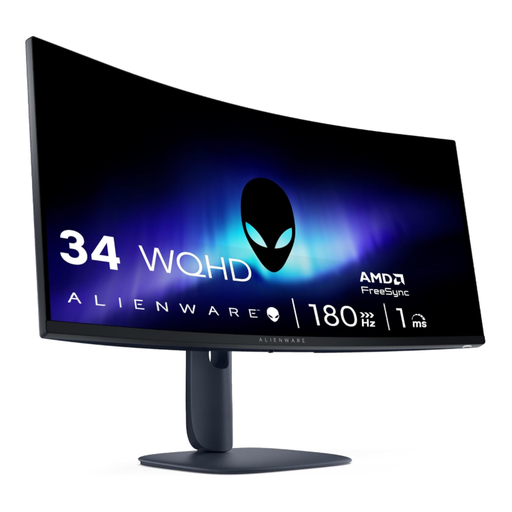
Why is this model a good fit? The 21:9 format is well suited to racing games, role-playing games, streaming and working with multiple windows side by side.
The WQHD resolution is paired with 180 Hz. To achieve the maximum refresh rate, your PC should have a suitable graphics card and DisplayPort cable.
34 inches, 3,440 × 1,440 pixels, 1500R curvature, 180 Hz, VA panel, FreeSync Premium, HDR400 and height-adjustable stand.
We have put together a complete, up-to-date selection of products that takes these criteria for gaming, PC and console use into account.
For many PC games, 144 Hz is a well-balanced choice. It provides a higher frame rate than 60 Hz without fully demanding the performance required by a 240 Hz display. The key factor is whether your hardware can maintain a suitable frame rate in the games you want to play.
For PlayStation 5 and Xbox Series X, 4K and up to 120 Hz are appealing options in compatible games. You will need a suitable HDMI 2.1 port and compatible cable. With older consoles or lower graphics performance, Full HD or QHD may be the more sensible choice.
Service life depends on operating hours, environment, maintenance and panel technology. LCD monitors should be operated in a dry, well-ventilated location away from direct sunlight. With OLED models, you should use the built-in protection and refresh functions as intended and avoid displaying static content for extended periods.