
Lieferung heute & morgen

Qualitätsgarantie

Willkommens-Angebote freischalten: KOSTENLOSE Lieferung | Bis zu 80 % RABATT | Kostenlose 30-Tage-JoyPlus-Testphase
App herunterladen
By the Joybuy Product Recommendation Officer, August 30, 2026
The search for a new charger seems simple until you're faced with a flood of technical jargon, wattage ratings, and marketing promises. Many users invest in a supposedly powerful GaN charger, only to find that their laptop won't charge, their smartphone is only trickle-charging, or the device loses performance after just a few months. The result is often a costly mistake and another drawer full of unused power adapters.
Before you make a decision, it's crucial to understand the most common pitfalls that manufacturers often fail to communicate clearly:
To make an informed decision, focus on three objective criteria. These will determine if a USB C charger is right for your needs.
The most important specification is not the total output, but the maximum power a single USB-C port can deliver.
Modern chargers use various protocols to intelligently adjust charging speed.
A multi-port charger reduces cable clutter and is ideal for travel or the desktop. Consider which devices you want to charge simultaneously.
Here are some models that are well-suited for specific user profiles in the UK, based on their objective specifications.
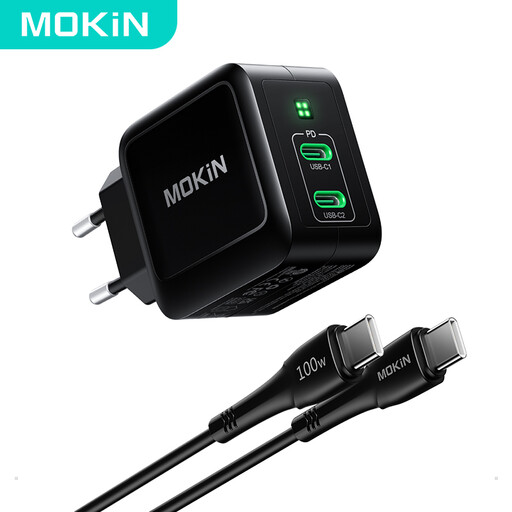
Why This Fits Their Persona: Ideal for users who need to charge a laptop (e.g., MacBook Air) and a smartphone on the go. The compact GaN design and included cable make it a complete package for travel and the home office.
It bypasses the "maximum wattage" trap by offering a clear single-port output of 67W, which is sufficient to efficiently charge most ultrabooks and MacBooks.
GaN II Technology: Enables a compact design and efficient heat dissipation. Two USB-C Ports: Provides flexibility for simultaneously charging two modern devices.
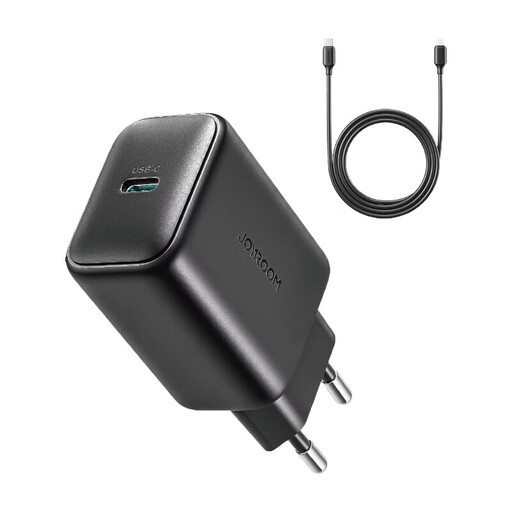
Why This Fits Their Persona: Specifically for users of Samsung Galaxy devices who want to take advantage of the maximum 25W charging speed. The included cable ensures that all components are designed for Super Fast Charging.
It solves the protocol dilemma by explicitly supporting PPS and SFC (Samsung Super Fast Charging). This ensures that compatible devices actually charge at the advertised speed.
Specialised Compatibility: Guarantees full charging speed for Samsung devices. Complete Package: Includes a matching USB-C cable, saving you from additional purchases.
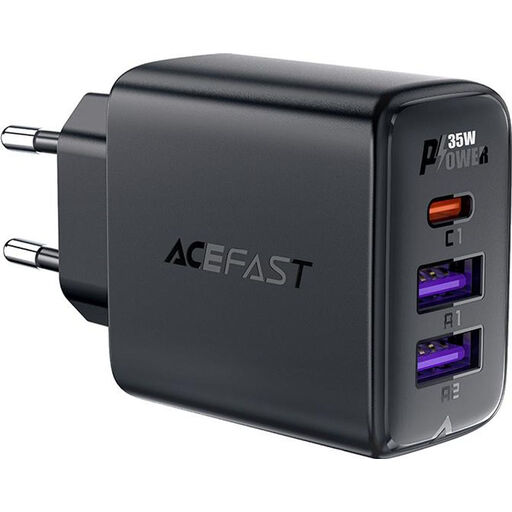
Why This Fits Their Persona: A cost-effective solution for users who want to charge multiple devices with lower power needs—like a smartphone, headphones, and smartwatch—simultaneously without spending a lot.
This charger is transparent about its performance (35W total output) and isn't aimed at users with high power demands, thus avoiding false expectations. It's an honest solution for everyday use.
Three Ports: The combination of one USB-C and two USB-A ports offers great flexibility for new and older devices. Compact GaN Design: Despite its low price, it benefits from GaN technology for a small footprint.
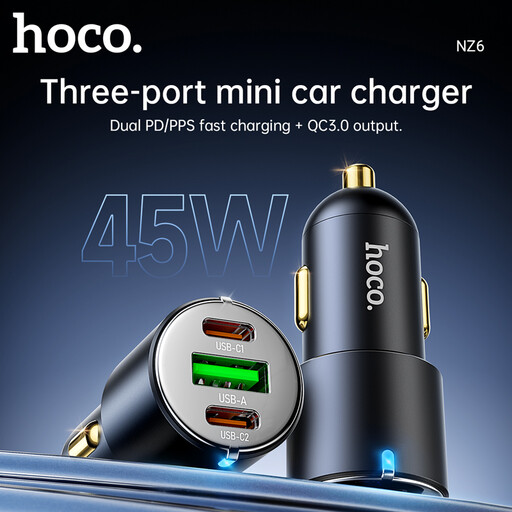
Why This Fits Their Persona: Perfect for anyone who spends a lot of time in the car and needs a powerful charging solution. With 45W of power from the USB-C port, it can even fast-charge some tablets or small notebooks.
Unlike weak, standard car chargers, this model provides high, stable PD power. It avoids the frustration of slow charging on the road, especially when using navigation apps.
High Power in the Car: 45W PD output is above average for a USB C car charger. Three Ports: Allows for simultaneous charging of the driver's and passenger's devices.
We've compiled a complete, real-time list of products that fully meet these strict selection criteria and UK safety regulations.
No, not necessarily. Compatibility depends on two factors: the charging power required by the laptop (in watts) and the maximum power a single USB-C port on the charger can deliver. Check your laptop's specifications (often printed on the original power adapter) and ensure the GaN charger's single-port output meets or exceeds this value. A 65W charger is a good starting point for most ultrabooks.
Modern devices like smartphones and laptops have an integrated Battery Management System (BMS). This system communicates with the charger (especially when using protocols like PD and PPS) and regulates the charging speed to protect battery health. For example, the charging speed is reduced when the battery is nearly full or if the temperature rises. When using certified chargers and cables, the impact on the overall battery lifespan is minimal.
The main difference lies in the semiconductor material used. Conventional chargers use silicon, while GaN chargers use gallium nitride. GaN can handle higher voltages and temperatures and is more energy-efficient. This allows manufacturers to build chargers that are significantly smaller, lighter, and cooler during operation than their silicon-based counterparts, all while delivering the same amount of power.