People sharing an editing set-up
If you take over projects from other people, you need access to the same media, compatible software and a well-organised shared storage system. Adobe recommends shared storage for Premiere Productions.


For a shared editing set-up, your laptop should first and foremost suit the editing software you use, your project files and the connections you need. More processing power alone won’t solve problems with sharing media. For reviewing footage and editing shorter films, a more portable device with a proxy workflow may be enough. Frequent 4K editing or effects, on the other hand, call for more memory and graphics headroom, as well as a clear plan for shared storage.
If you take over projects from other people, you need access to the same media, compatible software and a well-organised shared storage system. Adobe recommends shared storage for Premiere Productions.
If you often edit high-resolution footage or use several effects, check that the memory, graphics and storage meet the requirements of the software you actually use. Adobe recommends at least 32 GB RAM for Premiere with 4K footage.
If you also review or edit footage away from your shared editing set-up, portability and screen size matter just as much as access to the original files. Adobe describes proxy files as lighter, lower-resolution copies for editing high-resolution media.
| What matters | What to check before buying | Who is it most relevant to? |
|---|---|---|
| Sharing projects and storage | Check that everyone involved can access the same media and that your existing storage works with your editing software. Adobe recommends shared storage for Premiere Productions. | If I share projects with other people, we all need access to the same media and to know where the files are stored. Around 31% of consumers prioritise shared storage and project handover. |
| Editing performance for your footage | Match your recording format, resolution and effects to your software’s requirements. For Premiere with 4K footage, Adobe recommends at least 32 GB RAM. | If I regularly edit 4K footage or use effects, I want to match the specification to my material rather than pay for headroom I don’t need. Around 25% of consumers put editing performance first. |
| Moving between the garden and your editing set-up | Think about how often you’ll carry your laptop and how much screen space you need for the timeline. Adobe explains that proxy files can make it easier to edit high-resolution media; the original media must be available for your planned export. | If I move between the garden and a shared workspace, I want a laptop that’s easy to carry without losing access to the original files when it’s time to export. Around 19% of consumers prioritise portability. |
| Reviewing footage on your laptop | Compare the screen size and resolution of the specific model with your projects and any external monitor you already have. Colour gamut specifications should suit your shared colour workflow. | If I want to review the preview and timeline directly on my laptop, I need a screen that suits the way I work. Around 13% of consumers prioritise reviewing footage on the display. |
| Total cost of your editing set-up | Check the software model, storage requirements and what’s included with the exact configuration. Adobe notes that membership fees may apply; Blackmagic Design offers paid cloud storage options. | If I’m planning a complete editing set-up, I want to factor in software, storage and any accessories I need. Around 12% of consumers prioritise the total cost. |
A project can only be edited properly if everyone involved can access the media they need. For Premiere Team Projects, Adobe says all collaborators need access to the same media; for Productions, Adobe recommends shared storage.
Before you buy, decide where project files, original media and working copies will be stored, and how everyone will access them at the shared workspace.
Unclear storage arrangements can mean extra time spent relinking media.
Requirements depend on resolution, effects and editing software. Adobe’s recommendation of at least 32 GB RAM applies to Premiere with 4K footage and isn’t a blanket recommendation for every application.
Check the requirements for the software you use and see whether a proxy workflow could work for your footage.
What’s included and which ongoing services you need can vary depending on the offer and your workflow. According to the offer details, the MacBook Pro configurations listed do not include a power adapter.
Before buying, check the exact product variant, software model and what’s included.
A missing compatible power adapter or extra storage could mean additional purchases.
MacBook Pro for a macOS workflow, for example if your team uses Final Cut Pro.
The ProArt P16 H7606 is a range of Windows creator laptops with a large display, dedicated graphics and a card reader.
The Yoga Pro 9i Gen 10 Aura Edition is a Windows option with a larger display and a dedicated graphics option.
The ZBook X G1i 16 is a workstation option for a Windows workflow with professional graphics.
The selection below includes Windows and macOS laptops with a range of display, storage and connectivity configurations. Before buying, check that the particular variant suits your editing software, project handover and portability needs.
 No image available
A Windows option if you’re looking for a 16-inch laptop with dedicated graphics for your editing set-up.
The product name lists 16 GB RAM, a 1 TB SSD and an RTX 5060.
The device described has a US keyboard layout, so check that it’s right for you.
 No image available
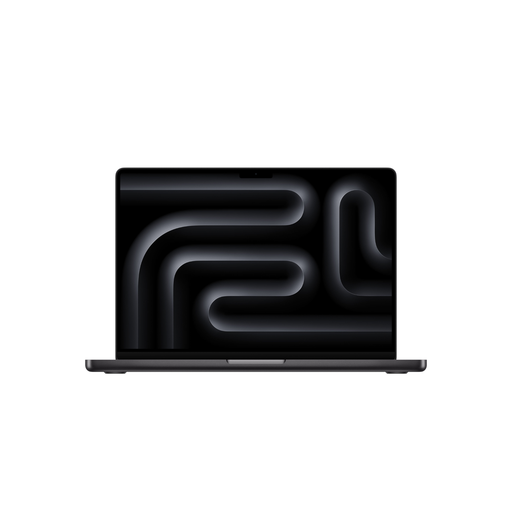
This MacBook Pro variant is worth considering if your shared editing workflow is built around macOS.
The configuration lists an M5 Max with an 18-core CPU and 40-core GPU, 48 GB RAM and a 2 TB SSD.
According to the offer details, a power adapter isn’t included; if needed, factor in a compatible adapter separately.
No image available
A macOS option for teams whose editing software and project handover suit a MacBook workflow.
The product name lists an M5 Pro with an 18-core CPU and 20-core GPU, 24 GB RAM and a 1 TB SSD.
According to the offer details, a power adapter isn’t included; check what you’ll need in the box.
 No image available
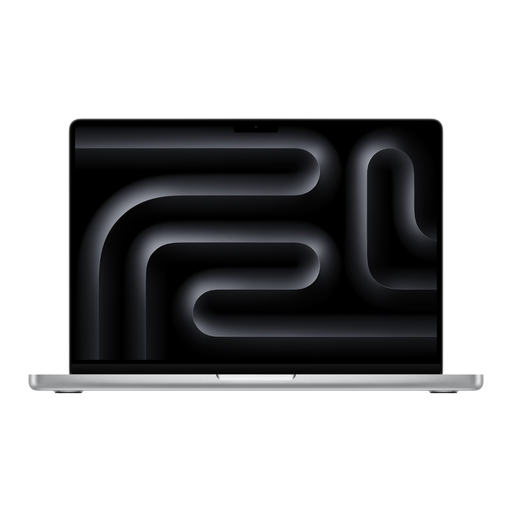
This variant is worth comparing if your shared editing set-up uses macOS and you’re considering the higher-memory configuration.
The product name lists an M5 Pro with an 18-core CPU and 20-core GPU, 48 GB RAM and a 1 TB SSD.
According to the offer details, a power adapter isn’t included; check what you’ll need in the box.
Decide where project files, original media and working copies will be stored, and how everyone involved will access them. Adobe recommends shared storage for Premiere Productions; with Premiere Team Projects, all collaborators need access to the same media.
In Premiere, lower-resolution proxy files can make it easier to edit high-resolution or demanding media. The original media must be available again in your workflow for the final export.
Factor in editing software, shared or local storage, and what’s included with the specific variant. Adobe notes that membership fees may apply; Blackmagic Design offers a free version of Resolve as well as paid cloud storage options. According to the offer details, the MacBook Pro offers listed do not include a power adapter.
In Germany, online purchases from a retailer generally come with a 14-day right to cancel; you must notify the retailer that you wish to cancel. If a product is faulty, your statutory rights against the seller are separate from any voluntary manufacturer’s warranty. The EU specifies a minimum two-year legal guarantee for relevant purchases from retailers; the specific purchase and any exceptions will determine what applies.