If you only want to connect one access point
If you mainly want to use a wired access point, first check whether the existing cable reaches it directly and how it will be powered. An extra switch isn’t automatically necessary.


You don’t automatically need an extra switch for a single wired access point. If the existing cable reaches the access point and its power supply is taken care of, a direct connection may be all you need. A switch is particularly useful if you’re adding more LAN devices, want to power the access point via PoE or need to manage VLANs. Also check that the uplink, PoE standard and budget, and conditions at the installation location are all compatible. A switch is no substitute for properly planning the connection between the buildings.
If you mainly want to use a wired access point, first check whether the existing cable reaches it directly and how it will be powered. An extra switch isn’t automatically necessary.
If you want to connect a computer or other devices as well as the access point, check how many ports are available and, if needed, whether there are suitable PoE ports. Information from TP-Link Germany and D-Link Germany shows that the number of PoE ports can differ from the total number of ports, depending on the model.
If, for example, you want to separate your work and guest networks, check whether you need VLAN functionality and whether the access point and the rest of your network can be configured accordingly. Netgear Support describes VLANs as a feature of managed switches; the right configuration depends on your entire installation.
A good fit if: you only need to power one access point and don’t need any extra LAN ports in your garden office.
Consider: an injector doesn’t provide any extra network ports, and the cable and power supply still need to be suitable.
A good fit if: you want to connect other wired devices as well as the access point, and don’t need configurable VLANs.
Consider: basic models don’t offer the configurable network separation of a managed switch. A higher PoE budget is only useful if your connected devices need it.
A good fit if: you want to use VLANs or other management features, and your other network devices can be set up to work with them.
Consider: the extra features need to be configured and coordinated with your access point and network.
A good fit if: you need more local ports than a small device can provide, or you’re planning a fibre-optic connection between your house and garden office.
Consider: fibre doesn’t carry PoE power, so you’ll need to plan for suitable connections or media conversion, as well as a separate power supply at the other end.
| Your requirements | What to check before buying | Who it matters most to |
|---|---|---|
| Connection between the house and garden office | Check the cable type and route, and the connections at both ends. Ask a professional to assess the protective measures needed for cables running between buildings; ELEKTRO+ includes network cabling in its guidance on surge protection. | If you first need to establish whether the existing cable is suitable for your planned connection, this matters more than choosing a device. Around 33 % of consumers put the connection between buildings first. |
| PoE compatibility and power budget | Check that the PoE standard, power available per port and total power budget meet the needs of all devices being powered at the same time. The Ethernet Alliance explains that PoE devices and their power source negotiate power consumption. | If you want to power your access point through the network cable, the standard and available power must suit that specific model. Around 27 % of consumers prioritise PoE power. |
| Ports for your access point and other devices | Count the ports needed for the uplink, access point and any other devices; count the required PoE ports separately. Port specifications vary between switch models. | If you want to connect a computer or other LAN devices as well as the access point in your garden office, you’ll need enough spare ports. Around 20 % of consumers give extra ports their highest priority. |
| Management features and installation location | Choose VLAN functionality only if you actually need it, and check that the operating conditions for the specific model suit its location. For the TL-SG1005P V5, TP-Link Germany specifies 0 to 40 °C and 10 to 90 % relative humidity, non-condensing. | If you need to separate networks or check whether a particular location is suitable, review the features and model limits before choosing. Around 20 % of consumers prioritise management features or installation conditions. |
If you can connect one access point directly to the existing network cable and have its power supply covered, an extra switch won’t provide a port you need. Start by counting the network ports you actually require.
An extra device also needs a suitable power socket at its installation location.
For the TP-Link TL-SG1005LP, the manufacturer specifies up to 30 W per port, but a total budget of 40 W. Compare the power needed by each device, and the combined power needed by all devices running at the same time, against both limits.
If the shared budget isn’t enough, you may need to choose different devices or provide a separate power supply.
For Extend mode on the TP-Link TL-SG1005P V5, the manufacturer specifies a reduced port speed of 10 Mbit/s. Don’t plan a longer connection based on an advertised PoE range alone; whether it will work also depends on the device and cable.
A switch is no substitute for planning a connection between buildings or checking whether the specific model is suitable for its installation location. Check the cable route and conditions at the location before choosing, and ask a professional to assess any necessary protective measures.
Depending on the installation, you may need suitable cabling, protective measures or a different location.
Options include both basic PoE+ models and managed versions.
The GS305EP is worth considering for a compact, managed PoE+ installation.
The DGS-1005P is a basic PoE+ option if you don’t need VLAN configuration.
Zyxel says its GS1200 PoE series is designed for small or remote offices where simple web-based management is useful.
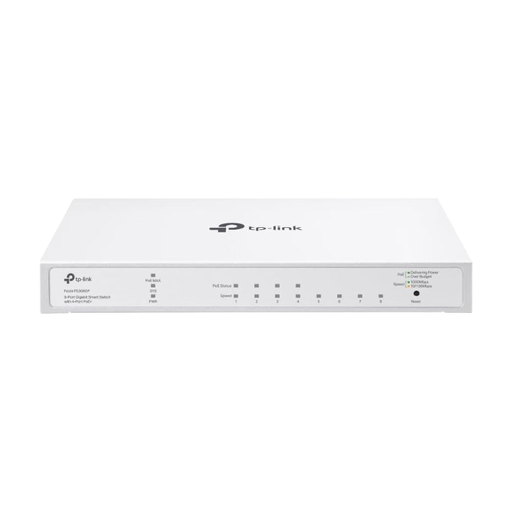
The UniFi Lite 8 PoE is worth considering if you need eight local connections and management features.
The Joybuy options below include managed and unmanaged Gigabit PoE switches with different port configurations. Check the exact port count, PoE specifications and operating conditions for each model against your access point and planned installation location.
 No image available
A good choice if you want to power your access point via PoE and need a managed connection for other devices.
Four PoE+ ports with up to 30 W per port and a total budget of 65 W; VLAN, QoS and IGMP are listed in the product name. Check that the total budget and installation conditions meet your needs.
 No image available
A managed Gigabit PoE option if you’re planning to connect other wired devices as well as the access point.
The product name lists Gigabit Ethernet and PoE. Before choosing, check the exact port count, PoE specifications and installation conditions for the version on offer; the description warns against moisture.
 No image available
A good choice if you want to connect several LAN devices as well as the access point, and need a managed solution.
The product name lists four 802.3af/at PoE+ ports with up to 30 W per port and a total budget of 62 W. The description warns against moisture and direct sunlight, and gives a temperature limit of over 32 °C for the installation location.
 No image available
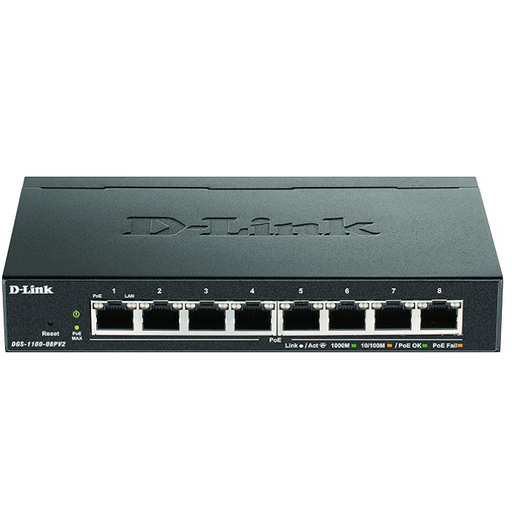
An unmanaged option if you want to connect an access point and other devices without setting up VLAN management.
The product name lists four PoE+ ports, a PoE budget of 60 W and plug-and-play operation. The description notes that VLAN management isn’t available and says to protect the device from moisture.
 No image available
An unmanaged Gigabit PoE option if you don’t need VLAN management and are planning to connect several wired devices.
Check the port count and PoE standard for the specific version before choosing. The description notes that VLAN management isn’t available and lists IEEE 802.3af for the PoE ports.
Not necessarily. If the network cable reaches the access point and its power supply is suitable, a direct connection may be all you need. If you want to connect other devices to the same cable, check how many ports you need and whether PoE is required.
The cable must be suitable for the switch’s uplink, and the switch needs its specified power supply. Before switching it on, check the cable route between the buildings and plan suitable surge protection. ELEKTRO+ recommends discussing the electrical planning with a qualified electrician at an early stage.
Make sure your specific access point has a stable connection and receives the intended PoE power, and keep the switch within the operating conditions specified for its model. If you’ve set up VLANs, also check the settings on the access point and throughout the rest of your network.
You may need additional power supplies or media converters, as well as professional planning for the cable and its protection. The components you need will depend on your specific garden office installation.
When carrying out market surveillance checks, the German Federal Network Agency looks at factors including correct CE marking, an identifiable product, manufacturer details, German-language instructions and a declaration of conformity. Check these details on the specific device you’re buying; a general product description can’t confirm the compliance of an individual item.