First, plan how your garden office will connect to your home network. Then choose the number and speed of device ports to suit your servers and NAS. A switch with SFP+ may be suitable for a compatible optical uplink; if you have several 2.5 Gbit/s devices, you’ll need enough 2.5 Gbit/s RJ45 ports. Also consider your VLAN requirements and the temperature, humidity and noise conditions where you plan to install it.
Who is this selection for?
Homelabs with several multi-gigabit devices
If you’re connecting several servers or a NAS in your garden office, the switch ports should match the network interfaces on your devices. Plan the uplink to your home as well, so it’s compatible with the connection technology you’re using.
Garden offices with separate networks
If you want to logically separate cluster, work or other devices, choose a manageable switch with the right VLAN features and plan for a compatible device at the other end of the connection.
Garden offices with additional PoE devices
If you want to power access points or other network devices over Ethernet, their PoE requirements must match the switch ports and its power budget.
What should you look for?
First decide how you’ll connect your home and garden office. Then check the ports, management features and conditions at the planned installation site.
| What matters |
What to check before buying |
Who it matters most to |
| Uplink between buildings |
Check the connectors and transmission medium at both ends, as well as the planned speed. If you’re using a conductive connection, consider the protection requirements for your specific location. |
If a suitable connection between my garden office and home matters to me, I’ll plan the medium and the device at the other end together. Around 29% of consumers put the building-to-building uplink first. |
| Ports with the right speed |
Count the network interfaces on your devices, and check the type and speed of the RJ45 and SFP+ ports. |
If you’re connecting several servers or a NAS with fast interfaces, you’ll need enough ports to match your existing hardware. Around 23% of consumers prioritise fast cluster connections. |
| Network separation and management |
Check for VLAN support and make sure the network devices involved can be configured to work together. |
If I want to logically separate cluster and work devices, both the switch and the device at the other end need to support that configuration. Around 18% of consumers put network separation and management first. |
| PoE for additional devices |
Check each device’s PoE requirements, the supported standard and the switch’s total power budget. |
If you want to power compatible access points or other network devices over Ethernet, you’ll need to consider the standard and power requirements. Around 12% of consumers prioritise PoE power. |
| Conditions at the installation site |
Check the temperature range, humidity requirements (without condensation), fan configuration and exact installation location. |
If the switch is near your workspace or conditions in the garden office vary, noise levels and the operating environment permitted for that particular model matter. Around 18% of consumers put installation conditions first. |
Common misconceptions
-
Buying fast server ports before deciding on the home uplink
The speed between your servers alone doesn’t determine how quickly they can reach your home network. A conductive connection between buildings also needs to be planned around the specific site.
First decide on the transmission medium, connectors and device at the other end, then choose your switch. If you’re running a cable between buildings, make sure the protection requirements are also assessed by a suitably qualified professional.
-
Assuming every port on a multi-gigabit switch has the same speed
The Zyxel XGS1250-12 has three multi-gigabit RJ45 ports; the remaining RJ45 ports are gigabit ports. So the total number of ports doesn’t tell you how many devices you can connect at higher speeds.
Count the ports by type and speed, then check that they match the connections on your devices.
-
Assuming SFP+ works at every speed or with every module
Zyxel specifies 1 or 10 Gbit/s for the SFP+ port on the XGS1250-12. The manufacturer advises against certain uses with an RJ45 module on this model.
Check the supported speeds and the compatibility of the module, medium and device at the other end, at both ends of the connection.
-
Assuming PoE+ is enough for every access point
Ubiquiti says that the UniFi Enterprise 8 PoE does not meet the PoE++ requirements of the U7 and E7 access points.
Check the PoE standard and power requirements of the specific device against the relevant port and the switch’s total power budget.
Key brands at a glance
TP-Link
The SG3210X-M2 is designed for set-ups with several 2.5 Gbit/s devices and a planned SFP+ uplink.
- TP-Link lists eight 2.5 Gbit/s RJ45 ports, two 10 Gbit/s SFP+ ports and a fanless design.
- According to the specifications, this model has an operating temperature range of −5 °C to 50 °C and a relative humidity range of 10–90% without condensation.
QNAP
The QSW-M2108-2S combines web management, VLAN features and ports for several multi-gigabit devices.
- QNAP lists eight 2.5 Gbit/s RJ45 ports and two 10 Gbit/s SFP+ ports.
- According to QNAP, this model has a fan and an operating temperature range of 0 °C to 40 °C.
Zyxel
The XGS1250-12 may be a good fit if many devices need gigabit speeds and only a few connections need to be faster.
- Zyxel lists three multi-gigabit RJ45 ports, one SFP+ port and web features including VLAN.
- The remaining RJ45 ports are gigabit ports. Zyxel specifies 1 or 10 Gbit/s for the SFP+ port, so the module and device at the other end must be compatible.
Ubiquiti
The UniFi Enterprise 8 PoE is an option if you want to power compatible PoE devices alongside your cluster.
- Ubiquiti lists eight 2.5 Gbit/s PoE+ ports, two 10 Gbit/s SFP+ ports and a total PoE+ budget of 120 W.
- According to Ubiquiti, this model does not meet the PoE++ requirements of the U7 and E7 access points.
MikroTik
The CRS310-8G+2S+IN may appeal to readers who want to use RouterOS features in a managed homelab.
- MikroTik lists features for this model including VLANs, jumbo frames, link aggregation and ACL rules.
- The feature list doesn’t tell you how easy the switch is to configure or whether it’s suitable for the conditions at your planned installation site.
Switches on Joybuy
This selection includes switches for 2.5 Gbit/s and gigabit devices, with a range of management and PoE features. For each model, check that the port types and speeds suit your uplink and the devices in your garden office.
 No image available
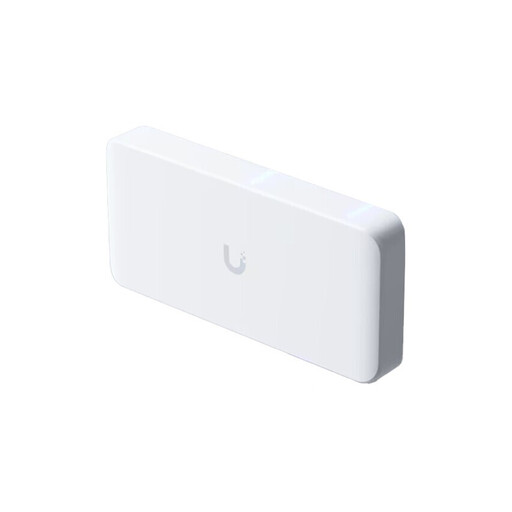
Ubiquiti UniFi Flex 2.5G PoE, 8-port
For several 2.5 Gbit/s devices and an optical uplink, the specifications list suitable ports and VLAN features.
Eight 2.5 GbE RJ45 ports, one 10G SFP+ uplink and PoE++ outputs. The AC/DC adapter is not included; available PoE power depends on the power supply you choose.
Joybuy
 No image available
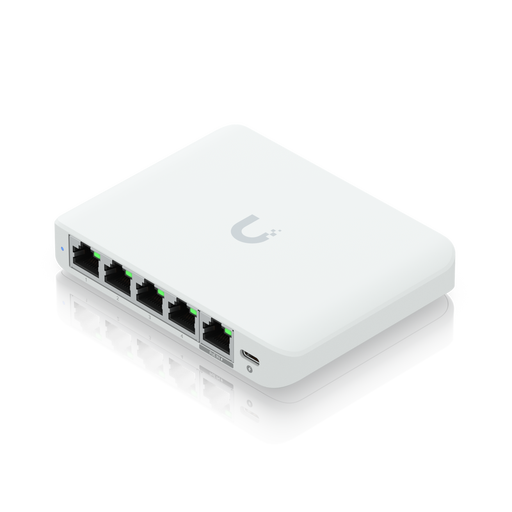
Ubiquiti UniFi Flex Mini 2.5G Managed
This compact model may be suitable if you want to connect five 2.5 Gbit/s devices and use VLAN features.
Five 2.5 GbE RJ45 ports and VLAN support are listed. The PoE connection powers the switch; it is not a PoE output for connected devices.
Joybuy
 No image available
D-Link DGS-1210-10/E, 10-port gigabit
This model is better suited to a network with mostly gigabit devices than to a cluster that needs several faster connections.
Specifications include eight gigabit RJ45 ports, two gigabit SFP slots, VLAN, web management and a fanless design. The ports do not support 2.5 or 10 Gbit/s connections.
Joybuy
 No image available
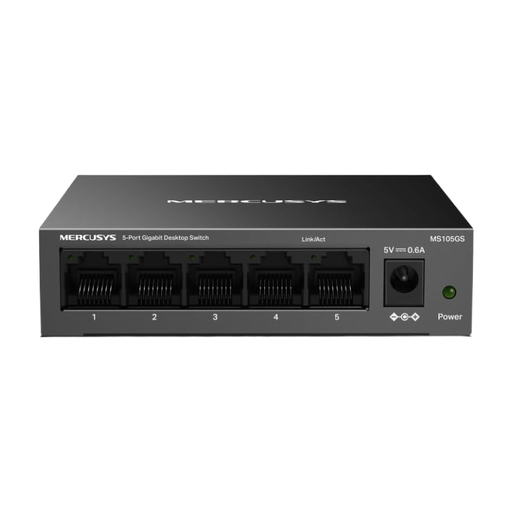
MERCUSYS MS105GS, 5-port gigabit
This unmanaged model is a straightforward option for a small gigabit network; it is not specified for management features or faster devices.
Specifications include five 10/100/1000 Mbit/s RJ45 ports, a fanless design and indoor use. Protect it from moisture and extreme temperatures.
Joybuy
 No image available
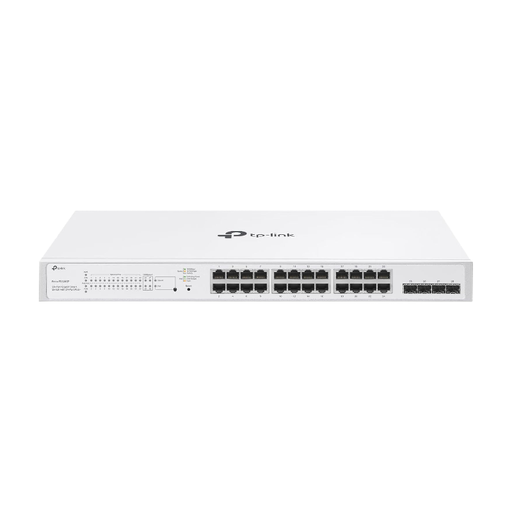
TP-Link Festa FS328GP, 24-port gigabit PoE+
This model may be suitable if you need to power additional compatible PoE+ devices and gigabit connections are fast enough for your connected devices.
Specifications include 24 gigabit RJ45 ports with PoE+ and four gigabit SFP slots. The total PoE+ budget is 250 W, with up to 30 W per port. Use in damp environments is not recommended.
Joybuy
Frequently asked questions
Do I have to use a switch with SFP+ to connect to my home?
No. SFP+ is a suitable interface if you’re planning a compatible optical uplink. First decide on the transmission medium and the device at the other end; protection requirements for a conductive connection between buildings are a separate consideration.
Can I set up VLANs only on the switch in my garden office?
The managed models listed support VLAN features, but to extend network separation beyond the uplink, you’ll also need to configure the device at the other end appropriately. Check the capabilities of both ends before setting up your networks.
What should I consider when installing the switch?
Stay within the temperature and humidity limits for the specific model and avoid condensation. If the device has a fan, also consider noise levels and the ventilation needed at your chosen location.
What additional costs and rights should I allow for?
An optical uplink may require compatible fibre-optic cable, modules and equipment at the other end. A manufacturer’s warranty is separate from your statutory rights against the seller if a product is faulty. For a consumer purchase in Germany, the seller is your point of contact if you need to make a complaint.
What legal requirements should I check when buying a switch in Germany?
Products covered by relevant EU rules must meet the applicable requirements; a CE mark must be applied where those rules require it. The European Union points out that the mark alone does not show whether a particular cable route between buildings is suitable for your location.


