What to look for when buying
First, count the cable connections you need and check how the garden office connects to your home network. Then you can work out whether Gigabit is enough, or whether faster ports and extra features will suit your existing setup.
| What you need |
What to check before buying |
Who should pay particular attention? |
| Connection between home and garden office |
Check the existing RJ45 or fibre uplink. For a new connection, confirm the route, compatible endpoints and protection measures in advance. |
If I need to plan the connection to my garden office, I’ll first work out the right route and uplink before choosing a switch. Around 29% of consumers put the connection between buildings first. |
| Enough LAN ports |
Count your server, computer and any other devices you plan to connect by cable, and allow for an uplink port too. Consider extra ports for future use if needed. |
If my media server and work devices are to stay connected by cable, I want enough spare sockets for the whole setup. Around 24% of consumers prioritise the number of available ports. |
| Speed of the connection path |
Check the negotiated link speeds at the server, client and uplink, as well as device limitations. A faster switch port won’t speed up a slower section of the connection. |
If I transfer files between a suitable server and compatible devices, I’ll check whether the whole path supports more than Gigabit. Around 23% of consumers put transfer speed first. |
| PoE and network management |
For PoE, check that the output, standard and power budget match the end device. Only factor in management features if you need them for your network setup. |
If I need to power an access point over a network cable or manage a separate network, I want the right features for the job. Around 12% of consumers prioritise PoE or network management. |
| Location and operation |
Check the temperature and humidity conditions, power supply and mounting options for the specific model. Fanless operation only applies to models that are listed as fanless. |
If I’m putting the switch in my workspace, I’ll make sure the location and operating conditions are right for that particular device. Around 12% of consumers prioritise where the switch will be installed. |
Garden office switches on Joybuy
This selection covers switches for wired connections in your garden office, from straightforward Gigabit models to managed options with PoE or SFP ports.
 No image available
D-Link DGS-1005P/E 5-port Gigabit switch with PoE+
Well suited to a Gigabit setup when you also want to connect compatible PoE devices alongside your server.
Listed with five Gigabit RJ45 ports, four PoE+ ports and a total PoE budget of 60 W.
Joybuy
 No image available
D-Link DGS-1210-10/E 10-port Gigabit smart managed switch
An option for a managed setup with several Gigabit devices and an SFP uplink.
Listed with eight Gigabit RJ45 ports and two Gigabit SFP slots. For a fibre connection, the optical endpoints, transceivers and fibre need to be compatible.
Joybuy
 No image available
TP-Link TL-SG1005D 5-port Gigabit desktop switch
A good fit if you want to add more wired connections to an existing Gigabit LAN.
Listed with five RJ45 ports supporting 10/100/1000 Mbit/s and automatic speed adjustment. The maximum port speed is Gigabit.
Joybuy
 No image available
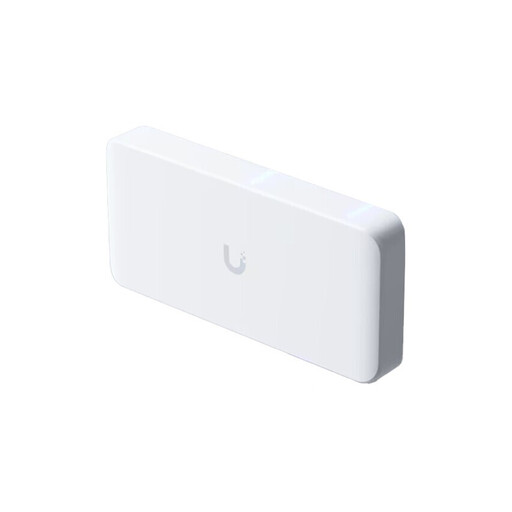
Ubiquiti UniFi Flex 2.5G PoE 8-port managed switch
An option for compatible multi-Gigabit devices, an SFP+ uplink and PoE devices.
Listed with eight 2.5 GbE RJ45 ports, a 10 GbE SFP+ uplink and eight PoE++ outputs. A power supply isn’t included; alternatively, a compatible PoE+++ power input is required. The available PoE power depends on the power source.
Joybuy
 No image available
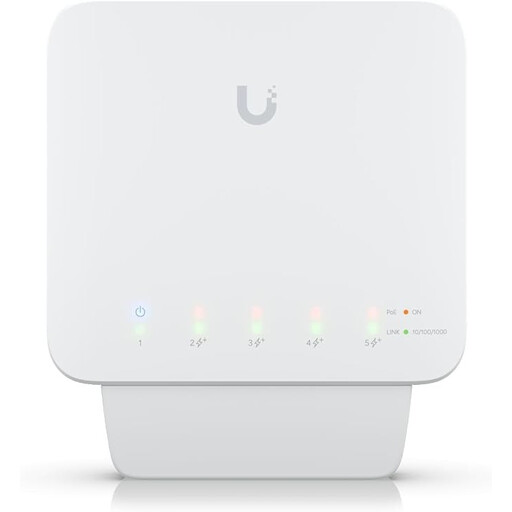
Ubiquiti UniFi Switch Flex (USW-Flex) 5-port Gigabit PoE+ outdoor managed switch
A good fit for a Gigabit setup if you want to power compatible PoE devices and use UniFi management features.
Listed with five Gigabit RJ45 ports and four PoE+ outputs. It requires a compatible PoE++ source or a 60 W PoE adapter to operate; the adapter isn’t included, and output power depends on the power supply.
Joybuy
Frequently asked questions
Will a 2.5 Gbit/s switch automatically make my media server faster?
No. A 2.5 Gbit/s port alone doesn’t guarantee faster file transfers. Check the negotiated link speeds of the server, connected device and uplink, as well as device performance and protocols. Ubiquiti lists all of these as factors that can limit wired transfers.
Can I connect an RJ45 switch directly to a fibre connection to my garden office?
Not directly to a fibre-only connection. You’ll need compatible optical interfaces or media converters at both ends, and the fibre type and transceivers must match. Ubiquiti explains that the connection uses light signals and compatible transceivers at each endpoint.
Will any PoE-enabled switch power my access point?
No. Check specifically whether the switch has PoE outputs, then make sure the standard and available power budget meet your access point’s requirements. A PoE input can power the switch itself, but it doesn’t tell you whether the switch has PoE outputs.
What should I check first if access is slow?
First, check the negotiated link speeds at the uplink and end devices, as well as the cable connections. If link speeds are unexpectedly low, Ubiquiti recommends reconnecting the cables and trying a different one.
When is a managed switch worth it in a garden office?
A managed model may be right for you if you need specific features, such as VLANs, for your network setup. If you simply want to connect your server and other devices to your home network, first check whether a simpler model offers the ports and speeds you need.


