If your sheltered garden office already has a network connection and your print server uses Ethernet, a basic Gigabit switch with enough ports is usually a good starting point. First, check the connection to your main house and the conditions where you plan to install it. PoE and VLAN management are only worth considering if you actually need and can configure these features.
Who needs a switch for a garden office
Connect devices simply
If your sheltered garden office already has a network connection, you may simply want to connect an Ethernet print server and a few other devices without configuring a switch. TP-Link and D-Link describe plug-and-play models for this purpose.
Plan the connection to your garden office
If you still need to work out the route from your main house and where to install the switch, establish these requirements before choosing how many switch ports you need. Fluke Networks and TP-Link explain the requirements for cable runs and suitable fibre-optic components.
Expand your office network
If you also want to connect an access point or other devices, or manage work devices on a dedicated network, check the ports you need, whether PoE is required and how much configuration is involved. TP-Link describes PoE and Easy Smart models for these uses.
What to consider when choosing one
| What to consider |
What to check before buying |
Who it matters to |
| Connecting a print server |
Check that the print server has an Ethernet connection, and count the ports needed for the uplink, print server and any other devices. |
If I only want to expand the existing network connection for an Ethernet print server, I don’t need any additional management features. Around 36% of consumers have this straightforward connection requirement. |
| Connection route and installation location |
Check the existing connection, cable length and ports. For fibre, make sure the components and speeds match at both ends. |
If I first need to work out how the garden office will connect to the main house and whether the installation location is suitable, this planning is essential. Around 29% of consumers primarily need to plan the connection route or installation location. |
| Additional devices and PoE |
Count the uplink and devices. For PoE, compare the standard, power per port and total power budget with the requirements of compatible devices. |
If I want to connect or power another device, such as an access point, as well as the print server, the ports and PoE need to be suitable for that device. Around 21% of consumers are mainly planning this kind of expansion. |
| Network separation |
Choose VLAN only if you have a specific need, and decide in advance which network should be able to access the print server. |
If I want to keep work devices on separate networks, access to the print server must also be configured accordingly. Around 14% of consumers primarily need to separate their networks. |
Common buying mistakes
-
Buying a switch before you have a connection to the main house
A switch adds ports to an existing network connection, but it does not provide the connection between buildings itself.
Decide on the uplink first. For a copper cable run, take the applicable cabling limits into account. For fibre, the connections and speeds at both ends must be compatible.
-
Assuming the print server needs PoE
A PoE switch port does not mean that your existing print server can receive power over Ethernet.
Only plan for PoE if you have devices that are explicitly compatible, and compare their requirements with the power per port and the switch’s total power budget.
-
Counting all five ports as device connections
The connection to the rest of your network also uses a switch port.
Before buying, make a note of how many connections you need for the uplink, print server and any realistic future additions.
-
Assuming fanless operation makes a switch suitable for any location
Quiet or fanless operation alone does not tell you whether the ambient temperature at your chosen location is suitable for a particular model.
Compare the operating temperature specified for the exact model with the conditions at your sheltered installation location.
Key brands at a glance
TP-Link
The range includes basic, managed and PoE-enabled switches for a variety of networking needs.
- TP-Link describes the TL-SG105 as a plug-and-play model. For the TL-SG105PE, the manufacturer lists VLAN features and a total PoE budget of 65 W.
- The additional management and PoE features are only relevant if your connected devices and network setup require them.
NETGEAR
The GS305v3 is a documented five-port Gigabit option that requires no switch configuration.
- NETGEAR specifies an operating temperature range of 0 to 40 °C for the GS305v3.
- This temperature range applies to the GS305v3 and should not be assumed to apply to other models. Check it carefully if your garden office is unheated.
D-Link
According to D-Link Germany, the DGS-105 is a five-port Gigabit switch for simple home and small office networks.
- D-Link describes the DGS-105 as plug-and-play and fanless.
- The manufacturer’s warranty information refers to revision E1, as specified by the manufacturer. Check the exact revision and warranty terms for the version on offer.
Zyxel
The manufacturer’s international description of the GS-100 series covers unmanaged Gigabit switches with five or eight ports.
- Zyxel describes the series as fanless, with designated QoS ports.
- This information does not confirm that a particular version is available in Germany, nor that it supports configurable VLANs.
Switches at Joybuy
This selection includes switches for existing Ethernet connections, additional PoE devices, and managed or SFP-based network expansion. For a fibre uplink, the ports and components at both ends must be compatible.
 No image available
D-Link DGS-1005P/E, 5-port Gigabit desktop switch with 4 PoE+ ports
For an existing Ethernet uplink with a print server and other compatible PoE devices.
Five Gigabit RJ45 ports, including four PoE+ ports with up to 30 W per port; the stated total PoE budget is 60 W.
Joybuy
 No image available
D-Link DGS-1210-10/E, 10-port Gigabit Smart Managed switch
For an expanded wired network where an SFP-based uplink is also planned.
Specifications list eight Gigabit RJ45 ports and two Gigabit SFP slots. For fibre, the port type, speed and suitable SFP modules or media converters must be compatible at both ends.
Joybuy
 No image available
TP-Link TL-SG1008P, unmanaged 8-port Gigabit switch with PoE
For a print server and other wired devices when you need additional PoE ports.
Specifications list eight Gigabit RJ45 ports and four PoE ports compliant with IEEE 802.3af; the total PoE budget is 55 W.
Joybuy
 No image available
TP-Link TL-SG105PE, 5-port Gigabit Easy Smart switch with 4 PoE+ ports
For an existing Ethernet uplink if you also need PoE devices or VLAN management.
Five Gigabit ports, four PoE+ ports with up to 30 W per port, and a total budget of 65 W. TP-Link lists VLAN support; devices and the network must be configured correctly for the separation you want.
Joybuy
 No image available
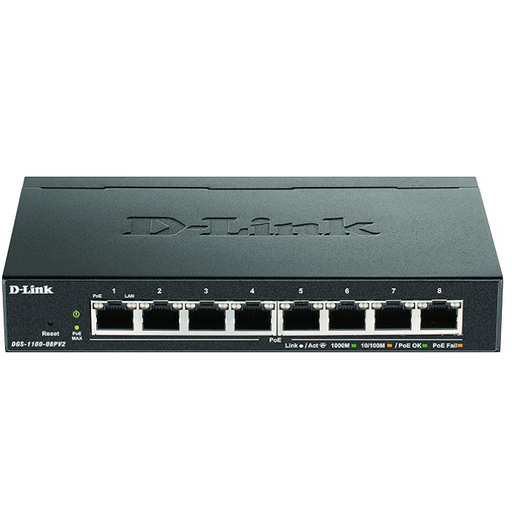
D-Link DGS-1100-08PV2, managed L2/L3 Gigabit Ethernet switch with PoE
For an expanded wired network where you need VLAN management and PoE for compatible devices.
The product specifications list eight Gigabit Ethernet ports, VLAN and web management, and a total PoE budget of 64 W.
Joybuy
Frequently asked questions
Will a switch automatically turn a USB print server into a network printer?
No. A switch with Ethernet ports does not provide the print server function itself. Check whether your existing print server has an Ethernet network connection; setting up the print service is a separate step.
How do I connect my devices if my garden office already has a network connection?
Connect one switch port to the existing uplink, then connect the Ethernet print server and other devices to the remaining ports. According to TP-Link, an unmanaged model such as the TL-SG105 does not need to be configured, but you still need to set up the print service on your devices.
Can I install a switch in an unheated garden office?
There’s no one-size-fits-all answer for every switch. NETGEAR specifies an operating temperature range of 0 to 40 °C for the GS305v3. Compare the specifications for your chosen model with the actual conditions at your sheltered installation location.
What should I consider when connecting my garden office by fibre?
The port type and speed at both ends must match, as must the SFP modules or media converters. An Ethernet desktop switch with RJ45 ports only cannot replace these fibre components.
What are my rights if a switch is faulty?
In Germany, your statutory rights against the seller are separate from any voluntary manufacturer’s warranty. The consumer advice centre explains the difference. If an additional warranty is offered, check its terms and whether it applies to the specific model revision.


