A wireless repeater may be an option if it can still get a good signal from your router from a suitable, sheltered position and reach your garden office. If distance or building materials weaken the signal, consider an Ethernet cable with an access point or – after testing the sockets you plan to use – Powerline. Check the backup at your actual workspace and test that you can restore your files, too: a repeater alone doesn’t create a backup.
Which solution is right for you?
Regularly backing up files
If you regularly back up work documents, it’s important to have a connection you can test from your garden office. Once everything is set up, carry out a test restore, as recommended by the Federal Office for Information Security for data backups.
Garden offices with Wi-Fi dead spots
If distance or building materials weaken the Wi-Fi between your house and workspace, the key question is whether the repeater itself still has a usable connection back to the router. If not, an Ethernet cable with an access point or a Powerline connection tested on site may be an option.
Users of existing router ecosystems
If you want to keep using your existing router, check which mesh standard it supports and which operating mode you need. For example, EasyMesh on the TP-Link RE705X requires a compatible router; FRITZ! Mesh is part of the compatible FRITZ! system.
What should you look for when buying?
The advertised Wi-Fi data rate isn’t the only thing that matters. What counts is whether the connection you choose works for your backups in the garden office and can be tested there.
| What matters |
What to check before buying |
Who is this important to? |
| Reliable backups |
Test the connection at the planned location and check data transfer in the garden office; then test that you can restore your files. |
If I regularly back up work documents, I want to be able to rely on the process and check that I can restore my files. Around 31% of consumers put backup reliability first. |
| Range to the garden office |
Check the signal at a possible repeater location; if the connection back to the router is weak, test an Ethernet cable and access point or Powerline. |
If my workspace is in a Wi-Fi dead spot, the connection between my house and garden office matters most. Around 25% of consumers prioritise range. |
| Protecting documents and your network |
Check Wi-Fi security features and firmware updates; follow your employer’s rules on where files can be stored. |
If I back up work documents over my home network, I also want to consider security and where the files are stored. Around 19% of consumers prioritise protecting their documents and network. |
| Compatibility and set-up |
Check your router model and mesh standard; confirm whether you need repeater, LAN bridge or access point mode. |
If I want to keep using my existing router without any fuss, the operating mode I need must be compatible. Around 13% of consumers put compatibility and ease of set-up first. |
| Outdoor installation |
Distinguish between sheltered indoor placement and outdoor installation; check that the device and power supply are suitable for the installation location. |
If the device is going to be installed outdoors without protection, I need a purpose-designed solution and a suitable power supply. Around 12% of consumers prioritise outdoor installation. |
Common buying mistakes
-
Assuming the advertised Wi-Fi data rate is the same as backup speed
Manufacturer specifications describe device capabilities, not the actual throughput you can expect along the route through your house and to your garden office.
Test a backup and a restore at your actual workspace before relying on the connection.
An unsuitable connection can mean longer transfer times or the need for additional network cabling.
-
Assuming mesh support means universal compatibility
EasyMesh integration on the TP-Link RE705X requires a compatible router; FRITZ! describes how its products connect to its own mesh system.
Before buying, check your router model, the supported mesh standard and the operating mode you need.
Depending on your existing equipment, you may need to use a different operating mode or choose another device.
-
Thinking Powerline is a guaranteed shortcut to your garden office
According to devolo, electrical interference and the sockets used can affect Powerline transmission.
Test the connection using the sockets you actually plan to use.
Powerline requires compatible adapters and may involve additional testing or alternative cabling.
-
Installing an indoor repeater outdoors without protection
An indoor device isn’t automatically suitable for an exposed outdoor installation. TP-Link lists the EAP610-Outdoor as a dedicated outdoor access point with an IP67-rated housing.
Before buying, decide whether the device will be installed indoors in a sheltered spot or actually outdoors, then choose the right type of device.
Outdoor installation may require outdoor-rated hardware and additional installation materials.
Relevant brands and product ranges
FRITZ!
The FRITZ!Repeater 1200 AX and 3000 AX are particularly worth considering if you already use a compatible FRITZ!Box with FRITZ! Mesh.
- FRITZ! says the 1200 AX has one Gigabit LAN port and the 3000 AX has two.
- Advertised combined data rates aren’t the same as measured backup throughput in your garden office. A weak wireless connection back to the router remains a hurdle.
TP-Link
The RE705X is an indoor extender with an access point mode; the EAP610-Outdoor is a separate option for planned outdoor installations.
- TP-Link lists Gigabit Ethernet and EasyMesh with a compatible router for the RE705X. The German product sheet for the EAP610-Outdoor specifies an IP67-rated housing.
- The outdoor model’s Omada Mesh feature doesn’t mean it can connect directly to every home router.
devolo
The WiFi 6 Repeater 5400 extends your wireless signal, while Magic Powerline products use your existing electrical wiring to transmit data.
- devolo says the repeater has a signal strength indicator to help you choose where to place it.
- The manufacturer warns that sources of interference and the sockets used can affect Powerline transmission. You should therefore check how well it works in your garden office.
Telekom
Speed Home WLAN is designed for users with a compatible Speedport router who want to use its mesh set-up.
- Telekom lists Wi-Fi 6 and mesh connectivity with supported Speedport models. The device instructions explain the LED indicators for a weak or missing connection.
- This doesn’t mean it’s suitable for every router or for outdoor installation.
Suitable products at Joybuy
The products below include wireless repeaters for sheltered indoor spaces and wired access points, including models specifically designed for outdoor use. Check the installation location, connection back to the router and power requirements for your set-up.
 No image available
MERCUSYS ME80X Wi-Fi 6 Range Extender AX3000 Dual Band
Suitable if the repeater can still pick up your router’s Wi-Fi from the planned location, or if an Ethernet cable runs to the destination.
Features a Gigabit port, range extender and access point modes, and a signal strength indicator. According to the product description, it’s designed for indoor use and must not be exposed to water or liquids.
View at Joybuy
 No image available
TP-Link RE235BE BE3600 Dual-Band Wi-Fi 7 Range Extender
An option if the extender’s location is still within range of your existing Wi-Fi router.
The product specifications list a 2.5 Gigabit Ethernet port and EasyMesh. EasyMesh requires a compatible router.
View at Joybuy
 No image available
Ubiquiti UniFi U6 Mesh WiFi 6 Access Point
Worth considering if you can run a cable to the installation location and meet the requirements for outdoor installation.
The product specifications list IPX5, a Gigabit Ethernet uplink and PoE; a PoE adapter is specified in the product name. For outdoor installation, follow the specified installation requirements and keep cable connections protected. The mesh features are for use with a UniFi network.
View at Joybuy
 No image available
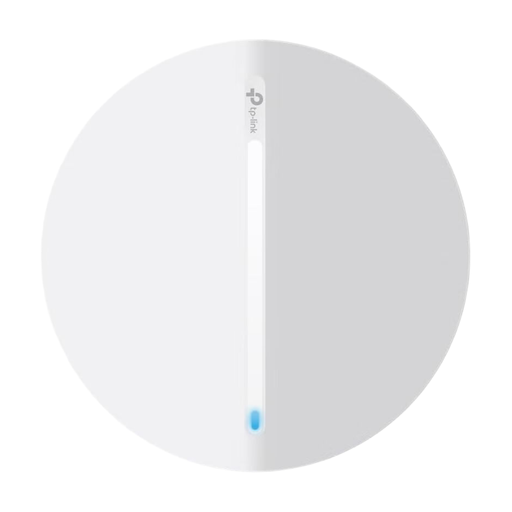
TP-Link Festa F65 AX3000 Wi-Fi 6 Access Point
A wired option for a sheltered installation location, provided you have Ethernet and a suitable power supply.
The product specifications list Gigabit Ethernet, PoE, access point mode, and wall or ceiling mounting. According to the product description, the device is for indoor use only.
View at Joybuy
 No image available
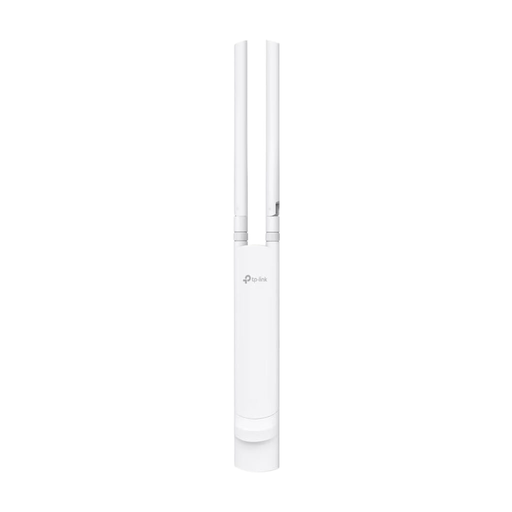
TP-Link Festa F52 Outdoor Access Point AC1200
For an outdoor location where you can run an Ethernet cable and provide a suitable PoE power supply.
The product specifications list Gigabit Ethernet, PoE, IP65 weather protection, and wall or pole mounting.
View at Joybuy
Frequently asked questions
Where should I place a wireless repeater?
Place it in a suitable, sheltered spot where it can still get a good signal from the router, then check the connection in your garden office. Telekom’s instructions explain the LED indicators for a weak connection or a location outside the Wi-Fi range.
Does a repeater automatically back up my work documents?
No. A repeater extends your network connection but doesn’t replace a data backup. The Federal Office for Information Security points out that backed-up data must also be restorable. You should also follow your employer’s rules on where files can be stored.
What should I bear in mind when using Powerline in a garden office?
You’ll need compatible adapters and should test the connection using the sockets you plan to use. devolo warns that electrical devices can interfere with transmission, so a particular data rate in your garden office isn’t guaranteed.
Do I need an individual frequency allocation for Wi-Fi in my garden office?
The Federal Network Agency publishes general frequency allocations for Wi-Fi. This isn’t blanket approval for every outdoor installation or any 5 GHz settings; the relevant allocation conditions apply to the specific device and its settings.


