First, check how the connection gets from your home to your garden office. A faster router alone won’t fix a weak wireless link caused by distance or walls. If you can run a network cable, an access point in the office can provide Wi-Fi. Without a cable, mesh, powerline or a building-to-building bridge may be options, depending on the location. Routers, storage destinations and backup software all have different jobs, so remember to plan how you’ll restore your files, too.
Who needs a connection to their garden office?
People working in a separate garden office
If you regularly transfer work files between your home and garden office, check the connection at the locations where you plan to use it. Depending on the building layout, a network cable, a well-placed wireless node or a building-to-building bridge could be suitable.
People who regularly back up documents
Plan the network connection separately from the backup itself: decide where your files will be stored and how you’ll restore them. The German Federal Office for Information Security also recommends making sure that backed-up data can be restored.
People with confidential work files
A securely configured Wi-Fi network is just one part of the plan. Also check which storage locations and backup methods your organisation allows for confidential work files. The German Federal Office for Information Security also recommends keeping your router’s firmware up to date.
What should you look for when choosing?
Start by working out how data will travel between your home and office. You can then choose a suitable access point, a way to extend your existing network and a separate backup setup.
| Priority |
What to check before buying |
Who is this most important to? |
| Connection between the buildings |
Check whether you can run a cable or whether a usable signal reaches the planned location for a wireless node. |
If I regularly back up files from my garden office, the connection back to my home needs to work where I plan to use it. Around 33% of consumers would make a stable connection between the buildings their top buying priority. |
| Backups you can restore |
Choose your storage destination and backup process separately from your Wi-Fi equipment. |
If I really want to protect my work documents, I need a reliable backup process as well as a network connection. Around 27% of consumers would put backing up and restoring files first. |
| Confidential work files |
Check Wi-Fi encryption, firmware updates and permitted backup destinations. |
If my work files are confidential, I want to secure network access and storage in line with my organisation’s requirements. Around 27% of consumers would make protecting confidential files their top buying priority. |
| Installation and components |
Consider your existing router, power supply and the installation requirements at the location. |
If I want to make as few changes as possible to my existing setup, I’ll compare running a cable with adding extra nodes or adapters. Around 13% of consumers would prioritise straightforward installation and the choice of components. |
Common buying misconceptions
-
Assuming the advertised Wi-Fi data rate is the backup speed you’ll get in your garden office
Even a powerful node needs a working connection back to your home. Putting it in a Wi-Fi dead spot won’t fix a weak link back to the house.
First, work out how data will travel to your office, then choose the right equipment. F.A.Z. Kaufkompass says a wired mesh backhaul is usually faster and less prone to interference than a wireless connection.
-
Assuming a router or USB port is all you need for a complete backup
Having a storage device or network access doesn’t prove that your documents are actually being backed up or that you’ll be able to restore them later.
Choose your storage destination and backup process independently of your router, and check that you can restore your files. The German Federal Office for Information Security also highlights the importance of restoring backed-up data.
-
Using powerline in your garden office without testing the electrical wiring
A connection over your mains wiring can be slow at some sockets. Electrical appliances can also affect data transmission, as devolo explains in its powerline optimisation advice.
Test the adapters in the sockets you actually plan to use before relying on powerline for regular backups.
-
Taking shortened port specifications at face value
A published retailer listing for the FRITZ!Box 7690 differs from the port configuration FRITZ! specifies for the model.
Before choosing it as your main router, check the number and speeds of the ports for the exact model variant against the manufacturer’s specifications.
Relevant brands and product ranges
FRITZ!
FRITZ!Box main routers and FRITZ!Repeaters serve different purposes: a repeater extends an existing connection, while a FRITZ!Box can replace your main router.
- FRITZ! specifies Wi-Fi 6 and two Gigabit LAN ports for the FRITZ!Repeater 3000 AX.
- For the FRITZ!Box 7690, the manufacturer specifies one 2.5 Gigabit WAN/LAN port, one 2.5 Gigabit LAN port and two Gigabit LAN ports. These specifications differ from a Joybuy product listing. None of these ports, on its own, guarantees that the signal will reach your garden office.
TP-Link
The Deco range includes mesh nodes, while the Deco X50-Outdoor is designed for a suitable outdoor mounting location.
- TP-Link specifies an IP65-rated enclosure, PoE or AC power and Ethernet backhaul for the X50-Outdoor.
- For a wireless connection, TP-Link recommends placing this model no more than 15 m from the upstream Deco, and preferably no more than 10 m away. Location and obstacles still matter; this recommendation doesn’t guarantee coverage for every garden office.
devolo
Powerline with Wi-Fi can be an alternative if the existing electrical wiring provides a usable connection at the location.
- devolo describes data transmission over mains wiring, with Wi-Fi or LAN access at the destination.
- devolo notes that data rates can be low at some sockets and that electrical appliances can affect the connection. So check the actual sockets you plan to use.
Ubiquiti
The UniFi Building Bridge is a specialist building-to-building connection, not a standard Wi-Fi router for client devices.
- According to Ubiquiti, the Building Bridge uses a 60 GHz point-to-point connection with a 5 GHz backup link. The manufacturer describes it as weather-resistant and PoE-powered.
- You’ll need two devices for the building-to-building connection, as well as additional installation and management. You may also need a separate access point for Wi-Fi in the office; the stated link range doesn’t guarantee a suitable mounting location.
Joybuy products for your garden office
The products below include wired access points for Wi-Fi in your garden office, as well as a DSL main router. A new main router alone won’t provide a working connection back to your home.
 No image available
Ubiquiti UniFi U7 Long-Range WiFi 7 Access Point
Designed to provide Wi-Fi in your garden office. Check whether there’s an Ethernet connection at the mounting location.
Dual-band Wi-Fi 7, 2.5 GbE uplink and PoE. According to the product listing, the PoE injector and Ethernet cable aren’t included, so compatible PoE equipment is required.
View at Joybuy
 No image available
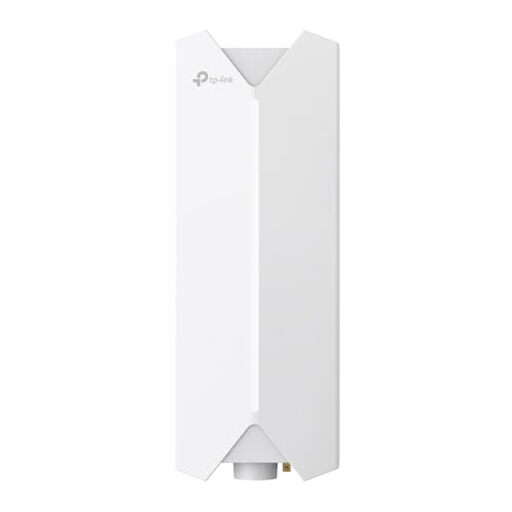
TP-Link Festa F61 Outdoor Wi-Fi Access Point
Designed to provide a Wi-Fi access point outdoors. Before choosing it, check the cable route and whether the mounting location is suitable.
The product description requires installation by qualified personnel in line with local regulations, along with a suitable PoE supply and sealed cable connections.
View at Joybuy
 No image available
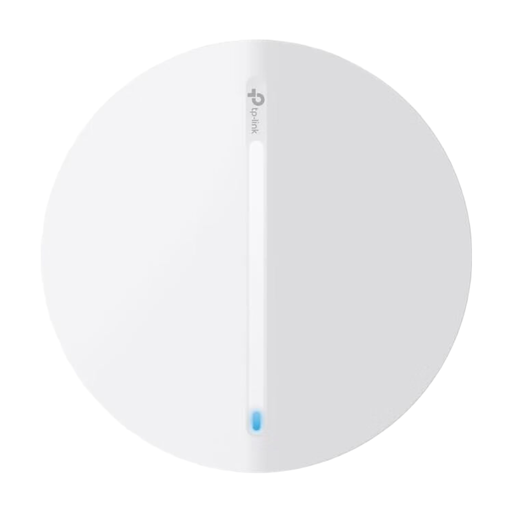
TP-Link Festa F61 Access Point
An access point can provide Wi-Fi in your office if a suitable network connection is available at the planned location.
Check the ports and installation requirements for the exact variant, and make sure your existing network connection reaches the garden office.
View at Joybuy
 No image available
FRITZ!Box 7590 AX Wi-Fi 6 DSL Router
This could be a suitable DSL main router if your existing router’s features aren’t sufficient. Replacing it alone won’t improve a weak connection back to your garden office.
Wi-Fi 6 and DSL router. Check that the model is compatible with your internet connection and planned network extension.
View at Joybuy
 No image available
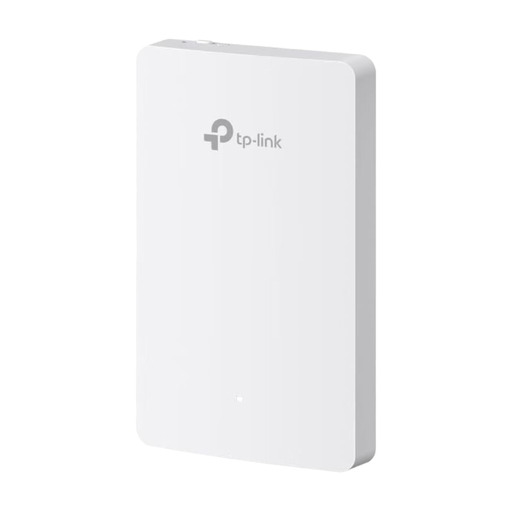
TP-Link Festa F52-Wall AC1200 Access Point
A wall-mounted access point could be a good fit if there’s a suitable network connection in your garden office.
AC1200, four Gigabit Ethernet ports and PoE in line with IEEE 802.3af/at. A compatible PoE switch or injector is required for the setup described.
View at Joybuy
Frequently asked questions
Will a new router alone make backups in my garden office reliable?
No. You also need a reliable connection between the buildings and a backup system that’s set up so you can restore your files. Check both separately.
Where should I place a wireless outdoor mesh node?
The node should still receive a good signal from the upstream device while covering the area you need. For a wireless connection, TP-Link recommends placing the Deco X50-Outdoor no more than 10 m away from the upstream Deco where possible, and no further than 15 m. Obstacles and location also matter. This distance recommendation doesn’t apply when using Ethernet.
What do I need, besides a router and Wi-Fi, to back up work documents?
You need an approved storage destination and a backup process that lets you restore your files. For confidential work files, you’ll also need to follow your organisation’s requirements. The German Federal Office for Information Security recommends making sure that backed-up data can be restored.
What extra equipment or work should I plan for?
Depending on how you connect the buildings, you may need another Wi-Fi node, powerline adapters, a PoE power supply, a building-to-building bridge or a cable installed. Check the specific setup and the connections you’ll need before choosing a solution.


