Whether you need a new router, an access point or another type of connection depends first on where the club archive is and how you can connect the garden office to your existing network. If a suitable data cable can be run, a wired Wi-Fi access point may be an option; without cabling, you’ll need to check the wireless signal or try powerline networking on site. If the archive is at another location, better Wi-Fi coverage and a new device won’t be enough on their own: you’ll also need to arrange the necessary permissions and secure remote access.
Which connection do you need?
Garden office with a permanent archive workstation
If you regularly open archive files, first check whether a suitable data cable can be run to your workstation. Germany’s Federal Office for Information Security (BSI) notes that LAN connections are designed to carry large volumes of data over longer distances and offer greater stability.
Garden office without a network cable
If there’s no cable, you could try a wirelessly connected mesh node or a powerline adapter. What matters is whether there’s still a usable wireless signal at the intended location, or whether the available sockets can support a connection. devolo notes that performance may be reduced at some sockets.
Club with a secure remote archive
If the archive isn’t on the garden office’s local network, you’ll need more than a Wi-Fi connection: the club must also grant access and provide an approved way to connect remotely. FRITZ! describes VPN as a way to access devices and data across separate networks over the internet.
What should you consider when choosing?
First, establish where the archive is, then work out how to connect the house and garden office. Once you know how that connection will work, you can decide whether an additional Wi-Fi access point will be enough or whether you need a different type of connection.
| What you need |
What to check before buying |
Who is this particularly important to? |
| Connection between the house and garden office |
Check whether a suitable data cable can be run. If not, the wireless signal at the intended location will be key. |
If I regularly open files, I want the connection to reach my desk reliably. Around 36% of consumers put a consistent network connection first. |
| Authorised access to the archive |
Check whether the archive is on the local network or at another location, and what kind of access the club will allow. |
If the archive is elsewhere, I need an approved remote connection as well as Wi-Fi. Around 29% of consumers prioritise secure archive access. |
| Installation outdoors |
Check the protection rating of the specific model, as well as the power supply and cable routing at the installation location. |
If the access point has to be installed outside, I look for a model specifically designed for outdoor use. Around 21% of consumers say outdoor installation is a priority. |
| Effort involved in upgrading |
Compare the cable and power connections required, and test powerline adapters at the intended sockets. |
If I want to use the infrastructure I already have, I want to know in advance what will actually work. Around 14% of consumers prioritise keeping the work involved in upgrading to a minimum. |
The percentages refer to the top priority for each selection question in this garden office scenario. They do not represent the overall distribution of all buyers.
Common planning mistakes
-
Assuming the maximum Wi-Fi speed equals archive transfer speed
The stated wireless data rate doesn’t tell you what transfer speed you’ll get at your desk, through walls and over the connection to your home network.
Plan the entire route from your existing network to the garden office, then check the connection at the intended location before comparing device features.
-
Installing an indoor repeater outside without protection
Weather protection is a feature of specific models; it can’t be assumed just because a device is being used in a garden office.
Decide where you’ll install it and check the protection rating of the exact model. Also consider how power and network cables will reach that location.
Depending on where you install it, you may need a different device and suitable power and cable routing.
-
Planning to use powerline without checking the sockets
devolo notes that transfer rates may be low at some sockets and that electrical devices can cause interference.
Test the adapters in the actual wall sockets you plan to use, and check the applicable returns policy before buying.
-
Confusing Wi-Fi coverage with access to a remote archive
Better local Wi-Fi won’t give you permission to access club data or automatically connect you to a remote archive network.
Check where the archive is, who is responsible for access and which connection method the club has approved before choosing a device solely because it has a VPN feature.
A remote connection approved by the club may require additional set-up.
Relevant brands at a glance
FRITZ!
A relevant option for extending an existing network, particularly if you already have a FRITZ!Box and can connect via LAN.
- FRITZ! lists Wi-Fi 6, Mesh and a Gigabit LAN port among the features of the FRITZ!Repeater 1200 AX.
- These features don’t make this indoor device suitable for unprotected outdoor installation. Archive access permissions will also need to be arranged separately.
TP-Link
The Deco X50-Outdoor range extends a Deco network, while the EAP610-Outdoor is part of a separate access point range for differently configured networks.
- TP-Link lists IP65 protection, PoE or AC power and compatibility with other Deco models for the Deco X50-Outdoor. The manufacturer lists IP67 for the EAP610-Outdoor.
- The two management systems aren’t interchangeable, and the protection ratings don’t guarantee any particular wireless range to your garden office.
devolo
The Magic 2 WiFi 6 next Starter Kit is one possible way to add a powerline connection with a Wi-Fi endpoint, provided your existing electrical wiring supports it.
- devolo lists two adapters in the Starter Kit, along with Wi-Fi and LAN connections.
- The manufacturer notes that transfer rates may be low at some sockets and that electrical devices can cause interference. You should therefore test the specific route on site.
Ubiquiti
The UniFi U6 Mesh is an access point for a suitably planned UniFi installation, with the option of outdoor placement.
- Ubiquiti’s technical data sheet lists PoE, a GbE port, Wireless Meshing and IPX5 for this model.
- You’ll also need to check that it can connect to your existing network and confirm how it will be set up. These features don’t automatically apply to other devices from the brand.
Joybuy products for your garden office
The following Wi-Fi access points may suit a garden office, depending on your set-up: models for protected indoor spaces and devices designed for planned outdoor installation. Before choosing, check that you have the right Ethernet and power supply. An access point on its own won’t automatically connect you to a remote club archive.
 No image available
Ubiquiti UniFi U7 Long-Range WiFi 7 Access Point
For an indoor Wi-Fi access point connected via Ethernet.
Wi-Fi 7; 2.5-GbE uplink; PoE. This model is designed for indoor use. PoE injector and Ethernet cable not included.
Joybuy
 No image available
Ubiquiti UniFi U6 Mesh WiFi 6 Access Point
For a suitable wired or UniFi Mesh connection; this model is described as suitable for indoor and outdoor use.
Gigabit Ethernet; PoE; IPX5. A PoE adapter is included. For the outdoor installation described, the LED side must face upwards; protect the connections and cable entries from water. When using it outdoors, follow the frequency requirements and device settings that apply.
Joybuy
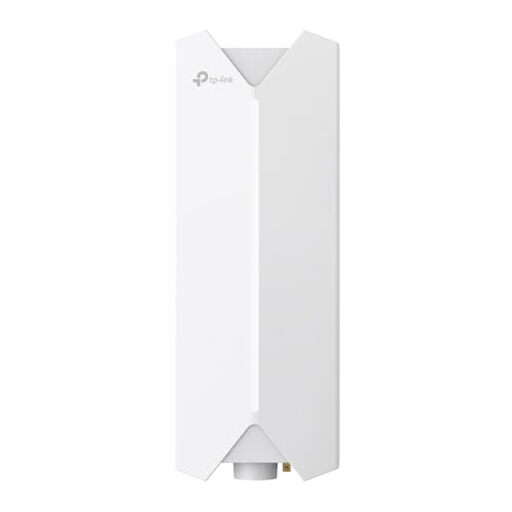 No image available
TP-Link Festa F61 Outdoor Wi-Fi Access Point
For planned outdoor installation with a suitable Ethernet and PoE connection.
IP65; Gigabit port; 802.3af or passive PoE. Wall and pole mounting, as well as a PoE adapter, are specified. When using it outdoors, follow the frequency requirements and device settings that apply.
Joybuy
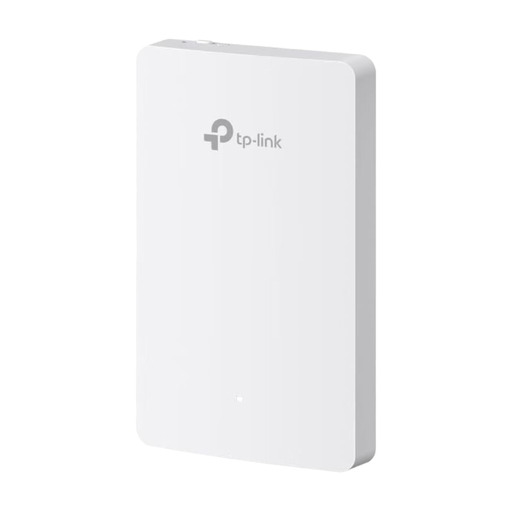 No image available
TP-Link Festa F52-Wall Access Point AC1200
For a wired indoor Wi-Fi access point connected to a suitable wall socket.
Four Gigabit Ethernet ports; PoE power. The set-up described requires a PoE-enabled Ethernet uplink and a compatible standard wall socket.
Joybuy
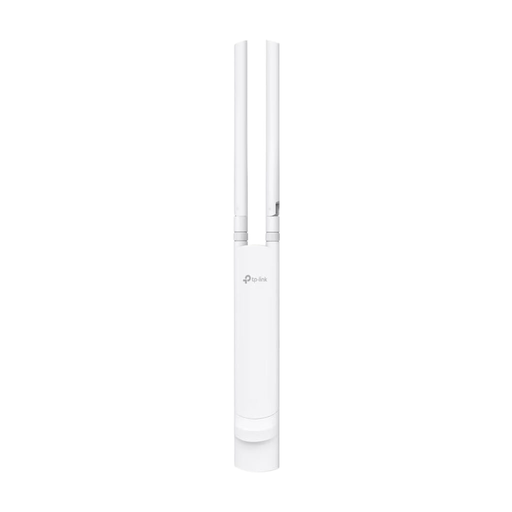 No image available
TP-Link Festa F52 Outdoor Access Point AC1200
For planned outdoor installation where Ethernet and PoE connections are available.
IP65; Gigabit port; 802.3af or passive PoE. Wall and pole mounting, as well as a passive PoE adapter, are specified. The protection rating alone doesn’t determine which wireless configuration is permitted; follow the frequency requirements and device settings that apply.
Joybuy
Frequently asked questions
Will a new Wi-Fi router in the garden office be enough to access the club archive?
Only if the connection reaches the network where the archive is accessible. An access point or repeater extends your local connection in the first instance. If the archive is at another location, you’ll also need remote access approved by the club and the appropriate permissions.
How can I test powerline before setting it up permanently?
Test the adapters in the actual wall sockets you intend to use. devolo recommends plugging them directly into wall sockets and notes that nearby power supplies or dimmers can affect the connection.
What should I plan for Wi-Fi operation and maintenance?
Germany’s Federal Office for Information Security recommends changing your router’s default password, keeping its firmware up to date and using a long Wi-Fi password, among other measures. Arrange club access and permissions separately from your Wi-Fi login details.
Can I use a Wi-Fi access point outdoors in Germany?
That depends on the frequency band and how the device is used; the enclosure’s protection rating doesn’t determine which wireless configuration is permitted. The conditions that apply to the specific device and its settings are what matter. Germany’s Federal Network Agency lists Decision 136/2022 as amended by Decision 49/2023; the earlier Decision 151/2018 has been repealed. According to the Federal Network Agency, its updated frequency plan came into force on 26 August 2026.
What should I check before choosing an access point?
Check whether you can connect the garden office via Ethernet and what type of power supply the specific model needs. Also confirm the installation location and whether the device is suitable for indoor or outdoor use. A Wi-Fi access point won’t make up for a missing connection to the archive network or the club’s approval.


