What should you look for when buying?
First, check the connection between your music storage and playback device. Then you can decide whether a new router, an additional Wi-Fi access point or another connection method is right for you.
| Priority |
What to check before buying |
Who is this especially important to? |
| Connection to the garden office |
Check the connection at the planned access point location and where you’ll be listening. If you can run a cable, consider the LAN connection and the cable route. |
If I want to listen to music or work in my garden office, I need a reliable connection between the house and where I’ll be using my devices. Around 31% of consumers put connectivity to the garden office first. |
| Access to music files |
Check the storage or NAS features of the specific model and the access method supported by your playback devices. Back up important files separately. |
If I want my music library to be available on several devices, the storage-sharing method needs to work with them. Around 25% of consumers prioritise access to their local music library. |
| Keep or replace your router |
Check that the connection type, modem and router features you need are compatible with the device you’re planning to buy. |
If my home network basically works, I don’t want to replace the router without good reason. If I do replace it, it needs to be compatible with my connection. Around 19% of consumers prioritise checking their existing network and connection. |
| Outdoor placement |
Distinguish between a sheltered garden office and an exposed outdoor installation. If you plan to use a device outdoors, check that the specific model and its wireless settings are suitable. |
If the Wi-Fi access point will be installed outdoors without shelter, I need to consider its casing, power supply and mounting. Around 13% of consumers prioritise suitability for the intended location. |
| Security and maintenance |
Check how the device receives updates, whether you can separate the guest and home networks, and how to back up your data separately. |
If music files and the home network are shared, I want to consider access and backups too. Around 12% of consumers prioritise security and ongoing maintenance. |
Joybuy products for home networks and Wi-Fi
This selection includes mesh systems for extending your home network and routers for compatible DSL or gateway setups. For each device, check that it suits your connection and the planned link to your garden office.
 No image available
TP-Link Deco BE22, 2-pack
This two-device mesh system is an option if you’re planning several Wi-Fi nodes to connect to your garden office. It’s designed for indoor use.
Wi-Fi 7, dual-band, MLO and WPA3 are listed. Gigabit Ethernet ports and router and access point modes are also specified.
View at Joybuy
 No image available
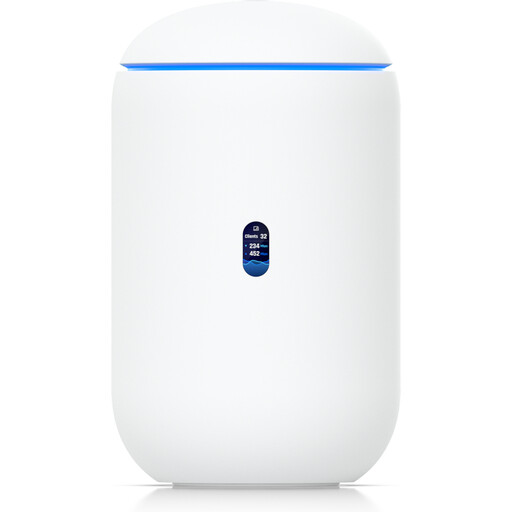
Ubiquiti UniFi Dream Router 7
This gateway with built-in Wi-Fi could suit a home network if its ports and features match your planned setup. It’s designed for dry indoor environments.
Tri-band Wi-Fi 7, a PoE output, 10G SFP+, 2.5 GbE and a pre-installed 64-GB microSD card for NVR storage are listed. The storage specification doesn’t confirm a music server feature; 6 GHz operation depends on local availability.
View at Joybuy
 No image available
TP-Link Deco M4, single unit
A single Deco M4 could work as an additional node in a compatible Deco network. It’s designed for indoor use.
AC1200, dual-band Wi-Fi, Gigabit ports and Ethernet backhaul are listed. Router and access point modes are also specified. Keep the device away from rain and moisture.
View at Joybuy
 No image available
TP-Link Deco M4, 3-pack
This set of three Wi-Fi units is designed for a home network with multiple rooms or nodes, and is intended for indoor use.
Wi-Fi 5, dual-band Wi-Fi, Gigabit ports and router or access point modes are listed. A suitable connection between the nodes remains important when using the system in a garden office.
View at Joybuy
 No image available
FRITZ!Box 7530 AX
This DSL router could be a good fit if you’re planning to replace your router and its built-in modem is compatible with your existing connection. You may still need an additional Wi-Fi node to fix a dead spot in your garden office.
Wi-Fi 6, VDSL Supervectoring 35b, four Gigabit LAN ports, mesh support and a USB port are listed. The modem connection is designed for ADSL and VDSL lines; the USB port alone doesn’t confirm support for the music-sharing method you need.
View at Joybuy
Frequently asked questions
Will a router with a high advertised Wi-Fi speed reach my garden office?
Not necessarily. The connection between the main router and an additional Wi-Fi access point matters too. If you can run a cable, a wired backhaul may be an option. Otherwise, the wireless signal needs to be strong enough where you place the node.
How can my playback devices access music files?
First, make the storage available on your home network, then check which access method each playback device supports. FRITZ! describes a media server feature for connected USB storage, but that doesn’t mean every playback device is compatible.
Do visitors to my garden office need the same Wi-Fi access as my music library?
Not necessarily. The Federal Office for Information Security describes a separate guest Wi-Fi network, which isn’t the same as regular access to files on your home network. If you want visitors to play music from your local library, plan the access permissions and network separation accordingly.
What work should I plan for alongside buying a device?
Depending on your setup, you may need to run a cable, add a Wi-Fi access point or provide power to it. The Federal Office for Information Security also recommends keeping your firmware up to date and backing up important files regularly.
Can I use a Wi-Fi access point outdoors in Germany?
Wi-Fi frequencies are subject to the general frequency allocations set by the Federal Network Agency. You can’t tell from the word “Wi-Fi” alone whether a particular device’s frequency and channel settings are suitable for your planned outdoor installation. Check the device’s specific configuration and the applicable requirements.


