Garden office with a cable route
You regularly download large updates in one place and can connect your home and garden office with an Ethernet cable.


Don’t rush to replace your main router. First, check the speed of your internet connection, then test the connection between your home and garden office. An Ethernet cable with an access point avoids adding another wireless hop; if you can’t run a cable, try a mesh node in a suitable position or test a powerline connection. For outdoor installation, you’ll need a device specifically designed for outdoor use. Its stated Wi-Fi speed isn’t a guaranteed download speed.
You regularly download large updates in one place and can connect your home and garden office with an Ethernet cable.
You need a signal beyond the exterior wall and must choose between a weatherproof outdoor access point and a wireless solution placed in the right spot.
You want to keep using your existing connection and find out whether a wireless mesh node or your existing power cables can provide a suitable connection.
First, measure your internet connection, then check the route to your garden office. The Bundesnetzagentur offers a fixed-line broadband speed test that is independent of provider and technology.
| What matters | What to check before buying | Who it matters most to |
|---|---|---|
| A reliable download spot | Check your connection speed and whether you can run an Ethernet cable or use a wired access point. | If I download large updates in one place, a reliable wired connection matters more to me than a high advertised wireless speed; around 36% of consumers put a reliable download spot first. |
| Signal between the house and garden office | Compare reception at your desk and at potential installation spots; check whether an outdoor node will connect by cable or wirelessly. | If the signal has to pass through the exterior wall to reach my garden office, I’d check the installation spot and backhaul connection first; around 29% of consumers prioritise reception between the house and garden office. |
| Extending Wi-Fi without a cable | Test possible locations for the node, and check that the mesh system, operating mode and connections are compatible with your existing router. | If I don’t want to run an Ethernet cable, I need a spot where the wireless node can still get a usable connection to my home network; around 21% of consumers prefer to extend their Wi-Fi without installing a new cable. |
| Powerline over your electrical wiring | Test the adapters in the wall sockets you plan to use, and check whether your existing adapters are compatible with the product range. | If I don’t want to install new cables or rely on a weak wireless connection, I’d try powerline using the sockets I plan to use; around 14% of consumers prefer to use their existing electrical wiring. |
Manufacturers’ wireless data rates aren’t a measure of your internet connection. A faster router won’t fix a slow connection or automatically improve a weak signal to your garden office.
Check your internet connection and the route to your garden office separately before choosing a higher Wi-Fi class.
A device designed for indoor use isn’t weatherproof just because it has a stated range. An outdoor device also needs a suitable installation spot and a good connection back to your home network.
Distinguish between a sheltered location inside a building and an outdoor installation. For the latter, check that the device is specifically rated for outdoor use.
Finding a suitable installation spot and carrying out the necessary installation can involve extra work.
Electrical devices can interfere with data transmission over your power cables, and the connection can vary from one socket to another.
Test both adapters in the wall sockets you plan to use. If you already have devolo adapters, check that they’re compatible with the Magic range.
The FRITZ!Repeater 3000 AX can extend your network wirelessly or over Ethernet, making it a particularly good fit for an existing FRITZ! mesh network.
The Deco X50-Outdoor is a weatherproof mesh node, while Omada offers a separate range of outdoor access points.
The ZenWiFi BD4 Outdoor offers router, access point, repeater and AiMesh node modes.
The Magic 2 WiFi 6 next is a powerline Wi-Fi alternative if your existing electrical wiring could provide a suitable connection.
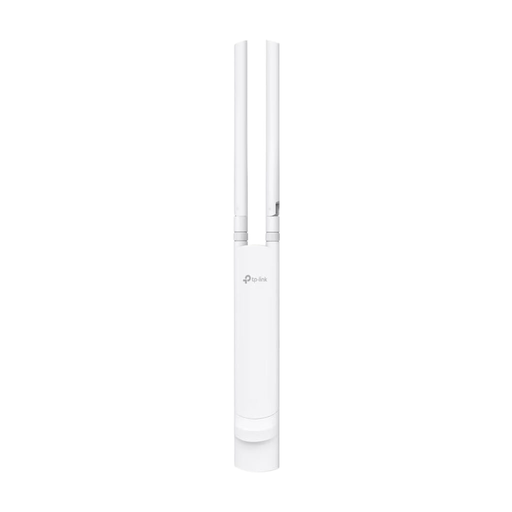
This selection includes an access point specifically described as suitable for outdoor use, which could provide a wired connection to your garden office.
 No image available
Suitable for a garden office with a possible Ethernet connection and outdoor installation, provided the installation spot and network connection are right.
The product details list an IP65 rating, one Gigabit port and support for 802.3af PoE and passive PoE. Wall and pole mounting are supported.
An IP65 rating and the stated Wi-Fi data rate don’t guarantee a connection to your home network or download speeds at your desk. Before installing it outdoors, check that the stated 2.4 and 5 GHz bands can be used at your specific location in Germany.
Not necessarily. First, measure the speed of your internet connection, then check the connection at your workspace separately. The Bundesnetzagentur offers a provider-independent fixed-line broadband speed test.
Only if it can still get a usable connection to your main router. Check the signal at the spot you plan to use; the repeater’s stated speed doesn’t guarantee the same download speed there.
Test the adapters in the wall sockets you plan to use. devolo advises against using extension leads and warns that electrical devices can interfere with transmission.
No. A stated range doesn’t make an indoor device suitable for outdoor use. For outdoor installation, choose a device specifically designed for it and check the installation spot, power supply and connection back to your home network.
You can’t tell from the term “Wi-Fi” alone. Check the applicable requirements for the specific device, frequency band and outdoor location. The Bundesnetzagentur publishes information about the relevant frequency allocations.