Which solution is right for you?

Workshop attendees in a Wi-Fi dead zone

If you take part in calls and may need to share your screen from your garden office, first check whether there’s a usable connection to your router at a potential repeater location. Then test how a video call works at your desk.

Garden offices with an Ethernet connection

If you have a usable network connection, check whether a device with a suitable access point or Ethernet bridge mode can use it to provide Wi-Fi in your office.

If you need to install a device outdoors

If you need to mount a device outdoors, check its suitability for the location, power supply and specific wireless configuration separately.

What to look for when buying

Wi-Fi repeater at a sheltered midway point

A good fit if: There’s still a usable connection to your router where you plan to put the repeater, and the device can also reach your garden office.

Trade-off: You won’t need to run a new data cable, but the wireless connection back to your router will still depend on distance and obstacles.

Ethernet with an access point

A good fit if: You have, or can run, a suitable network connection to a sheltered spot in or near the garden office.

Trade-off: The cable route, connections and supported operating mode must all be suitable for the device and location.

Powerline with Wi-Fi at the other end

A good fit if: There’s no suitable midway point for a repeater and no practical way to run an Ethernet cable, and the adapters provide a usable connection at the sockets you plan to use.

Trade-off: The connection depends on your existing electrical wiring and the sockets you use. devolo notes that electrical devices can affect performance.

Access point designed for outdoor use

A good fit if: You really do need to mount the device outdoors and suitable network and power connections are available at the location.

Trade-off: Weather protection alone doesn’t guarantee a usable connection to the house or that the specific wireless configuration is suitable for the location.

Key consideration What to check before buying Who it matters most to
Wireless connection to the router Check the connection at a sheltered midway point, then test the signal where you work. If I want to reach the garden office from the house without running a new cable, the repeater needs a usable connection to the router where it’s installed. Around 36 % of consumers rank the wireless connection back to the router as their main buying concern.
Call quality where you work Test upload and download speeds at your desk, and make a test video call before your meeting. For interactive calls and screen sharing, I want to know how the connection performs right where I work. Around 29 % of consumers put workshop connectivity first.
Operating mode and router Check your exact router model and make sure it’s compatible with the mesh, access point or Ethernet bridge mode you want to use. If I want to connect devices I already own, the router and the operating mode I need must work together. Around 21 % of consumers prioritise compatibility with their existing network.
Suitability for outdoor installation Check whether the device really needs to be outdoors; then check its outdoor rating, connections and specific wireless configuration. If I need to install a device outdoors, I want to make sure the conditions and power supply are suitable. Around 14 % of consumers prioritise outdoor installation.

Common buying and set-up mistakes

  • Putting the repeater directly in the Wi-Fi dead zone

    A repeater needs a usable connection to the router itself. If you put it somewhere the Wi-Fi barely reaches, that doesn’t automatically solve the connection to the device.

    Try a sheltered midway point, then test a video call at your desk in the garden office.

  • Assuming maximum Wi-Fi speed means better workshop calls

    The advertised Wi-Fi data rate doesn’t tell you how much internet upload speed is available or how good calls will be at your actual workspace.

    Make a test video call from your desk. During a call, Microsoft Teams shows connection details including packet loss and latency.

  • Assuming Powerline or mesh will work without checking

    Powerline performance depends on the sockets you use. Mesh features and set-up also need to be compatible with your specific router and device.

    Test Powerline at the sockets you plan to use, and check your router model, device generation and preferred operating mode.

  • Mounting an indoor repeater outdoors without protection

    A device designed for indoor use isn’t automatically suitable for the weather and other outdoor conditions just because you want Wi-Fi to reach the garden.

    Distinguish between a sheltered location inside the garden office and actual outdoor installation. For the latter, choose a device specifically designed for outdoor use.

Key brands to consider

FRITZ!

Worth considering if you want to add a repeater to an existing FRITZ! mesh network.

  • FRITZ! lists Wi-Fi 6, 2.4 and 5 GHz bands, and a Gigabit LAN port for the FRITZ!Repeater 1200 AX.
  • The manufacturer’s Wi-Fi speed figures don’t measure the connection in your garden office. Location and the connection to your router still matter.

TP-Link

For outdoor locations, look for product ranges specifically designed for outdoor use.

  • TP-Link describes the RE705X-Outdoor as having an IP65-rated enclosure, PoE power options and EasyMesh compatibility with a compatible router.
  • An IP rating and mesh features don’t guarantee a connection to the house or prove that every wireless configuration will suit a particular location.

devolo

The WiFi 6 Repeater 3000 and separate Magic Powerline products offer different ways to connect to your network.

  • devolo says the WiFi 6 Repeater 3000 supports access point mode as well as repeater mode.
  • Powerline is a separate solution that uses your electrical wiring. Its performance can depend on the sockets you use and sources of electrical interference.

Deutsche Telekom

Speed Home WLAN is an option if it’s compatible with your existing Speedport or Speed Home system.

  • Deutsche Telekom describes different set-up options, both with and without a mesh router.
  • The right set-up depends on your router model and device generation. If your router doesn’t support mesh, a Speed Home WLAN connected permanently via Ethernet can act as the mesh base.

Joybuy products for Wi-Fi in your garden office

The products below include Wi-Fi repeaters and access points with an Ethernet connection, including one model specifically described as an outdoor access point. Before choosing, decide whether you’ll install the device in a sheltered indoor location or actually outdoors.
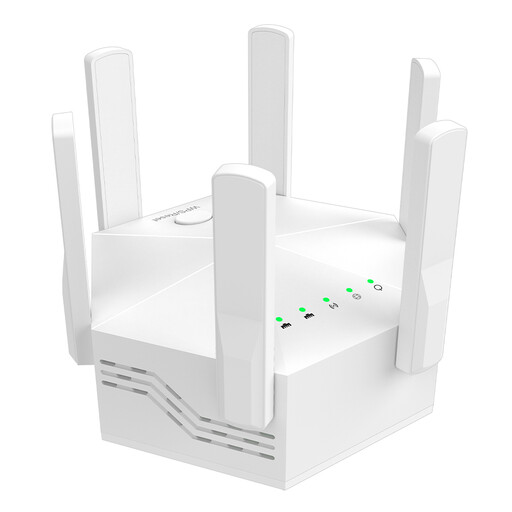
Dual-band Wi-Fi extender, 1200 Mbit/s

Dual-band Wi-Fi extender, 1200 Mbit/s

For extending Wi-Fi indoors. Access point mode may be suitable if you have a compatible wired connection.

Repeater and access point modes; two 10/100 Mbit/s LAN ports; dual-band.

View at Joybuy

Wi-Fi repeater, 1200 Mbit/s, 5 GHz

Wi-Fi repeater, 1200 Mbit/s, 5 GHz

For extending Wi-Fi indoors. If you have an Ethernet connection, the listed access point mode may be useful.

Repeater, access point and router modes; two RJ45 ports with 10/100 Mbit/s.

View at Joybuy

Compact Wi-Fi booster

Compact Wi-Fi booster

Designed to extend an existing Wi-Fi network at home or in the office. Check the connection where you plan to install it.

View at Joybuy
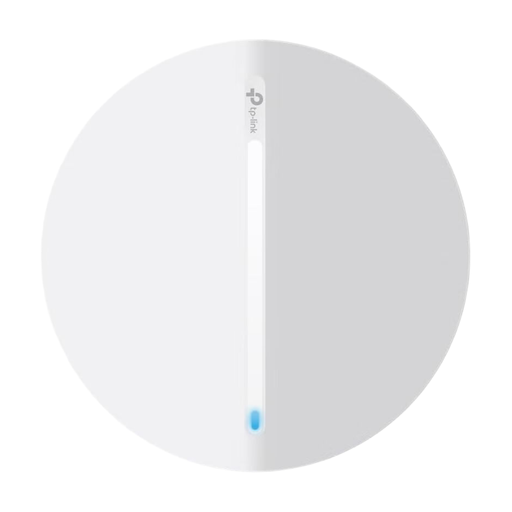
TP-Link Festa F65 AX3000 Wi-Fi 6 access point

TP-Link Festa F65 AX3000 Wi-Fi 6 Access Point

For a wired indoor access point, provided an Ethernet connection and suitable power supply are available at the location.

Wi-Fi 6; Gigabit Ethernet; PoE; access point and mesh node modes. According to the product details, an Ethernet network connection and compatible PoE or DC power supply are required.

View at Joybuy
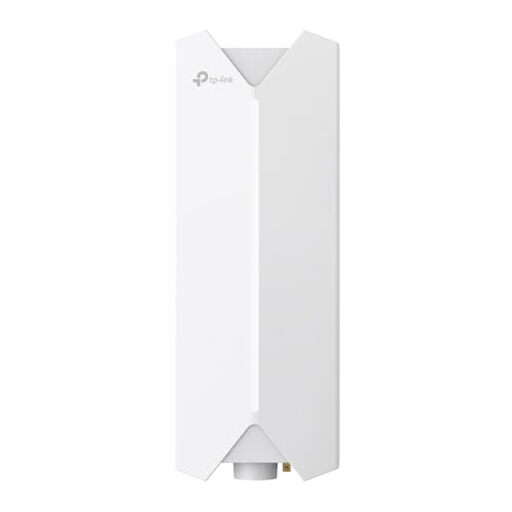
TP-Link Festa F61 outdoor Wi-Fi access point

TP-Link Festa F61 Outdoor Wi-Fi Access Point

Designed for outdoor installation with an Ethernet connection and a suitable PoE power supply.

Gigabit port; 802.3at and passive PoE. According to the product details, outdoor installation should be carried out by a professional. Also check the German requirements that apply to the intended wireless use.

View at Joybuy

Frequently asked questions

Where should I put a Wi-Fi repeater for my garden office?

Place it somewhere sheltered where it can still get a usable connection to your router and reach the garden office. Test both wireless links in practice; a Wi-Fi dead zone isn’t a reliable starting point.

How can I check the connection before a workshop?

Test upload and download speeds at your actual workspace and make a test video call there. During a call, Microsoft Teams shows details including latency and packet loss. These call-quality figures aren’t the same as the advertised Wi-Fi data rate.

Can I use a repeater with an existing Ethernet cable?

Yes, if your specific device supports a suitable access point or Ethernet bridge mode and the cable connection to the network is working. FRITZ! lists a Gigabit LAN port on the 1200 AX; devolo explicitly describes access point mode for the WiFi 6 Repeater 3000.

What should I know about Powerline and maintaining my devices?

Test Powerline using the exact sockets you plan to use, as devolo notes that power supplies and other electrical devices can affect performance. Deutsche Telekom warns that Speed Home devices may develop faults or security vulnerabilities if firmware updates are not installed.

What should I know about outdoor installation in Germany?

The German Federal Network Agency publishes general assignments setting out the rules for using Wi-Fi frequencies. For a planned outdoor installation, check the specific frequency band, the applicable regulation and the device configuration. A weatherproof enclosure alone doesn’t prove that the configuration is permitted. Decision 76/2025 on the general assignment of the 6 GHz band explicitly repeals the earlier Decision 12/2025.